
For gamers, streamers, and voice chat enthusiasts, clear communication is just as critical as in-game reflexes. Whether coordinating with teammates or broadcasting to an audience, your microphone setup can make the difference between crisp, professional audio and muffled, distracting noise. The debate between using a gaming headset with a built-in microphone versus a standalone external microphone has been ongoing for years. While convenience often favors headsets, audiophiles and content creators lean toward separate mics. This article dives deep into the real-world differences in audio quality, practicality, and long-term value between these two setups.
Understanding the Core Differences
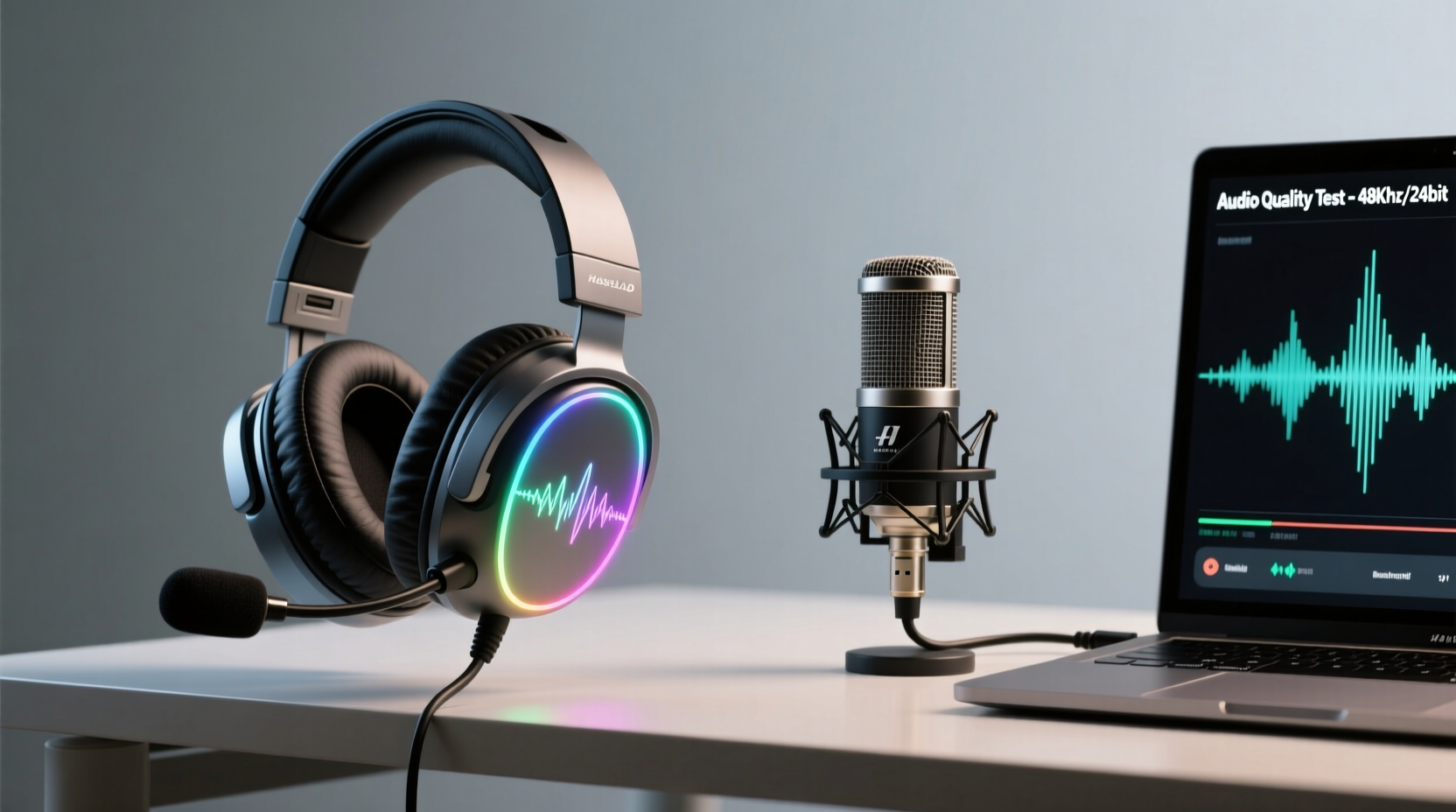
The fundamental distinction lies in design intent. Gaming headsets with microphones are engineered for all-in-one functionality—offering both listening and speaking in a single device. They prioritize mobility, plug-and-play usability, and affordability. In contrast, a separate microphone setup treats audio input as a specialized task. These mics are designed solely for capturing sound with higher fidelity components, greater sensitivity, and advanced signal processing.
A typical gaming headset mic uses a unidirectional (cardioid) condenser or electret capsule mounted on a flexible boom arm. It's positioned close to the mouth but constrained by the headset’s ergonomics. On the other hand, dedicated microphones—such as large-diaphragm condensers like the Audio-Technica AT2020 or dynamic mics like the Shure SM7B—offer superior frequency response, lower self-noise, and better rejection of ambient sound when paired with proper accessories.
“Most gaming headset mics are optimized for intelligibility, not tonal richness. A dedicated mic captures the full character of your voice.” — David Lin, Audio Engineer & Podcast Producer
Audio Quality: A Side-by-Side Breakdown
When comparing audio output, several technical factors determine performance: frequency response, signal-to-noise ratio, dynamic range, and background noise handling.
| Feature | Gaming Headset Mic | Separate Microphone |
|---|---|---|
| Frequency Response | Limited (typically 100Hz–10kHz) | Broad (e.g., 20Hz–20kHz) |
| Signal-to-Noise Ratio | 45–60 dB (moderate hiss in quiet environments) | 70–80+ dB (cleaner baseline) |
| Microphone Type | Electret condenser (small diaphragm) | Large-diaphragm condenser or dynamic |
| Background Noise Rejection | Moderate; picks up keyboard, fan noise | High with pop filters, shock mounts, and positioning |
| Vocal Clarity & Warmth | Functional but thin or metallic | Rich, natural, studio-grade tone |
| Customization & Processing | Basic EQ or software enhancements | Fully configurable via audio interfaces and DAWs |
The table illustrates a consistent trend: dedicated microphones outperform headset mics across nearly every measurable audio parameter. While a gaming headset mic gets the job done in casual multiplayer games, it lacks the nuance needed for streaming, podcasting, or high-stakes voice communication where vocal presence matters.
Practical Considerations Beyond Sound
Audio quality isn’t the only factor. Real-world usage involves space, budget, workflow, and flexibility.
- Setup Simplicity: Headsets win here. Plug in USB or 3.5mm, and you’re ready. No drivers, no mixers, no boom arms.
- Portability: Gamers on the go or using laptops benefit from an integrated solution. Separate mics require more gear and careful packing.
- Desk Space: External mics need room for stands, shock mounts, and cables. For small desks, this can be a dealbreaker.
- Upgrade Path: With a separate mic, you can upgrade your headphones independently. This modularity allows for future-proofing your audio chain.
- Noise Environment: In shared spaces, headset mics pick up less room echo because they’re closer to the source. However, they also capture more mechanical noise from typing or headset movement.
One overlooked aspect is fatigue. Wearing a headset for hours while talking can cause discomfort, especially if the mic arm adds pressure. External mics allow you to use open-back headphones or even speakers, reducing ear strain during long sessions.
Real-World Example: From Casual Gamer to Streamer
Take Mark, a mid-level gamer who started streaming Valorant on Twitch. Initially, he used a popular $80 gaming headset with a flip-to-mute mic. His viewers could hear him fine during gunfights, but comments began appearing: “Your voice sounds tinny,” “Lots of keyboard clatter,” and “Hard to focus when you’re loud then quiet.”
After researching, Mark invested $130 in an Audio-Technica AT2020, a basic boom arm, and a pop filter. He kept his same headphones for monitoring. The change was immediate. His voice sounded fuller and more present. Background noise dropped significantly when he adjusted gain settings and used a reflection filter. Within three months, his average viewer retention increased by 22%, and several followers mentioned the improved audio as a reason they stayed longer.
This case highlights a common transition: once content creation becomes a priority, audio quality directly impacts audience engagement. The headset served its purpose early on, but scalability demanded a better input solution.
Step-by-Step: Upgrading from Headset Mic to Separate Setup
If you’re considering making the switch, follow this logical progression to ensure a smooth transition without overspending:
- Assess Your Needs: Are you streaming, recording podcasts, or just playing online? High-fidelity audio matters most when others listen repeatedly.
- Choose the Right Mic Type: Dynamic mics (e.g., Shure SM58) handle loud environments well. Condenser mics (e.g., Rode NT1) offer clarity but are more sensitive to room acoustics.
- Get Essential Accessories: Include a boom arm, pop filter, and shock mount. These reduce handling noise and plosives (“p” and “b” sounds).
- Add an Audio Interface (if needed): Most XLR mics require a preamp. Devices like the Focusrite Scarlett Solo provide clean gain and monitoring options.
- Optimize Positioning: Place the mic 6–8 inches from your mouth, slightly off-axis to avoid blasting plosives directly into the capsule.
- Configure Software Settings: Use tools like OBS, Voicemeeter, or Reaper to apply noise gates, compression, and EQ for polished output.
- Test and Iterate: Record sample clips in your actual environment. Listen critically and adjust gain, distance, and room treatment as needed.
Cost vs. Value Over Time
At first glance, gaming headsets seem more cost-effective. A decent model costs $50–$150 and includes both audio input and output. However, consider longevity and flexibility. Headsets combine two wear-prone components: ear cushions degrade, drivers fail, and mic arms break. When one part fails, the entire unit often needs replacement.
In contrast, a separate microphone is a long-term investment. High-quality mics last 10+ years with minimal maintenance. You can pair them with any headphones, swap monitors, or use them across multiple devices. Even entry-level studio mics like the Behringer C-2 or Samson C01U Pro outperform most bundled headset mics at similar price points.
Moreover, upgrading only your mic lets you retain high-end headphones you already love. This modular approach prevents redundant spending and aligns with how professionals build their audio chains.
FAQ
Can I use both a headset and a separate mic at the same time?
Yes. You can wear a gaming headset for listening while routing your voice through an external microphone. In operating system sound settings, set the headset as the default playback device and the external mic as the default recording device. Applications like Discord and OBS will respect these choices.
Do I need an audio interface for a separate microphone?
It depends on the mic. USB microphones (e.g., Blue Yeti, Elgato Wave) have built-in preamps and connect directly. XLR mics require an external interface or mixer to convert the analog signal and provide phantom power (for condenser mics). USB offers simplicity; XLR offers higher quality and scalability.
Will a better microphone improve my voice?
It won’t change your vocal cords, but it will reveal nuances you didn’t know were there—warmth, depth, and articulation. A good mic captures your voice more accurately, and with light processing, you can achieve a confident, broadcast-ready tone.
Final Recommendation: Match the Tool to the Task
There’s no universal winner. For casual gamers who play a few hours a week and primarily use voice chat, a quality gaming headset with a reliable mic is perfectly adequate. Look for models with detachable or omni-directional mics, such as the HyperX Cloud II or SteelSeries Arctis Pro, which offer better-than-average clarity.
However, if you stream regularly, create content, host voice chats with friends, or simply care about how you sound, a separate microphone setup is worth the investment. The improvement in vocal presence, reduced background interference, and long-term adaptability far outweigh the initial complexity.
Think of it like kitchen knives: a Swiss Army knife works in a pinch, but a dedicated chef’s knife makes prep faster, safer, and more enjoyable. Similarly, while a headset mic gets you heard, a standalone mic helps you be remembered.
“The best microphone is the one that disappears. You shouldn’t notice the tech—just the person speaking.” — Lena Park, Voiceover Artist & Audio Consultant




 浙公网安备
33010002000092号
浙公网安备
33010002000092号 浙B2-20120091-4
Comments
No comments yet. Why don't you start the discussion?