
When it comes to online gaming, streaming, or voice chat, audio clarity isn’t just a luxury—it’s essential. A muffled voice can lead to missed calls in competitive matches, poor communication with teammates, or unprofessional-sounding streams. The central debate among gamers and content creators is simple: should you rely on a gaming headset with a built-in microphone, or invest in a separate standalone microphone for superior sound?
The answer depends on your priorities—budget, convenience, use case, and audio expectations. While modern gaming headsets have made significant strides in microphone quality, dedicated microphones still hold a strong advantage in raw performance. This article breaks down the technical and practical differences between these two setups, helping you make an informed decision based on real-world performance.
Understanding Audio Clarity in Voice Communication
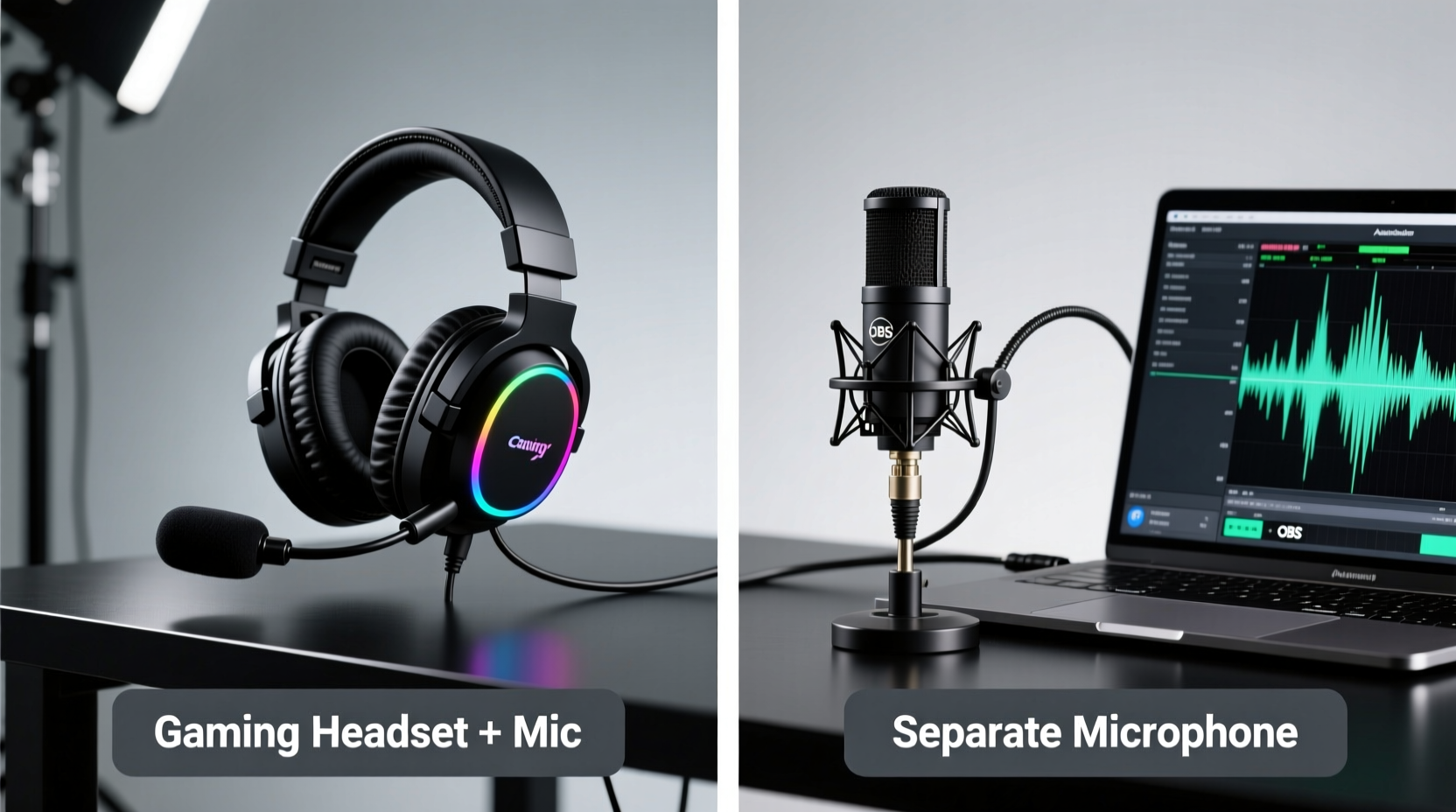
Audio clarity refers to how accurately and cleanly your voice is captured and transmitted. Key factors include frequency response, background noise rejection, proximity effect, and microphone sensitivity. In gaming, clear audio ensures your voice is intelligible even in loud environments or during intense gameplay.
A built-in mic on a gaming headset is typically a unidirectional (cardioid) condenser or electret microphone placed close to the mouth. Its small size limits its ability to capture full vocal range and reject ambient noise effectively. On the other hand, a standalone USB or XLR microphone—like the Shure MV7, Rode NT-USB, or Audio-Technica AT2020—uses larger diaphragms and advanced circuitry to deliver studio-grade clarity, deeper bass response, and better noise isolation.
While both options can transmit voice, the difference becomes apparent when comparing recordings side by side. Separate mics consistently outperform headset mics in dynamic range, sibilance control, and overall tonal balance.
Headset Microphones: Convenience Over Fidelity
Gaming headsets with integrated microphones are designed for all-in-one functionality. They offer plug-and-play simplicity, spatial audio integration, and immediate voice chat readiness—ideal for casual gamers or those who prioritize mobility.
Most gaming headsets use omnidirectional or cardioid electret mics mounted on flexible booms. These mics are engineered to pick up voice at close range while minimizing echo from the earcups. Brands like SteelSeries, HyperX, and Logitech have improved noise gating and digital signal processing (DSP) to suppress keyboard clicks and fan noise.
However, physical limitations remain. Small microphone capsules lack the surface area to capture nuanced vocal details. They often emphasize mid-to-high frequencies, resulting in a thin or “tinny” sound. Wind noise from breathing and inconsistent positioning further degrade clarity. Even premium models like the Audeze Maxwell or Sennheiser Game Zero, while excellent for headsets, cannot match the vocal warmth of a $100 standalone mic.
Additionally, headset mics are prone to handling noise. Adjusting the boom arm or touching the earcup can create distracting thumps picked up by the mic. This makes them less suitable for podcasting, streaming, or professional voice work.
When a Headset Mic Makes Sense
- You play casually and communicate mostly with friends.
- You switch between devices frequently (console, PC, mobile).
- You value portability and don’t want extra desk clutter.
- Your environment is relatively quiet.
Separate Microphones: Professional-Grade Clarity
Dedicated microphones are purpose-built for voice capture. Whether USB condensers for plug-and-play ease or XLR mics paired with audio interfaces for maximum control, they provide unmatched clarity, depth, and consistency.
Standalone mics benefit from larger diaphragms that respond more naturally to vocal dynamics. They capture lower frequencies without distortion and handle transients (like sharp consonants) more smoothly. With proper placement—typically 6–12 inches from the mouth, angled slightly off-axis—they minimize plosives and room echo.
Many external mics also support accessories: shock mounts reduce vibrations, pop filters tame explosive sounds, and foam windscreens cut breath noise. Software integration via tools like NVIDIA Broadcast, Voicemeeter, or OBS allows for real-time noise suppression, EQ tuning, and reverb control—options rarely available with headset mics.
“Even a modest standalone mic like the Elgato Wave 3 or Samson Q2U will outperform 90% of gaming headset microphones in clarity and presence.” — Jordan Lee, Audio Engineer & Stream Tech Consultant
Streaming platforms like Twitch and YouTube reward high-quality audio. Viewers are more likely to stay engaged when speech is crisp and free of static or distortion. Competitive players also benefit—clear comms prevent misunderstandings during coordinated plays.
Common External Mic Advantages
- Better signal-to-noise ratio (less background interference)
- Wider frequency response (fuller, richer voice tone)
- Greater flexibility in positioning and gain control
- Support for professional audio processing workflows
Comparative Analysis: Headset vs Separate Mic
| Feature | Gaming Headset with Mic | Separate Microphone |
|---|---|---|
| Audio Clarity | Moderate – often thin or compressed | High – full-range, natural reproduction |
| Noise Rejection | Limited – picks up keyboard, fans, breathing | Strong – especially with DSP or directional pickup |
| Setup Complexity | Simple – plug and play | Varies – USB easy, XLR requires interface |
| Portability | High – all-in-one design | Low – fixed desk setup |
| Cost Efficiency | Good – included with headset | Higher upfront cost, but long-term value |
| Use Case Flexibility | Best for quick comms and gaming | Ideal for streaming, recording, voiceovers |
| Maintenance & Accessories | Minimal – no add-ons | Pop filters, mounts, software enhance performance |
Real-World Example: From Casual Gamer to Streamer
Consider Mark, a mid-level FPS player who started streaming on Twitch after receiving a popular gaming headset as a gift. Initially satisfied with the built-in mic, he began receiving viewer complaints about his voice sounding “robotic” or “far away.” Keyboard clatter and inconsistent mic positioning made his audio distracting.
After switching to a Rode NT-USB mounted on a boom arm with a foam filter, his audio clarity improved dramatically. Viewers commented on the richer tone and reduced background noise. He used free software like Krisp to eliminate residual fan hum and applied light compression in OBS. Despite using the same headphones for monitoring, the change in microphone alone elevated his production quality.
This shift didn’t require expensive gear—just a focused upgrade to the weakest link: the microphone. His experience reflects a common journey among emerging creators who start with convenience and evolve toward quality.
Step-by-Step Guide: Choosing and Optimizing Your Setup
- Assess Your Primary Use Case: Are you playing casually, streaming, or doing voice work? If voice quality matters beyond basic chat, lean toward a separate mic.
- Evaluate Your Environment: Noisy rooms favor external mics with directional pickup and noise suppression software. Quiet spaces allow headset mics to perform adequately.
- Test Budget Options First: Try a budget USB mic like the FIFINE K669B or Monoprice 9600 before investing heavily. Compare recordings against your current headset mic.
- Optimize Placement: Position the mic 6–8 inches from your mouth, slightly below or to the side to avoid plosives. Use a boom arm for flexibility.
- Apply Basic Processing: Enable noise suppression in Discord, OBS, or Windows Settings. Add light compression to even out volume spikes.
- Reassess After Two Weeks: Listen to recorded clips. Is your voice clear? Are there distractions? Decide whether to stick with the setup or adjust.
Frequently Asked Questions
Can I use a separate microphone with a gaming headset?
Yes—and this is actually the ideal configuration for many users. You keep the headset for immersive audio and use a standalone mic for voice input. Just set the mic as your default input device in system settings or communication apps like Discord or Zoom.
Do expensive gaming headsets have better mics than budget ones?
Somewhat. Premium headsets often feature improved noise filtering, better boom articulation, and higher-quality mic capsules. However, even top-tier models like the Astro A50 or Corsair Virtuoso fall short of a $100 USB microphone in vocal fidelity. The gap narrows in noisy environments due to DSP, but clarity still favors external mics.
Is a headset mic good enough for streaming?
For beginner streams with minimal production, yes. But as your audience grows, audio quality becomes a key factor in retention. Viewers may tolerate imperfect video, but poor audio drives them away quickly. Upgrading to a separate mic is one of the most impactful improvements you can make.
Action Plan: How to Decide What’s Right for You
If you're still unsure which path to take, follow this checklist to guide your decision:
- Choose a Gaming Headset with Mic if:
-
- You game primarily on console or switch between devices.
- You don’t stream or record voice content regularly.
- You prefer a clean, minimalist desk setup.
- Your budget is tight and you need an all-in-one solution.
- Invest in a Separate Microphone if:
-
- You stream on Twitch, YouTube, or host online shows.
- You play competitive games where precise comms matter.
- You want studio-quality voice for podcasts or voiceovers.
- You’re serious about improving your audio presence.
Final Verdict: Clarity Wins, But So Does Context
In direct comparison, a separate microphone delivers significantly clearer audio than any gaming headset’s built-in mic. The technological advantages—larger diaphragms, better materials, accessory support, and advanced processing—are undeniable. For anyone serious about voice quality, the upgrade is both logical and transformative.
Yet, convenience remains a powerful factor. For casual gamers, console players, or those who value simplicity, a quality gaming headset with a decent mic offers a balanced trade-off. You sacrifice some clarity but gain mobility, integration, and ease of use.
The smart approach? Start with what you have. Test your current setup. If others notice your voice, or if you feel your message isn’t coming through clearly, consider adding a standalone mic—even a basic one. Many users find that combining a favorite headset for listening with a desktop mic for speaking delivers the best of both worlds.




 浙公网安备
33010002000092号
浙公网安备
33010002000092号 浙B2-20120091-4
Comments
No comments yet. Why don't you start the discussion?