
In the high-stakes world of competitive gaming, every millisecond counts. Gamers obsess over frame rates, input lag, monitor response times—and yes, even the weight of their mouse. Over the past decade, manufacturers like Logitech, Razer, and SteelSeries have introduced gaming mice with customizable weights, allowing users to add or remove small metal inserts to fine-tune heft. But here’s the real question: is this feature a genuine innovation that enhances gameplay, or just another flashy gimmick designed to justify premium pricing?
The answer isn’t black and white. For some players, adjustable weights are transformative. For others, they’re irrelevant. The truth lies in how individual preferences, play styles, and ergonomic needs intersect with physics and precision. Let’s dissect the role of customizable weights in modern gaming mice—what they do, who benefits, and whether they’re worth your attention.
The Physics Behind Mouse Weight and Control
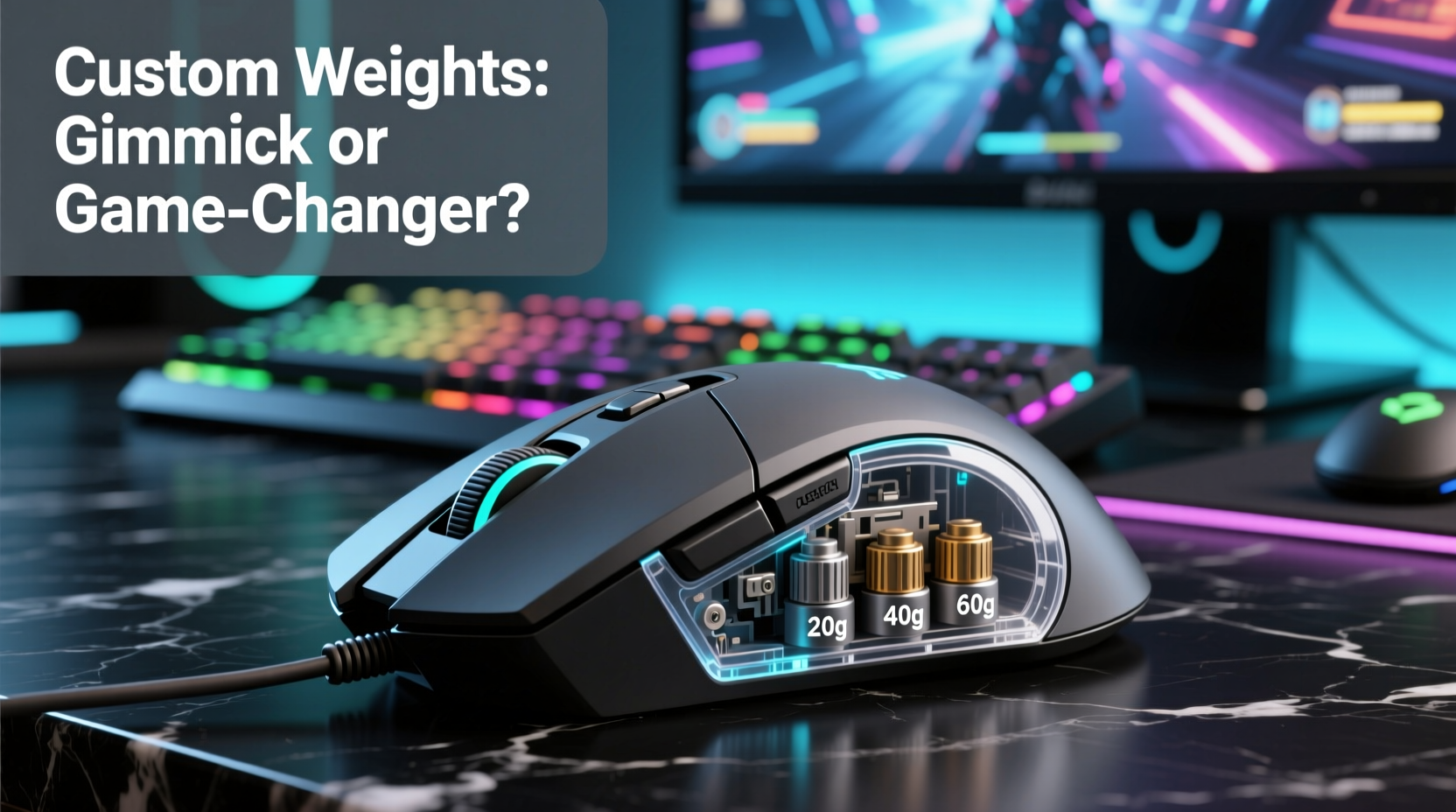
At its core, mouse weight affects inertia—the resistance to changes in motion. A heavier mouse requires more force to start moving but is also less likely to overshoot during quick flicks. Conversely, a lighter mouse accelerates faster but can feel twitchy or unstable, especially during micro-adjustments.
This balance between control and speed is critical in games where precision matters. In first-person shooters (FPS) like Counter-Strike 2 or Valorant, players often make rapid crosshair adjustments under pressure. A well-balanced mouse can reduce hand fatigue and improve shot consistency. Studies on motor control suggest that moderate resistance helps stabilize fine motor movements—similar to why surgeons use weighted tools for steady hands.
“Small changes in tool mass can significantly influence motor precision and fatigue over time. In high-repetition tasks, including gaming, optimal weight reduces cognitive load.” — Dr. Alan Park, Human Factors & Ergonomics Researcher, University of Michigan
Customizable weights allow users to find their personal sweet spot—neither too light nor too heavy—but rather, perfectly tuned to their grip style, sensitivity settings, and muscle memory.
Who Actually Benefits from Customizable Weights?
Not all gamers will notice—or care about—a few grams of difference. However, certain player types gain measurable advantages:
- FPS enthusiasts: Players who rely on pixel-perfect tracking and controlled flick shots often prefer slightly heavier mice (80–100g) for stability.
- MOBA and RTS players: These gamers prioritize speed and rapid cursor movement across large screens, so they typically favor lighter mice (60–80g).
- Hybrid grip users: Those using claw or fingertip grips may prefer lighter setups to reduce finger strain during extended sessions.
- Professional competitors: Many pros spend hours tuning gear, including weight distribution, to match tournament conditions.
A 2023 survey by *Esports Observer* found that 68% of professional FPS players adjust mouse weight at least once per season, either due to new hardware or evolving personal preference. This suggests that while not universal, weight customization plays a meaningful role at elite levels.
Real-World Example: From Frustration to Flow
Consider Alex, a semi-pro Overwatch player specializing in hitscan heroes like Ashe and Soldier: 76. For months, Alex struggled with inconsistent flick shots, often overshooting targets during duels. He blamed his sensitivity settings, then his mousepad, and even considered switching to a different sensor.
After consulting with a coach, he was advised to experiment with mouse weight. His current mouse weighed 75g. On a hunch, he added two 4g weights (included with his Logitech G502 HERO), bringing the total to 83g. The change wasn’t dramatic—but within three days of practice, his accuracy improved noticeably. “It felt like the mouse finally stayed where I put it,” Alex said. “I wasn’t fighting to correct my aim mid-flick anymore.”
For Alex, the adjustment wasn’t about raw speed—it was about predictability. The added mass reduced unintentional hand tremors and gave him better command over acceleration curves. What seemed like a minor tweak became a cornerstone of his improved consistency.
Do’s and Don’ts of Using Customizable Weights
| Action | Recommendation |
|---|---|
| Do test incremental changes | Add or remove 2–4g at a time to assess subtle differences. |
| Do consider weight distribution | Some mice allow front, rear, or center weighting—this affects balance and pivot point. |
| Do pair weight changes with grip analysis | Palm grippers often benefit from higher mass; fingertip users may prefer lighter loads. |
| Don’t overload the mouse | Exceeding recommended weight can strain motors (in wireless models) and reduce responsiveness. |
| Don’t ignore ergonomics | A heavier mouse may increase wrist strain if your desk height or posture isn’t optimized. |
| Don’t assume more weight = better control | Too much mass leads to fatigue and slower repositioning, especially in fast-paced games. |
Step-by-Step: How to Find Your Ideal Mouse Weight
Finding the right weight isn't guesswork—it's a process of refinement. Follow these steps to dial in your ideal setup:
- Baseline Assessment: Use your current mouse without modifications. Note any issues—overshooting, fatigue, lack of precision.
- Determine Starting Weight: Check your mouse’s base weight (usually listed in specs). If no weights are installed, this is your baseline.
- Select Test Increments: Add 4g first. Play for at least 30 minutes in a familiar game. Focus on tracking, flicking, and comfort.
- Evaluate Performance: Ask yourself: Is movement smoother? Do corrections feel excessive? Is your hand tiring faster?
- Adjust and Repeat: Remove or add another 4g based on feedback. Continue until you find a noticeable improvement—or diminishing returns.
- Lock It In: Once satisfied, document the configuration. Some mice have numbered slots—use them to remember your setup.
- Reassess Periodically: Every few months, or when changing sensitivity, revisit your weight choice. Preferences evolve.
This methodical approach prevents random tweaking and ensures each change serves a purpose.
Gimmick or Game-Changer? The Verdict
Labeling customizable weights as “gimmicky” overlooks the nuance of human-computer interaction. While casual gamers might never notice a difference, serious players—especially those competing at high levels—often treat mouse tuning like athletes tune their equipment.
However, the value depends on implementation. Some brands include weights purely as a box-checking feature, offering minimal range (e.g., ±4g) or poor balance design. Others, like the Logitech G Pro X Superlight 2 or Razer Viper V2 Pro, offer thoughtful weight systems integrated with low-latency engineering and ergonomic excellence.
The key distinction? When weight customization is part of a holistic design philosophy—where sensor accuracy, shape, button placement, and material quality are all optimized—then adjustable weights enhance an already superior product. When slapped onto a mediocre mouse as a selling point, they’re indeed a gimmick.
Moreover, the psychological aspect matters. Knowing you’ve fine-tuned your gear can boost confidence—an intangible but real advantage in high-pressure matches.
Frequently Asked Questions
Does mouse weight affect click latency?
No, weight does not directly impact click latency. Latency is determined by the switch mechanism, polling rate, and wireless transmission (if applicable). However, a poorly balanced heavy mouse might cause delayed repositioning, which feels like lag.
Can I use third-party weights in my gaming mouse?
Yes, but cautiously. Some enthusiasts use aftermarket tungsten weights for higher density in smaller sizes. Ensure compatibility with your mouse’s compartment size and avoid over-tightening, which could damage internal components.
Is a lighter mouse always better for fast games?
Not necessarily. While lighter mice accelerate faster, they can feel “floaty” and harder to control precisely. Many top CS2 players use mice between 80–95g. Speed comes from technique and sensitivity settings—not just low mass.
Checklist: Evaluating a Gaming Mouse with Customizable Weights
- ✅ Does the mouse allow precise, incremental weight adjustments (e.g., 2–4g increments)?
- ✅ Are the weights securely housed and easy to install/remove?
- ✅ Does the weight system affect the mouse’s balance or center of gravity?
- ✅ Is the base build quality high (sensor, switches, materials) independent of the weight feature?
- ✅ Does the manufacturer provide guidance on optimal configurations?
- ✅ Is the weight range meaningful (at least ±8g), or negligible?
- ✅ Have user reviews noted tangible improvements in control or comfort after adjusting weight?
If most answers are “yes,” the feature likely adds real value. If not, it may be cosmetic.
Final Thoughts: Precision in Every Gram
Customizable weights in gaming mice aren’t essential for everyone. For the average user, the difference between 75g and 80g might be imperceptible. But for those chasing peak performance—whether climbing ranked ladders or training for tournaments—these small adjustments can tip the scales toward consistency, comfort, and control.
The best technology doesn’t shout its presence; it disappears into the background, enabling seamless interaction. When used wisely, customizable weights do exactly that: they let the mouse become an extension of the hand, not a barrier to it.
Rather than dismissing the feature as marketing fluff, consider it a tool—one among many—that empowers personalization. Like seat position in a race car or grip tension on a tennis racket, it’s not the tool itself that wins races, but how well it’s tuned to the user.




 浙公网安备
33010002000092号
浙公网安备
33010002000092号 浙B2-20120091-4
Comments
No comments yet. Why don't you start the discussion?