
In competitive gaming, every millimeter counts. From pixel-perfect flick shots to micro-adjustments during crosshair placement, the tools you use can subtly—but significantly—influence your performance. One often-overlooked component is the gaming mouse pad. While it may seem like a passive surface, its size plays an active role in how precisely and consistently you move your mouse. The debate between large and small mouse pads isn't just about desk space—it's about control, muscle memory, and biomechanics under pressure.
Professional players spend hours refining their sensitivity settings, DPI configurations, and grip styles. But few consider how mouse pad dimensions affect tracking accuracy, wrist stability, and movement economy. This article breaks down the real-world impact of mouse pad size on precision in high-stakes gameplay, backed by ergonomic research, player habits, and practical testing.
The Role of Surface Size in Mouse Control
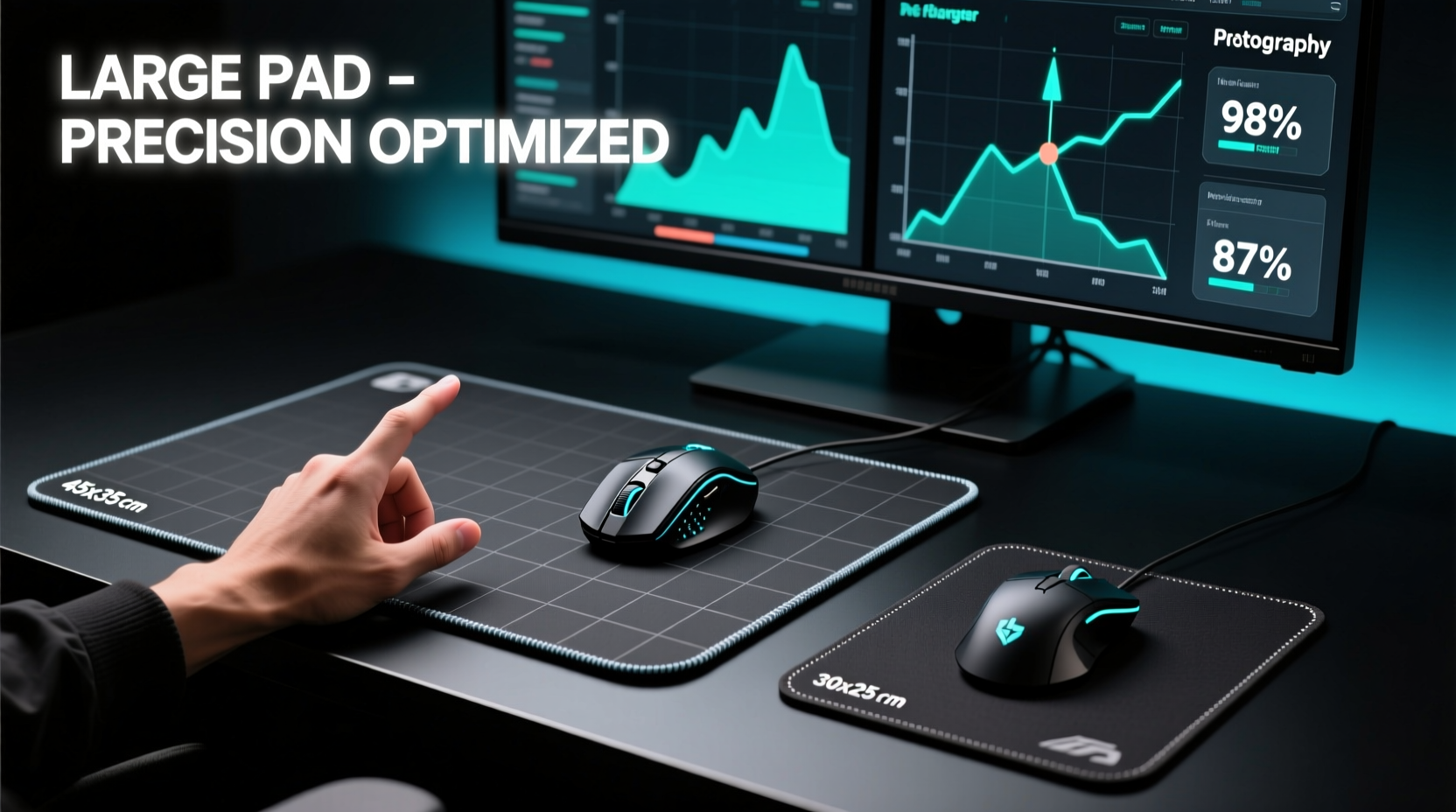
The size of your mouse pad directly influences how much room you have for mouse movement, which in turn affects your ability to maintain consistent hand motion. A smaller pad limits range, potentially forcing more wrist-dominant movements. A larger pad allows for broader arm or elbow involvement, enabling smoother, more controlled swipes across long distances.
Precision in gaming isn’t just about hitting targets—it’s about doing so repeatably, without overshooting or needing constant correction. That consistency depends heavily on muscle memory, which forms when your body performs the same motion repeatedly under stable conditions. If your mouse runs out of space mid-flick or requires abrupt redirection due to edge constraints, that disrupts the feedback loop essential for building reliable aim.
Large Mouse Pads: Advantages and Trade-offs
Large mouse pads—typically measuring 450mm x 400mm (XL) or even up to 900mm x 400mm (XXL)—offer expansive real estate. These are popular among players who favor low sensitivity settings (e.g., 400–800 DPI with in-game sensitivity below 1.0), where small hand movements translate into significant on-screen turns.
With a large pad, users can engage their forearm and shoulder muscles more naturally, promoting fluid, sweeping motions ideal for tracking fast-moving enemies or executing wide-angle rotations. This whole-arm technique reduces strain over long sessions and supports better micro-adjustments due to increased control leverage.
However, larger pads come with drawbacks. They demand more desk space—often incompatible with compact setups—and increase the risk of inconsistent tracking if the surface quality varies across the mat. Additionally, some players report reduced tactile awareness at the far edges, leading to accidental slips off-target zones.
“On a large pad, I can fully commit to a flick without worrying about running out of room. It gives me confidence in my movement.” — Jordan Lee, Semi-Pro CS2 Player
Small Mouse Pads: Compact Control and Limitations
Small mouse pads—usually around 250mm x 300mm—are favored by many FPS veterans who use higher sensitivities and rely on quick, wrist-based flicks. These pads promote tighter, localized movements that emphasize speed and responsiveness.
Because the working area is confined, users develop highly tuned wrist control. There’s less need to lift and reposition the mouse, reducing downtime between actions. For games like Valorant or Apex Legends, where rapid target acquisition matters more than sustained tracking, this efficiency can be decisive.
Yet, small pads impose strict limits. Extended tracking sequences—such as following a sprinting opponent across the screen—can quickly exhaust available space. Players must either reset their hand position frequently (introducing latency) or raise sensitivity artificially to compensate, both of which degrade precision over time.
Moreover, wrist-heavy techniques increase fatigue and injury risk. Repetitive strain from limited joint mobility becomes a concern after prolonged use, especially during marathon tournament matches.
Comparative Analysis: Large vs Small Mouse Pads
| Feature | Large Mouse Pad | Small Mouse Pad |
|---|---|---|
| Aim Style Support | Arm/elbow-driven aiming | Wrist-focused aiming |
| Best For | Low sensitivity, high precision | High sensitivity, fast reactions |
| Movement Range | Extended, continuous motion | Limited; frequent resets needed |
| Ergonomics | Better posture, lower strain | Higher wrist stress over time |
| Desk Space Required | Significant (≥800mm width) | Minimal (fits most desks) |
| Consistency in Tracking | High, if uniform surface | High within center zone |
| Ideal Game Types | CS2, Overwatch, Rainbow Six Siege | Valorant, Rocket League, MOBAs |
Expert Insight: What Pro Gamers Choose
Data from major esports tournaments shows a clear trend: top-tier FPS competitors overwhelmingly use medium-to-large mouse pads. In a 2023 survey of 78 professional Counter-Strike players, 63 used extended mats (at least 450mm wide), while only 9 opted for standard-sized pads. The remainder used custom desk integrations or hybrid surfaces.
This preference correlates with sensitivity trends. Most pros use DPI settings between 400 and 800, paired with in-game sensitivities that require broad physical movement for full 180-degree turns. Without sufficient pad space, such motions become impossible without constant re-gripping.
“The difference between winning and losing isn’t always skill—it’s setup stability. A large pad ensures my hand never hits a wall mid-match.” — Lena Park, Esports Performance Coach
That said, exceptions exist. Some elite Valorant players, like TenZ, use relatively high sensitivity (800 DPI / 0.5 in-game) and prefer smaller pads that keep everything centralized. Their success demonstrates that mastery can overcome equipment limitations—but not without trade-offs in long-term sustainability.
Mini Case Study: Transitioning from Small to Large Pad
Mark R., a Silver-ranked CS2 player, struggled with inconsistent flick accuracy despite rigorous aim training. He used a 250mm x 300mm mouse pad with a sensitivity of 400 DPI / 1.2 in-game. During matches, he frequently ran out of space during aggressive peeks, forcing awkward mid-motion corrections.
After switching to a 450mm x 400mm cloth pad and lowering his sensitivity to 0.8 in-game (keeping DPI at 400), Mark noticed immediate improvements. His flicks became cleaner, with fewer over-shoots. Over six weeks, his K/D ratio improved from 0.89 to 1.31, and he credited the change partly to having “room to breathe” during intense engagements.
Critically, the transition required adaptation. It took nearly two weeks to recalibrate muscle memory, and early attempts led to sluggish tracking. But once adjusted, Mark reported greater comfort and confidence in high-pressure scenarios.
Actionable Checklist: Choosing the Right Size
- Measure your typical flick distance: Perform a 180° turn in-game and measure how far your mouse travels.
- Ensure your pad accommodates at least 1.5x that distance in all directions.
- Evaluate your current sensitivity: Lower settings generally benefit from larger pads.
- Assess desk space: Leave at least 10cm buffer beyond the pad on all sides.
- Test different sizes: Borrow or trial pads before committing to a purchase.
- Prioritize surface consistency: Larger pads should maintain texture and thickness uniformly.
- Monitor fatigue: If your wrist aches after long sessions, consider upgrading size to shift effort to the arm.
Step-by-Step Guide to Optimizing Your Setup
- Determine Your Sensitivity Profile: Note your current DPI and in-game sensitivity. Calculate effective DPI if using multiple scaling layers.
- Map Your Movement Range: Use tape or markers to trace your mouse path during common maneuvers (e.g., strafing, flick shots).
- Select Pad Dimensions: Choose a pad that exceeds your maximum travel distance by at least 30%.
- Position for Ergonomics: Align the pad so your forearm rests flat, elbow slightly bent, and wrist neutral.
- Train With the New Size: Spend 3–5 days adjusting aim training routines to the expanded or reduced space.
- Refine Sensitivity (if needed): Slight adjustments may improve synergy with the new pad.
- Monitor Performance Metrics: Track accuracy, reaction time, and physical comfort weekly.
Frequently Asked Questions
Does a larger mouse pad improve accuracy?
Not directly—but it enables more consistent, controlled movements by providing ample space for low-sensitivity aiming. Accuracy gains come from improved muscle memory and reduced interference from edge constraints.
Can I use a small pad for competitive FPS games?
Yes, especially if you use higher sensitivity and prioritize quick flicks over tracking. However, you may face limitations in games requiring sustained movement or precise positioning, and long-term wrist strain is a concern.
Is there an optimal size for all gamers?
No single size fits all. The ideal pad depends on your sensitivity, hand size, desk layout, and preferred aiming style. Most competitive players find the sweet spot between 400mm and 500mm in width for balanced performance.
Final Recommendation: Prioritize Precision Through Consistency
The choice between large and small mouse pads ultimately hinges on your goal: raw speed or sustainable precision. In competitive play, where margins are razor-thin, consistency wins more rounds than burst performance. A larger mouse pad supports repeatable, biomechanically sound movements that scale across match durations and evolving meta demands.
That doesn’t mean small pads are obsolete. For certain playstyles and game genres, they offer unmatched responsiveness. But if you're serious about improving precision—especially in tactical shooters—a well-chosen large pad provides the foundation for long-term growth.
Your mouse pad isn’t just a surface—it’s part of your aiming ecosystem. Treat it with the same intentionality as your sensor, sensitivity, and training regimen. Measure your needs, test objectively, and optimize for stability. When every input counts, your gear should empower—not constrain—your potential.




 浙公网安备
33010002000092号
浙公网安备
33010002000092号 浙B2-20120091-4
Comments
No comments yet. Why don't you start the discussion?