
In first-person shooter (FPS) games, where split-second decisions determine victory or defeat, every advantage counts. Players often invest in high-end gear—mechanical keyboards, 240Hz monitors, noise-canceling headsets—but one of the most debated tools is the gaming mouse. Is it truly superior to a standard office mouse in competitive play? Or is it just marketing hype?
The short answer: yes, a gaming mouse can provide a measurable edge in FPS titles, but only under specific conditions. The difference isn't magic—it’s rooted in hardware precision, responsiveness, and ergonomics tailored for rapid, repeated movements. However, the extent of that edge depends on your skill level, game type, and how well you leverage the mouse’s capabilities.
What Makes a Gaming Mouse Different?
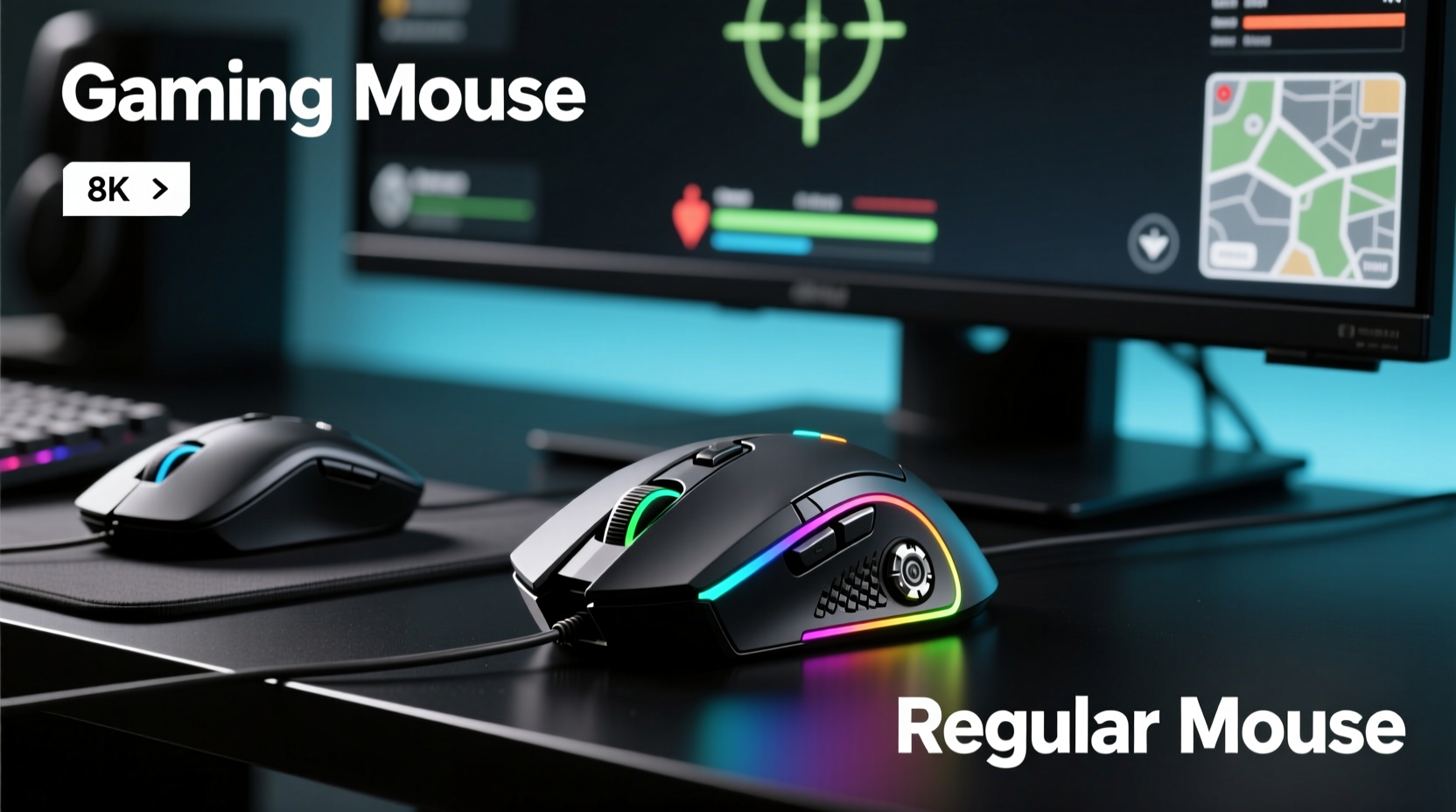
At first glance, a gaming mouse may look like an over-engineered version of a regular mouse—more buttons, flashy lights, and exaggerated shapes. But beneath the surface, several key differences justify its design and price.
- Higher DPI (Dots Per Inch): Gaming mice typically offer adjustable DPI settings ranging from 400 to over 16,000, allowing players to fine-tune sensitivity. While higher DPI isn’t always better, having precise control over it helps match movement to gameplay style.
- Polling Rate: Measured in Hz, this refers to how often the mouse reports its position to the computer. Standard mice usually poll at 125Hz (every 8ms), while gaming models go up to 1000Hz (every 1ms), reducing input lag significantly.
- Switch Quality: Gaming mice use mechanical switches rated for tens of millions of clicks, ensuring consistent response over time. Regular mice often degrade faster due to lower-grade components.
- Onboard Memory & Customization: Many gaming mice allow saving DPI profiles, button mappings, and lighting directly on the device, making them plug-and-play across systems without software reconfiguration.
- Ergonomic Design: Built for extended sessions, they support palm, claw, or fingertip grips more comfortably than flat office mice.
Latency, Accuracy, and Responsiveness: The Real Performance Gaps
The primary argument for gaming mice centers on reduced latency and improved tracking accuracy. In fast-paced shooters like CS2, Valorant, or Apex Legends, even a few milliseconds matter when flicking to headshot an enemy.
A 1000Hz polling rate means your cursor updates every millisecond, compared to every 8ms on a standard mouse. That might sound negligible, but during rapid crosshair adjustments, the cumulative delay adds up. Independent tests using oscilloscopes and motion sensors show that gaming mice register clicks and movements up to 7–8ms faster than basic USB mice.
Additionally, optical or laser sensors in gaming mice are designed to minimize \"acceleration\"—where the cursor moves further than intended based on speed. This phenomenon, known as pointer acceleration, disrupts muscle memory. High-end gaming mice either eliminate it entirely or allow full disablement via driver settings.
“Input consistency is everything in FPS. A gaming mouse doesn’t make you good, but it removes variables that could cost you a match.” — Jordan Lee, Esports Hardware Analyst at GameFrame Labs
Comparative Analysis: Gaming Mouse vs Regular Mouse
| Feature | Gaming Mouse | Regular Mouse |
|---|---|---|
| DPI Range | 400 – 16,000+ (adjustable) | 800 – 1600 (fixed or limited adjustment) |
| Polling Rate | 500Hz – 4000Hz | 125Hz (standard) |
| Response Time | 1–2ms (high-end models) | 8–10ms |
| Sensor Type | High-precision optical/laser with no acceleration | Basic optical, often with smoothing/acceleration |
| Button Durability | 50M+ clicks (Omron or similar switches) | 3M–10M clicks |
| Ergonomics | Tailored for grip styles and long sessions | Generic shape, not optimized for speed |
| Customization | Programmable buttons, RGB, onboard profiles | Limited to basic left/right/middle |
This table highlights why gaming mice outperform regular ones in technical benchmarks. However, translating those specs into in-game results requires context. For casual gamers, the difference may be imperceptible. But for competitive players aiming for pixel-perfect aim and instant reaction times, these metrics become critical.
Real-World Impact: A Case Study
Consider Alex, a semi-competitive Valorant player ranked Diamond. He used a $15 office mouse for months, struggling with inconsistent flick shots and delayed recoil control. After switching to a mid-tier gaming mouse (Logitech G502 HERO, 800 DPI, 1000Hz polling), he noticed immediate improvements.
Over three weeks, Alex tracked his K/D ratio, entry success rate, and average reaction time using in-game stats and third-party tools. His click registration became more consistent, and micro-adjustments during spray control felt smoother. While his raw aim didn’t suddenly reach Radiant level, his mechanical reliability increased—he missed fewer easy flicks due to cursor lag or double-click issues.
The change wasn’t revolutionary, but it removed frustration points. More importantly, he developed greater confidence in his gear, knowing inputs were being registered accurately. This psychological factor, often overlooked, plays a role in maintaining focus during clutch rounds.
Do You Need a Gaming Mouse to Succeed in FPS Games?
No—but it helps. Skill remains the dominant factor in FPS performance. A beginner with a gaming mouse won’t instantly outplay a veteran using a basic peripheral. However, once fundamental mechanics like crosshair placement, movement discipline, and map awareness are mastered, equipment becomes the next frontier for optimization.
Think of it like sports equipment: a professional tennis player uses a custom-weighted racket not because it makes them talented, but because it enhances their existing abilities. Similarly, a gaming mouse amplifies precision, consistency, and comfort—all crucial at elite levels.
That said, there’s a point of diminishing returns. Spending $200 on a mouse with 32,000 DPI and wireless ultra-low latency offers minimal benefit if you’re playing at 1080p on a 144Hz monitor and averaging 150+ ping. Focus instead on pairing a reliable mid-range gaming mouse ($40–$80) with proper settings and practice.
Actionable Checklist: Upgrading Your Setup the Right Way
If you're considering a switch, follow this checklist to ensure you get real value from your investment:
- Assess your current skill level: Are you plateauing despite consistent practice? Equipment upgrades matter most after mastering fundamentals.
- Choose the right grip style: Palm, claw, or fingertip—select a mouse shape that supports your natural hand position.
- Set optimal DPI and sensitivity: Aim for a balance where small wrist movements translate to precise in-game adjustments. Many pros use 400–800 DPI with low in-game sensitivity.
- Enable 1000Hz polling rate: Check your mouse software to confirm high polling is active. On Windows, verify via Device Manager or tools like MouseRateChecker.
- Use a quality mousepad: A large, consistent surface (cloth or hybrid) maximizes sensor tracking accuracy.
- Test before committing: Try different models if possible. Comfort over long sessions is just as important as specs.
- Update firmware and drivers: Manufacturers regularly release performance improvements and bug fixes.
Frequently Asked Questions
Can a gaming mouse improve my aim?
Not directly. A gaming mouse improves input fidelity and reduces lag, which allows your existing aim to translate more accurately to the screen. It won’t teach you flick shots or recoil control, but it ensures your actions aren’t hindered by poor hardware.
Is wireless worse than wired for FPS games?
Historically, yes—due to latency and battery concerns. But modern wireless gaming mice (e.g., Logitech Lightspeed, Razer HyperSpeed) now offer sub-1ms response times and reliable connections. Top-tier pros like ScreaM and Hiko use wireless mice in tournaments, proving they’re viable for competitive play.
Does RGB lighting affect performance?
No. RGB is purely aesthetic. However, some brands tie lighting to functionality (e.g., DPI indicators), so it can have minor usability benefits. Don’t pay extra solely for lights.
Final Verdict: Is the Edge Real?
The edge provided by a gaming mouse isn’t dramatic—it’s subtle, cumulative, and situational. In controlled environments, the reduction in input lag, elimination of acceleration, and improved build quality create a more predictable and responsive experience. Over hundreds of hours and thousands of engagements, these small advantages add up.
For serious FPS players striving for consistency, a gaming mouse is a worthwhile upgrade. It’s not a shortcut to skill, but it removes friction between intention and execution. For casual players, a regular mouse suffices—unless discomfort or sluggish response becomes a recurring issue.
Ultimately, the best mouse is the one that feels natural, responds instantly, and lasts through intense sessions. Whether it’s labeled “gaming” or not matters less than how well it serves your playstyle.




 浙公网安备
33010002000092号
浙公网安备
33010002000092号 浙B2-20120091-4
Comments
No comments yet. Why don't you start the discussion?