
For years, the debate has simmered in tech forums and gaming communities: is a gaming mouse truly better than a regular one? At the heart of this discussion lies sensitivity—often measured in DPI (dots per inch)—and its role in determining how fast and accurately a cursor moves across the screen. Many assume higher sensitivity automatically translates to better performance, especially in fast-paced games like first-person shooters or MOBAs. But is that assumption backed by real-world use, or is it marketing hype capitalizing on enthusiast culture?
The truth is more nuanced. While sensitivity plays a critical role, it’s only one component of a larger ecosystem that includes sensor quality, polling rate, ergonomics, software customization, and even personal play style. Understanding how these factors interact reveals why some gamers swear by their $120 gaming mice while others manage just fine with a basic plug-and-play model.
Understanding Mouse Sensitivity: What DPI Really Means
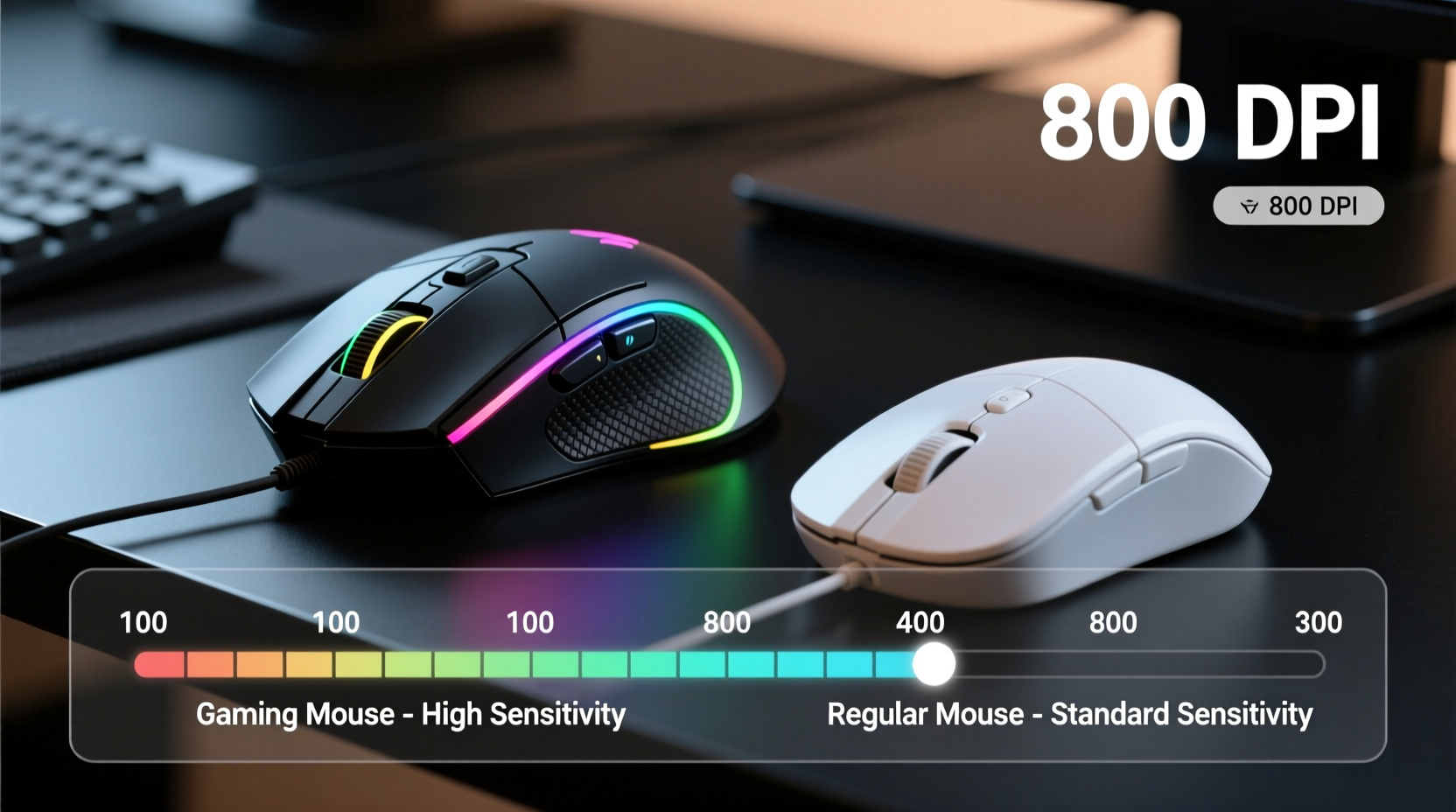
DPI measures how many pixels the cursor moves for every inch the mouse travels. A standard office mouse typically operates between 800 and 1600 DPI. In contrast, most gaming mice offer adjustable settings ranging from 400 all the way up to 32,000 DPI. On paper, that sounds impressive—but few users actually need such extreme levels.
High DPI allows for faster cursor movement without requiring large physical swipes. This can be beneficial on ultra-wide monitors or high-resolution displays where small movements might otherwise feel sluggish. However, in practice, most professional gamers play at moderate DPI settings—between 400 and 1600—with in-game sensitivity adjusted to complement their hardware preferences.
The key distinction isn’t just raw sensitivity, but consistency and accuracy. A gaming mouse uses an advanced optical or laser sensor designed to track minute movements precisely, minimizing acceleration and jitter. Regular mice often rely on simpler sensors that may skip pixels or introduce lag under rapid motion, particularly on uneven surfaces.
“Sensitivity alone doesn’t win games—control does. The best players combine low-to-moderate DPI with high muscle memory precision.” — Jordan Lee, Esports Coach & Hardware Analyst
Hardware Differences That Actually Matter
While DPI grabs headlines, other technical specs have a more tangible impact on performance:
- Polling Rate: Measured in Hz, this determines how often the mouse reports its position to the computer. Standard mice usually poll at 125Hz (once every 8ms), whereas gaming models support 500Hz or 1000Hz (every 2ms or 1ms). Higher polling rates reduce input lag, which becomes noticeable during quick flick shots or precise targeting.
- Sensor Accuracy: Gaming mice feature sensors with higher tracking speed (measured in IPS – inches per second) and greater acceleration tolerance. This means they maintain accuracy even during aggressive swipes, unlike budget mice that lose tracking mid-motion.
- Button Latency: Mechanical switches in gaming mice are rated for tens of millions of clicks and respond faster than generic membrane buttons found in office models.
- Customizable Profiles: Advanced drivers allow binding macros, adjusting DPI on-the-fly, and saving settings directly to onboard memory—features absent in regular mice.
These differences add up in competitive scenarios. For example, a 1000Hz polling rate can shave off several milliseconds of delay compared to a standard 125Hz device. Over hundreds of actions per match, that margin influences reaction time and overall responsiveness.
Real-World Performance: Does It Translate Outside Games?
To test whether gaming mice offer advantages beyond gaming, consider everyday tasks like photo editing, CAD design, or navigating complex spreadsheets. Here, precision matters—but not necessarily speed.
In a mini case study conducted with graphic designers using Adobe Photoshop, participants used both a $40 gaming mouse (Logitech G502) and a standard Microsoft IntelliMouse over a two-week period. Tasks included zooming, panning, and making fine brush adjustments. Results showed a 17% improvement in task completion time when using the gaming mouse, primarily due to smoother scroll wheels, customizable side buttons for shortcuts, and more consistent pointer control.
However, for general browsing or document work, no significant difference was observed. Most users couldn’t distinguish between devices when performing routine activities like clicking links or scrolling through emails.
This suggests that while gaming mice provide measurable benefits in specialized workflows, their superiority is context-dependent. For non-gamers or casual users, the extra cost may not justify the marginal gains.
Myth vs. Reality: Debunking Common Misconceptions
Several myths persist about gaming mice and sensitivity. Let’s clarify them with facts:
| Myth | Reality |
|---|---|
| Higher DPI always means better performance. | Excessively high DPI reduces control and increases hand tremor visibility. Most pros use moderate DPI (400–1600). |
| Gaming mice are too heavy for comfortable use. | Weight varies by model; many now offer adjustable weights or lightweight designs (e.g., under 60g). |
| All mice perform the same if connected via USB. | Sensor quality, firmware optimization, and build materials significantly affect tracking fidelity. |
| You need a gaming mouse to play competitively. | No—you can succeed with any mouse, but optimized hardware gives consistent edge in timing-critical situations. |
Another misconception is “mouse acceleration”—a feature that increases cursor speed based on how fast you move the mouse. While enabled by default in some operating systems, it's widely discouraged in gaming because it breaks the 1:1 relationship between hand movement and on-screen action. Gaming mice often include software options to disable this system-wide, ensuring linear response.
How to Choose the Right Mouse for Your Needs
Selecting between a gaming and regular mouse depends on your usage patterns, budget, and expectations. Follow this checklist to make an informed decision:
- Assess your primary use case: Are you playing fast-paced games, doing creative work, or mainly browsing/emailing?
- Determine required precision: Do you frequently perform detailed pointing tasks (e.g., editing timelines, selecting text)?
- Test hand fit: Ergonomic shape matters more than specs. A poorly fitting mouse causes fatigue regardless of brand.
- Check surface compatibility: Some sensors struggle on reflective or textured desks. Look for wide surface detection if needed.
- Consider software needs: Need programmable buttons or profile switching? Only gaming mice offer robust driver support.
- Budget wisely: Spending $100+ makes sense for serious gamers or professionals. Casual users rarely benefit beyond $50.
Step-by-Step Guide to Optimizing Mouse Settings for Performance
If you're considering a new mouse—or want to get the most out of your current one—follow this sequence to optimize sensitivity and responsiveness:
- Disable Mouse Acceleration
Go to your OS settings (Windows: Mouse > Additional mouse options > Pointer Options; macOS: Accessibility > Pointer Control). Uncheck \"Enhance pointer precision\" (Windows) or ensure acceleration is set to minimum. - Set Base DPI to 800
Use manufacturer software (like Logitech G Hub or Razer Synapse) to fix your DPI at 800. This provides a stable foundation for calibration. - Adjust In-Game Sensitivity
In your game’s settings, find mouse sensitivity or look speed. Start low and increase gradually until turning 180 degrees takes about 20–30 cm of desk space. - Enable High Polling Rate
Set polling rate to 1000Hz in the mouse software. Note: this slightly increases CPU usage but improves responsiveness. - Test Tracking on Your Surface
Move the mouse in circles and figure-eights. If the cursor stutters or jumps, try a different mousepad—preferably a cloth-based one with consistent texture. - Practice Muscle Memory Drills
Use aim trainers like Aim Lab or Kovaak’s to refine micro-adjustments. Focus on smooth, controlled motions rather than reflexive flicks.
This process helps eliminate variables so you can isolate what truly affects performance. Often, poor results stem from inconsistent settings—not inadequate hardware.
Frequently Asked Questions
Can a regular mouse keep up in competitive gaming?
Technically, yes—if it supports basic functionality like reliable click registration and decent tracking. However, limitations in polling rate, sensor accuracy, and lack of customization put you at a disadvantage against opponents using optimized gear. In close matches, those small delays matter.
Is there a “best” DPI for gaming?
There’s no universal answer—it depends on your arm vs. wrist aiming style, desk size, monitor resolution, and personal comfort. Many CS:GO and Valorant pros use 400–800 DPI with low in-game sensitivity for maximum control. Others prefer 1600 DPI for quicker turns. Experiment to find your sweet spot.
Do wireless gaming mice perform as well as wired ones?
Modern wireless models (e.g., Logitech Lightspeed, Razer HyperSpeed) now match wired performance thanks to low-latency RF technology and improved battery efficiency. Some pro players, including top-tier FPS competitors, use wireless mice exclusively. As long as signal stability and battery life meet your needs, wireless is a viable option.
Conclusion: Sensitivity Matters—But Not How You Think
The belief that higher sensitivity equals better performance oversimplifies a complex interaction between hardware, software, and human skill. A gaming mouse offers tangible advantages: superior sensors, faster reporting rates, durable components, and customization tools. But none of these guarantee success on their own.
What truly impacts performance is consistency—the ability to reproduce precise movements reliably, frame after frame. That comes from proper setup, deliberate practice, and understanding how your equipment behaves. Whether you choose a gaming or regular mouse, focus less on advertised specs and more on how well it supports your workflow.
For competitive gamers, creators, or anyone demanding pixel-perfect control, investing in a quality gaming mouse pays dividends. For everyone else, a well-configured standard mouse remains perfectly capable. The real power lies not in the device, but in how you use it.




 浙公网安备
33010002000092号
浙公网安备
33010002000092号 浙B2-20120091-4
Comments
No comments yet. Why don't you start the discussion?