
For years, the humble computer mouse has quietly evolved from a basic pointing device into a high-performance tool capable of millimeter-level accuracy. Today, the market is split between standard office mice and their more aggressive cousins: gaming mice. With prices ranging from $10 for a basic model to over $200 for premium gaming variants, many users are left wondering—does the added precision justify the cost? The answer isn’t straightforward. It depends on your use case, sensitivity to responsiveness, and how much you value customization and durability.
At first glance, the differences might seem minor—extra buttons, flashy lights, maybe a slightly heavier build. But beneath the surface, gaming mice are engineered with different priorities: speed, consistency, and control. Whether you're a competitive gamer, a digital artist, or someone who spends hours clicking through spreadsheets, understanding these differences can help you make an informed decision about whether upgrading is truly worth it.
What Sets Gaming Mice Apart?
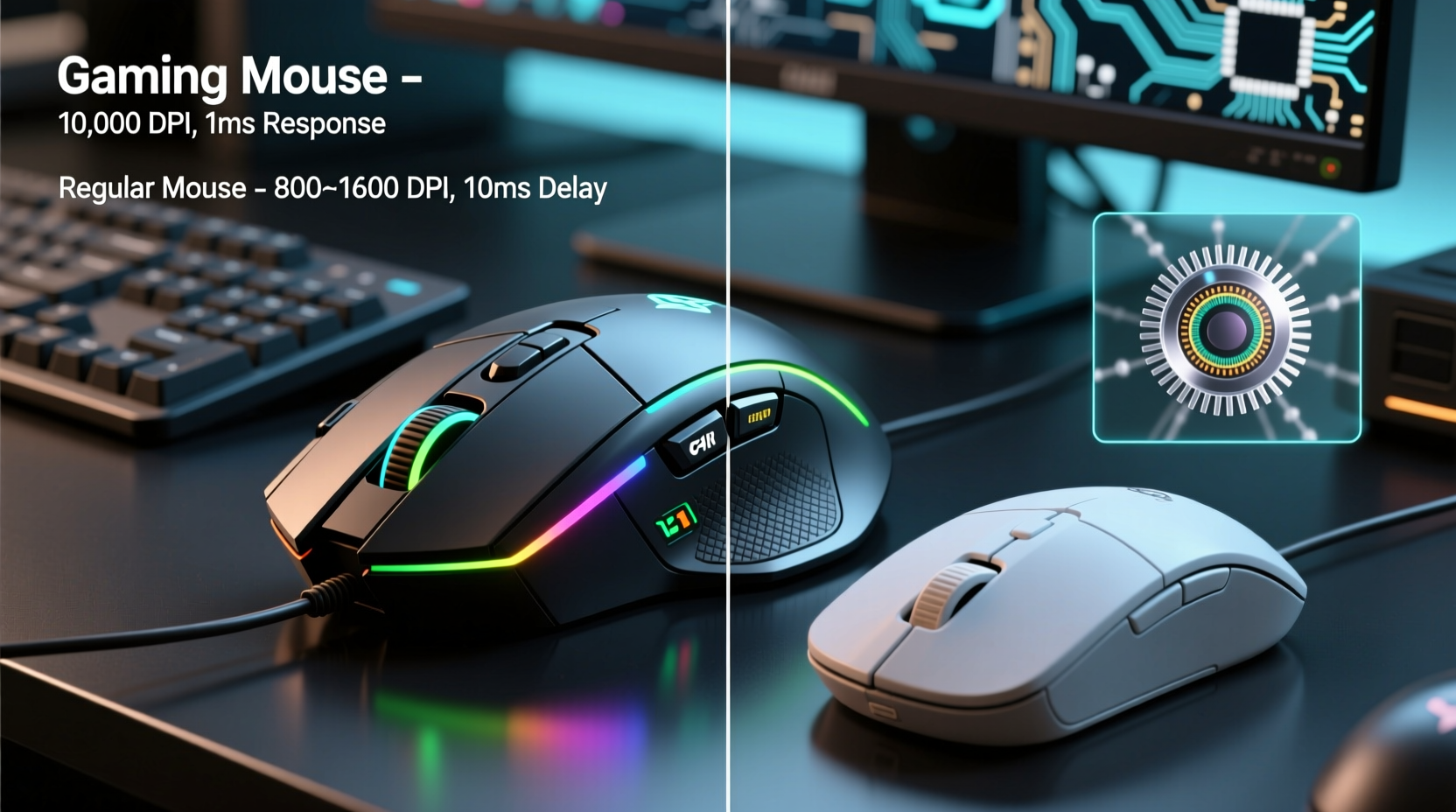
Gaming mice aren't just regular mice with RGB lighting bolted on. They’re built around specific performance goals. Chief among them is sensor technology. Most gaming mice use optical or laser sensors with higher DPI (dots per inch) ratings—often ranging from 800 to 16,000 or more. This allows for faster cursor movement without requiring large physical swipes across a desk.
But DPI isn’t everything. More important is polling rate—the frequency at which the mouse reports its position to the computer. Standard mice typically poll at 125Hz (once every 8 milliseconds), while gaming models often support 500Hz or 1000Hz (every 2ms or 1ms). Higher polling rates reduce input lag, making movements feel snappier and more responsive.
Another key difference lies in switch quality. Gaming mice usually feature mechanical switches rated for tens of millions of clicks, compared to membrane switches in budget office mice that may wear out after just a few million presses. This translates directly into longevity and tactile feedback.
Performance Comparison: Real-World Impact
On paper, gaming mice win hands down. But how does that translate in daily use? Let’s break it down by scenario.
For Gamers: Precision Can Be the Difference
In fast-paced games like first-person shooters (e.g., CS:GO, Valorant, Apex Legends), reaction time matters. A 1ms reduction in delay can mean landing a headshot instead of missing entirely. High polling rates and adjustable DPI settings allow players to fine-tune sensitivity based on game type—lower DPI for precise aiming, higher for quick turns.
Additionally, programmable buttons let gamers bind complex commands or macros, reducing reliance on keyboard shortcuts during intense moments. For serious players, this level of control isn’t just convenient—it’s essential.
For Office Workers: Comfort Over Complexity
If your day consists of email, web browsing, and document editing, a gaming mouse offers little practical advantage. In fact, some models are ergonomically designed for palm grips used during long gaming sessions, which may cause discomfort during prolonged office work.
The extra buttons often go unused or trigger accidental actions. And unless you're doing pixel-perfect graphic design, the enhanced tracking accuracy won’t improve productivity. For most professionals, a well-built ergonomic mouse priced between $20–$50 delivers all the reliability and comfort needed.
For Creative Professionals: A Mixed Verdict
Digital artists, video editors, and CAD designers operate in a gray area. They benefit from smooth tracking and consistent response, especially when working on detailed projects. Many creative applications support customizable buttons for tools like zoom, undo, or brush size adjustment.
While not strictly necessary, a mid-tier gaming mouse with adjustable DPI and reliable sensor performance can enhance workflow efficiency. However, dedicated devices like graphics tablets often provide superior precision for artistic tasks.
“Input lag below 10ms is imperceptible to most users—but once you drop below 5ms, the difference becomes tangible, especially in motion-heavy environments.” — Dr. Alan Reyes, Human-Computer Interaction Researcher, MIT Media Lab
Cost vs. Value: Breaking Down the Price Jump
Why do gaming mice cost so much more? The premium comes from several factors:
- Advanced Sensors: High-end optical sensors (like PixArt’s PMW3389) offer zero acceleration, consistent tracking, and minimal jitter.
- Better Materials: Reinforced scroll wheels, braided cables, and lightweight yet durable shells increase build quality.
- Software Ecosystem: Companion apps allow deep customization—DPI stages, button mapping, RGB effects, macros, and profile switching.
- Brand Premium: Companies like Logitech, Razer, and Corsair invest heavily in marketing and esports sponsorships, which influences pricing.
However, not all expensive mice deliver equal value. Some models inflate prices with unnecessary features like onboard memory or exotic materials. Conversely, several mid-range options ($50–$80) offer 90% of the performance at half the cost of flagship models.
Do You Need All That Precision?
Precision is only valuable when your task demands it. Consider this: a typical full HD monitor (1920x1080) spans roughly 20 inches diagonally. Moving your cursor from one corner to another requires about 6–8 inches of mouse travel. At 800 DPI, that’s manageable with small wrist movements. Even at 1600 DPI, the same motion covers the screen twice as fast—but beyond that, control diminishes unless paired with ultra-low sensitivity settings.
Unless you're playing professionally or editing high-resolution timelines frame by frame, extreme DPI ranges are rarely useful. What matters more is consistency—how reliably the mouse tracks movement without skipping, stuttering, or accelerating unpredictably.
Comparison Table: Gaming Mouse vs Regular Mouse
| Feature | Gaming Mouse | Regular Mouse |
|---|---|---|
| DPI Range | 800 – 16,000+ | 400 – 1600 |
| Polling Rate | 500Hz – 4000Hz | 125Hz |
| Switch Lifespan | 20M – 70M clicks | 1M – 5M clicks |
| Programmable Buttons | 5–12+ (customizable) | 2–3 (fixed functions) |
| Build Quality | Reinforced, durable materials | Plastic shell, basic construction |
| Price Range | $50 – $200+ | $10 – $50 |
| Primary Use Case | Gaming, creative workflows | General computing, office tasks |
Mini Case Study: From Office Worker to Casual Gamer
Mark, a 34-year-old accountant, decided to pick up Overwatch 2 during his evenings. Using his old wireless office mouse, he struggled with aim—characters felt sluggish, and shots missed despite good timing. After researching, he invested $65 in a mid-tier gaming mouse with 8200 DPI and 1000Hz polling.
The change was immediate. His crosshair responded faster, flick shots became consistent, and he noticed fewer instances of “mouse skip” on his wooden desk. While he didn’t become a pro player overnight, his K/D ratio improved by 40% in two weeks. More importantly, his hand fatigue decreased due to better grip and button placement.
For Mark, the upgrade wasn’t about chasing specs—it was about eliminating friction between intent and action. The precision didn’t create skill, but it allowed his existing reflexes to shine through.
Checklist: Is a Gaming Mouse Right for You?
Before spending extra, ask yourself the following:
- Do I play fast-paced games regularly where timing and accuracy matter?
- Am I frustrated by lag, inconsistent tracking, or double-click failures?
- Would programmable buttons streamline my workflow (gaming, editing, coding)?
- Do I want a mouse that lasts 5+ years under heavy daily use?
- Am I willing to customize settings via software, or do I prefer plug-and-play?
If you answered “yes” to three or more, a gaming mouse is likely a worthwhile investment. If not, a quality regular mouse remains a smart, cost-effective choice.
Frequently Asked Questions
Can a gaming mouse be used for everyday tasks?
Absolutely. Many people use gaming mice for general computing without issue. Just be aware that high default DPI settings may make cursor movement too sensitive. Adjusting DPI to 800–1200 and disabling RGB lighting can make it behave like a standard mouse.
Are wireless gaming mice as good as wired ones?
Modern wireless gaming mice (e.g., Logitech Lightspeed, Razer HyperSpeed) now match wired models in latency and reliability, thanks to advanced 2.4GHz dongles. However, they tend to cost more and require charging. For competitive play, top-tier pros still prefer wired for absolute consistency.
Does RGB lighting affect performance?
No. RGB is purely aesthetic. While some claim it adds “immersion,” it consumes battery life on wireless models and contributes nothing to tracking or responsiveness. You can—and should—turn it off if you prioritize function over form.
Conclusion: Balancing Performance and Practicality
The leap from a regular mouse to a gaming model isn’t always justified by precision alone. For casual users, students, and office workers, the benefits are marginal at best. The real value emerges when your workload or hobby demands responsiveness, durability, and customization.
For gamers, even slight improvements in tracking accuracy and input lag can elevate performance. For creatives, programmable controls and smoother cursor behavior can streamline repetitive actions. But for everyone else, spending $150 on a mouse with 16,000 DPI and seven backlight modes is overkill.
The sweet spot lies in identifying your actual needs—not the advertised ones. A $70 gaming mouse with solid sensor performance, mechanical switches, and decent ergonomics will outlast and outperform most budget options. But if you're not pushing the limits of speed or click volume, stick with what works.




 浙公网安备
33010002000092号
浙公网安备
33010002000092号 浙B2-20120091-4
Comments
No comments yet. Why don't you start the discussion?