
Click accuracy is more than just hitting a target on screen—it’s about consistency, responsiveness, and control. Whether you're editing photos, navigating complex spreadsheets, or competing in fast-paced online shooters, the difference between a precise click and a near miss can define your efficiency and success. At the center of this performance lies a deceptively simple tool: the computer mouse. But not all mice are built alike. The debate between gaming mice and standard ergonomic models isn’t just about aesthetics or brand loyalty; it’s rooted in engineering, sensor technology, and human factors. This article examines how each type affects click accuracy, backed by technical insights, user experiences, and practical considerations.
Sensor Technology and Tracking Precision
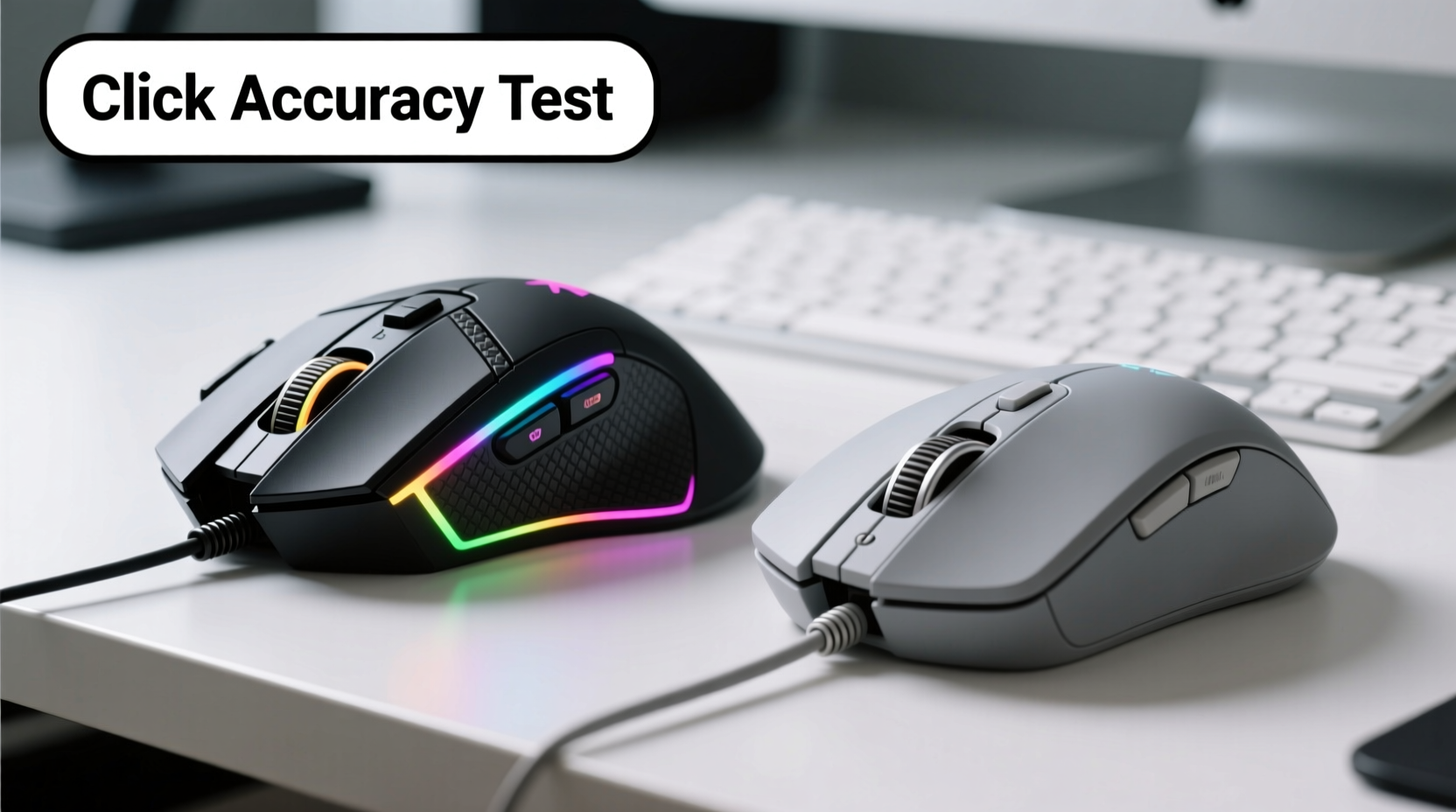
The foundation of any mouse's accuracy lies in its optical or laser sensor. Gaming mice are engineered with high-performance sensors capable of detecting even the smallest movements. These sensors typically offer DPI (dots per inch) ranges from 800 to over 26,000, allowing users to fine-tune sensitivity based on their needs. More importantly, they boast superior polling rates—often 1000Hz—meaning the mouse reports its position to the computer 1,000 times per second. This reduces input lag and increases responsiveness.
In contrast, standard ergonomic mice usually feature lower-end sensors optimized for general use. Their DPI settings are often fixed or limited to 800–1600, which is sufficient for office tasks but lacks the granularity needed for pixel-perfect control. Polling rates are commonly capped at 125Hz, introducing a slight delay that most users don’t notice during casual browsing but becomes apparent under pressure or in high-speed scenarios.
Moreover, gaming mice employ advanced surface calibration features. Many include on-board memory to store profiles tailored to different mouse pads, reducing acceleration errors and improving tracking consistency. Standard ergonomic models rarely offer such customization, relying instead on generic firmware that may misinterpret movement on reflective or uneven surfaces.
Ergonomics vs. Performance: Design Trade-offs
Ergonomic mice are designed with long-term comfort in mind. They often feature contoured shapes, thumb rests, and vertical grips intended to reduce wrist strain and prevent repetitive stress injuries. While these designs excel in promoting healthy posture during extended use, they sometimes sacrifice agility and button accessibility. Buttons may be spaced farther apart, requiring larger hand movements, and the overall weight distribution can limit quick repositioning.
Gaming mice, while varying widely in form factor, prioritize balance and control. Many are lightweight (70–90 grams), enabling rapid flicks and micro-adjustments. Button placement follows a tactical logic: primary clicks are easily reachable, side buttons are positioned for thumb access without shifting grip, and scroll wheels offer tactile feedback calibrated for speed and precision. Some models even allow physical adjustments like removable weights or interchangeable side panels.
However, not all gaming mice are comfortable for prolonged non-gaming use. Their aggressive angles and rigid textures can lead to fatigue during eight-hour workdays. Conversely, highly ergonomic models—like vertical mice—can feel sluggish when rapid targeting is required due to restricted motion range and slower response curves.
“Accuracy isn’t just about hardware specs—it’s the synergy between hand movement, grip style, and device responsiveness.” — Dr. Lena Torres, Human-Computer Interaction Researcher, MIT Media Lab
Button Mechanics and Click Consistency
One of the most overlooked aspects of click accuracy is switch quality. Gaming mice typically use mechanical switches from brands like Omron, Kailh, or Huano. These are rated for 50 million to 100 million clicks and provide crisp actuation with minimal travel distance. The result is consistent tactile feedback and reduced double-clicking issues, both critical for accurate inputs.
Standard ergonomic mice often rely on rubber dome or membrane switches. While quieter and softer to press, these wear out faster and tend to develop inconsistent resistance over time. A worn-out dome switch might require extra pressure or register delayed inputs, undermining click reliability—especially during rapid sequences.
Additionally, gaming mice frequently support programmable buttons. This allows users to map functions like zoom, undo, or macros directly to thumb controls, minimizing keyboard dependency and streamlining workflows. In contrast, ergonomic office mice may include basic back/forward buttons but lack software support for deep customization.
| Feature | Gaming Mouse | Standard Ergonomic Mouse |
|---|---|---|
| DPI Range | 800–26,000 (adjustable) | 800–1600 (fixed or limited) |
| Polling Rate | 500–1000Hz | 125Hz |
| Switch Type | Mechanical (Omron, etc.) | Rubber dome / membrane |
| Weight | 70–110g (often adjustable) | 90–130g (fixed) |
| Programmability | Full (via dedicated software) | Limited or none |
| Lifespan (clicks) | 50M–100M | 3M–10M |
Real-World Application: A Designer’s Workflow
Consider Sarah, a UI/UX designer working on high-resolution mockups in Adobe XD and Figma. Her workflow demands pixel-level precision when selecting layers, adjusting margins, and creating vector paths. Initially, she used a standard ergonomic mouse to minimize wrist strain during long sessions. However, she noticed frequent overshooting of small interface elements and occasional lag when zooming and panning.
After switching to a mid-weight gaming mouse with 16,000 DPI and customizable acceleration settings, her efficiency improved dramatically. She configured the DPI shift button to toggle between 800 (for navigation) and 3200 (for detailed edits), reducing reliance on keyboard shortcuts. The mechanical switches provided cleaner selections, and the higher polling rate eliminated cursor jitter. Within two weeks, her error rate in alignment tasks dropped by an estimated 40%, according to self-tracked project logs.
Still, Sarah didn’t abandon ergonomics entirely. She paired the gaming mouse with a padded wrist rest and adopted a hybrid grip style to maintain comfort. She also adjusted her chair height and monitor position to ensure optimal arm alignment, proving that accuracy gains don’t have to come at the cost of health.
Step-by-Step Guide to Choosing the Right Mouse for Accuracy
Selecting the best mouse for click accuracy involves more than comparing specs. It requires understanding your usage patterns, hand anatomy, and environmental setup. Follow this sequence to make an informed decision:
- Assess Your Primary Use Case: Determine whether your main need is productivity, creative work, gaming, or mixed usage. High-DPI tracking matters less for email management than for photo retouching.
- Measure Your Grip Style: Identify if you use fingertip, palm, or claw grip. Gaming mice cater well to fingertip and claw styles; ergonomic models suit palm grippers better.
- Test Sensor Compatibility: Ensure the mouse performs reliably on your desk surface. Some sensors struggle with glass or glossy finishes. Look for models with surface calibration tools.
- Evaluate Weight and Balance: Lighter mice enable faster movements but may feel unstable. Heavier ones offer steadiness but reduce agility. Aim for 80–100g as a balanced starting point.
- Check Software Support: Verify whether the manufacturer offers reliable driver software for DPI tuning, button remapping, and profile storage. Open-source compatibility is a plus for Linux users.
- Try Before You Buy (If Possible): Visit electronics stores or borrow models to test click feel, scroll wheel resistance, and overall handling.
- Monitor Long-Term Comfort: Even the most accurate mouse fails if it causes pain. Use it for at least two full workdays before finalizing your choice.
FAQ
Can a gaming mouse improve accuracy for non-gamers?
Yes. Professionals in graphic design, video editing, CAD modeling, and data analysis benefit from the superior sensor precision, low latency, and programmable controls of gaming mice. The enhanced tracking helps with fine selection and reduces fatigue during repetitive tasks.
Do ergonomic mice sacrifice too much accuracy?
Not inherently, but limitations exist. Most standard ergonomic models lack the sensor fidelity and button responsiveness required for high-stakes precision work. However, newer hybrid designs—such as ambidextrous ergonomic gaming mice—are bridging this gap by combining comfort with performance-grade internals.
Is DPI the only factor in click accuracy?
No. While DPI determines cursor speed, true accuracy depends on multiple factors: polling rate, sensor quality, surface compatibility, switch consistency, and hand-mouse synergy. A 20,000 DPI mouse with poor tracking will underperform a well-tuned 1600 DPI model.
Checklist: What to Look for in a High-Accuracy Mouse
- Adjustable DPI with on-the-fly switching
- Polling rate of 500Hz or higher
- Optical sensor with no smoothing or acceleration
- Mechanical microswitches (e.g., Omron-rated)
- Low lift-off distance (<2mm)
- Programmable buttons with dedicated software
- Lightweight build (70–100g ideal for precision)
- Compatibility with your primary operating system
- Reliable brand reputation and warranty (2+ years)
- Ergonomic fit for your hand size and grip style
Conclusion
The question isn’t whether gaming mice are more accurate than standard ergonomic ones—it’s whether that accuracy aligns with your specific needs. For tasks demanding split-second decisions and pixel-perfect control, gaming mice consistently outperform their office-oriented counterparts thanks to superior sensors, responsive switches, and customizable performance. Yet, comfort remains essential, especially over long hours. The future belongs to hybrids: devices that merge surgical precision with thoughtful ergonomics.
Don’t assume your current mouse is “good enough.” Small improvements in click accuracy compound over time, reducing errors, boosting confidence, and enhancing productivity. Evaluate your workflow, test options rigorously, and invest in a tool that supports both your hands and your goals.




 浙公网安备
33010002000092号
浙公网安备
33010002000092号 浙B2-20120091-4
Comments
No comments yet. Why don't you start the discussion?