
When it comes to playing indie games—especially those demanding quick reflexes, pixel-perfect aiming, or tight platforming—the choice between a gaming mouse and a trackpad isn’t just about comfort. It’s about control, responsiveness, and ultimately, performance. While both input devices can technically get the job done, one clearly outperforms the other in speed, accuracy, and consistency. Understanding the technical and practical differences helps players make informed decisions, especially when every millisecond counts.
Indie games often emphasize mechanics like fast-paced shooting, precise cursor movement, or rapid menu navigation. Titles such as *Celeste*, *Enter the Gungeon*, *Dead Cells*, or *Nuclear Throne* reward split-second decisions and fine motor control. In these contexts, the hardware you use directly influences your ability to react quickly and execute actions flawlessly.
Understanding Response Time and Input Lag
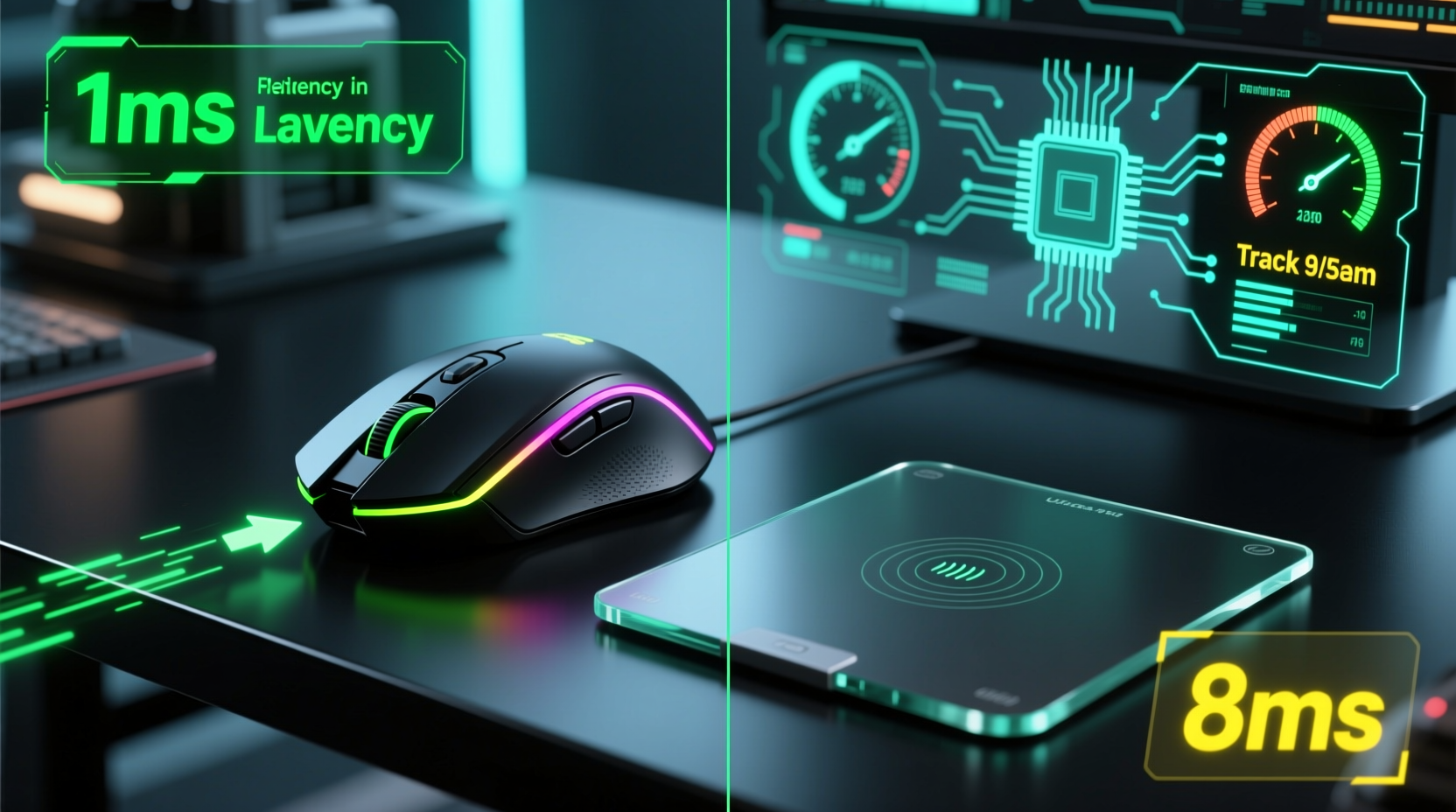
Response time refers to how quickly an input device registers a command and sends it to the computer. This includes sensor polling rate, signal transmission delay, and system processing latency. For gamers, even minor delays can result in missed jumps, inaccurate shots, or delayed menu selections.
A gaming mouse typically features a high polling rate (up to 1000Hz), meaning it reports its position to the computer 1000 times per second. This translates to a theoretical input lag of just 1ms. High-end optical or laser sensors also offer minimal motion latency and near-zero acceleration distortion.
In contrast, built-in laptop trackpads usually operate at lower polling rates—often between 60Hz and 125Hz—resulting in response intervals of 8–16ms. Even advanced trackpads with gesture support prioritize smooth scrolling and multi-touch functionality over raw responsiveness, making them less ideal for competitive or reaction-based gameplay.
Precision and Control: Why Accuracy Matters in Indie Games
Many indie titles rely on precise cursor placement or directional inputs. For example, point-and-click adventures like *Disco Elysium* benefit from accurate selection, while bullet-hell shooters like *Ikaruga* demand pixel-level dodging. The physical design and tracking technology of each device play a critical role here.
Gaming mice use high-DPI (dots per inch) optical sensors that detect minute hand movements. DPI settings allow users to customize sensitivity—balancing speed and precision based on game type. With proper surface calibration and consistent lift-off distance, modern gaming mice deliver reliable, repeatable tracking.
Trackpads, however, interpret finger motion through capacitive touch sensors. They are designed for general navigation—not micro-adjustments. Factors like finger moisture, pressure variance, and palm rejection algorithms introduce inconsistencies. Even slight slips or accidental double-taps disrupt gameplay flow, particularly during intense sequences.
Moreover, trackpads lack dedicated buttons for right-click, drag-lock, or macro functions. Players must rely on taps, two-finger gestures, or keyboard modifiers, adding cognitive load and increasing execution time.
“Input precision isn’t just about speed—it’s about predictability. A good mouse removes guesswork from movement.” — Lena Torres, Game UX Designer at Finji Co.
Comparative Analysis: Gaming Mouse vs Trackpad
| Feature | Gaming Mouse | Trackpad |
|---|---|---|
| Polling Rate | Up to 1000Hz (1ms response) | 60–125Hz (8–16ms response) |
| DPI Range | 800–32,000 adjustable | N/A (fixed sensitivity scaling) |
| Button Customization | Yes (5+ programmable buttons common) | Limited (tap zones only) |
| Motion Prediction | Minimal (sensor-driven) | High (algorithmic smoothing) |
| Ergonomic Design | Optimized for extended use | Flat surface, no grip support |
| Suitable for Fast-Paced Games? | Yes | No (except turn-based or casual) |
This comparison highlights why gaming mice dominate in performance-critical scenarios. Their hardware is engineered specifically for low-latency interaction, whereas trackpads prioritize portability and multitasking over responsiveness.
Real-World Impact: A Mini Case Study
Consider Alex, a regular player of *Hollow Knight* on a MacBook Pro. Initially using the built-in trackpad, Alex struggled with inconsistent dash inputs and frequent misaimed spells. Despite mastering the game’s patterns, progress stalled due to unreliable controls. Frustrated, Alex connected a lightweight USB gaming mouse.
The change was immediate. Nail swipes became crisper, wall-jumps more consistent, and Quirrel boss fights shifted from frustrating to manageable. Input registration improved noticeably—even small adjustments like parrying Vengefly Kings felt more responsive. After two weeks, Alex completed the Pantheons, something previously unattainable with the trackpad.
This isn’t anecdotal fluke. It reflects a broader trend: mechanical precision reduces human error. When the tool doesn’t fight you, skill expression improves.
Optimizing Your Setup: Step-by-Step Guide
If you're serious about improving performance in indie games, follow this sequence to maximize responsiveness:
- Choose a wired gaming mouse – Eliminate wireless interference and battery-related latency. Models like the Logitech G Pro X Superlight or Razer DeathAdder Essential offer excellent value and sub-1ms reporting.
- Set polling rate to 1000Hz – Access mouse settings via OS preferences or manufacturer software (e.g., Logitech G Hub, Razer Synapse).
- Adjust DPI between 800–1600 – High enough for fluid movement, low enough for precision. Test in-game aiming before locking in.
- Use a quality mousepad – Ensure consistent surface tracking. Avoid glossy or uneven textures that confuse optical sensors.
- Disable pointer acceleration – On macOS: go to Accessibility > Pointer Control > Trackpad Options > uncheck “Accelerate.” On Windows: adjust in Mouse Settings > Additional mouse options > Pointer Options > uncheck “Enhance pointer precision.”
- Test responsiveness – Use free tools like www.mouseinput.com or in-game sensitivity testers to verify input registration speed.
Frequently Asked Questions
Can a high-end trackpad compete with a budget gaming mouse?
Even premium trackpads like Apple’s Force Touch or Dell’s Precision models aren’t designed for gaming. While they offer excellent gesture support and build quality, their firmware prioritizes usability over speed. No consumer trackpad matches the polling rate, button layout, or ergonomic design of even entry-level gaming mice.
Is Bluetooth mouse lag worse than wired?
Yes, generally. Wireless mice—especially Bluetooth ones—introduce variable latency due to signal compression and interference. Some modern wireless gaming mice (e.g., Logitech Lightspeed, Razer HyperSpeed) minimize this with proprietary dongles and 2.4GHz transmission, achieving near-wired performance. But for absolute lowest latency, wired remains superior.
Do all indie games benefit from a gaming mouse?
Not equally. Turn-based games (*Caves of Qud*, *FTL*), narrative adventures (*Night in the Woods*), or idle games see little advantage. However, action-platformers, roguelikes, shooters, and rhythm games will show measurable improvements in control fidelity and reaction time with a gaming mouse.
Actionable Checklist for Gamers
- ✅ Assess your current setup: Are you relying solely on a trackpad?
- ✅ Identify which indie games require fast reactions or precise inputs.
- ✅ Invest in a wired gaming mouse with adjustable DPI and 1000Hz polling.
- ✅ Install driver/software to configure settings properly.
- ✅ Disable OS-level pointer acceleration and smoothing.
- ✅ Practice with the new device for at least 5 hours to adapt muscle memory.
- ✅ Compare performance metrics: fewer deaths, faster completion times, improved accuracy.
Final Verdict: Speed, Consistency, and Competitive Edge
The evidence is clear: a gaming mouse provides significantly faster response time than a trackpad for indie games requiring quick reflexes or precise control. While trackpads are convenient for browsing or casual play, they fall short under pressure. Latency, imprecise tracking, lack of physical buttons, and algorithmic smoothing all hinder performance.
For players who want to fully experience challenging indie titles—or improve their skills beyond beginner levels—a gaming mouse is not just an upgrade; it’s a necessity. It removes friction between intent and action, letting your abilities shine without being held back by suboptimal hardware.
Technology should empower play, not limit it. Whether you’re climbing the Spire in *Dead Cells* or surviving wave after wave in *Vampire Survivors*, the right tool makes all the difference.




 浙公网安备
33010002000092号
浙公网安备
33010002000092号 浙B2-20120091-4
Comments
No comments yet. Why don't you start the discussion?