
In the world of PC gaming, few peripherals are as personal or impactful as the mouse. While some players swear by sleek, minimalist designs with only left, right, and scroll functions, others rely on feature-packed models boasting a dozen programmable buttons, RGB lighting, and onboard memory. The divide between these two camps isn’t just aesthetic—it reflects deeper philosophies about control, efficiency, and user experience. But is the added complexity of a customizable gaming mouse truly beneficial, or does it introduce unnecessary clutter and learning curves that hinder more than help?
The answer depends on context: your game genre, play style, hand size, and even how much time you’re willing to invest in setup and optimization. To understand whether extra buttons and advanced customization bring real value, we need to examine not just what they do—but how they change the way you interact with games.
Understanding the Core Differences
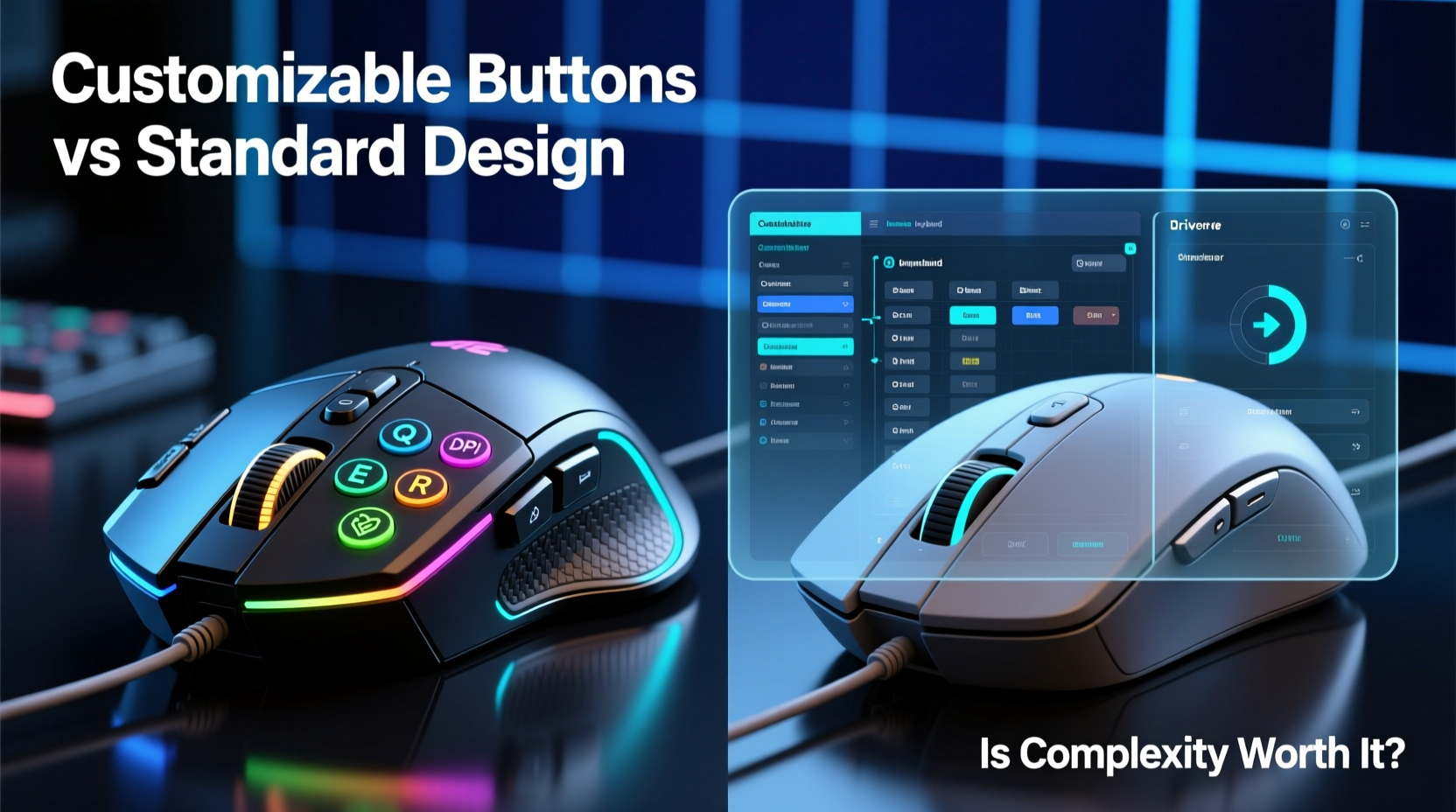
A standard gaming mouse typically includes three primary inputs: left click, right click, and a clickable scroll wheel. Some may include forward/backward navigation buttons near the thumb grip, but functionality remains limited. These mice prioritize ergonomics, sensor accuracy, and responsiveness over configurability.
In contrast, a customizable gaming mouse offers additional side buttons (often 5–12), software suites for remapping inputs, sensitivity profiles, macros, and sometimes even gesture controls. These features allow users to assign complex commands—like casting spells in an MMO, switching weapons in a shooter, or executing combos in a strategy title—with a single press.
The fundamental trade-off lies here: simplicity versus capability. A standard mouse reduces cognitive load and mechanical distraction; a customizable one increases functional bandwidth at the cost of potential confusion and physical adjustment.
“Customization isn’t about adding buttons—it’s about reducing friction between intent and action.” — David Lin, Senior Peripheral Designer at Razer
When Extra Buttons Deliver Real Advantage
Certain gaming genres benefit dramatically from expanded button layouts. In massively multiplayer online role-playing games (MMORPGs), players often manage dozens of abilities, inventory slots, and communication tools simultaneously. Without assignable keys, this requires constant keyboard interaction, breaking immersion and slowing reaction times.
Consider a player in World of Warcraft managing a Shadow Priest rotation. With cooldowns, damage-over-time effects, defensive dispels, and crowd control abilities, relying solely on the keyboard can lead to input lag during high-pressure encounters. By assigning key spells like “Vampiric Touch,” “Mind Flay,” and “Psychic Scream” to thumb-accessible mouse buttons, the player maintains fluid combat rhythm while keeping fingers on movement controls.
Similarly, real-time strategy (RTS) gamers gain precision advantages. Commanding multiple units across vast battlefields demands rapid access to hotkeys. Mapping unit groups (e.g., Ctrl+1 through Ctrl+9) directly to mouse buttons eliminates the need to shift hands between mouse and keyboard mid-battle, preserving micro-management flow.
Even in first-person shooters (FPS), where minimalism reigns supreme, certain configurations offer tactical benefits. For example, binding quick melee attacks, grenade throws, or voice chat toggles to rear thumb buttons allows faster execution than stretching to 'G' or 'V' on the keyboard—especially during intense firefights.
Where Simplicity Still Reigns Supreme
Despite these advantages, many competitive FPS professionals opt for basic two-button-plus-scroll-wheel mice. Why? Because in fast-paced environments like Counter-Strike 2 or Valorant, every millisecond counts—and so does consistency.
Complex button layouts increase the risk of mispresses. During adrenaline-fueled moments, a stray thumb movement could activate an unintended macro instead of maintaining grip stability. This is particularly problematic when side buttons protrude too far or lack tactile differentiation.
Additionally, tournament rules often restrict hardware modifications. Many esports leagues prohibit mice with more than five programmable buttons to maintain fairness and prevent exploitation via automation-heavy macros. As a result, top-tier players gravitate toward lightweight, ambidextrous models like the Logitech G Pro X Superlight or Zowie EC2, which emphasize sensor fidelity and ergonomic neutrality over expandability.
For casual gamers or those who multitask across genres, excessive customization can also become a burden. Learning and remembering button mappings across different games takes time. If you switch from an RPG one night to a racing sim the next, reconfiguring your mouse for each title may feel more tedious than empowering.
Comparative Analysis: Customizable vs Standard Mice
| Feature | Customizable Gaming Mouse | Standard Gaming Mouse |
|---|---|---|
| Button Count | 6–16 programmable buttons | 3–5 fixed functions |
| Use Case Strength | MMOs, RTS, simulation games | FPS, general use, esports |
| Learning Curve | Moderate to high | Low |
| Risk of Misinput | Higher (due to proximity of buttons) | Very low |
| Software Dependency | Required for full functionality | Minimal or none |
| Portability & Compatibility | Lower (profiles tied to software) | High (plug-and-play) |
| Weight & Ergonomics | Often heavier due to components | Lighter, streamlined |
Real-World Example: From Frustration to Mastery
Jamal, a long-time EVE Online pilot, initially used a standard office mouse for his gameplay. Managing fleet operations, module activations, and warp alignments required constant tabbing between UI elements and keyboard shortcuts. He frequently missed critical timing windows during combat, blaming latency or interface design.
After switching to a mouse with eight side buttons and dedicated macro software, he mapped essential commands: targeting, locking, propulsion modulation, and emergency warping. Within two weeks of deliberate practice, his situational awareness improved significantly. He no longer had to remove his hand from the mouse to execute complex maneuvers—his response time dropped by nearly 30%, according to in-game analytics.
However, Jamal did face early setbacks. He accidentally triggered a self-destruct macro during a mining run because he rested his thumb incorrectly. It took disciplined muscle memory training and careful button placement adjustments before he achieved reliable performance. His experience underscores a vital truth: customization enhances capability only when paired with intentional learning.
How to Decide What's Right for You
Choosing between a customizable and standard gaming mouse shouldn't be based on trends or marketing hype. Instead, follow this practical decision framework:
- Identify Your Primary Game Genre: Do you play MMORPGs, RTS, or simulation titles regularly? If yes, extra buttons likely add value.
- Evaluate Your Input Frequency: Count how often you reach for the keyboard during gameplay. High frequency suggests room for improvement via mouse expansion.
- Assess Your Physical Setup: Larger hands may comfortably access multiple side buttons; smaller hands might find them awkward or prone to accidental presses.
- Test Before Committing: Try borrowing or demoing both types. Notice differences in grip comfort, finger strain, and ease of access.
- Consider Long-Term Use: Will you use the same mouse across work, browsing, and gaming? Overly specialized devices may hinder productivity outside gaming sessions.
Frequently Asked Questions
Can I use a customizable gaming mouse for everyday tasks?
Absolutely. Most modern customizable mice allow profile switching or default to standard behavior when no game is detected. You can program buttons to perform actions like copy/paste, browser navigation, or volume control, making them useful beyond gaming.
Do programmable buttons affect gaming performance?
Not inherently. High-quality switches and firmware ensure minimal input delay. However, poorly designed macros or conflicting software can introduce lag. Always test configurations under real conditions before relying on them in competition.
Are there health concerns with complex mouse designs?
Potentially. Extended use of awkwardly placed buttons may contribute to repetitive strain injuries (RSI), especially if thumb positioning forces unnatural angles. Look for ergonomic shapes with textured grips and consider vertical or split designs if discomfort arises.
Action Plan: Optimizing Your Choice
Whether you choose a customizable or standard mouse, maximizing its effectiveness requires deliberate setup. Follow this step-by-step guide:
- Determine Your Dominant Grip Style: Palm, claw, or fingertip? This affects how well you can access side buttons without shifting your hand.
- Select Based on Genre Needs: Choose a customizable model if playing command-heavy games; go standard for speed-focused titles.
- Download Manufacturer Software: Install drivers (e.g., Logitech G Hub, Corsair iCUE, SteelSeries GG) to unlock full functionality.
- Create Game-Specific Profiles: Save separate configurations for each major title to avoid cross-contamination of settings.
- Practice Muscle Memory: Spend 10–15 minutes daily rehearsing common sequences until actions become reflexive.
- Review and Refine Monthly: Remove unused bindings, adjust DPI zones, and clean sensors to maintain peak performance.
Final Verdict: Complexity With Purpose
The question isn’t whether customizable buttons are better than standard designs—it’s whether they serve your specific needs. For players immersed in deep, system-rich games, the ability to streamline interactions can transform frustrating experiences into fluid mastery. But for those prioritizing speed, reliability, and minimalism, a clean, responsive mouse delivers unmatched clarity.
Ultimately, the best gaming mouse is the one that disappears into your workflow—whether it has five buttons or fifteen. Technology should enhance instinct, not override it. If customization helps you act faster, think clearer, and enjoy more, then the complexity is justified. If it adds noise, confusion, or maintenance overhead, simplicity wins.
“The ideal peripheral doesn’t draw attention to itself. It simply lets you play like yourself—only better.” — Lena Park, UX Researcher at Alienware




 浙公网安备
33010002000092号
浙公网安备
33010002000092号 浙B2-20120091-4
Comments
No comments yet. Why don't you start the discussion?