
For millions of gamers, streamers, and digital professionals, the gaming mouse is more than a tool—it's an extension of the hand. Extended use, however, can lead to discomfort, fatigue, and even chronic wrist strain. Two dominant design philosophies dominate the market: ergonomic mice, shaped to fit the natural curve of one hand, and ambidextrous models, symmetrical and usable by both left- and right-handed users. But when it comes to reducing wrist strain, which design truly delivers?
The answer isn't as simple as “one is better.” It depends on anatomy, grip style, usage duration, and individual biomechanics. This article dives deep into the structural differences, analyzes real-world implications, and provides actionable insights to help you make a choice that supports long-term hand health.
Anatomy of Mouse Design: Ergonomic vs Ambidextrous
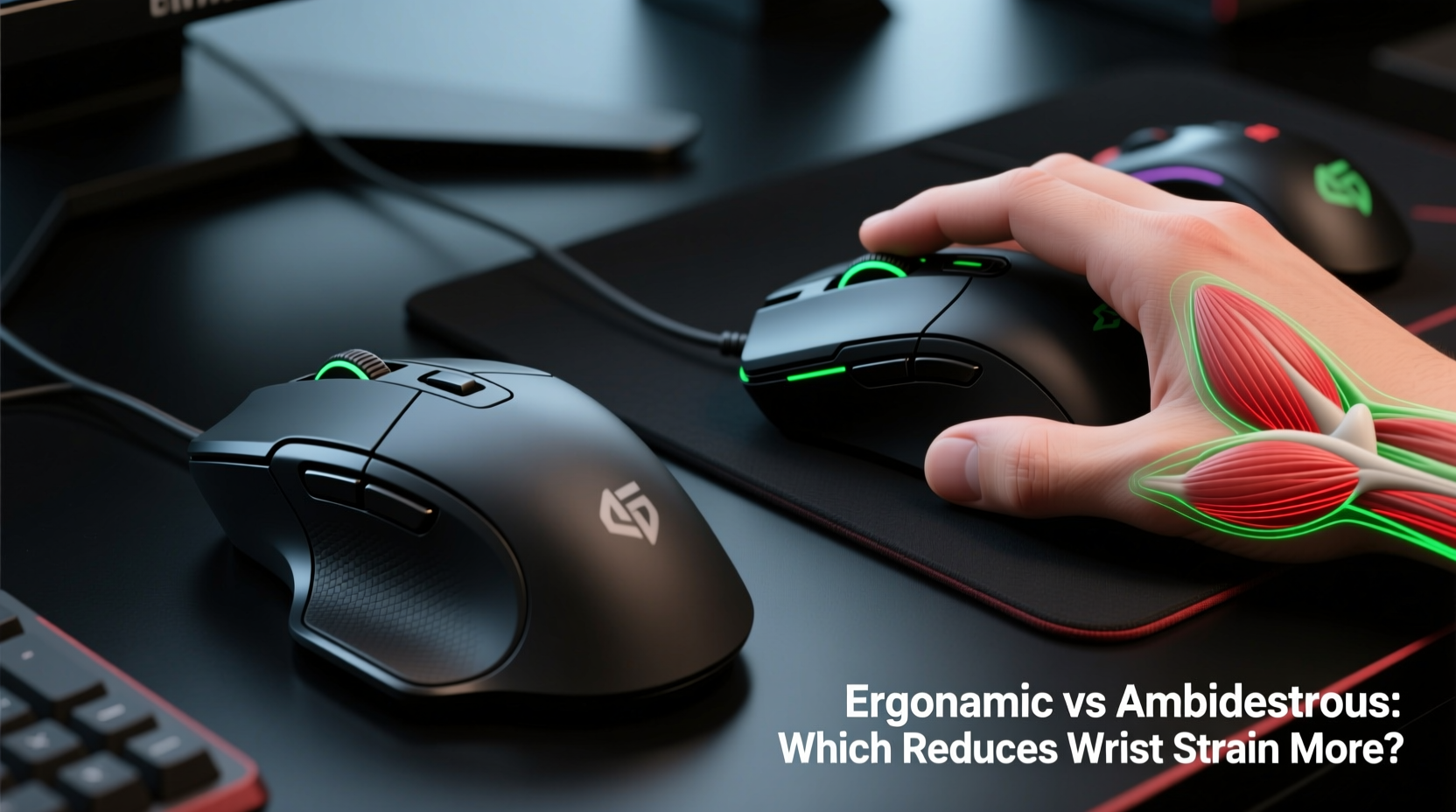
Ergonomic and ambidextrous mice differ fundamentally in form and function. These differences influence hand posture, muscle engagement, and pressure distribution during prolonged use.
Ergonomic mice are designed with asymmetry in mind. They feature a pronounced thumb rest, elevated finger contours, and often a vertical tilt (up to 60 degrees in some models). The goal is to align the hand in a more neutral position—closer to a handshake—reducing ulnar deviation (wrist bending inward) and pronation (palm-down rotation).
In contrast, ambidextrous mice maintain symmetry. They sit flat, offer minimal contouring, and allow either hand to use them interchangeably. Their shape favors claw or fingertip grips, common among competitive gamers who prioritize speed and button accessibility over extended comfort.
The core trade-off lies in specialization versus flexibility. An ergonomic mouse supports natural alignment but limits handedness; an ambidextrous model offers versatility but may encourage poor wrist angles over time.
How Wrist Strain Develops During Gaming
Wrist strain doesn’t appear overnight. It’s the cumulative result of sustained awkward postures, repetitive micro-movements, and inadequate recovery. The primary contributors include:
- Ulnar and radial deviation: Side-to-side wrist bending increases pressure on tendons and ligaments.
- Carpal tunnel compression: Prolonged flexion (bent wrist) squeezes the median nerve.
- Forearm pronation: Keeping the palm flat on a traditional mouse rotates the forearm unnaturally, straining muscles from the elbow to the fingers.
- Static muscle loading: Holding the same grip for hours fatigues small hand muscles, leading to tension and inflammation.
A 2021 study published in *Applied Ergonomics* found that participants using conventional flat mice exhibited significantly higher electromyographic (EMG) activity in forearm extensors—indicating greater muscle strain—compared to those using vertical ergonomic designs. The difference became more pronounced after 90 minutes of continuous use.
“Even slight improvements in wrist angle can reduce tendon load by up to 30%. Over weeks of use, that translates into meaningful injury prevention.” — Dr. Lena Torres, Biomechanics Researcher at Stanford Human Factors Lab
Comparative Analysis: Key Differences That Matter
To evaluate which design reduces wrist strain more effectively, consider the following factors:
| Feature | Ergonomic Mouse | Ambidextrous Mouse |
|---|---|---|
| Hand Position | Natural handshake posture; reduced pronation | Flat palm; high pronation |
| Wrist Angle | Neutral or slightly supinated (palm up) | Frequent ulnar deviation and flexion |
| Muscle Engagement | Distributed across forearm; lower EMG readings | Concentrated in small motor muscles; higher fatigue |
| Grip Compatibility | Better for palm grip; limited claw/fingertip support | Suited for all grip styles, especially fingertip |
| Long-Term Comfort | Superior for sessions over 1 hour | Comfort declines sharply past 60–90 minutes |
| Learning Curve | Moderate (requires adaptation to tilt) | Minimal (familiar flat profile) |
The data consistently shows that ergonomic mice promote healthier biomechanics. However, their benefits are most evident in users who adopt a palm grip and engage in extended, non-competitive sessions such as streaming, editing, or office work. For fast-paced esports titles like CS:GO or Valorant, where millisecond precision matters, many players still prefer ambidextrous mice despite the ergonomic cost.
Real-World Example: A Streamer’s Transition to Ergonomic Design
Consider Alex Rivera, a full-time Twitch streamer who broadcasts 6–8 hours daily. After six months of using a high-performance ambidextrous mouse, Alex began experiencing persistent tingling in his right hand and stiffness in the forearm by mid-afternoon. He consulted a physical therapist, who diagnosed early signs of repetitive strain injury (RSI) linked to chronic wrist pronation.
On recommendation, Alex switched to a vertical ergonomic mouse with a 57-degree tilt. The first week was challenging—his aim suffered, and clicking felt unnatural. But within three weeks, he adapted. By the sixth week, he reported a 70% reduction in forearm fatigue and no recurrence of numbness.
Crucially, he didn’t abandon performance. He adjusted sensitivity settings, retrained muscle memory, and optimized desk height. His experience underscores a key truth: ergonomic benefits require short-term adaptation for long-term gain.
Choosing the Right Mouse: A Step-by-Step Guide
Selecting a mouse that minimizes wrist strain involves more than picking a shape. Follow this process to ensure a sustainable fit:
- Assess your usage pattern: Are you gaming competitively, creating content, or working remotely? High-intensity, long-duration use favors ergonomic support.
- Identify your grip style: Palm grippers benefit most from contoured ergonomic shapes. Claw and fingertip users may find ambidextrous models more responsive.
- Measure your hand size: Larger hands (over 7 inches from wrist to tip of middle finger) gain more from ergonomic elevation. Smaller hands may find vertical mice awkward.
- Test wrist alignment: When holding the mouse, your forearm, wrist, and hand should form a straight line. Avoid devices that force your wrist to bend sideways or upward.
- Try before you buy—or commit to adaptation: Many ergonomic mice feel strange at first. Allow 2–3 weeks of consistent use before judging comfort.
- Optimize your setup: Pair your mouse with an adjustable chair, negative-tilt keyboard, and desk at elbow height to maximize ergonomic synergy.
Actionable Checklist: Reduce Wrist Strain Today
Whether you keep your current mouse or upgrade, implement these habits immediately:
- ✅ Align your forearm parallel to the floor
- ✅ Keep your shoulder relaxed and not hunched
- ✅ Position the mouse close to the keyboard to minimize reaching
- ✅ Take micro-breaks every 30 minutes (5 seconds of shaking out the hand)
- ✅ Perform wrist circles and finger stretches hourly
- ✅ Replace worn-out mice—degraded sensors cause overcompensation
- ✅ Consider a vertical ergonomic model if using the mouse more than 3 hours/day
Frequently Asked Questions
Can an ambidextrous mouse ever be ergonomic?
Some ambidextrous mice incorporate mild ergonomic features like textured grips or low-profile curves, but true ergonomics require asymmetry tailored to hand anatomy. While better than flat budget mice, they still fall short of dedicated ergonomic designs in reducing strain.
Are vertical mice good for gaming?
Yes—for certain types of games. Strategy, simulation, and MMO titles benefit from the comfort of vertical mice. Fast-paced FPS or competitive arena games may suffer due to slower flick movements. However, newer hybrid models now offer near-horizontal tilt with ergonomic support, bridging the gap.
Is switching to an ergonomic mouse worth the learning curve?
If you experience pain, fatigue, or numbness after using your current mouse, yes. The adaptation period typically lasts 1–3 weeks. The long-term payoff—reduced risk of RSI, carpal tunnel syndrome, and chronic discomfort—is well worth the temporary adjustment.
Conclusion: Prioritize Health Without Sacrificing Performance
The debate between ergonomic and ambidextrous gaming mice isn’t about declaring a universal winner. It’s about matching design to purpose. When wrist strain is the concern, the evidence strongly favors ergonomic designs—especially for users engaged in long, repetitive sessions. Their ability to align the hand in a neutral, low-stress posture directly combats the biomechanical risks inherent in traditional mouse use.
That said, ambidextrous mice retain value in environments where speed, symmetry, and rapid repositioning are paramount. The future likely lies in hybrid innovation—mice that blend ergonomic principles with competitive responsiveness.
No matter your preference, ignoring wrist health is a gamble with long-term consequences. Small changes in equipment and habit today can prevent debilitating injuries tomorrow. Evaluate your needs, test options, and invest in a setup that supports both your performance and your body.




 浙公网安备
33010002000092号
浙公网安备
33010002000092号 浙B2-20120091-4
Comments
No comments yet. Why don't you start the discussion?