
When it comes to competitive gaming, every millisecond counts. A split-second delay, an accidental misclick, or inefficient command execution can mean the difference between victory and defeat. One of the most personal and impactful tools in a gamer’s arsenal is the mouse. But a critical debate persists: should you opt for a feature-rich gaming mouse packed with programmable side buttons, or go minimalist—lightweight, clean, and uncluttered—for maximum agility and precision?
The answer isn’t universal. It depends on your game genre, hand size, grip style, and personal workflow. While extra buttons offer expanded functionality, minimalism prioritizes speed and control. Understanding the trade-offs helps you make an informed decision that aligns with your playstyle.
The Case for Extra Buttons: Functionality and Efficiency
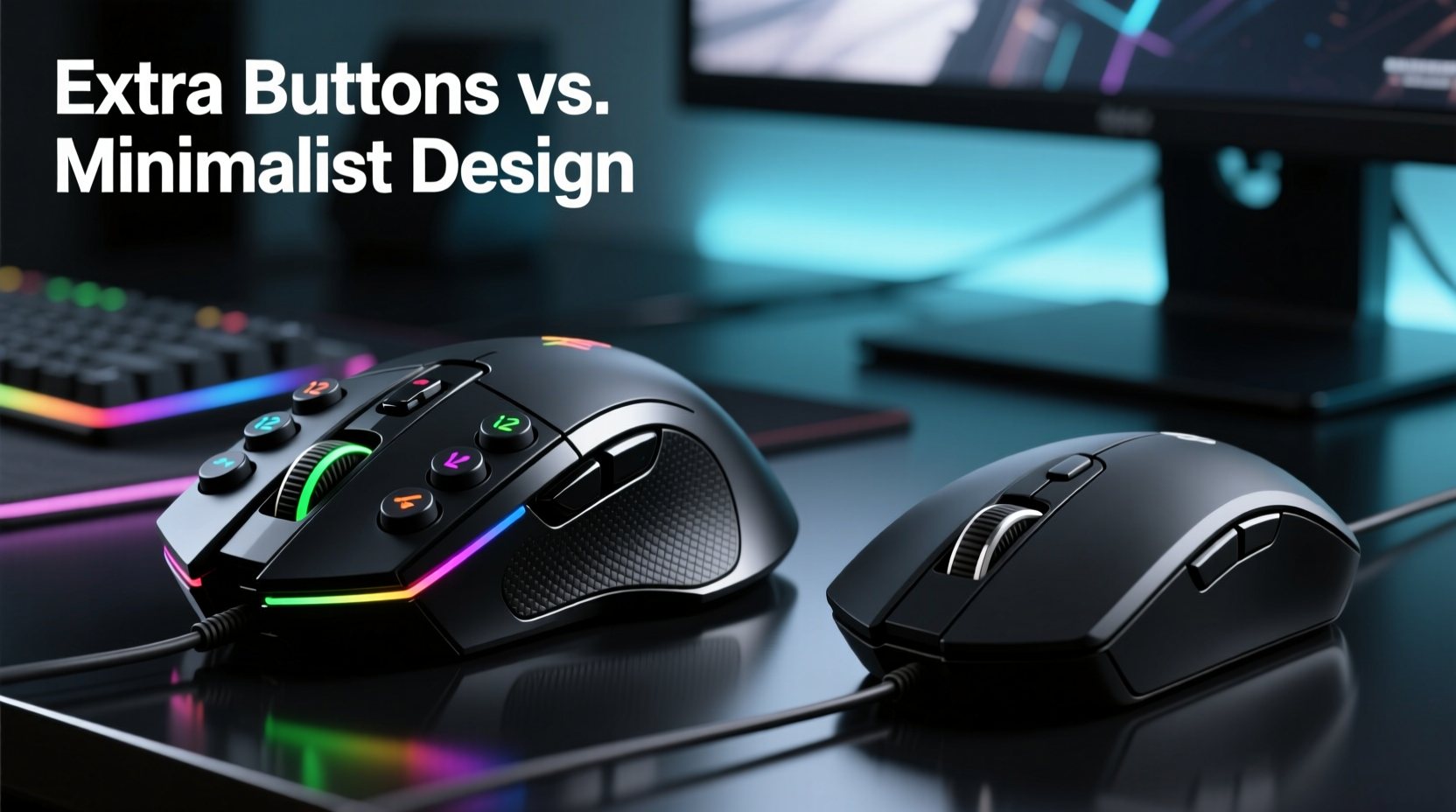
High-button-count gaming mice often appeal to players who rely on rapid access to complex commands. These devices typically include 6–12 programmable buttons placed along the thumb zone, allowing for in-game macros, weapon swaps, ability activations, or communication shortcuts without moving your hand from the primary grip position.
This design shines in genres like MMORPGs (Massively Multiplayer Online Role-Playing Games) and MOBAs (Multiplayer Online Battle Arenas), where players manage dozens of abilities, inventory items, and team communications simultaneously. For example, a World of Warcraft raid leader might assign voice chat toggles, healing spells, and defensive cooldowns to dedicated thumb buttons, reducing reliance on keyboard modifiers and minimizing input lag during high-pressure encounters.
Additionally, strategy game players benefit from extra buttons when managing units, issuing orders, or cycling through camera views. The ability to bind frequently used hotkeys directly to the mouse eliminates hand travel across the keyboard, improving reaction time and reducing fatigue over long sessions.
“Players in MMOs gain measurable efficiency from additional inputs. We’ve seen up to 18% faster command execution with optimized button layouts.” — Dr. Lena Park, HCI Researcher at GameTech Labs
The Minimalist Advantage: Speed, Precision, and Ergonomics
On the opposite end of the spectrum, minimalist gaming mice prioritize weight reduction, shape simplicity, and sensor accuracy. These models typically range from 45g to 65g, lack side buttons entirely or offer only two, and focus on providing a low-friction, balanced feel ideal for fast flicks and micro-adjustments.
This philosophy dominates in first-person shooters (FPS) like Counter-Strike 2, Valorant, and Apex Legends. In these games, movement, recoil control, and target tracking are paramount. A lighter mouse reduces wrist strain and allows for quicker directional changes. Without protruding buttons, there’s less chance of accidental actuation during intense sprays or rapid repositioning.
Ergonomic studies suggest that fewer physical distractions lead to improved muscle memory development. When your hand rests consistently in one position without adjusting for button presses, fine motor control improves over time. This consistency translates into tighter crosshair placement and better aim stability.
Moreover, minimalist designs often use high-end materials—such as honeycomb shells, PTFE feet, and optical switches—to further reduce drag and increase durability. The absence of rubberized grips also prevents sweat buildup and material degradation over months of heavy use.
Real Example: Pro Player Transition from High-Button to Minimalist Design
Tyler \"FrostByte\" Nguyen, a semi-professional Valorant player, switched from a 10-button MMO mouse to a lightweight 58g minimalist model after struggling with inconsistent flick shots. Initially skeptical about losing programmable keys, he found that his average kill time dropped by 120ms within three weeks of adaptation. “I wasn’t using those extra buttons anyway,” he admitted. “But their presence made my grip unstable. Now my pinky doesn’t hover awkwardly—I’m fully anchored, and my tracking feels smoother than ever.”
Comparative Breakdown: Key Decision Factors
| Factor | Extra Buttons (Pros) | Extra Buttons (Cons) | Minimalist Design (Pros) | Minimalist Design (Cons) |
|---|---|---|---|---|
| Game Genre Suitability | MMOs, MOBAs, RTS | Poor fit for FPS | FPS, fast-paced shooters | Limited utility in RPGs |
| Weight | Average 90–110g | Heavier = slower flicks | Often under 70g | May feel too light for some |
| Ease of Use | High customization potential | Steeper learning curve | Intuitive, plug-and-play | Fewer functional options |
| Ergonomics | Thumb rest support | Risk of accidental presses | Balanced, neutral grip | Less palm support in budget models |
| Durability | More components = more failure points | Mechanical wear on extra switches | Simpler construction = longer lifespan | Limited repairability due to compact build |
Choosing Based on Your Playstyle: A Step-by-Step Guide
Selecting the right mouse shouldn't be arbitrary. Follow this structured approach to ensure compatibility with your gaming habits:
- Identify your primary game genre. Are you playing MMOs, MOBAs, or real-time strategy titles? Or do you spend most of your time in competitive shooters? This determines whether macro functionality or raw responsiveness matters more.
- Assess your grip type. Do you use fingertip, claw, or palm grip? Players with fingertip or claw grips often benefit from lighter, flatter mice, while palm grippers may prefer slightly larger bodies—even if they include modest side buttons.
- Measure your current mouse usage. Track how often you use non-primary buttons during gameplay. If you rarely touch them, they’re likely not adding value—and could be hindering performance.
- Test weight preferences. Try dragging different weighted objects across your pad. Notice what feels natural. Many gamers discover they overestimated their need for heavier mice once they experience sub-60g models.
- Simulate real scenarios. Borrow or trial both types. Spend at least 30 minutes in actual gameplay with each. Note differences in comfort, accuracy, and fatigue levels.
- Evaluate long-term sustainability. Consider maintenance, cable drag, battery life (for wireless), and cleaning frequency. Minimalist mice are generally easier to maintain due to fewer crevices.
Action Checklist: How to Optimize Your Gaming Mouse Choice
- ☐ Determine your dominant game genre and core mechanics (e.g., aiming vs. spellcasting).
- ☐ Measure your hand size and match it to recommended mouse dimensions.
- ☐ Decide whether macros improve or complicate your gameplay.
- ☐ Prioritize weight if you play fast-paced shooters; prioritize layout if you play command-heavy games.
- ☐ Invest in quality sensor technology—look for adjustable DPI (800–3200 range) and low polling lag.
- ☐ Test multiple mice before purchasing—don’t rely solely on specs or reviews.
- ☐ Update firmware and drivers regularly to maintain peak responsiveness.
Expert Insight: What Top Designers Say
Mouse manufacturers have increasingly diverged in their design philosophies. While brands like Razer and Corsair continue releasing multi-button flagship models, others such as Glorious and Zowie emphasize purity of form and function.
“At Glorious, we believe removing everything non-essential forces innovation in materials and engineering. A mouse shouldn’t distract—it should disappear in your hand.” — Marcus Wu, Lead Product Designer at Glorious
This sentiment reflects a broader trend toward specialization. Gamers are no longer expected to use one device for all purposes. Instead, many professionals now own multiple mice—one for MMO raids, another for tournament FPS matches—switching based on context.
Frequently Asked Questions
Can I disable extra buttons if I don’t use them?
Yes, most gaming mice allow full remapping or deactivation of side buttons via companion software. However, physically disabling them won’t eliminate their ergonomic impact—the shape and protrusion remain, potentially affecting grip stability.
Do extra buttons cause accidental clicks in FPS games?
They can. During intense moments, especially with claw or fingertip grips, thumbs may brush against side buttons unintentionally. This leads to misclicks that interrupt sprinting, shooting, or crouching. Minimalist designs eliminate this risk entirely.
Is a lightweight mouse always better for FPS?
Not necessarily. While sub-70g mice dominate esports scenes, some players prefer slightly heavier models (75–85g) for increased momentum control during slow zooms or sniping. Personal preference and sensitivity settings play a major role here.
Final Verdict: Context Determines Superiority
There is no single “best” choice between a gaming mouse with extra buttons and a minimalist design. Each excels in specific contexts:
- Choose extra buttons if you play games requiring frequent ability activation, inventory management, or multi-key combinations. Their value lies in expanding your input bandwidth without sacrificing hand position.
- Choose minimalist design if precision, speed, and consistency are paramount. Lightweight, streamlined mice enhance fine motor skills and reduce physical interference during rapid movements.
The key is alignment—not just with technical specifications, but with how you actually play. A well-chosen mouse becomes an extension of your intent. Whether that means having eight programmable commands at your fingertips or experiencing the feather-light glide of a 55g shell, the goal remains the same: seamless, intuitive control.
Modern gaming peripherals are no longer one-size-fits-all. Embrace specialization. Evaluate your needs honestly. And remember: the best mouse isn’t the one with the most features—it’s the one that disappears into your hand and amplifies your skill.




 浙公网安备
33010002000092号
浙公网安备
33010002000092号 浙B2-20120091-4
Comments
No comments yet. Why don't you start the discussion?