
When choosing between a Garmin and an Apple Watch, one of the most debated trade-offs is battery life versus smart functionality. Apple Watch offers deep integration with the iPhone ecosystem, rich app support, and seamless notifications—but typically lasts just 18 to 36 hours on a single charge. In contrast, Garmin devices often run for days or even weeks without needing a recharge, but come with fewer apps, limited third-party integrations, and a more utilitarian interface. For many users, this raises a critical question: is the extended battery life on Garmin devices worth giving up the smart features that define the modern wearable experience?
The answer depends heavily on your lifestyle, priorities, and how you use your wearable. Whether you're an athlete logging long-distance runs, a busy professional juggling calls and calendars, or someone who values low-maintenance tech, understanding the real-world implications of each platform can help you make a smarter decision.
Battery Life: The Core Advantage of Garmin
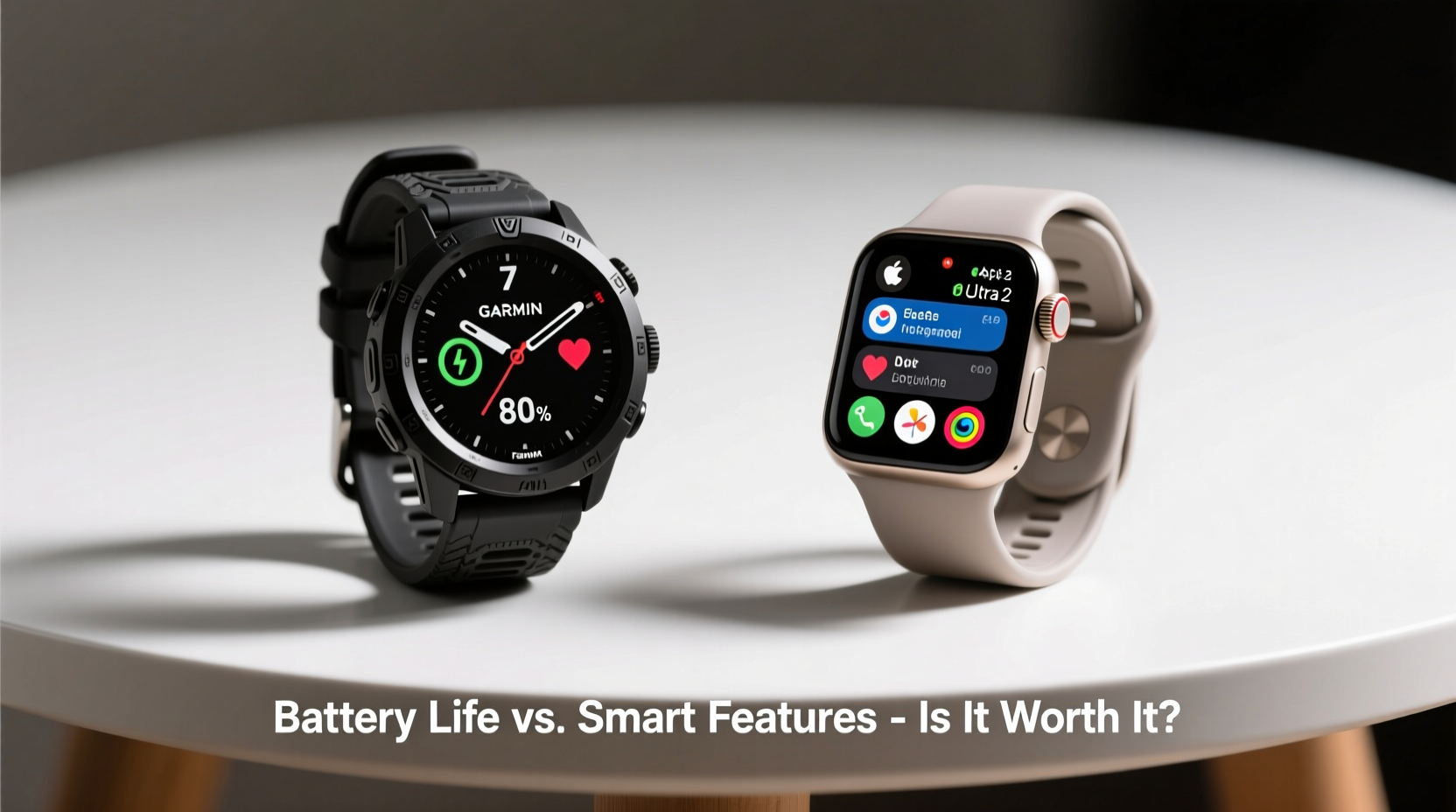
Garmin’s biggest selling point is its exceptional battery performance. Most Garmin watches—like the Forerunner 265, Fenix 7, or Venu 3—offer anywhere from 5 to over 20 days in smartwatch mode, with some models lasting up to 46 days in battery-saver settings. Even under heavy GPS use, such as during marathon training or multi-day hikes, these devices consistently outperform their competitors.
Compare that to the Apple Watch Series 9, which officially lasts up to 18 hours under typical usage. Real-world testing often shows it struggling to reach 30 hours even with minimal activity tracking. This means nightly charging is non-negotiable for Apple Watch users—a habit that may seem trivial until you forget your charger while traveling or need continuous health monitoring during a medical event.
Longevity isn’t just about convenience—it impacts data continuity. Devices that require frequent recharging create gaps in sleep tracking, heart rate trends, and stress monitoring. Garmin’s ability to maintain uninterrupted data collection over multiple days gives it an edge in longitudinal health insights.
Smart Features: Where Apple Watch Shines
Apple Watch excels where Garmin falls short: integration, responsiveness, and user experience. With full access to the App Store, Apple Watch supports thousands of third-party applications—from Spotify and Uber to banking apps and language tools. Notifications are delivered instantly, replies can be typed, dictated, or responded to via emoji, and Siri provides robust voice assistance.
Apple’s ecosystem also enables advanced functionalities like ECG readings, blood oxygen monitoring (though both brands offer this), fall detection with emergency SOS, and seamless handoff with iPhone and iPad. For example, starting a podcast on your watch and continuing it on AirPods connected to your Mac happens automatically.
Garmin does include basic smart features—notifications, music storage, contactless payments via Garmin Pay—but the experience is slower, less intuitive, and lacks depth. Apps are limited, customization options are sparse, and interaction with non-Garmin services feels tacked-on rather than integrated.
“Battery life matters, but so does utility. If your watch doesn’t help manage your day-to-day life beyond workouts, it’s just a sensor on your wrist.” — David Lin, Wearable Tech Analyst at TechPulse Insights
Performance Comparison: Real-World Use Cases
To understand whether Garmin’s battery advantage outweighs its smart feature deficit, consider how different users interact with their devices.
Fitness Enthusiasts & Outdoor Adventurers
For runners, triathletes, climbers, and backpackers, Garmin is often the superior choice. Multi-day battery life ensures GPS tracking remains active throughout extended events. Rugged build quality, precise altitude sensors, and specialized metrics like Training Load, Recovery Time, and PacePro give athletes actionable feedback not available on Apple Watch.
A trail runner preparing for a 50K race might rely on Garmin’s route navigation, sunrise/sunset alerts, and hydration reminders—all while knowing their watch will last the entire weekend without charging.
Busy Professionals & Urban Users
In contrast, city dwellers who commute, take calls, manage schedules, and use digital wallets benefit more from Apple Watch’s immediacy. Receiving calendar alerts, replying to messages with QuickType, using Find My to locate lost keys, or paying with Apple Pay at a coffee shop streamlines daily routines in ways Garmin simply can’t match.
One executive we spoke with shared: “I tried switching to a Garmin for better battery, but missed being able to control my presentations remotely and check iMessage responses during meetings. I went back to Apple Watch—even though I charge it every night.”
Health-Focused Users
Both brands offer strong health tracking: heart rate variability (HRV), sleep stages, respiration rate, and stress scores. However, Apple Watch has a slight edge in clinical validation. Its ECG app is FDA-cleared, and its irregular rhythm notification has been studied in large-scale trials like the Apple Heart Study.
That said, Garmin’s Body Battery energy monitor and advanced sleep coaching provide unique insights into recovery and fatigue management—features particularly valued by high-performance individuals.
Detailed Feature Comparison
| Feature | Garmin (e.g., Forerunner 265) | Apple Watch (Series 9) |
|---|---|---|
| Battery Life (Smart Mode) | Up to 14 days | 18–36 hours |
| GPS Battery Life | Up to 36 hours | ~18 hours |
| Third-Party Apps | Limited (Connect IQ store) | Extensive (App Store) |
| Notifications & Messaging | Basic text preview, no reply | Full reply via text, dictation, emoji |
| Music Control & Storage | Yes (Spotify, Deezer offline) | Yes (Apple Music, Spotify) |
| Contactless Payments | Garmin Pay (limited bank support) | Apple Pay (widely accepted) |
| Voice Assistant | Basic voice commands | Siri with natural language processing |
| Sleep Tracking & Coaching | Advanced (Body Battery, Sleep Score) | Good (Sleep stages, trends) |
| Durability & Water Resistance | MIL-STD-810 tested, 10 ATM+ | IP6X dust resistant, 50m water resistant |
| Price Range (Starting) | $399 | $399 |
Mini Case Study: Trail Runner vs. Corporate Manager
Alex, Trail Runner – Chooses Garmin Fenix 7
Alex trains for ultramarathons across remote terrain. On a recent 3-day backpacking trip, he relied on his Garmin Fenix 7 for navigation, elevation profiles, and real-time pace feedback. He didn’t charge the watch once and still had 40% battery upon return. The device logged his sleep, HRV, and recovery status throughout, helping him adjust his training plan. While he misses quick message replies, the uninterrupted tracking and rugged reliability made the trade-off worthwhile.
Jamie, Marketing Director – Sticks with Apple Watch Ultra
Jamie attends back-to-back Zoom calls, manages team Slack channels, and uses her Apple Watch to control Keynote presentations. She appreciates being able to dictate emails, receive flight updates, and unlock her MacBook automatically. Despite charging nightly, she finds the seamless ecosystem indispensable. “If I miss a workout, I can live with that,” she says. “But missing a client call because my watch died? That’s not an option.”
Expert Insight: Balancing Functionality and Practicality
“The ideal wearable should disappear into your life—not demand attention. For some, that means never worrying about charging. For others, it means instant access to information. There’s no universal winner; only what aligns with your behavior.” — Dr. Lena Patel, Human-Computer Interaction Researcher at Stanford
This philosophy underscores the importance of self-assessment before choosing. Ask yourself: Do you value autonomy and endurance, or connectivity and convenience? Are you more likely to be off-grid or in constant communication?
Checklist: Choosing Between Garmin and Apple Watch
- ✅ Do you need more than 2 days of battery life? → Lean toward Garmin
- ✅ Do you use iPhone-exclusive apps (Messages, Mail, Find My)? → Apple Watch is better integrated
- ✅ Are you an athlete needing advanced training metrics? → Garmin offers deeper analytics
- ✅ Do you want to reply to texts, use Siri, or control HomeKit devices? → Apple Watch wins
- ✅ Is durability in extreme conditions important? → Garmin builds are generally tougher
- ✅ Do you travel frequently without reliable charging access? → Garmin reduces dependency
- ✅ Are you invested in Apple’s ecosystem (iPhone, AirPods, iCloud)? → Stick with Apple Watch
FAQ
Can Garmin watches run iOS apps?
No. Garmin uses its own Connect IQ platform, which supports a limited number of third-party apps like Strava, AccuWeather, and Spotify. It does not support native iOS apps or iMessage.
Does Apple Watch have any battery-saving modes?
Yes. Low Power Mode, introduced in watchOS 9, extends battery life by disabling background heart rate checks, always-on display, and workout metrics. However, even in this mode, battery life rarely exceeds 36–48 hours.
Is Garmin suitable for everyday smart tasks?
It depends on expectations. Garmin handles basic notifications, music control, and payments adequately, but lacks the fluidity and depth of Apple’s interface. If you rely heavily on smart features, Garmin may feel restrictive.
Conclusion: What Matters Most to You?
The debate between Garmin and Apple Watch ultimately comes down to values. If uninterrupted tracking, field-ready durability, and freedom from daily charging are priorities, then Garmin’s reduced smart capabilities are a fair compromise. But if your day revolves around communication, productivity, and ecosystem synergy, the Apple Watch’s limitations in battery life may be a price worth paying.
Technology should serve your life—not complicate it. Some users find balance by owning both: a Garmin for adventures and an Apple Watch for weekdays. Others choose based on primary use case. Either way, the key is recognizing that battery life and smart features aren’t just specs—they reflect deeper lifestyle needs.




 浙公网安备
33010002000092号
浙公网安备
33010002000092号 浙B2-20120091-4
Comments
No comments yet. Why don't you start the discussion?