
In the growing ecosystem of smart home devices, voice-activated displays have become central hubs for controlling lights, checking calendars, watching videos, and even monitoring doorbells. The Google Nest Hub Max and Amazon Echo Show 15 are two of the most prominent large-format smart displays on the market. While both offer convenience and seamless integration with their respective ecosystems—Google Assistant and Alexa—their approaches to user privacy differ significantly. For consumers concerned about data collection, microphone access, camera usage, and long-term surveillance implications, understanding these differences is essential.
This article examines how each device handles privacy at the hardware, software, and corporate policy levels. We’ll compare built-in safeguards, default settings, transparency in data use, and real-world control options users have over their information. Whether you're setting up a new kitchen assistant or reevaluating your smart home setup, knowing which device respects your digital boundaries more can influence your decision.
Hardware Design and Physical Privacy Controls
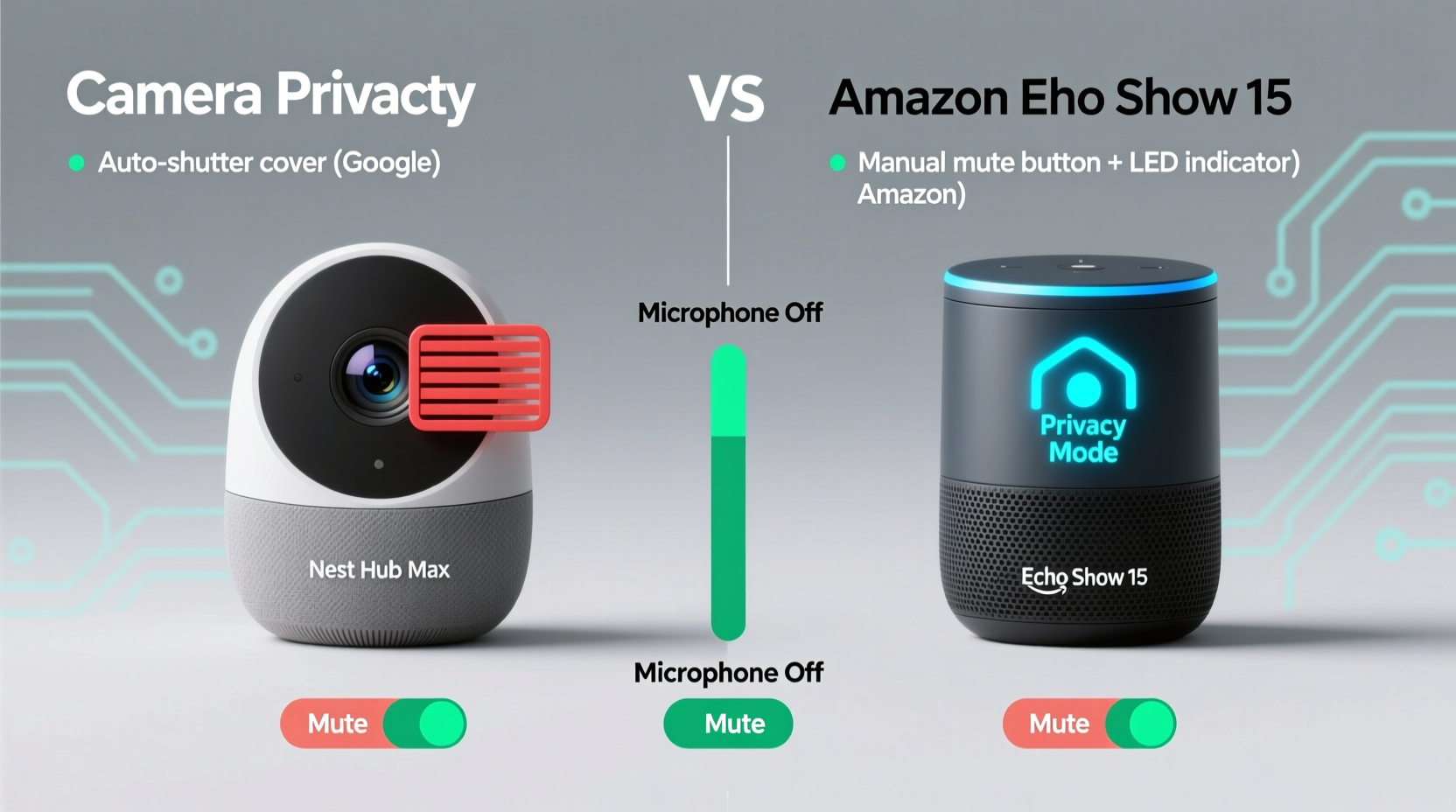
The physical design of a smart display plays a crucial role in its overall privacy posture. Devices equipped with cameras and microphones inherently pose greater risks than those without, especially when always listening or recording by default.
The Google Nest Hub Max includes a front-facing 6.5MP camera and dual far-field microphones. What sets it apart is the inclusion of a dedicated hardware switch that physically disconnects both the microphone and camera. When engaged, this mute switch cuts power to the sensors, ensuring no audio or video can be captured. This feature provides tangible peace of mind, as users can see and feel the disconnection.
The Amazon Echo Show 15, while also featuring a 13MP rotating HD camera and four microphones, does not include a true hardware kill switch. Instead, it relies on a software-based mute button—accessible via the touchscreen or voice command—that disables the microphones and camera digitally. Although Amazon states that muting stops all processing, the lack of a physical disconnect means there’s no guarantee against potential firmware-level exploits or unintended activations.
Data Collection and Usage Policies
Privacy isn’t just about hardware—it’s equally shaped by what companies do with your data once collected. Both Google and Amazon are known for leveraging user data to improve services and personalize advertising, but their policies and opt-out mechanisms vary.
Google collects voice recordings, search history, calendar entries, and visual data (if enabled) to train its AI models and refine Assistant responses. However, Google allows users granular control through its My Activity dashboard, where you can review, delete, or auto-delete voice and audio data after three, 18, or 36 months. You can also disable voice recording storage entirely, meaning interactions are processed in real time without saving.
Amazon takes a similar approach with Alexa, storing voice snippets to enhance performance and personalize recommendations. These recordings are tied to your account and accessible via the Alexa app under “Your Voice History.” Users can delete individual clips or clear all history at once. Auto-deletion options exist (after 3 or 18 months), but unlike Google, Amazon does not offer a complete opt-out from voice data retention by default—only suppression of future storage after manual deletion.
“Any always-listening device introduces risk, but transparency and user control reduce harm. Google’s auto-delete defaults and activity dashboards give users more agency than Amazon’s current model.” — Dr. Lena Patel, Digital Privacy Researcher at MIT Cybersecurity Initiative
Security Features and Encryption Standards
Both devices employ end-to-end encryption for certain types of communication, particularly during video calls or when streaming from smart doorbells. However, the scope and consistency of encryption differ.
The Nest Hub Max uses Google’s Titan M security chip, which protects sensitive operations like firmware updates and secure boot processes. All data transmitted between the device and Google’s servers is encrypted in transit, and stored voice data is encrypted at rest. Additionally, facial recognition used for personalized photo feeds (a feature on the Hub Max) occurs locally on the device—not in the cloud—reducing exposure.
The Echo Show 15 leverages Amazon’s proprietary security framework, including secure boot and TLS encryption for network traffic. However, Amazon does not disclose the use of a dedicated security processor like Titan M. Facial recognition is not supported on the Show 15, eliminating one vector of biometric data collection. That said, some third-party skills may transmit unencrypted data unless explicitly secured by developers.
| Feature | Google Nest Hub Max | Amazon Echo Show 15 |
|---|---|---|
| Hardware Mute Switch | Yes – physically disconnects mic & camera | No – software-only mute |
| Voice Data Auto-Delete | Yes – 3, 18, or 36 months | Yes – 3 or 18 months |
| Opt-Out of Voice Storage | Yes – can disable saving permanently | Limited – must manually delete; no default opt-out |
| On-Device Processing | Facial recognition, voice commands (optional) | Limited to basic wake-word detection |
| Security Chip | Titan M | Not publicly confirmed |
| Camera Resolution | 6.5MP | 13MP (rotating) |
Real-World Privacy Scenarios: A Mini Case Study
Consider Sarah, a parent installing a smart display in her kitchen for recipe viewing and video calling relatives. She values convenience but worries about constant audio capture near her children. After researching both devices, she chooses the Nest Hub Max primarily because of the physical mute switch. During meal prep, she keeps the mics and camera off, only enabling them when making video calls. She configures Google’s auto-delete to erase voice data every three months and disables ad personalization in her Google account settings.
Her neighbor, James, opts for the Echo Show 15. He appreciates the larger screen and rotating camera for broader room coverage. However, he later discovers that Alexa occasionally activates due to false triggers (“Alexa” sounding like words in TV shows). Though he mutes the device nightly, he realizes the software toggle doesn’t prevent all background processing. After reading forum discussions about accidental recordings being sent to contacts, he becomes uneasy and eventually covers the camera with tape—a workaround neither elegant nor foolproof.
Sarah’s experience highlights how hardware-level privacy controls empower users with confidence. James’s situation illustrates the limitations of relying solely on software toggles and trust in corporate assurances.
Actionable Steps to Maximize Privacy on Either Device
No smart display is completely private, but users can take concrete steps to minimize risks regardless of brand. Here’s a checklist to tighten security:
- Enable automatic deletion of voice recordings (3-month interval recommended).
- Disable voice purchasing to prevent unauthorized transactions.
- Turn off personalized ads in your Google or Amazon account settings.
- Use guest mode when visitors are present to avoid saving their voice data.
- Regularly audit connected apps and skills—remove unused or low-trust third-party integrations.
- Position the device thoughtfully—avoid pointing cameras toward bedrooms or private areas.
- Update firmware regularly to patch known vulnerabilities.
- Review permissions monthly in the companion app to ensure no new tracking has been enabled.
Frequently Asked Questions
Can either company listen to my conversations?
Neither Google nor Amazon claims to actively monitor private conversations. However, both systems continuously listen for wake words (“Hey Google,” “Alexa”), which means short audio snippets are processed locally. If the wake word is detected, the following audio is sent to the cloud for interpretation. There have been rare instances of accidental recordings or human reviewers analyzing anonymized clips for quality assurance—though users can opt out of such programs.
Which device is better for families with kids?
The Nest Hub Max offers stronger parental controls, including Family Bell routines and tighter integration with Google Kids Space. Its hardware mute switch also gives parents immediate control. However, both platforms allow supervision through linked accounts and content filters. Ultimately, the choice depends on whether your household prioritizes physical disconnection (Nest) or screen size and versatility (Echo Show 15).
Is it safe to leave the camera on all the time?
No camera should be left active indefinitely in private spaces. Even with strong encryption, connected cameras are potential targets for hackers if passwords are weak or networks unsecured. Best practice: keep the camera covered or disabled when not in use, especially during sensitive activities like changing clothes or private conversations.
Conclusion: Making an Informed Choice
When comparing the Google Nest Hub Max and Amazon Echo Show 15 from a privacy standpoint, the Nest Hub Max holds a distinct advantage. Its combination of a physical mute switch, robust auto-delete options, local facial recognition processing, and transparent data controls makes it the more privacy-conscious option. While the Echo Show 15 excels in screen real estate and adaptive camera functionality, its reliance on software-only muting and less flexible data retention policies place a higher burden on the user to manage risks proactively.
Ultimately, no smart display eliminates privacy trade-offs. But informed users can tilt the balance in their favor by choosing devices that prioritize transparency, provide meaningful control, and minimize unnecessary data collection. If protecting your personal space and digital footprint is a top priority, the Google Nest Hub Max emerges as the more trustworthy guardian of your privacy.




 浙公网安备
33010002000092号
浙公网安备
33010002000092号 浙B2-20120091-4
Comments
No comments yet. Why don't you start the discussion?