
In the modern home, smart displays have evolved from novelty gadgets to essential tools that help manage time, communication, entertainment, and household automation. Two of the most prominent devices in this space are the Google Nest Hub (2nd gen) and the Amazon Echo Show 15. Both promise seamless integration into daily life, but they serve different needs depending on your habits, tech ecosystem, and living environment. Choosing between them isn’t just about screen size or voice assistant preference—it’s about how well each device becomes an invisible yet indispensable part of your day.
Ecosystem Fit: The Foundation of Integration
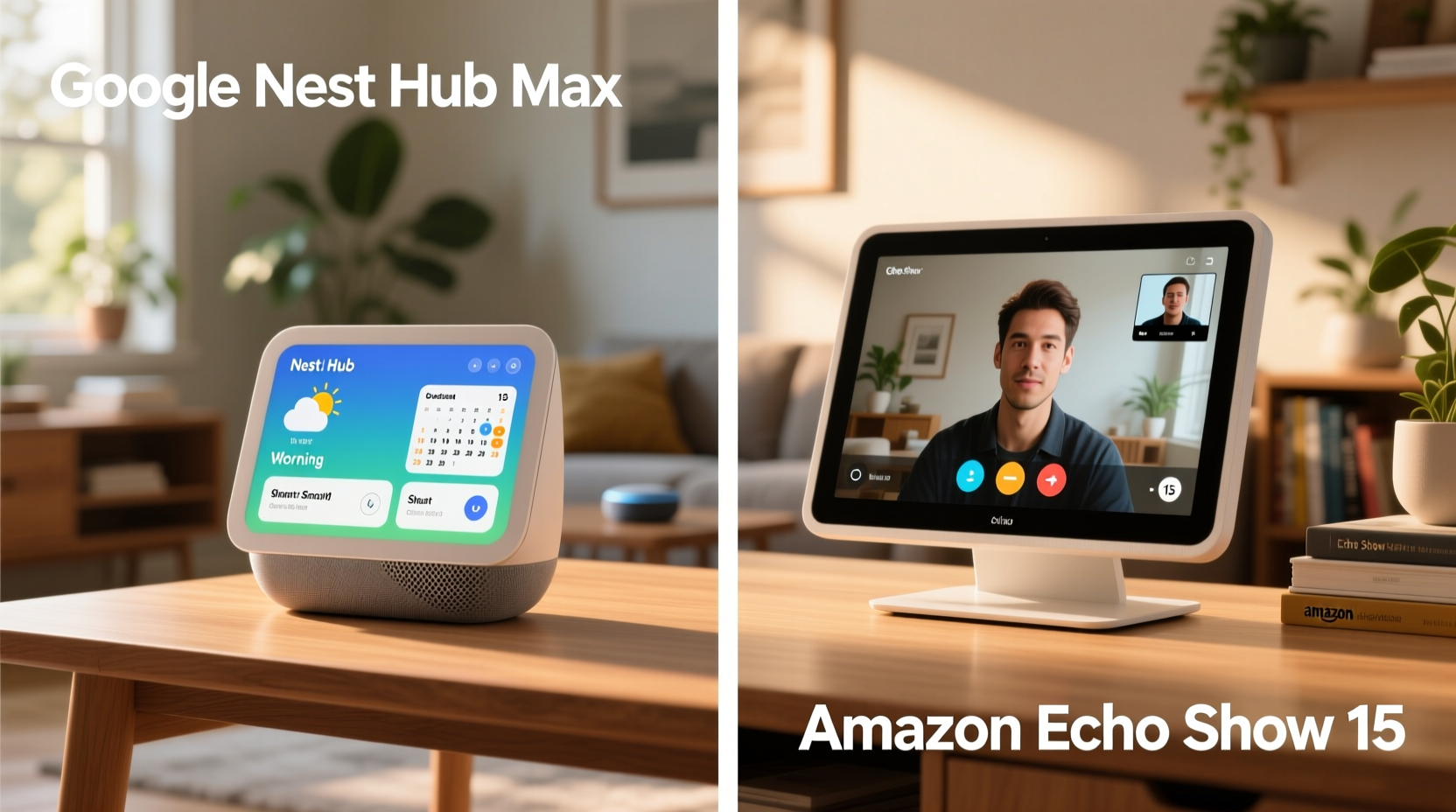
The first factor determining how well a smart display fits into your routine is the ecosystem it belongs to. The Google Nest Hub runs on Google Assistant and integrates deeply with Android phones, Google Calendar, Gmail, YouTube, and Google Home-compatible smart devices. If you rely heavily on Google services—such as using Google Meet for work calls or YouTube Music for background playlists—the Nest Hub becomes a natural extension of your digital life.
Conversely, the Echo Show 15 is built around Amazon’s Alexa and thrives in homes already invested in the Amazon ecosystem. This includes users who shop frequently on Amazon, subscribe to Prime Video, use Ring doorbells, or own other Echo devices. Alexa’s strength lies in its broad third-party skill support and tight integration with shopping and delivery tracking. For families who receive regular deliveries or need grocery lists updated in real time, Alexa’s reminders and routines can be more intuitive than Google’s.
“Your smart display should reflect your existing digital behavior, not force you to change it.” — David Lin, Smart Home Integration Consultant
If you're already deep in one ecosystem, switching can create friction. For example, asking Google Assistant to play music from Amazon Music may require extra steps, while Alexa might struggle with complex calendar queries pulled from Google Calendar. Consistency across devices reduces cognitive load and increases utility.
Daily Use Scenarios: Morning Routines and Evening Wind-Downs
How a smart display supports your morning and evening rituals reveals its true value. Let’s consider a typical weekday:
- Morning: You wake up, check the weather, review your calendar, and start a news briefing.
- Afternoon: You follow a recipe, monitor package deliveries, or join a video call.
- Evening: You dim the lights, play relaxing music, and set bedtime routines.
The Google Nest Hub excels in context-aware assistance. Its “At a Glance” feature displays calendar events, commute times, and weather without needing a voice command. When paired with an Android phone, it can detect when you’re nearby and automatically show relevant info—a capability Alexa lacks on the Echo Show 15 unless manually triggered.
However, the Echo Show 15’s larger 15.6-inch screen makes it ideal as a wall-mounted command center. It can display family calendars, to-do lists, and photo albums simultaneously in a split-screen view. This makes it particularly effective in shared spaces like kitchens or hallways where multiple people need access to information at a glance.
Smart Home Control and Automation
For users with extensive smart home setups, the display becomes a central control panel. Here, both devices offer strong capabilities, but with distinct advantages.
The Nest Hub works best with Google Home-compatible devices such as Nest thermostats, cameras, and Philips Hue lighting. Its interface is clean and responsive, allowing quick toggling of lights or viewing camera feeds. One standout feature is Sleep Sensing (on select models), which monitors breathing patterns and room conditions overnight—ideal for health-conscious users who want insights without wearing a device.
The Echo Show 15, meanwhile, supports Matter and Thread protocols and connects seamlessly with thousands of Alexa-compatible devices. Its large screen allows for multi-room monitoring, letting you view live feeds from up to four security cameras at once. You can also create detailed routines—like “Goodnight” sequences that lock doors, turn off lights, and adjust the thermostat—with visual confirmation on screen.
| Feature | Google Nest Hub | Echo Show 15 |
|---|---|---|
| Screen Size | 7 inches | 15.6 inches |
| Voice Assistant | Google Assistant | Alexa |
| Mounting Options | Wall or stand | Wall mount only |
| Key Strength | Contextual awareness, sleep tracking | Family dashboard, visual routines |
| Best For | Bedside tables, small spaces | Kitchens, hallways, shared spaces |
Real-Life Example: The Martinez Family’s Smart Upgrade
The Martinez family of four upgraded their kitchen setup by replacing a magnetic whiteboard with an Echo Show 15 mounted on the wall. Before, they struggled with missed appointments and overlapping schedules. Now, each family member has a color-coded calendar visible at all times. Alexa reminds them when soccer practice starts or when dinner needs to go in the oven.
They also integrated their Ring doorbell and garage door controller. When a delivery arrives, the screen flashes with a live feed, and a simple tap confirms receipt. While they initially considered the Nest Hub due to their Android phones, the Echo Show 15’s persistent visual interface proved far more practical for group coordination.
In contrast, Sarah, a freelance designer living alone, uses a Nest Hub on her nightstand. She values its ambient mode, which blends with her bedroom decor, and appreciates how Google Assistant proactively alerts her to traffic delays before her morning meeting. The smaller footprint suits her minimalist lifestyle, and the sleep tracking helps her maintain consistent rest cycles.
These examples illustrate that integration success depends less on raw specs and more on alignment with personal or household dynamics.
Step-by-Step: Choosing the Right Display for Your Lifestyle
Follow this decision-making process to determine which device will integrate more smoothly into your routine:
- Assess your primary ecosystem: Do you use Android or iPhone? Amazon Prime or Google subscriptions? Match the display to your dominant platform.
- Identify key use cases: Are you looking for bedside assistance, kitchen recipes, family scheduling, or home monitoring?
- Consider physical space: Do you have room for a large wall-mounted unit, or do you prefer a compact tabletop device?
- Evaluate smart home compatibility: Check if your existing devices (lights, locks, cameras) work natively with Google or Alexa.
- Test voice interaction style: Do you prefer conversational, context-aware responses (Google) or structured, skill-based commands (Alexa)?
- Determine shared vs. individual use: Is this for one person or multiple users? Larger screens benefit households; smaller ones suit personal spaces.
- Budget and long-term value: The Echo Show 15 is significantly more expensive. Weigh whether the added functionality justifies the cost.
Actionable Checklist: Optimizing Smart Display Integration
Use this checklist to ensure your chosen device becomes a seamless part of your routine:
- ✅ Connect to Wi-Fi and update firmware immediately after setup
- ✅ Link your calendar, email, and music services
- ✅ Set up custom voice recognition for personalized results
- ✅ Create at least two daily routines (e.g., “Good Morning,” “Time for Bed”)
- ✅ Install compatible smart home devices and test controls
- ✅ Position the device where it’s easily visible and audible
- ✅ Enable privacy settings (camera off, mic mute) when needed
- ✅ Review usage data weekly to refine routines and notifications
Frequently Asked Questions
Can I use Google services on the Echo Show 15 or Amazon apps on the Nest Hub?
Yes, but with limitations. The Echo Show 15 supports YouTube and Google Calendar through limited web apps, but functionality is reduced compared to native integration. Similarly, the Nest Hub can access Amazon Music and Prime Video, but Alexa-exclusive features like delivery updates aren’t available. Native ecosystem support delivers the smoothest experience.
Which device is better for video calls?
The Echo Show 15 has a superior front-facing camera (13MP) and wider field of view, making it better for family calls or hands-free cooking tutorials. The Nest Hub uses a lower-resolution camera (5MP) and is better suited for one-on-one conversations. Both support Zoom and Skype, but Alexa’s Drop In feature allows instant intercom-style communication between Echo devices—ideal for large homes.
Do these devices work without constant internet?
No. Both require a stable internet connection for core functions like voice processing, streaming, and smart home control. Local voice commands are limited. Offline functionality is minimal—basic alarms and timers may work temporarily, but full integration depends on cloud connectivity.
Final Verdict: It’s About Fit, Not Features
The Google Nest Hub and Amazon Echo Show 15 represent two philosophies in smart display design. The Nest Hub prioritizes subtle, anticipatory assistance—ideal for individuals who want technology to blend into the background while quietly supporting their habits. The Echo Show 15 embraces visibility and collaboration, functioning as a dynamic hub for families managing complex schedules and shared responsibilities.
Integration isn’t measured by screen resolution or speaker quality, but by how often the device becomes the default solution for everyday tasks. Does it answer questions before you ask? Does it reduce mental clutter? Does it make transitions between activities smoother?
If your routine revolves around personal productivity, health tracking, and Android synergy, the Nest Hub is likely the better fit. If you manage a busy household, rely on Amazon services, and want a central information board, the Echo Show 15 offers unmatched utility.




 浙公网安备
33010002000092号
浙公网安备
33010002000092号 浙B2-20120091-4
Comments
No comments yet. Why don't you start the discussion?