
The debate between GoPro and DSLR cameras isn’t just about specs—it’s about purpose. One is built for durability and motion, the other for precision and control. With advancements in action camera technology, many creators now ask: can a GoPro truly replace a DSLR? The answer depends on what you're shooting, how you’re using the footage, and your creative goals.
While both devices capture high-resolution video and stills, their strengths lie in entirely different domains. Understanding these differences helps avoid over-investing in gear that doesn’t serve your needs—or underestimating a compact powerhouse like the GoPro.
Image Quality and Sensor Size
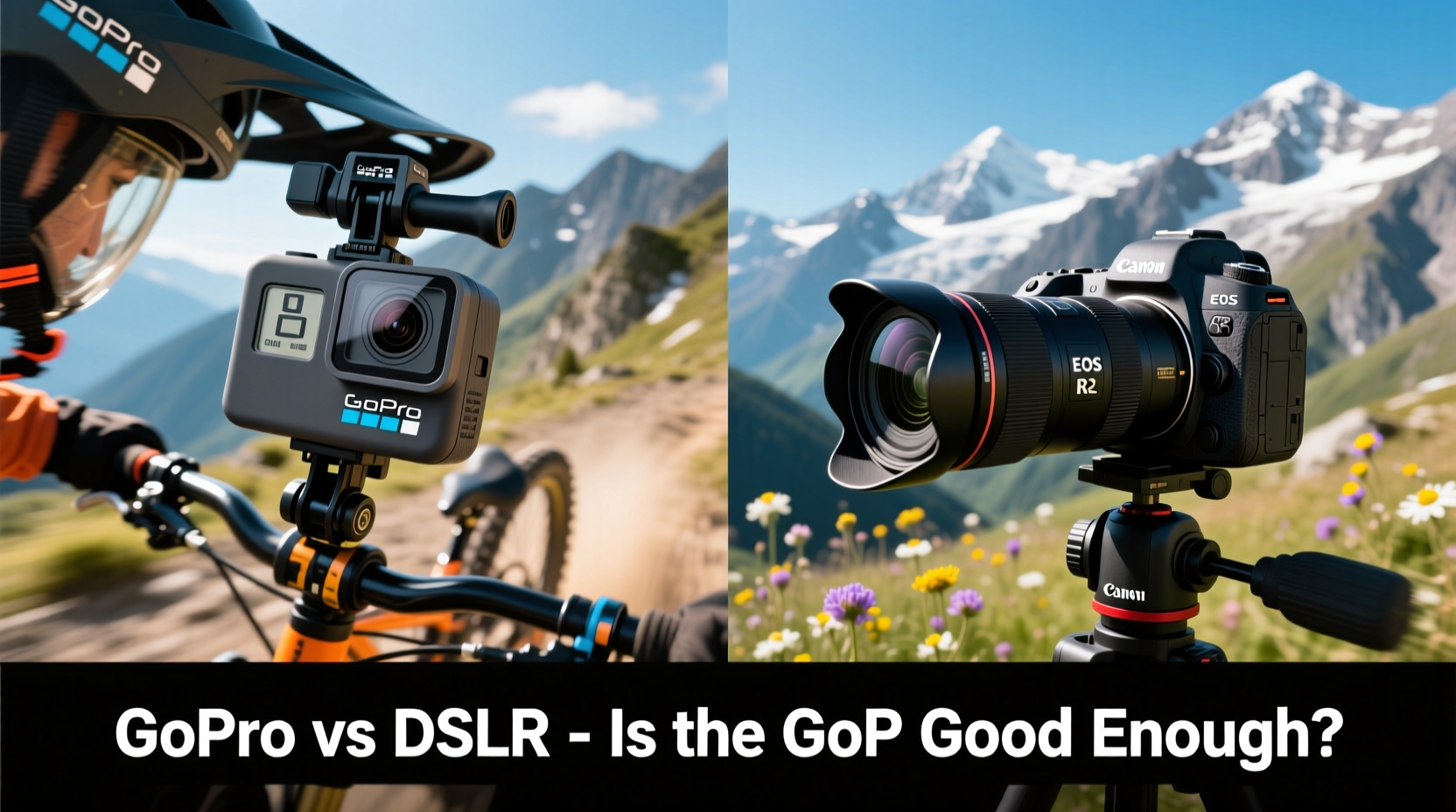
DSLRs have long dominated the realm of image quality thanks to their large sensors—typically APS-C or full-frame. These sensors allow more light capture, better dynamic range, and superior low-light performance. For portrait photography, cinematic filmmaking, or any scenario demanding shallow depth of field, a DSLR delivers unmatched clarity and bokeh.
GoPros, by contrast, use much smaller sensors (around 1/2.3”). This limits dynamic range and introduces noise in dim lighting. However, modern models like the GoPro Hero12 Black shoot 5.3K video with HyperSmooth stabilization and impressive color science. In well-lit outdoor environments, the difference from a DSLR is often negligible to the average viewer.
“Sensor size matters most when you need artistic control over focus and light. But for storytelling on the move, resolution and stabilization can outweigh raw sensor power.” — Marcus Tran, Documentary Cinematographer
Portability and Use Cases
Where the GoPro excels is in portability and ruggedness. It’s waterproof up to 33 feet without a housing, weighs under 150 grams, and fits in a pocket. Mount it on a helmet, drone, surfboard, or car—its design thrives in extreme conditions where a DSLR would be impractical or at risk.
A DSLR, even with a lightweight lens, requires a bag, careful handling, and protection from dust and moisture. It’s ideal for controlled environments: studios, interviews, landscapes, or events where setup time allows for optimal framing and lighting.
For vloggers, travel creators, or adventure filmmakers, the GoPro offers hands-free operation and continuous recording with minimal intervention. Its wide-angle lens captures immersive scenes, though distortion correction in editing may be necessary.
Real-World Example: Mountain Biking Vlog
Jess, a travel videographer, documents her mountain biking trips across the Pacific Northwest. She used a DSLR for early videos but found herself missing shots during rides—switching batteries, adjusting settings, or fearing damage from rain and mud. After switching to a GoPro mounted on her chest harness, she captured uninterrupted POV footage in rain, fog, and rugged terrain. While the cinematic look wasn’t identical, her audience engagement increased because the content felt more immediate and authentic.
Video Features Compared
| Feature | GoPro (Hero12 Black) | DSLR (e.g., Canon EOS 90D) |
|---|---|---|
| Max Video Resolution | 5.3K at 60fps | 4K at 30fps |
| Frame Rates | Up to 240fps (1080p) for slow motion | Up to 120fps (1080p) |
| Stabilization | HyperSmooth 6.0 (excellent) | Digital or lens-based (moderate) |
| Audio Options | Limited internal mics; external mic support via adapter | Dedicated mic input, headphone jack |
| Battery Life (video) | ~1.5 hours (standard), ~2.5 hours (Extended Battery) | ~1 hour (live view dependent) |
| Weather Resistance | Waterproof out of box | Weather-sealed models only; not waterproof |
The table shows that while DSLRs offer robust manual controls, GoPros lead in stabilization and frame rate options for action content. For social media clips, YouTube shorts, or fast-paced edits, GoPro’s high frame rates and shake-free output are often more practical than DSLR footage requiring third-party stabilization.
Workflow and Post-Production
DSLRs typically record in formats like MOV or MP4 with standard color profiles, making them plug-and-play in editing software. Many also support RAW photo and video, giving maximum flexibility in grading.
GoPros use proprietary codecs (like GP-Log) and require specific software (GoPro Player or Quik) for optimal playback. Their flat color profiles benefit from LUTs (Look-Up Tables), but beginners may find the workflow less intuitive. That said, GoPro’s automatic editing features—powered by AI—can generate polished cuts in minutes, ideal for quick-turnaround content.
Step-by-Step: Choosing the Right Tool
- Define your primary content type: Action/adventure, vlogging, travel → lean GoPro. Studio work, portraits, low-light → DSLR.
- Evaluate environmental demands: Will you be in water, dust, or extreme temperatures? GoPro wins on durability.
- Assess audio needs: Interviews or voiceovers require clean audio—DSLRs support external mics natively; GoPros need adapters.
- Consider editing time: GoPro’s automated tools save hours. DSLRs offer more control but demand longer post-production.
- Budget for accessories: DSLRs need lenses, tripods, filters. GoPros need mounts, extra batteries, and potentially a mic adapter.
When a GoPro Is Good Enough
- You’re creating content for platforms like YouTube Shorts, TikTok, or Instagram Reels.
- Your shooting environment is unpredictable or physically demanding.
- You prioritize ease of use and want to spend less time editing.
- You’re capturing first-person perspectives or mounting the camera in tight spaces.
- You don’t need shallow depth of field or studio-grade lighting control.
In fact, many professional creators now use both: a GoPro for action sequences and a DSLR for talking-head segments. This hybrid approach maximizes strengths without sacrificing quality.
FAQ
Can a GoPro replace a DSLR for YouTube videos?
It depends on the style. For vlogs, travel, or tutorials filmed outdoors, yes—a GoPro with a good mic and proper lighting can produce professional results. For studio setups requiring background blur and precise exposure, a DSLR remains superior.
Is GoPro footage usable in professional projects?
Absolutely. Major networks like National Geographic and BBC have used GoPro footage in documentaries. When shot well and graded properly, the final output meets broadcast standards—especially in dynamic, real-world scenarios.
Do I lose creative control with a GoPro?
Somewhat. You have fewer manual settings and limited lens options. But newer models offer adjustable sharpness, color (Flat, Natural, GoPro Color), and exposure controls. For most creators, the trade-off in creative flexibility is justified by reliability and stabilization.
Checklist: GoPro vs DSLR Decision Guide
- ☑ Need waterproof/drop-proof performance? → GoPro
- ☑ Shooting in low light frequently? → DSLR
- ☑ Prioritize small file sizes and easy sharing? → GoPro
- ☑ Want interchangeable lenses and full manual control? → DSLR
- ☑ Creating fast-paced, motion-heavy content? → GoPro
- ☑ Need pro-level audio inputs without dongles? → DSLR
- ☑ Editing on mobile or need auto-generated highlights? → GoPro
Final Verdict: Complement, Don’t Replace
The question isn’t whether a GoPro is “good enough” or if you “need” a DSLR—it’s about alignment with your goals. A GoPro is more than sufficient for a vast range of content, especially as streaming platforms favor authenticity over polish. But a DSLR still holds irreplaceable value for photographers and filmmakers who demand optical precision and creative latitude.
Rather than choosing one over the other, consider building a toolkit. Use the GoPro when you're on the move, and switch to the DSLR when composition and lighting matter most. Technology has blurred the lines, but purpose should guide your choice—not trends or marketing.




 浙公网安备
33010002000092号
浙公网安备
33010002000092号 浙B2-20120091-4
Comments
No comments yet. Why don't you start the discussion?