
A 65-inch television has become the sweet spot for modern living rooms—large enough to deliver an immersive experience, yet compact enough to fit comfortably in most spaces. Samsung, a leader in display innovation, offers a wide range of 65-inch models that combine cutting-edge picture quality with powerful smart functionality. Choosing the right one, however, requires understanding key differences in panel technology, processing power, smart platforms, and audio integration. This guide breaks down what matters most when selecting a Samsung TV that delivers both visual clarity and seamless digital convenience.
Understanding Display Technology: QLED vs OLED vs Neo QLED
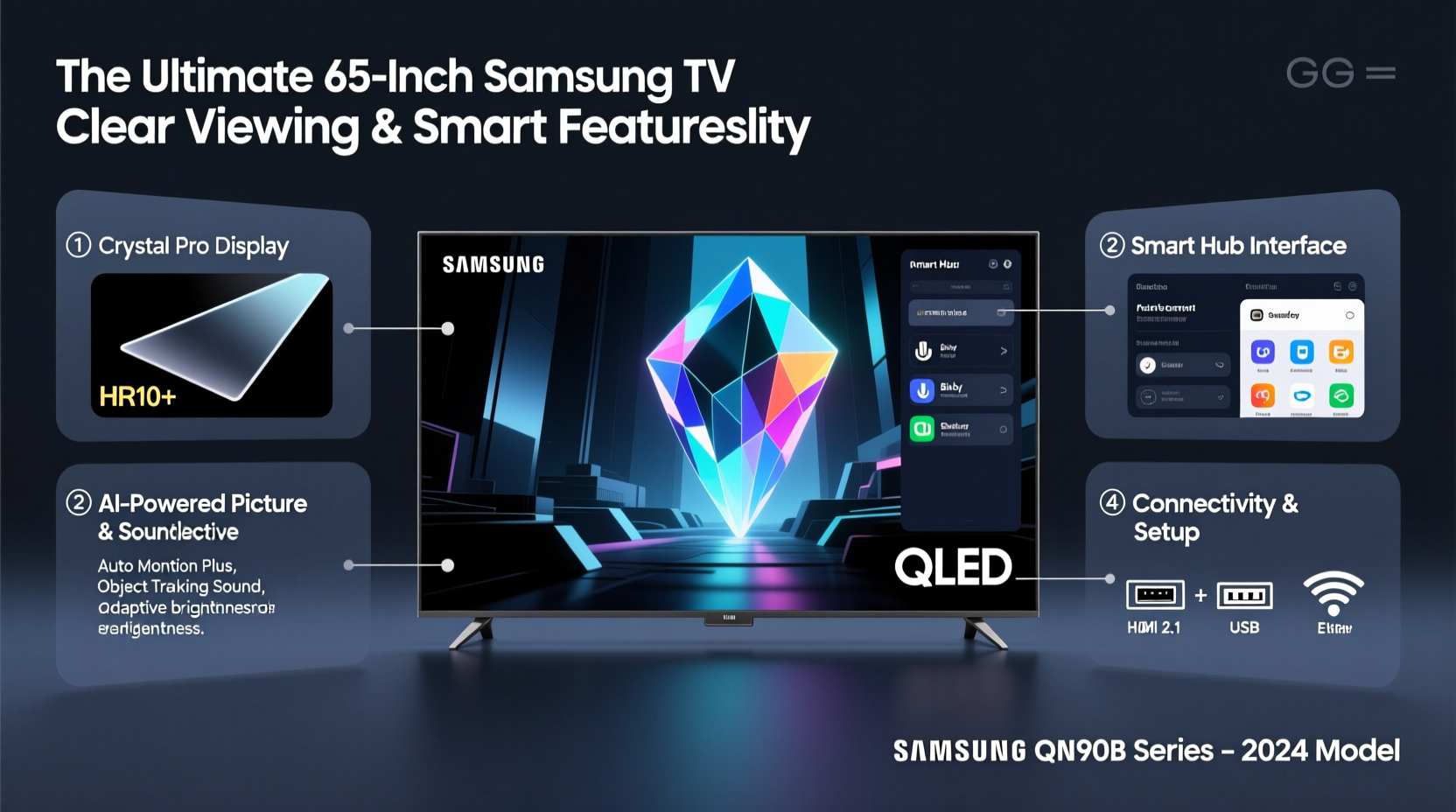
Samsung’s 65-inch lineup primarily features QLED and Neo QLED displays, with limited OLED availability under the Samsung-branded portfolio (as of recent years). Each technology delivers distinct advantages:
- QLED (Quantum LED): Uses quantum dots to enhance brightness and color volume. Ideal for brightly lit rooms due to high peak brightness and minimal glare.
- Neo QLED: An evolution of QLED featuring Mini-LED backlighting for more precise local dimming, deeper blacks, and improved contrast.
- OLED: While not widely branded under Samsung, some premium models incorporate similar self-emissive technologies through partnerships or niche lines. True OLED excels in per-pixel lighting and infinite contrast but may be prone to burn-in with static content.
For most users seeking vibrant daytime viewing and long-term reliability, Neo QLED is the optimal balance of performance and durability.
Key Features That Define Clarity and Smart Performance
Beyond screen size and panel type, several components determine whether a 65-inch Samsung TV truly stands out in image quality and usability.
Processor and Upscaling
The **Samsung Neural Quantum Processor** found in flagship models like the QN90C or S90C uses AI to upscale lower-resolution content. This means even standard HD streaming appears sharper and more detailed on a 4K screen. The processor also manages motion handling, reducing blur during fast-paced scenes such as sports or action films.
Smart Platform: Tizen OS
Samsung TVs run on **Tizen OS**, known for its speed, intuitive interface, and broad app support. You’ll find all major streaming services—including Netflix, Disney+, Hulu, Prime Video, and YouTube—in addition to Apple AirPlay 2 and HomeKit compatibility. Voice control via Bixby, Alexa, or Google Assistant adds hands-free convenience.
Connectivity and Gaming Enhancements
Modern Samsung TVs include multiple HDMI 2.1 ports on higher-end models, supporting 4K at 120Hz, VRR (Variable Refresh Rate), and ALLM (Auto Low Latency Mode)—critical for next-gen console gaming on PlayStation 5 or Xbox Series X.
“Samsung’s combination of bright, colorful QLED panels with responsive Tizen software makes their mid-to-high-end TVs ideal for mixed-use households.” — James Reed, Senior Editor at AVInsider
Comparison Table: Top 65-Inch Samsung TV Models (2024)
| Model | Display Type | Processor | HDMI 2.1 Ports | Smart Features | Approx. Price |
|---|---|---|---|---|---|
| QN90C | Neo QLED | Neural Quantum 4K | 2 | Tizen OS, Alexa, Bixby, AirPlay 2 | $1,499 |
| Q80C | QLED | Quantum 4K | 1 | Tizen OS, Voice Assistants | $1,099 |
| S80C | QLED | Quantum 4K | 1 | Tizen OS, Basic Voice Control | $899 |
| The Frame (2024) | QLED Art Mode | Quantum 4K | 1 | Art Mode, Slim Fit Wall Mount | $1,399 |
This comparison highlights trade-offs between price, brightness, gaming readiness, and aesthetic design. For pure performance, the QN90C leads the pack; for lifestyle integration, The Frame offers unique artistic versatility.
Step-by-Step Guide to Selecting Your Ideal Model
Follow this practical sequence to ensure you make a confident purchase decision:
- Evaluate your viewing environment: Measure ambient light levels. Bright rooms favor high-nit Neo QLEDs; dark rooms can benefit from deeper contrast, even if using QLED with advanced dimming.
- Determine primary use: Is it mainly for movies, gaming, news, or casual streaming? Gamers should prioritize HDMI 2.1 and refresh rate; film lovers should focus on color accuracy and HDR support (HDR10+, Dolby Vision).
- Check available inputs: Ensure your devices (soundbar, console, Blu-ray player) will connect without needing a hub or switcher. At least two HDMI ports are recommended.
- Test smart responsiveness: If possible, visit a retailer to assess Tizen OS navigation speed and menu layout. Laggy interfaces diminish daily usability.
- Review sound capabilities: Built-in audio on slim TVs is often underwhelming. Plan for external speakers unless the model includes Object Tracking Sound+ (OTS+) or up-firing drivers.
- Compare warranty and support: Look for extended protection plans, especially if mounting the TV above a fireplace or in high-traffic areas.
Real-World Example: Choosing the Right TV for a Family Living Room
The Patel family wanted a new centerpiece for their open-concept living space. Their room gets afternoon sun, and they stream everything from cartoons to cricket matches and Bollywood films. After testing several models, they chose the **65-inch Samsung QN90C**. Its anti-glare coating handled sunlight effectively, while the AI-powered processor kept fast-motion sequences smooth. They appreciated the quick access buttons on the remote and the ability to cast content directly from their phones. Despite being a premium model, its versatility across different types of content justified the investment.
Essential Checklist Before Buying
- ✅ Confirm the TV supports Wi-Fi 5 or Wi-Fi 6 for stable 4K streaming
- ✅ Verify HDR formats: HDR10+, HLG, and ideally Dolby Vision (via apps)
- ✅ Ensure Bluetooth 5.0+ for connecting wireless headphones or sound systems
- ✅ Check for eARC support if using a high-end soundbar or AV receiver
- ✅ Review wall-mount compatibility (VESA pattern: typically 300x300 or 400x300 mm)
- ✅ Look for eco-friendly features like solar-powered remote or energy-saving modes
Frequently Asked Questions
Do all 65-inch Samsung TVs have the same picture quality?
No. Picture quality varies significantly between entry-level, mid-range, and premium models. Higher-tier TVs feature better backlight control, wider color gamuts, faster processors, and enhanced contrast. A $700 Q60 model won’t match the clarity or depth of a $1,500 QN90C.
Can I use my smartphone to control a Samsung smart TV?
Yes. The Samsung SmartThings app allows full remote operation, text input, content casting, and device management from iOS or Android devices. It also enables voice commands and scene automation when integrated with other smart home products.
Is the built-in speaker system good enough for regular use?
Most 65-inch Samsung TVs come with 20W–40W audio output and virtual surround tech like OTS Lite or Plus. While adequate for dialogue-heavy content, they lack bass and dynamic range for movies or music. Pairing with a soundbar or soundbase is strongly recommended for full immersion.
Final Considerations and Recommendations
Selecting the best 65-inch Samsung TV isn't just about screen size—it's about matching technology to lifestyle. The convergence of brilliant Neo QLED panels, intelligent upscaling, and the fluid Tizen operating system positions Samsung at the forefront of home entertainment. Whether you're upgrading for cinematic experiences, competitive gaming, or simply clearer nightly news, investing in a well-rounded model pays dividends in daily enjoyment.
Models like the QN90C represent the pinnacle of current Samsung engineering, but more affordable options like the Q80C still deliver impressive results for budget-conscious buyers. Always consider future needs: does the TV support upcoming standards? Can it integrate into your existing smart ecosystem?




 浙公网安备
33010002000092号
浙公网安备
33010002000092号 浙B2-20120091-4
Comments
No comments yet. Why don't you start the discussion?