
The Microsoft Surface Pro has long set the standard for 2-in-1 detachable tablets—offering powerful performance, sleek design, and excellent pen support. But it’s not always the best fit for every user. Whether you're looking for better value, longer battery life, or more robust hardware, a growing number of Surface Pro alternatives deliver comparable or even superior features at competitive prices.
Finding the right alternative isn’t just about matching specs—it's about aligning the device with your workflow, mobility needs, and budget. From premium ultrabooks to budget-friendly convertibles, this guide breaks down what to look for and highlights top contenders that outperform or undercut the Surface Pro without sacrificing quality.
Why Consider Alternatives to the Surface Pro?
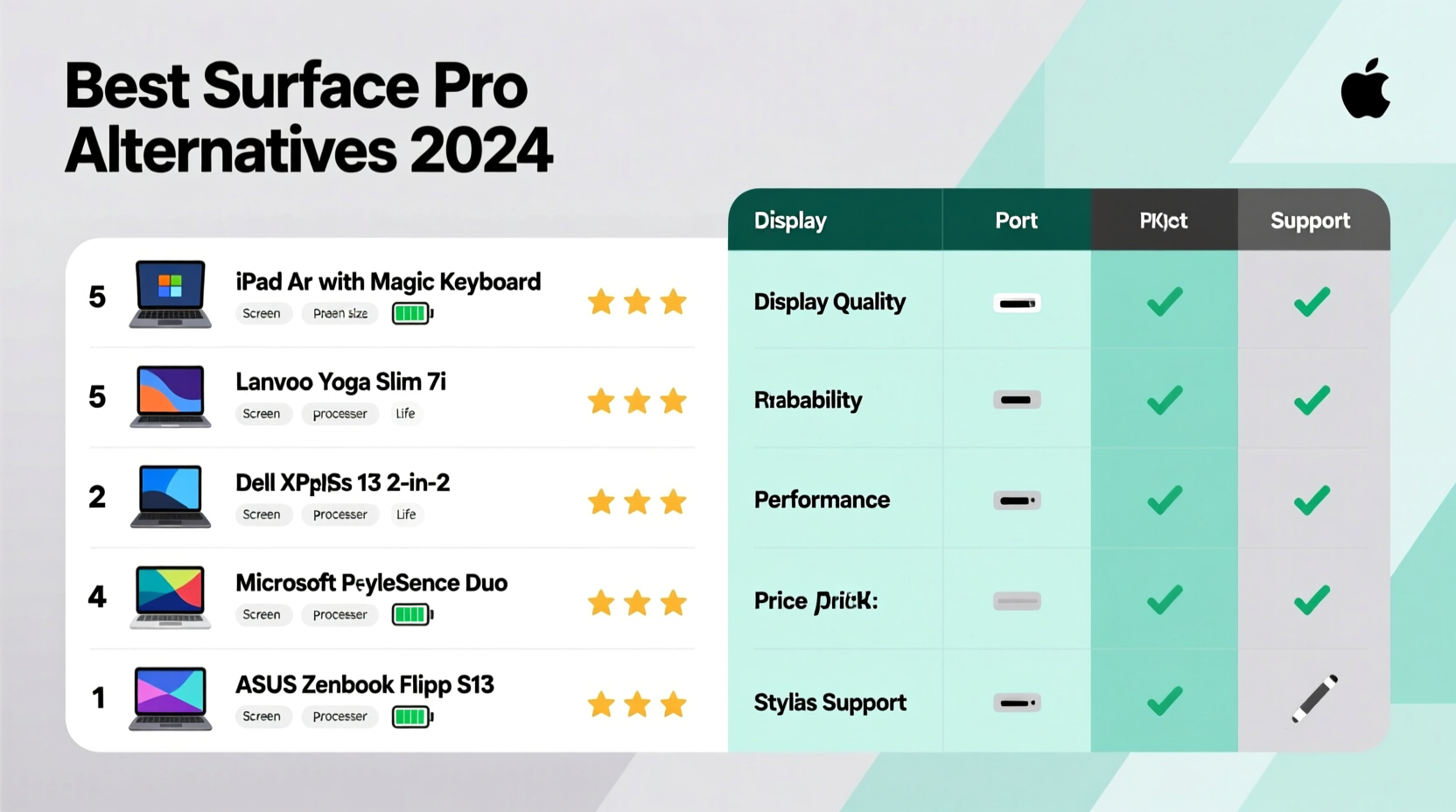
The Surface Pro excels in build quality and Windows integration, but it comes with notable trade-offs: limited port selection, non-upgradable components, and a high price when fully configured. Many users find themselves paying extra for accessories like keyboards and pens, pushing the total cost well beyond entry-level pricing.
Alternatives often offer better expandability, cooler thermal performance, and greater flexibility in form factor. Some manufacturers include styluses and keyboard covers in the base price, while others provide more ports or upgradeable RAM and storage. For students, remote workers, creatives, or casual users, these differences can be decisive.
Key Features to Prioritize in a Surface Pro Alternative
When evaluating competing devices, focus on the following criteria to ensure you’re getting real value:
- Performance: Look for at least an Intel Core i5 or AMD Ryzen 5 processor (or Apple M1/M2 for Mac users), paired with 8GB RAM minimum.
- Display Quality: A high-resolution touchscreen (at least 1920x1200) with good color accuracy benefits designers and media consumers.
- Battery Life: Aim for 8+ hours of real-world usage, especially if you work remotely or travel frequently.
- Portability: Weight under 3 lbs and thickness under 0.4 inches make a big difference in daily carry comfort.
- Connectivity: USB-C/Thunderbolt, HDMI, headphone jack, and microSD slots improve versatility.
- Stylus Support: Active pen compatibility with pressure sensitivity and low latency is essential for note-takers and artists.
“Many so-called ‘Surface rivals’ fail on thermals—they throttle under load. Always check independent reviews for sustained performance metrics.” — David Lin, Hardware Analyst at TechPulse Weekly
Top Surface Pro Alternatives by Use Case
No single device fits all needs. The best choice depends on how you plan to use it. Below are top picks across different categories:
Best Overall: Lenovo Yoga Slim 7i Carbon
This lightweight convertible (2.6 lbs) features a 14-inch 2.8K OLED display, 12th Gen Intel i7, and Thunderbolt 4 support. It includes a garage for the included active pen and delivers over 10 hours of battery life. Its carbon fiber chassis rivals the Surface Pro’s elegance while offering better cooling and more ports.
Best Budget Option: Acer Spin 5
Priced under $800, the Spin 5 packs an AMD Ryzen 7, 16GB RAM, and a 13.5” touchscreen similar in size to the Surface Pro. It includes a Wacom EMR pen, USB-C charging, and a fingerprint reader. While the build is aluminum rather than magnesium alloy, it’s one of the few sub-$1,000 devices that truly matches the Surface experience.
Best for Creatives: HP Spectre x360 14
With a vibrant 3K2K OLED display, exceptional audio, and optional NVIDIA MX550 graphics, this model is ideal for digital artists and video editors. The haptic touchpad simulates button clicks and enhances precision. The included rechargeable USI pen supports 4,096 levels of pressure sensitivity.
Best for Business: Dell Latitude 7430 2-in-1
Dell’s enterprise-grade convertible offers MIL-STD durability, vPro security, and hot-swappable batteries in some configurations. It runs on 12th Gen Intel processors and supports LTE connectivity. IT departments appreciate its manageability via Dell Command Suite.
Mac Users: iPad Pro + Magic Keyboard
While not a direct Windows competitor, the iPad Pro with M2 chip outperforms most Surface Pros in raw processing and graphics. Paired with the Magic Keyboard (featuring trackpad and backlighting), it becomes a compelling mobile workstation—especially with apps like Final Cut Pro and Adobe Fresco optimized for iPadOS.
Comparison Table: Top 5 Surface Pro Alternatives
| Device | Starting Price | Weight | Battery Life | Premium Feature |
|---|---|---|---|---|
| Lenovo Yoga Slim 7i Carbon | $1,199 | 2.6 lbs | 11 hrs | Included pen garage, Thunderbolt 4 |
| Acer Spin 5 | $799 | 3.3 lbs | 8.5 hrs | Wacom pen included, Ryzen power |
| HP Spectre x360 14 | $1,249 | 3.0 lbs | 10 hrs | Haptic touchpad, OLED display |
| Dell Latitude 7430 2-in-1 | $1,399 | 3.2 lbs | 12 hrs (w/ extended battery) | Enterprise security, LTE option |
| iPad Pro 12.9” + Magic Keyboard | $1,598 (combo) | 2.8 lbs | 10 hrs | M2 chip, ProMotion display |
Step-by-Step Guide to Choosing Your Alternative
- Define Your Primary Use: Will you be coding, sketching, taking notes, or managing spreadsheets? This determines whether you prioritize CPU, GPU, pen accuracy, or keyboard comfort.
- Set a Realistic Budget: Include the cost of peripherals. A $900 tablet might end up costing $1,200 with keyboard and pen.
- Compare Display Sizes: The Surface Pro’s 12.3” screen works for portability but may feel cramped for multitasking. Consider 13.3” to 14” models for better workspace.
- Check Upgradeability: Most Surface competitors still allow RAM or SSD upgrades—this extends longevity and resale value.
- Test Keyboard and Pen Feel: If possible, visit a retailer to assess typing comfort and pen lag. These factors impact daily usability more than benchmarks suggest.
- Review Warranty and Support: Brands like Lenovo and Dell offer onsite repair options, which can save time and hassle.
Real-World Example: Sarah’s Switch from Surface to Yoga
Sarah, a freelance architect based in Portland, used a Surface Pro 8 for two years. While she loved the pen accuracy, she grew frustrated with frequent overheating during AutoCAD rendering and the lack of USB-A ports. After researching alternatives, she switched to the Lenovo Yoga Slim 7i Carbon.
“The first thing I noticed was how cool it stayed during long drawing sessions,” she said. “And having two Thunderbolt ports meant I could drive my dual monitors without a hub. Plus, the pen stores inside the laptop—no more losing it in my bag.” Her productivity improved, and she saved $150 by avoiding Microsoft’s Type Cover and Slim Pen add-ons.
Common Mistakes When Buying Alternatives
- Ignoring OS Limitations: iPads run iPadOS, which lacks full desktop software. Ensure your critical apps are supported.
- Overlooking Keyboard Quality: Detachable keyboards vary widely in key travel and stability. Poor typing experience undermines productivity.
- Assuming All Pens Are Equal: Some pens require charging; others don’t. Latency and palm rejection also differ significantly.
- Skipping Thermal Reviews: Thin devices often throttle under load. Check video reviews for sustained performance tests.
Frequently Asked Questions
Is there a Surface Pro alternative under $700?
Yes, several options exist. The Acer Spin 5 starts at $799 and often drops below $700 during sales. The Lenovo IdeaPad Flex 5 (AMD Ryzen 5 model) is another strong contender around $650, though it uses a less precise passive stylus unless upgraded.
Do any alternatives include a pen for free?
Yes. The Acer Spin 5, Lenovo Yoga series, and many Samsung Galaxy Book models bundle active pens at no extra cost—a significant savings compared to Microsoft’s $100+ accessory fees.
Can a Chromebook replace a Surface Pro?
For basic tasks like web browsing, email, and document editing, high-end Chromebooks like the ASUS Chromebook Flip CX5 or Lenovo Chromebook Duet 5 offer excellent value. However, they lack support for full desktop applications like Photoshop or Visual Studio, limiting their utility for professionals.
Final Checklist Before You Buy
- ✅ Confirm stylus is included or compatible
- ✅ Verify operating system meets your software needs
- ✅ Check battery life claims against third-party reviews
- ✅ Ensure ports match your peripheral setup
- ✅ Test return policy in case hands-on experience doesn’t meet expectations
- ✅ Compare total cost including keyboard, pen, and taxes
Conclusion
The Surface Pro remains a benchmark, but it’s no longer the only smart choice. Today’s market offers powerful, thoughtfully designed alternatives that often surpass it in value, functionality, and user experience. By focusing on your actual needs—not brand prestige—you can find a device that performs better, lasts longer, and costs less over time.




 浙公网安备
33010002000092号
浙公网安备
33010002000092号 浙B2-20120091-4
Comments
No comments yet. Why don't you start the discussion?