
For competitive online gamers, milliseconds matter. A sudden spike in ping can mean the difference between a clutch victory and an avoidable defeat. High ping introduces lag, making gameplay feel sluggish and unresponsive. While occasional network hiccups are normal, consistently high latency points to deeper issues—many of which are fixable. Understanding what drives ping up and how to systematically reduce it is essential for anyone serious about maintaining peak performance in fast-paced multiplayer environments.
What Is Ping and Why Does It Matter?
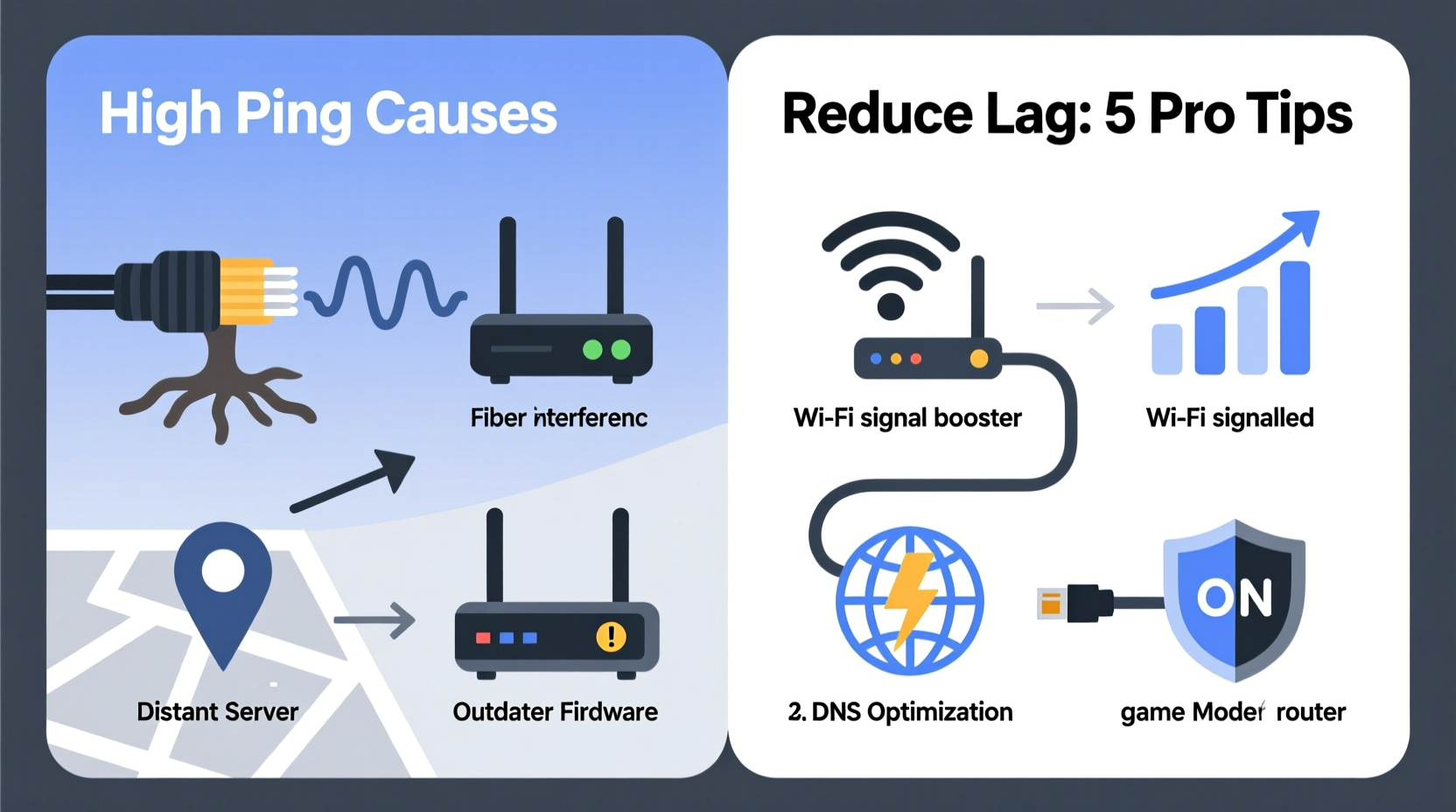
Ping measures the round-trip time it takes for data to travel from your device to a game server and back, expressed in milliseconds (ms). Lower ping means faster communication with the server, resulting in near-instantaneous responses to your actions. In contrast, high ping—typically above 100 ms—creates noticeable delays, commonly referred to as \"lag.\"
Gaming at 30–60 ms is ideal for most titles. Competitive shooters like *Valorant* or *CS2* demand sub-40 ms for optimal responsiveness. When ping climbs above 150 ms, players experience rubber-banding, delayed weapon firing, and desynchronized movement—all symptoms of poor network performance.
“Latency isn’t just a number—it’s a direct reflection of how connected you are to the game world. Even 50 extra milliseconds can disrupt muscle memory.” — David Lin, Network Engineer at ProGamer Labs
Common Causes of High Ping
High ping rarely stems from a single source. Instead, it's often the result of multiple overlapping factors across your local setup, internet service, and external network conditions.
- Wi-Fi Interference: Wireless signals degrade due to walls, appliances, or neighboring networks on the same frequency.
- Network Congestion: Multiple devices streaming, downloading, or updating simultaneously consume bandwidth.
- Distance to Server: The farther you are from the game server, the longer data must travel.
- ISP Throttling: Some providers limit bandwidth during peak hours or for specific traffic types like gaming.
- Background Applications: Cloud sync tools, software updates, or browser tabs may silently use bandwidth.
- Router Limitations: Older or low-end routers struggle with modern traffic demands and QoS (Quality of Service) management.
ping [server IP]) to isolate whether the issue is local or server-side.
Step-by-Step Guide to Reduce Lag
Reducing lag requires a methodical approach. Follow these steps to identify and eliminate sources of high ping:
- Switch to Ethernet: Replace Wi-Fi with a wired connection. Ethernet eliminates signal interference and provides stable throughput.
- Reboot Your Network: Restart your modem and router to clear temporary glitches and refresh IP assignments.
- Close Bandwidth-Hogging Apps: Shut down cloud backups, video streams, downloads, and voice chat apps not in use.
- Enable QoS Settings: Access your router’s admin panel and prioritize gaming traffic. Assign higher priority to your gaming PC or console.
- Select the Nearest Game Server: Manually choose the lowest-ping region in-game settings rather than relying on auto-selection.
- Update Firmware and Drivers: Ensure your router has the latest firmware and your network adapter uses updated drivers.
- Limit Connected Devices: Temporarily disconnect smart TVs, phones, or tablets that aren’t essential during gameplay.
Optimizing Hardware and Software Setup
Your hardware plays a crucial role in maintaining low latency. Even with a strong internet plan, outdated equipment can bottleneck performance.
| Component | Recommended Standard | Avoid |
|---|---|---|
| Internet Plan | 100+ Mbps download, low contention ratio | Shared rural connections, unlimited plans with throttling |
| Router | Wi-Fi 6 or better, supports QoS | ISP-provided combo units more than 3 years old |
| Cable | Cat 6 or higher, under 50 ft | Frayed or coiled Ethernet cables |
| PC/Console | Dedicated NIC, no background torrents | Using built-in Wi-Fi on older motherboards |
In addition to hardware, configure your operating system for performance. On Windows, disable automatic updates during gaming sessions and set your power plan to “High Performance” to prevent CPU throttling.
Real-World Example: Fixing Persistent Lag in Apex Legends
Consider Mark, a ranked *Apex Legends* player in Toronto experiencing frequent 200+ ms spikes despite having a 200 Mbps fiber connection. His initial troubleshooting included restarting his router and closing unnecessary programs—helpful but inconsistent.
After testing both Wi-Fi and Ethernet, he noticed ping dropped from 180 ms to 45 ms when switching to a wired connection. Further inspection revealed his router was placed behind a metal entertainment unit, severely weakening the wireless signal. Relocating the router and enabling QoS for his gaming PC stabilized his connection. He also discovered a smart TV was downloading a 4K update in the background. By disconnecting non-essential devices and choosing the Atlanta server instead of default New York routing, Mark reduced average ping to 38 ms with minimal jitter.
This case illustrates how layered issues compound lag—and why systematic diagnosis is critical.
Proven Tips to Maintain Low Ping
- Use Google DNS (
8.8.8.8or8.8.4.4) or Cloudflare DNS (1.1.1.1) for faster domain resolution. - Disable IPv6 if your ISP doesn’t support it well—sometimes causes routing inefficiencies.
- Monitor your connection with tools like NetLimiter or Wireshark to detect hidden bandwidth usage.
- Play during off-peak hours (early morning or midday) if your ISP experiences evening congestion.
Checklist: Quick Lag Reduction Routine
Before every gaming session, run through this checklist:
- ✅ Connect via Ethernet, not Wi-Fi
- ✅ Reboot router and modem
- ✅ Close all non-essential apps and downloads
- ✅ Select the closest server manually
- ✅ Enable router QoS for gaming device
- ✅ Disable automatic updates temporarily
- ✅ Test ping using in-game stats or command line
Frequently Asked Questions
Does a better internet speed always reduce ping?
Not necessarily. While higher bandwidth helps with overall network performance, ping is primarily affected by latency—not speed. You can have a 1 Gbps connection with high ping due to distance or routing issues. Focus on reducing hops and improving signal stability rather than just upgrading speed.
Can a gaming router really make a difference?
Yes, if it includes advanced features like Quality of Service (QoS), MU-MIMO, and dedicated gaming bands. Gaming routers prioritize your traffic and manage device load more efficiently than standard models. However, they won’t compensate for poor ISP infrastructure or physical distance from servers.
Is it safe to use a gaming VPN to lower ping?
Sometimes—but cautiously. A gaming VPN can reroute your connection through a more efficient path, potentially lowering ping. However, adding extra encryption and remote hops usually increases latency. Only use one if it offers servers near the game data center and has proven low overhead in benchmarks.
Conclusion: Take Control of Your Connection
High ping doesn’t have to be a constant frustration. With the right knowledge and tools, most causes of lag are within your control. From switching to Ethernet and optimizing router settings to managing background traffic and selecting optimal servers, each step contributes to a smoother, more responsive gaming experience. The goal isn’t perfection—it’s consistency. By applying these strategies regularly, you’ll minimize disruptions and maximize your competitive edge.




 浙公网安备
33010002000092号
浙公网安备
33010002000092号 浙B2-20120091-4
Comments
No comments yet. Why don't you start the discussion?