
The Samsung Galaxy S4, once a flagship smartphone, still has users who rely on it for daily tasks or as a backup device. As original batteries degrade over time, many turn to online marketplaces like DHgate for affordable replacements. While some listings appear legitimate, the reality is that most ultra-cheap Samsung S4 batteries sold there are counterfeit—often poorly made clones that mimic the look of genuine parts but fall far short in performance and safety. Using such knockoffs risks poor battery life, overheating, swelling, and even permanent damage to your device.
Understanding how to identify these fakes isn't just about saving money—it's about protecting your device and ensuring reliable usage. The differences between real and fake batteries aren't always obvious at first glance, but with careful inspection and knowledge of key indicators, you can make informed decisions before clicking \"buy.\"
Physical and Packaging Clues That Reveal a Fake
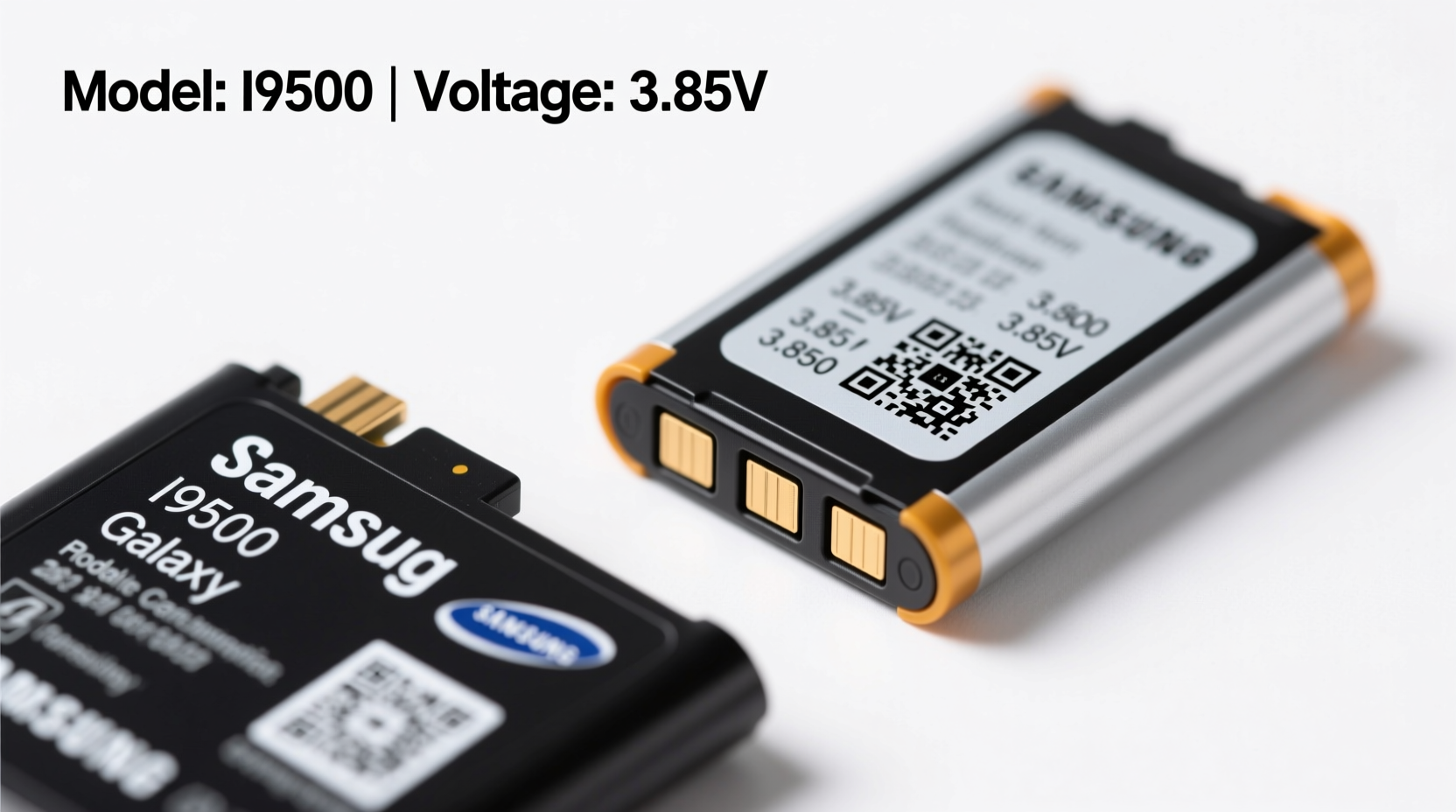
One of the most effective ways to detect a counterfeit Samsung S4 battery is through physical inspection. Genuine OEM (original equipment manufacturer) batteries have precise manufacturing standards, while knockoffs often cut corners.
- Label Quality: Authentic Samsung batteries feature crisp, laser-etched labels with consistent font, spacing, and alignment. Counterfeits often use printed stickers that smudge easily or show blurry text.
- Logo Accuracy: Check the Samsung logo. On genuine units, it’s perfectly centered and uses the correct typeface. Fakes may have slightly off proportions or incorrect lettering.
- Serial Number & Model Match: The Galaxy S4 uses model EB-BG900BBC. Ensure the battery matches this exact code. Also, verify that the serial number is unique and not duplicated across multiple listings.
- Build Quality: Original batteries have smooth edges, uniform thickness, and no visible glue seams. Knockoffs might feel lopsided, have rough plastic casing, or emit a chemical odor when unboxed.
Performance Red Flags After Installation
Even if a battery looks convincing upon arrival, real-world performance often exposes its true nature. Here are signs your new battery is a knockoff:
- Inaccurate Charge Readings: The phone shows 100% charge but dies within minutes. This indicates a mismatch between actual capacity and reported voltage.
- Rapid Drain: A supposedly 2600mAh battery lasting only half as long as your old worn-out one suggests inflated specs.
- Overheating During Charging: While some warmth is normal, excessive heat—especially without fast charging support on the S4—is dangerous and points to poor internal circuitry.
- Battery Swelling: Within weeks, the fake battery may begin to bulge, potentially damaging the phone’s screen or chassis.
“Counterfeit lithium-ion cells often lack proper protection circuits, making them prone to thermal runaway.” — Dr. Lin Wei, Battery Safety Researcher at TechSafe Labs
How to Spot Fake Listings on DHgate
DHgate allows third-party sellers to list products with minimal oversight, which creates fertile ground for misleading claims. Recognizing deceptive tactics helps filter out unreliable options.
| Red Flag | What It Means | Recommended Action |
|---|---|---|
| Price under $10 | Genuine OEM batteries cost more to produce; prices below $10 are unsustainable. | Avoid—likely a scam or extremely low-grade clone. |
| Vague product descriptions | Lack of technical details like mAh, cycle life, or chemistry type. | Assume missing data hides subpar quality. |
| Stock photos only | No real images of the actual battery being sold. | Question authenticity; request seller photos. |
| Overly positive reviews with generic comments | Comments like “Great!” or “Fast shipping” from new accounts suggest fake feedback. | Read deeper reviews mentioning longevity or accuracy. |
Checklist: Before You Buy Any S4 Battery Online
- Verify the exact model number: EB-BG900BBC
- Confirm seller provides clear, high-resolution photos of the actual product
- Look for mention of protection circuitry (PCM)
- Check customer reviews discussing long-term use (not just delivery speed)
- Avoid listings claiming “OEM” without proof or authorization
- Ensure return policy exists in case of defects
Real Example: One Buyer’s Experience With a DHgate Knockoff
Mark, a retired teacher in Oregon, bought a Samsung S4 replacement battery from DHgate after his original failed. At $7.99 with free shipping, the deal seemed too good to pass up. The listing claimed “100% OEM quality” and showed professional-looking photos. Upon arrival, the battery looked similar to his old one—same model number, same logo—but something felt off.
After installation, the phone charged quickly but dropped from 80% to 20% in less than an hour of light browsing. By day three, the back cover wouldn’t close properly—the battery had begun to swell. Mark removed it immediately and contacted the seller, only to find the store had disappeared. He later tested the battery with a multimeter and discovered its actual capacity was just 1,800mAh, nearly 30% below the advertised 2,600mAh.
This case illustrates how convincing packaging and pricing can mask serious flaws. Without independent testing tools, most users would never know until it’s too late.
Step-by-Step Guide to Verifying a Replacement Battery
If you’ve already purchased or received a battery, follow these steps to assess its legitimacy:
- Inspect the Label: Use a magnifying glass or macro camera shot to examine print quality. Look for inconsistencies in font, spacing, or color.
- Weigh the Battery: Use a digital scale. A genuine EB-BG900BBC weighs approximately 45g. Anything under 40g is suspect.
- Compare Dimensions: Measure length, width, and thickness. Genuine batteries are precisely 84.9 x 52.5 x 5.0 mm.
- Test Voltage Output: With a multimeter, check open-circuit voltage. It should read between 3.8V and 4.2V when fully charged.
- Monitor First Charge Cycle: Track how long it takes to charge and how long it lasts under moderate use. If it drains abnormally fast, stop using it.
- Watch for Physical Changes: Inspect daily for swelling, leakage, or unusual heat during charging.
Frequently Asked Questions
Can a fake battery damage my Samsung S4?
Yes. Poor-quality batteries can cause overheating, short circuits, or swelling that pushes against internal components. In extreme cases, they may permanently damage the motherboard or screen assembly.
Are there any safe third-party S4 batteries?
Some reputable aftermarket brands like Anker, Energizer, or Wasabi Power engineer their own cells with safety features and accurate capacity ratings. These are typically more expensive than DHgate options but offer warranties and better reliability.
Is it worth repairing an old S4 today?
For collectors, travelers needing a backup, or users in low-income regions, yes. However, consider upgrading to a newer used smartphone if battery availability and app compatibility become limiting factors.
Final Thoughts: Protect Your Device and Yourself
The temptation of a $5 battery is understandable, especially for an older device like the Galaxy S4. But cutting corners on power components introduces real risks—not just to your phone, but potentially to your safety. Lithium-ion batteries demand precision engineering, and counterfeit versions frequently skip essential safeguards like overcharge protection and temperature monitoring.
Your best defense is skepticism. Question prices that seem too low, scrutinize product details, and prioritize sellers with verifiable track records. When possible, opt for trusted aftermarket brands rather than anonymous clones. Even if it costs more upfront, you gain peace of mind, longer lifespan, and consistent performance.




 浙公网安备
33010002000092号
浙公网安备
33010002000092号 浙B2-20120091-4
Comments
No comments yet. Why don't you start the discussion?