
Your mobile phone connects to the world through invisible signals—radio frequencies (RF) that carry voice, text, and data across networks. While most users never think about these frequencies, they play a critical role in determining connection speed, call quality, roaming capability, and device compatibility. Understanding which frequencies your phone supports isn’t just for engineers or tech enthusiasts; it’s essential knowledge for anyone who travels frequently, switches carriers, or wants reliable connectivity in rural areas.
Unlike screen size or battery life, radio frequency support is rarely highlighted in marketing materials. Yet, if your phone doesn’t support the frequencies used by your carrier, you may experience poor signal, dropped calls, or no service at all—even with full bars displayed. This guide breaks down how to find your phone’s supported RF bands, interpret what they mean, and make informed decisions based on real-world implications.
Why Radio Frequency Matters More Than You Think
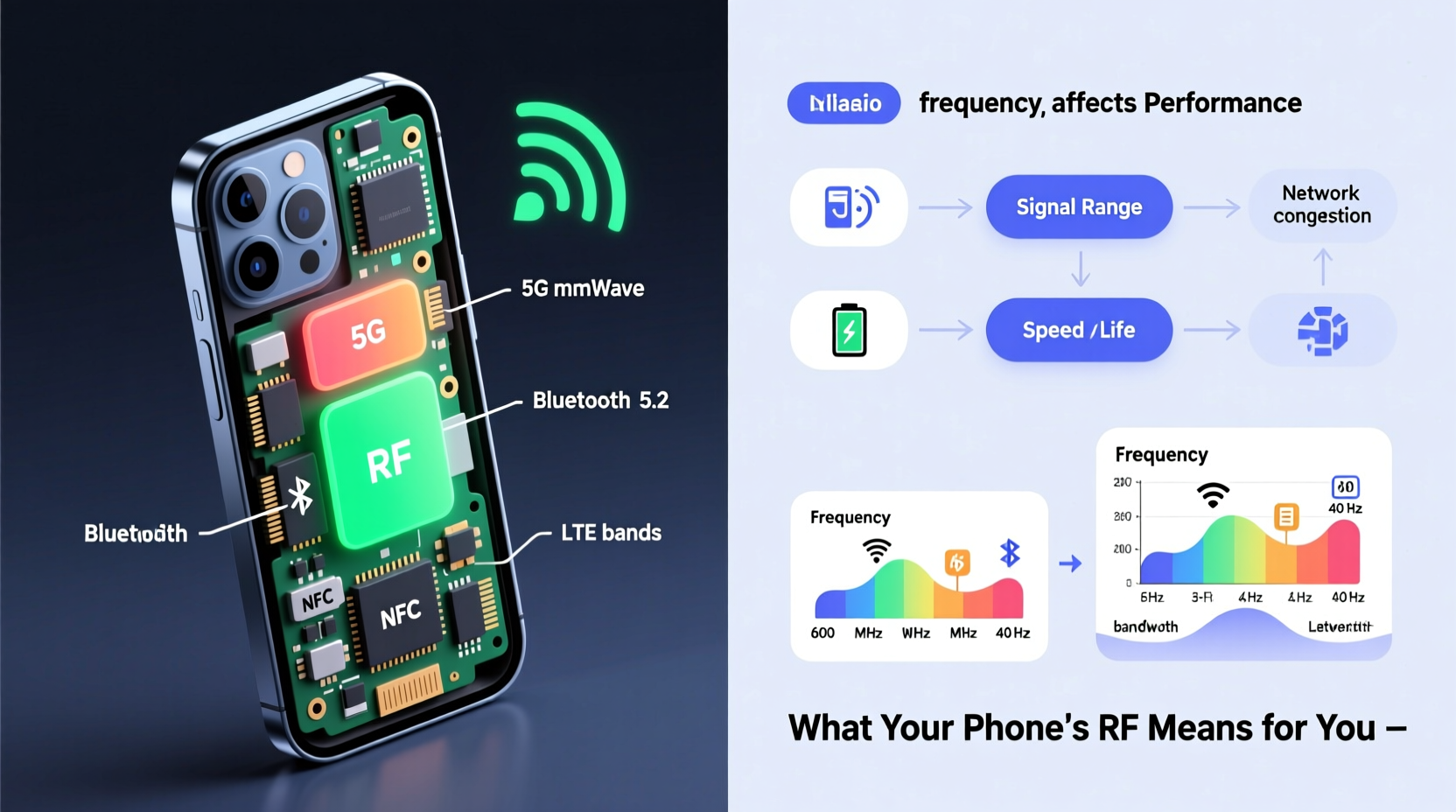
Mobile networks operate across different frequency bands, each with unique propagation characteristics. Lower frequencies like 600 MHz or 700 MHz travel farther and penetrate buildings better, making them ideal for rural coverage. Higher bands such as 2.5 GHz or 3.5 GHz offer greater bandwidth and faster speeds but have limited range and struggle with obstacles like walls.
Carriers deploy various combinations of these bands depending on region, technology generation (4G LTE vs. 5G), and spectrum licenses. For example:
- T-Mobile uses 600 MHz (Band 71) extensively for nationwide 5G coverage.
- Verizon relies heavily on 700 MHz (Band 13) and C-band (3.7–3.98 GHz) for 5G.
- AT&T utilizes 850 MHz (Band 5) and 1.9 GHz (Band 25) for legacy and modern services.
If your phone lacks support for Band 71, you’ll likely see weak 5G performance on T-Mobile in remote areas. Similarly, an international phone might not work well in the U.S. due to missing key LTE bands.
“Frequency band compatibility is the silent gatekeeper of mobile performance. A high-end phone can underperform if it doesn't align with local network deployments.” — Dr. Lena Torres, Wireless Systems Analyst at CTIA
How to Accurately Identify Your Phone’s Supported Frequencies
Finding your device’s supported radio frequencies requires more than checking the box or website specs—though those are a good starting point. Here’s a step-by-step method to get accurate, verified information:
- Check the Official Device Specifications: Visit the manufacturer’s website (e.g., Samsung, Apple, Google). Navigate to your model’s technical specifications page. Look for sections labeled “Network,” “LTE Bands,” or “5G Support.”
- Use Regulatory Databases: Every phone sold legally must be certified by regulatory bodies. In the U.S., the FCC ID search tool (fcc.gov/oet/ea/fccid) provides detailed RF test reports. Enter your phone’s FCC ID (usually found under Settings > About Phone or on the back of the device) to access full frequency details.
- Review Third-Party Aggregators: Websites like GSMArena.com, PhoneDB.net, or Kimovil.com compile and cross-reference frequency data from multiple sources, often presenting it in easy-to-read tables.
- Use Built-In Engineering Modes (Advanced): Some Android devices allow access to field test mode via dialer codes (e.g.,
*#*#4636#*#*or*#0*#). These menus may display current network frequency in use, though they don’t list all supported bands. - Download Network Diagnostic Apps: Tools like NetMonster, CellMapper, or Network Cell Info Lite show real-time frequency usage, tower locations, and nearby bands. They help verify actual network behavior versus theoretical support.
Interpreting What Frequency Support Means for You
Knowing your phone’s supported bands is only useful if you understand their real-world impact. Consider these scenarios:
| Situation | Lack of Correct Frequency Support | With Full Band Compatibility |
|---|---|---|
| Rural Living | Poor or no 5G/LTE due to reliance on low-band signals (e.g., Band 71) | Reliable coverage thanks to strong low-frequency penetration |
| International Travel | No service abroad if phone misses regional bands (e.g., EU Band 20) | Seamless roaming with local carrier compatibility |
| Urban Speeds | Slower 5G on mmWave or mid-band networks without proper hardware | High-speed connectivity using advanced spectrum (e.g., 3.5 GHz) |
A common misconception is that “5G capable” means universal 5G access. In reality, 5G comes in three tiers:
- Low-band 5G: Slightly faster than 4G, wide coverage (e.g., 600–800 MHz).
- Mid-band 5G: Balanced speed and coverage (e.g., 2.5–3.7 GHz); the sweet spot for performance.
- mmWave 5G: Extremely fast but short-range (e.g., 24–39 GHz); limited to dense urban zones.
Not all phones support all types. For instance, iPhone 14 models sold outside the U.S. lack mmWave support. If you’re expecting gigabit speeds in New York City but your phone doesn’t support mmWave, you won’t achieve them—even if the network does.
Mini Case Study: The European Traveler’s Surprise
Sophie, a business consultant from Chicago, bought a budget-friendly unlocked phone online before her trip to Germany. It advertised “global 5G support.” Upon arrival, she had no cellular data despite full signal bars. After troubleshooting, she discovered the phone lacked Band 20 (800 MHz), a cornerstone of rural and indoor coverage in Europe. Her phone could connect to urban mid-band 5G but failed in hotels and trains where lower frequencies dominate. She ended up purchasing a local SIM-compatible device—a $120 lesson in frequency awareness.
Essential Checklist Before Buying or Switching Phones
To avoid Sophie’s mistake, follow this practical checklist:
- ✅ Determine your primary carrier and research its deployed frequency bands.
- ✅ Verify your phone model supports those specific LTE and 5G bands.
- ✅ Check international band requirements if you travel frequently.
- ✅ Confirm whether the phone supports both FDD and TDD variants of key bands.
- ✅ Use FCC ID or GSMArena to validate claims made by retailers or resellers.
- ✅ Test real-world performance using apps like CellMapper after activation.
Frequently Asked Questions
Can I upgrade my phone’s radio frequency support?
No. Radio frequency bands are determined by hardware components—specifically the modem and antenna design. Software updates cannot add new band support. Always ensure future-proofing when purchasing a new device.
Do all iPhones work on every carrier?
Most modern iPhones are multi-carrier compatible in the U.S., but exceptions exist. Older models or region-specific variants (e.g., China-only versions) may lack certain bands. Always check the exact model number (e.g., A2634 vs A2635) for differences in 5G mmWave or satellite capabilities.
Is there a single phone that supports all global frequencies?
No universal device exists, but some models come close. The Google Pixel series and recent Samsung Galaxy S models typically offer broad band coverage. Even then, mmWave 5G remains largely restricted to North America due to regulatory and infrastructure differences.
Take Control of Your Connectivity
Understanding your phone’s radio frequency profile empowers you to make smarter choices—whether selecting a new device, switching carriers, or traveling overseas. It transforms vague concerns about “bad reception” into actionable insights grounded in technical reality. Don’t let invisible signals dictate your experience. Take a few minutes to verify your phone’s band support. The difference could mean seamless video calls instead of dropped connections, reliable navigation in remote areas, or uninterrupted streaming abroad.




 浙公网安备
33010002000092号
浙公网安备
33010002000092号 浙B2-20120091-4
Comments
No comments yet. Why don't you start the discussion?