
Locating a mobile phone number using GPS has become a common concern for parents, employers, and individuals seeking safety or accountability. While modern smartphones are equipped with powerful location technologies, accessing this data is not as simple as entering a number into a search bar. Misinformation abounds online about real-time tracking, often promoting illegal or unethical methods. This guide separates fact from fiction, outlining legitimate, accurate, and lawful ways to determine a device’s location using GPS and related technologies.
Understanding How Mobile Phone Location Works
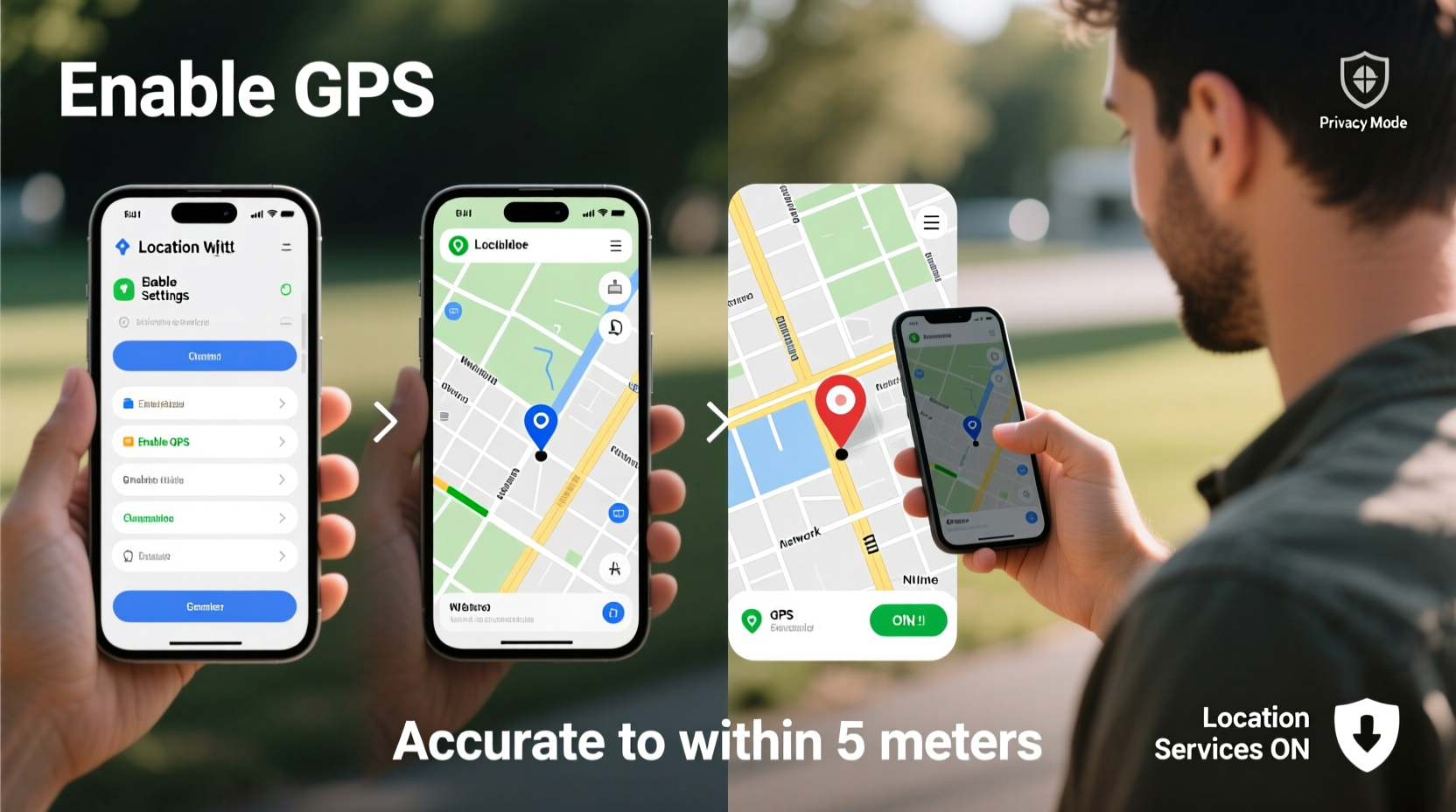
Mobile phone location isn’t powered by GPS alone. It’s a combination of technologies: GPS (Global Positioning System), Wi-Fi triangulation, cell tower signals, and Bluetooth beacons. When enabled, a smartphone constantly gathers data from these sources to estimate its position. GPS provides the most precise outdoor location—often within 5 meters—while cellular networks offer broader, less accurate estimates based on proximity to towers.
The key point: you cannot track any phone just by knowing its number. Without access to the device or an account linked to it, real-time GPS tracking is impossible through public means. Legitimate tracking requires either prior setup (such as enabling Find My iPhone or Google's Find My Device) or legal authority (like law enforcement with a warrant).
Legitimate Methods to Locate a Phone Using GPS
There are several reliable and legal approaches to locate a mobile device. These depend on the device’s operating system, user permissions, and pre-configured settings.
1. Use Built-in Device Tracking Services
Both Android and iOS offer free, secure tracking tools that rely on GPS when available.
- iOS – Find My iPhone: Enabled via iCloud, this service uses GPS, Wi-Fi, and Bluetooth to locate lost or stolen iPhones. Family Sharing allows parents to monitor children’s devices with consent.
- Android – Find My Device: Integrated with Google accounts, this tool shows real-time location, plays a sound, locks the device, or erases data remotely.
To use these services, the target phone must be powered on, connected to the internet, and have location services enabled. The phone number itself is not used to initiate tracking—instead, the associated Apple ID or Google account is required.
2. Family & Parental Monitoring Apps
For parental supervision, apps like Life360, Google Family Link, and Samsung Kids Mode allow location sharing between trusted family members. These require installation and explicit permission from the device user (or parent-to-child consent).
These apps continuously log GPS coordinates and can send alerts when a child enters or leaves designated areas (geofencing). They are among the most accurate consumer-grade tools available, but they operate only with cooperation and transparency.
“Location tracking should always be rooted in trust and consent, especially within families. Transparency prevents misuse.” — Dr. Alan Reed, Cybersecurity Ethicist at Stanford University
Step-by-Step Guide to Locating a Device Safely and Legally
If you need to find a lost phone or ensure a loved one’s safety, follow this structured process:
- Verify ownership or relationship: Only track devices you own or have legal responsibility for (e.g., minor children).
- Ensure tracking is pre-enabled: Confirm that Find My iPhone or Find My Device was activated before the phone went missing.
- Access the tracking platform: Go to iCloud.com/find for iPhones or google.com/android/find for Android.
- Log in with credentials: Use the Apple ID or Google account tied to the device.
- View location: If online, the GPS pin will appear on a map. You can play a sound, lock the device, or erase data.
- Contact authorities if needed: In cases of theft or danger, provide the location data to law enforcement.
What Doesn’t Work (And Why)
Many websites claim to offer “free GPS tracking by phone number.” These are almost universally scams or malware traps. Here’s why they don’t work:
| Claimed Method | Reality | Risk |
|---|---|---|
| Track any number using GPS | Impossible without device access or account login | Data theft, phishing |
| Free IMEI trackers | IMEI can only be traced by carriers or police | Fraudulent services |
| SMS-based location links | Requires recipient to click and grant permission | May violate privacy laws |
No legitimate service allows GPS tracking of a mobile number without the target device’s cooperation or legal authorization. Even telecom providers cannot provide real-time GPS data to the public due to privacy regulations like GDPR and CCPA.
Real-World Example: Recovering a Lost Phone
Sophia, a college student, left her iPhone in a taxi after a late-night ride. She remembered enabling Find My iPhone during setup. From a friend’s laptop, she visited iCloud.com/find, logged in with her Apple ID, and saw her phone’s location moving along the taxi route. She contacted the ride-share company with the GPS timestamp and exact pickup/drop-off points. Within two hours, the driver returned the phone.
This case illustrates the importance of proactive setup. GPS accuracy, combined with timely action, made recovery possible. Had location services been disabled, the outcome might have been different.
Checklist: Prepare for Accurate GPS Tracking
Before you ever need to locate a phone, take these steps:
- ✅ Enable “Find My iPhone” (iOS) or “Find My Device” (Android)
- ✅ Turn on Location Services and High Accuracy mode
- ✅ Set up two-factor authentication on your Apple/Google account
- ✅ Share location with trusted family members using official apps
- ✅ Record your device’s IMEI number (dial *#06# to view)
- ✅ Educate family members on how to use tracking tools
Frequently Asked Questions
Can I track someone’s phone using just their number?
No. Mobile numbers alone do not provide GPS access. Real-time tracking requires device-level permissions, installed software, or legal authority.
Is it legal to track a family member’s phone?
Yes, but only with their knowledge and consent. For minors, parents may enable tracking as part of guardianship. Covert tracking of adults violates privacy laws in most countries.
How accurate is GPS on mobile phones?
Under ideal conditions (open sky, strong signal), GPS accuracy is within 3–5 meters. Indoors or in urban canyons, accuracy drops to 20–100 meters, relying more on Wi-Fi and cell towers.
Conclusion: Responsibility Meets Technology
Accurately locating a mobile phone using GPS is entirely possible—but only through proper preparation, ethical practices, and respect for privacy. Relying on built-in tools, maintaining active accounts, and fostering open communication within families ensures safety without compromising trust. Technology should empower, not exploit. By understanding the limits and responsibilities of location tracking, you can act swiftly in emergencies while staying on the right side of the law.




 浙公网安备
33010002000092号
浙公网安备
33010002000092号 浙B2-20120091-4
Comments
No comments yet. Why don't you start the discussion?