
In today’s digital age, knowing the real-time location of a smartphone can be crucial—whether you’re trying to locate a lost device, ensure a family member’s safety, or coordinate meetups. While many commercial tracking apps require subscriptions or in-app purchases, several effective, completely free methods exist using native features already built into smartphones. These solutions rely on Google, Apple, and other trusted platforms that prioritize privacy and accuracy. The key is understanding how to use them correctly and ethically.
Understanding the Limitations and Ethics of Free Tracking
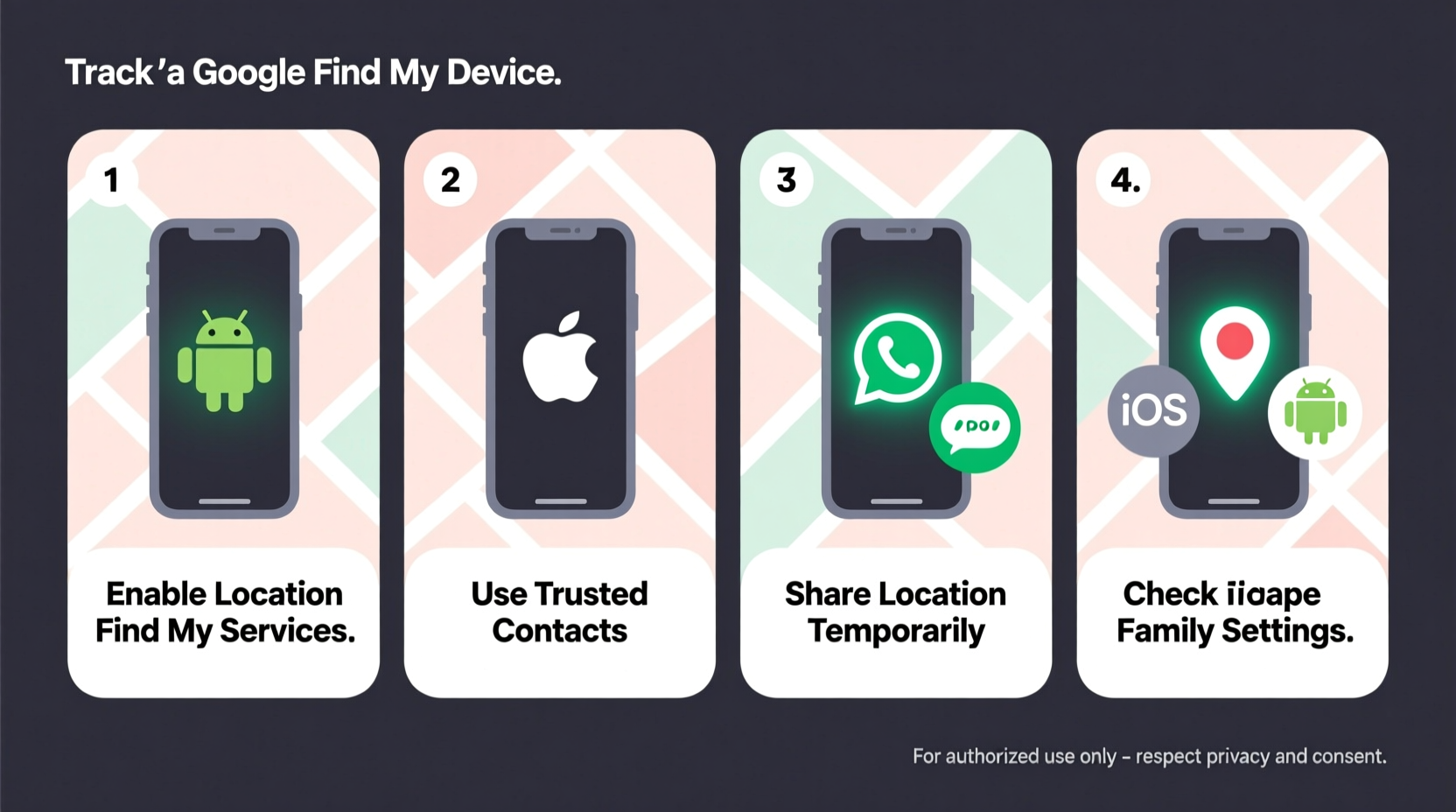
Before diving into technical steps, it’s essential to acknowledge both the ethical boundaries and practical limitations of location tracking. Legally and morally, you should only track a device with the owner’s knowledge and consent. Unauthorized tracking—even of a partner or child—can violate privacy laws in many jurisdictions.
From a technical standpoint, free tracking methods depend on internet connectivity, GPS settings, and device permissions. If a phone is turned off, in airplane mode, or has location services disabled, most tracking attempts will fail. However, when conditions are favorable, built-in tools offer surprising precision.
“Location tracking is a powerful tool when used responsibly. Consent and transparency are non-negotiable.” — Dr. Alan Reyes, Digital Privacy Researcher at Stanford University
Using Google’s Find My Device (Android)
For Android users, Google’s Find My Device is the most reliable free option. It leverages Google Play Services and your Google account to pinpoint a phone’s last known location, ring it remotely, lock it, or erase data if necessary.
To use this service:
- Ensure the target Android device is signed in to a Google account.
- Location services and “Find My Device” must be enabled in Settings > Security > Find My Device.
- Visit google.com/android/find from any web browser or use the Find My Device app on another Android phone.
- Select the device from your list. Its location will appear on a map if online.
- You can choose to ring the phone (even on silent), lock it with a message, or erase all data.
The system updates location in near real-time when the device is active. If offline, it shows the last recorded position. Accuracy typically ranges within 5–20 meters depending on GPS signal strength and Wi-Fi availability.
Using Apple’s Find My (iPhone)
iOS users benefit from Apple’s tightly integrated ecosystem through the Find My app. This service works across iPhones, iPads, Macs, and even AirTags, offering high accuracy and end-to-end encryption.
To track an iPhone for free:
- The device must be logged into the same Apple ID or part of a Family Sharing group.
- “Find My iPhone” must be enabled under Settings > [Your Name] > Find My > Find My iPhone.
- Open the Find My app on another Apple device or visit icloud.com/find.
- Select the device from the list. You’ll see its current or last known location.
Even if the device is offline, Apple uses Bluetooth-based crowd-sourced location detection via nearby Apple devices to report its position anonymously—a feature called “Offline Finding.” This dramatically increases recovery chances.
Alternative Free Methods Using Shared Location Services
Beyond device-finding tools, temporary location sharing via messaging platforms offers real-time tracking without installing third-party apps.
Google Maps Location Sharing
This is one of the most accurate and user-friendly free options. Here’s how it works:
- Open Google Maps on the phone to be tracked.
- Tap your profile picture > Share location.
- Choose a contact (via Gmail, phone number, or link) and set duration (1 hour to indefinitely).
- The recipient opens the shared link or checks Messages/WhatsApp to view the live dot on a map.
The location updates every few seconds while active. You can stop sharing anytime. No installation or account creation is needed for the viewer.
iMessage and FaceTime (Apple Users)
iPhone users can share their location temporarily during a conversation:
- Open Messages, start a chat, tap the contact’s name, then Info.
- Select “Share My Location” for one hour, until end of day, or indefinitely.
- The other person sees the location in real time within the thread.
This method is seamless and widely used among families and close contacts.
Step-by-Step Guide to Setting Up Free Tracking Safely
Follow this timeline to establish a reliable, permission-based tracking system for loved ones:
- Day 1: Discuss intent openly with the person whose location you’d like to monitor (e.g., elderly parent or teen).
- Day 1: On their device, enable Find My Device (Android) or Find My (iPhone).
- Day 1: Set up Google Maps location sharing or iCloud Family Sharing as backup.
- Weekly: Test the system by checking the device’s location remotely once a week.
- Emergency Ready: Save login credentials securely (e.g., password manager) so access isn’t blocked during crises.
This proactive approach ensures functionality when it matters most—without compromising trust.
Do’s and Don’ts of Free Phone Tracking
| Do’s | Don’ts |
|---|---|
| Always obtain explicit consent before tracking. | Never install spyware or hidden tracking apps. |
| Use encrypted, official platforms like Google or Apple. | Don’t share tracking links publicly or on social media. |
| Test the system regularly to ensure it works. | Don’t assume location accuracy in remote areas with poor GPS. |
| Leverage shared location for short-term coordination (e.g., meeting up). | Don’t rely solely on tracking—combine with check-in calls or texts. |
Real-World Example: Locating a Lost Phone at the Airport
Sophie, a college student, left her Android phone at a security checkpoint in Chicago O’Hare. She realized it was missing after boarding her flight. From the air, she used her friend’s laptop to go to google.com/android/find. Her phone was still powered on and connected to Wi-Fi.
The Find My Device portal showed the phone inside Terminal 3, near baggage claim. She called the airport’s lost and found with the exact location and serial number. A staff member found it within 20 minutes. Thanks to real-time GPS and her prior setup, Sophie recovered her phone the next day—no cost, no third-party app.
Frequently Asked Questions
Can I track a phone without them knowing?
No ethical or legal method allows secret tracking on modern smartphones. Both Android and iOS require explicit permission to enable location sharing or device finding. Attempting covert tracking often involves illegal software or violates terms of service.
What if the phone is turned off?
If the phone is off or out of battery, real-time tracking stops. However, Google and Apple may display the last known location before shutdown. For future incidents, enabling “Send Last Location” (Android) or “Offline Finding” (iPhone) improves recovery odds.
Are these methods truly free?
Yes. Google Find My Device, Apple Find My, and Google Maps location sharing are completely free and built into the operating systems. No subscription or in-app purchase is required.
Conclusion: Empower Yourself with Knowledge, Not Apps
You don’t need expensive software to track a phone accurately. With the right preparation and responsible use of free, built-in tools, you can locate devices, protect loved ones, and recover lost phones—all without spending a dime. The real power lies not in the technology itself, but in setting it up proactively and using it with integrity.




 浙公网安备
33010002000092号
浙公网安备
33010002000092号 浙B2-20120091-4
Comments
No comments yet. Why don't you start the discussion?