
Tracking the location of a phone call can be critical in emergency situations, during investigations, or for personal safety. While modern smartphones are equipped with GPS and network-based location services, accurately determining where a call originates requires understanding both technology and its limitations. This guide breaks down legitimate, effective methods for tracking a phone call’s location—without crossing legal boundaries.
Understanding How Phone Call Location Tracking Works
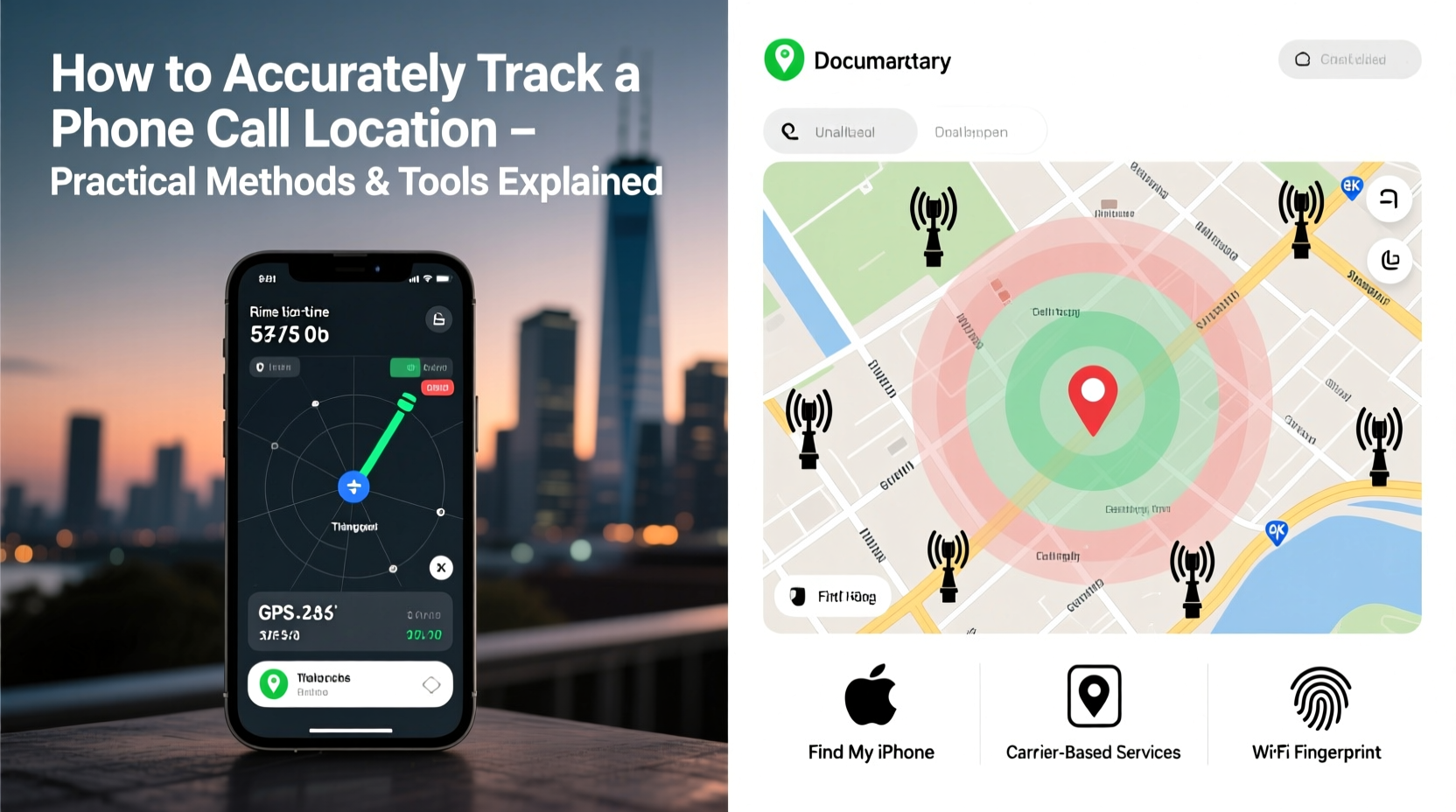
Unlike real-time GPS tracking apps, traditional voice calls don’t automatically broadcast precise geographic coordinates. Instead, mobile networks use cell tower triangulation and signal strength to estimate a caller’s position. When a phone connects to a network, it communicates with nearby cell towers. The closer the device is to a tower, the stronger the signal. By analyzing signals from multiple towers, carriers can approximate a user's location.
This method, known as multilateration, typically provides accuracy within a few hundred meters in urban areas but may extend to several kilometers in rural regions. Emergency services (like 911) rely on this system through Enhanced 911 (E911), which combines cell tower data with GPS when available.
“While cell tower data gives a general idea of location, true precision comes from integrated GPS and Wi-Fi positioning.” — Dr. Alan Reyes, Telecommunications Engineer
Legitimate Methods to Track a Phone Call Location
It’s essential to emphasize that tracking someone’s phone without consent is illegal in most jurisdictions. However, there are authorized scenarios where location tracking is permitted:
- Law enforcement with proper warrants
- Parents monitoring minor children
- Individuals tracking their own devices
- Emergency response teams during crisis calls
1. Use Built-in Carrier Emergency Services (E911)
All major carriers in the U.S. and many other countries support E911, which automatically shares the caller’s approximate location with emergency dispatchers. This works even if GPS is disabled, using cell tower data as a fallback.
2. Enable Find My Device Features
iOS and Android offer native tools that allow users to locate their phones remotely:
- Find My (Apple): Tracks iPhone, iPad, and Apple Watch via iCloud. Can show real-time location, play a sound, or lock the device.
- Find My Device (Google): Available at google.com/android/find, it shows the last known location, battery level, and allows remote locking or erasing.
These features require prior setup and an active internet connection. They work best when the phone is powered on and not in airplane mode.
3. Third-Party Monitoring Apps (With Consent)
For parental control or device management, apps like Life360, mSpy, or Google Family Link can provide continuous location updates. These tools often include call logs and real-time GPS tracking—but only when installed with full consent from the device owner.
| Tool | Primary Use | Accuracy | Consent Required? |
|---|---|---|---|
| Find My (Apple) | Lost device recovery | High (GPS + Wi-Fi) | No (if your device) |
| Find My Device (Google) | Android tracking | High (GPS + Network) | No (if your device) |
| Life360 | Family location sharing | Moderate to High | Yes |
| mSpy | Parental monitoring | High (with GPS) | Yes (legally required) |
Step-by-Step Guide to Locating a Missed or Ongoing Call
If you receive a suspicious call or need to verify a caller’s location, follow these steps:
- Note the phone number: Record the incoming number and time of call. Use reverse lookup tools like Truecaller or Whitepages to check if it’s registered.
- Check your carrier’s call log: Some providers display approximate locations for unknown numbers based on area codes or recent activity.
- Use a trusted caller ID app: Install Truecaller or Hiya to see community-reported locations tied to the number.
- Contact authorities if needed: For threats or harassment, report the number to law enforcement. They can request geolocation data from carriers with legal authorization.
- Verify through social media or mutual contacts: If the number is linked to an account, cross-reference profiles for location clues.
Mini Case Study: Responding to a Suspicious Call
Sarah received repeated calls from an unknown number late at night. She used Truecaller to identify the number as originating from a city over 300 miles away. Concerned, she blocked the number and reported it to her carrier. When the calls persisted, she filed a police report. Authorities traced the number through the telecom provider and discovered it was spoofed—a fake number rerouted via VoIP. Though the exact physical location couldn’t be pinpointed, the investigation led to the shutdown of a scam operation. Sarah’s proactive use of tools and reporting prevented potential harm.
What Doesn't Work (And Common Myths)
Despite popular belief, certain methods do not reliably track call locations:
- Dialing *57 or *69: These codes activate call return (*69) or call blocking (*57), but they don’t reveal location data.
- Reverse IP lookup for mobile calls: Voice calls aren’t routed like web traffic; IP tracking applies mainly to VoIP services like Skype or WhatsApp.
- Free “track any phone” websites: Many are scams or malware traps. Legitimate tracking requires access credentials or legal authority.
Legal and Ethical Considerations
Unauthorized tracking violates privacy laws such as the Electronic Communications Privacy Act (ECPA) in the U.S. and GDPR in Europe. Even installing tracking software on a shared device without informing the user can lead to criminal charges.
Always ensure:
- You have explicit permission to monitor a device.
- The purpose is lawful (e.g., child safety, asset protection).
- You comply with local regulations regarding data collection and storage.
“Location tracking is a powerful tool, but it must be balanced with respect for individual rights. Misuse undermines public trust.” — Lisa Tran, Digital Privacy Advocate
Frequently Asked Questions
Can I track a call in real time?
Real-time tracking is limited to emergency services and authorized entities. Consumers cannot track live call locations unless they’re using pre-approved family tracking apps with consent.
Do all phones support location tracking during calls?
Most modern smartphones do, especially when E911 is enabled. However, accuracy depends on GPS signal, network coverage, and whether location services are turned on.
What should I do if I receive threatening calls?
Immediately hang up, block the number, and document all details. Report the incident to your phone carrier and local law enforcement. Avoid engaging with the caller.
Essential Checklist for Safe and Accurate Call Tracking
- Ensure your own phone has location services enabled.
- Set up Find My Device or Find My iPhone before emergencies occur.
- Install a reputable caller ID app like Truecaller.
- Never attempt to track someone without legal consent.
- Report suspicious or threatening calls to authorities promptly.
- Keep your operating system and security apps updated.
- Avoid clicking links or returning calls from unknown international numbers.
Conclusion
Accurately tracking a phone call’s location involves a mix of technology, preparedness, and legal awareness. While built-in tools and carrier systems offer valuable support, they work best when used proactively and ethically. Whether protecting your family, recovering a lost device, or responding to a threat, the key lies in using verified methods and respecting privacy boundaries.




 浙公网安备
33010002000092号
浙公网安备
33010002000092号 浙B2-20120091-4
Comments
No comments yet. Why don't you start the discussion?