
In today’s fast-moving digital economy, convenience is king. From splitting dinner bills with friends to booking rides or shopping online, digital wallets and connected financial accounts have become essential tools. But before you can tap, swipe, or click to pay, you need to fund your account. Knowing how to securely and efficiently add money to digital wallets—like Apple Pay, Google Pay, PayPal, Venmo, Cash App, and others—is crucial for seamless transactions. This guide breaks down the most common funding methods, security considerations, and practical steps to help you manage your digital finances with confidence.
Understanding Digital Wallets and Online Accounts
Digital wallets are virtual platforms that store payment information such as credit/debit card details, bank account links, or prepaid balances. They allow users to make purchases in-store, online, or peer-to-peer without physical cards. Examples include Apple Pay, Samsung Pay, Google Wallet, and standalone apps like PayPal, Venmo, and Cash App. Online accounts may also refer to e-commerce platforms (e.g., Amazon Pay), trading apps (e.g., Robinhood), or subscription services that require stored funds.
Each platform has its own method for adding money, but most rely on linking external financial sources. The key is understanding which options are available, how long transfers take, and what fees might apply.
Common Methods to Add Money
Funding your digital wallet typically involves one of several standard methods. The choice depends on speed, cost, and availability based on your region and financial institution.
- Bank Transfer (ACH): Most widely used, especially in the U.S. You link your checking or savings account and transfer funds directly. Transfers can be instant (for a fee) or take 1–3 business days at no cost.
- Debit Card Deposit: Instant loading using a linked debit card. Often comes with small transaction fees (e.g., $0.25–$0.95).
- Credit Card Funding: Rarely allowed due to risk of debt accumulation, and usually incurs high fees if permitted.
- Prepaid Cards or Gift Cards: Some platforms accept top-ups via reloadable gift cards, though this is less common.
- In-Person Reloads: Available through retail partners (e.g., Walmart, 7-Eleven). Users provide a barcode or code to cashiers who load funds into the wallet.
- Direct Deposit: Certain apps (like Cash App or Chime) allow routing your paycheck directly into the wallet.
Step-by-Step Guide: Adding Funds to Popular Platforms
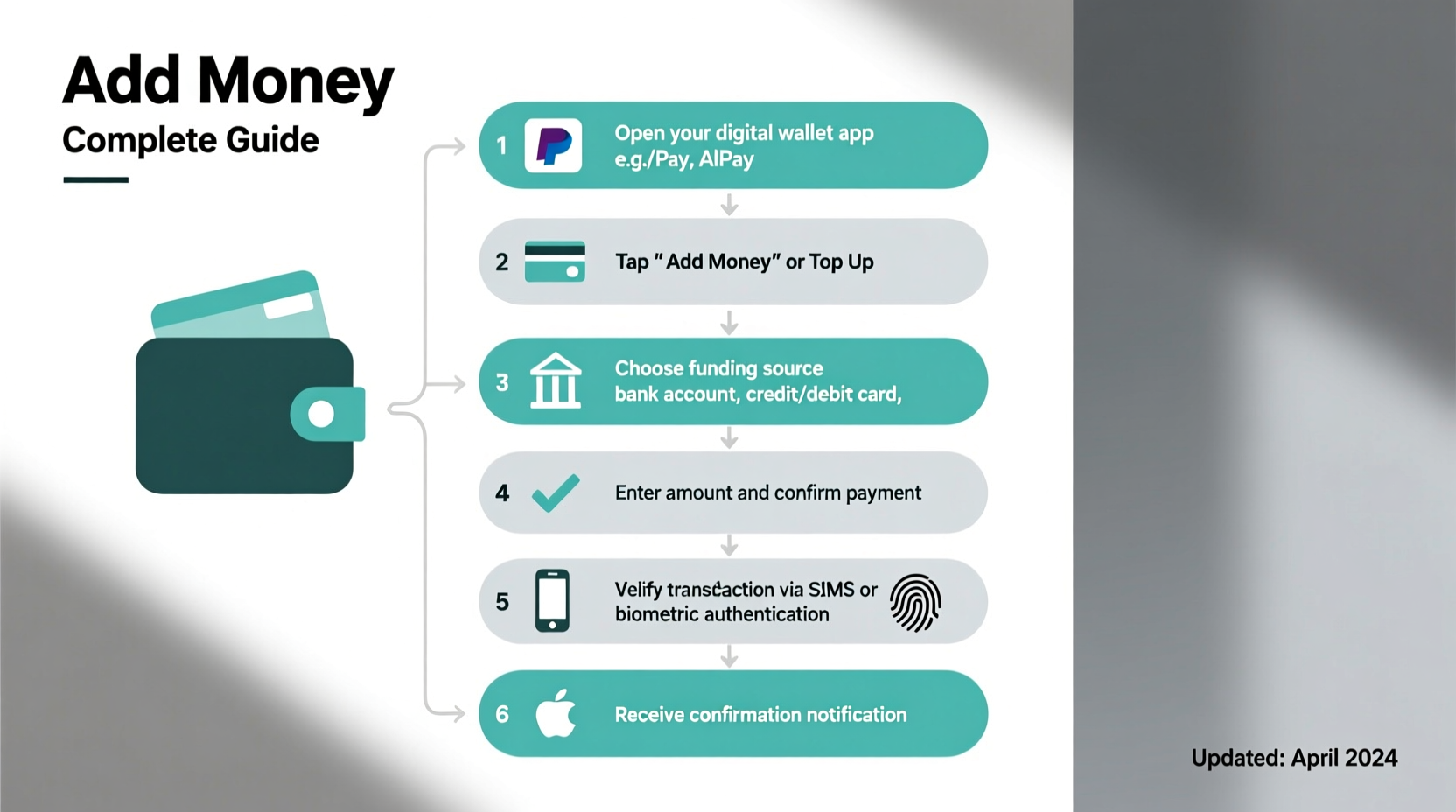
While interfaces vary, the general process follows a similar flow across major platforms.
- Open the app and navigate to the “Balance” or “Wallet” section.
- Select “Add Money” or “Deposit.”
- Choose your funding source (bank account, debit card, etc.).
- Enter the amount you wish to add.
- Confirm the transaction using biometrics, PIN, or two-factor authentication.
- Wait for confirmation. Instant deposits appear immediately; bank transfers may take time.
For example, adding $50 to PayPal from a linked bank account requires verification (often via micro-deposits), then allows future transfers in seconds. In contrast, Cash App enables instant deposits from a debit card with a nominal fee.
Security Best Practices When Adding Funds
Every financial transaction online carries some risk. Protecting your data starts with smart habits.
- Use strong, unique passwords and enable two-factor authentication (2FA).
- Avoid public Wi-Fi when adding money—use cellular data or a secure home network.
- Regularly review transaction history for unauthorized activity.
- Only download official apps from verified app stores.
- Never share login codes, PINs, or recovery phrases.
“Digital wallets are generally safer than carrying cash or physical cards because they use tokenization and encryption to protect your data.” — James Lin, Cybersecurity Analyst at SecurePay Labs
Comparison Table: Top Digital Wallets and Funding Options
| Platform | Bank Transfer (Free) | Instant Debit Load | Fees for Instant Transfer | In-Person Reload Option |
|---|---|---|---|---|
| PayPal | Yes (1–3 days) | Yes | 1.5%–1.75% (min $0.25, max $25) | No |
| Venmo | Yes (1–3 days) | Yes | 1.75% (min $0.25) | Yes (via MoneyPass ATMs & select retailers) |
| Cash App | Yes (1–3 days) | Yes | 1.5% (min $0.25) | Yes (Walmart, 7-Eleven, CVS) |
| Apple Pay | No direct balance; uses linked cards | N/A | N/A | No |
| Google Wallet | No balance system; uses default card | N/A | N/A | No |
Note: Apple Pay and Google Wallet don’t maintain independent balances—they draw directly from linked payment methods. Apps like Venmo and Cash App offer spendable balances once funded.
Real Example: How Maria Safely Loaded Her Wallet for Travel
Maria planned a weekend trip and wanted to minimize carrying cash. She decided to preload her Cash App wallet. First, she ensured her app was updated and logged in using Face ID. She went to the “Balance” tab, selected “Add Money,” and chose her linked debit card. After entering $100 and confirming with Touch ID, the funds were instantly available. At the airport, she used her phone to pay for snacks via QR code at a kiosk that accepted Cash App. Later, she split concert tickets with friends using the app—all without touching a physical card.
Her precautions included enabling push notifications, setting a spending limit reminder, and double-checking the merchant before paying. No issues arose, and she appreciated the ease and control over her spending.
Frequently Asked Questions
Can I add money to a digital wallet without a bank account?
Yes. Many services allow cash reloads at participating retailers. For instance, Cash App and Venmo support in-person deposits at thousands of locations for a small fee ($3–$4). Prepaid cards can also be purchased and loaded with cash, then used to fund certain wallets.
Are there daily limits on how much I can add?
Yes. Limits vary by platform and verification level. Unverified accounts often cap daily deposits at $500. Fully verified users (with SSN, ID, and address) may add up to $10,000 per month. Check your provider’s policy under “Limits” in the app settings.
Is it safe to link my bank account to a digital wallet?
When done through reputable platforms, yes. Reputable apps use end-to-end encryption and do not store full bank credentials. Instead, they use tokens to represent your account. However, always monitor for phishing attempts and avoid third-party apps requesting direct access to your bank login.
Action Checklist: How to Fund Your Wallet Safely
- ✅ Download the official app from your device’s app store.
- ✅ Complete identity verification (upload ID, enter SSN if required).
- ✅ Link a bank account or debit card securely within the app.
- ✅ Confirm ownership via micro-deposits or instant verification.
- ✅ Enable two-factor authentication and transaction alerts.
- ✅ Start with a small test deposit ($1–$5) to confirm functionality.
- ✅ Review fees and processing times before large transfers.
Final Thoughts: Take Control of Your Digital Finances
Adding money to digital wallets isn’t just about convenience—it’s about taking charge of how you manage and move your money in a digital-first world. Whether you're splitting rent, sending gifts, or shopping contactlessly, having a well-funded and secure wallet streamlines everyday life. By understanding the options, respecting security protocols, and choosing the right platform for your needs, you can enjoy faster transactions with peace of mind.




 浙公网安备
33010002000092号
浙公网安备
33010002000092号 浙B2-20120091-4
Comments
No comments yet. Why don't you start the discussion?