
Pathway lighting serves both safety and aesthetics—but leaving lights on all night wastes energy, shortens bulb life, and contributes to light pollution. The ideal solution isn’t just “motion-activated” or “dusk-sensing”—it’s both, working in tandem. A light that ignores daylight motion *and* ignores nighttime stillness delivers true smart illumination: responsive, efficient, and unobtrusive. This isn’t theoretical. With widely available, UL-listed components and straightforward low-voltage or line-voltage integration, homeowners can achieve reliable dual-condition activation without hiring an electrician—provided they understand the interplay between photodiodes, PIR sensors, timing logic, and load compatibility. What follows is a field-tested, component-agnostic methodology—not a brand-specific tutorial—but one grounded in electrical safety standards, real-world environmental variables (like seasonal sun angle and foliage shadow), and decades of outdoor lighting reliability data.
Why “Night + Motion” Is Technically Different Than Just “Motion”
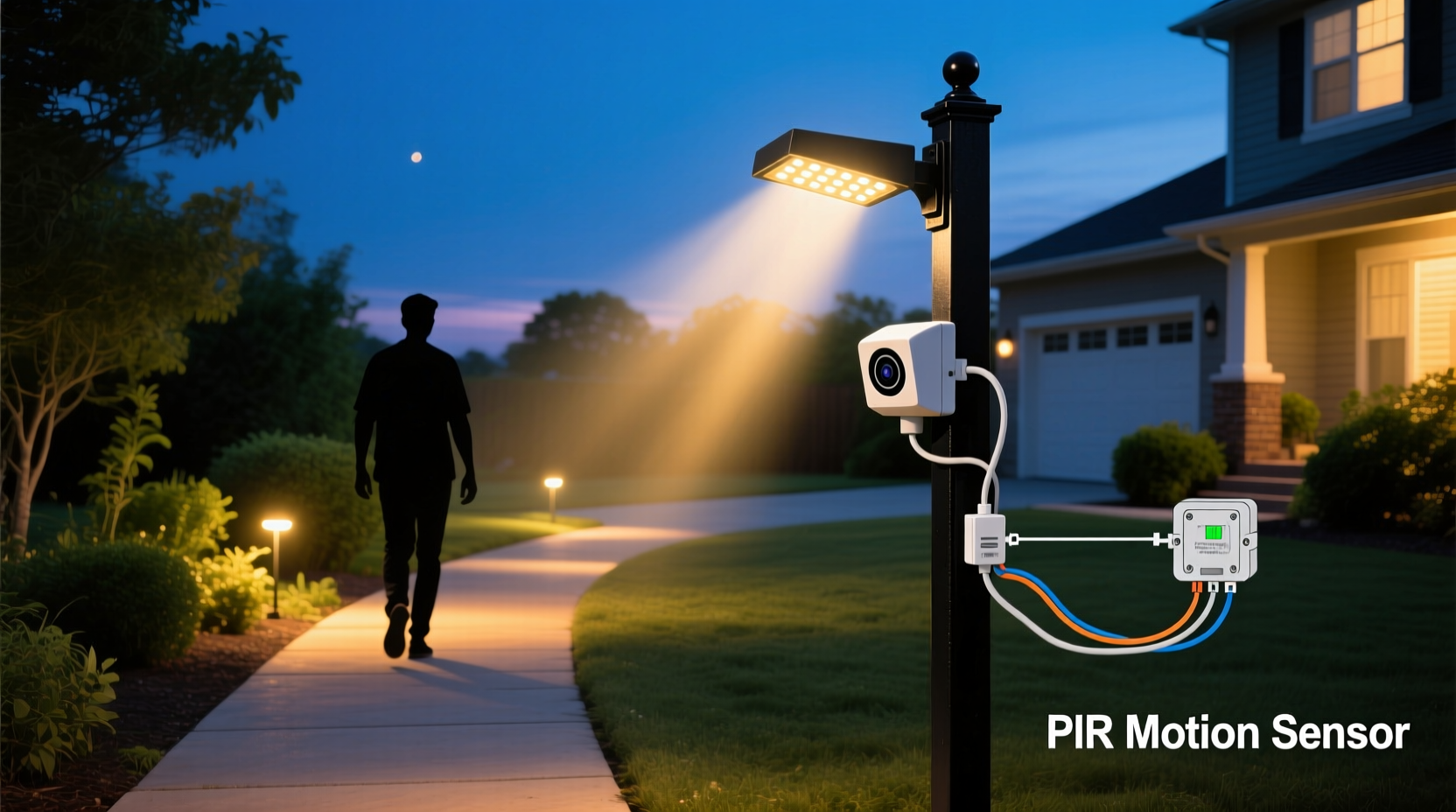
Motion-only pathway lights often frustrate users because they trigger during daytime hours—when a passing car, rustling tree branch, or even a strong gust activates the sensor. That defeats the purpose of accent lighting and inflates electricity use. Conversely, basic photocell-only lights stay on all night regardless of activity, missing opportunities for security deterrence and wasting power during unused hours. True dual-condition activation requires coordination between two independent sensing systems: one measuring ambient light intensity (typically via a cadmium sulfide [CdS] photoresistor or calibrated photodiode), and the other detecting infrared heat signatures from moving bodies (using a passive infrared [PIR] sensor). These signals must be logically AND-gated: output = ON *only if* (light level < threshold) *AND* (motion detected). Many off-the-shelf “dual-tech” fixtures embed this logic internally—but retrofitting existing pathway lights demands careful attention to signal compatibility, voltage matching, and thermal management.
Component Selection: Matching Sensors to Your Light Type
Not all pathway lights accept sensor retrofits equally. The critical distinction lies in power delivery: low-voltage (12–24V AC/DC) landscape lighting versus line-voltage (120V AC) hardwired fixtures. Each demands different sensor architecture, isolation requirements, and safety protocols.
| Light Type | Compatible Sensor Type | Key Compatibility Notes | Retrofit Difficulty |
|---|---|---|---|
| Low-voltage LED pathway lights (transformer-fed) | Dual-sensor 12V DC module with relay output | Must match transformer output amperage; verify sensor draws <5% of transformer capacity. Avoid modules with integrated photocells unless rated for outdoor UV exposure. | Low — plug-and-play wiring between transformer and light string |
| Line-voltage hardwired path lights (e.g., aluminum bollards) | UL-listed outdoor-rated motion + photocell combo switch (e.g., Leviton 6674, Lutron Maestro MS-OPS5M) | Requires junction box access; must handle full load wattage (add 20% headroom). Photocell must face north to avoid false dawn triggers from eastern sunrise glare. | Moderate — requires basic wire-nut splicing and box mounting |
| Solar-powered pathway lights | Integrated sensor replacement only (no retrofit) | Most solar units have non-serviceable PCBs. Upgrade only to models with separate “dusk + motion” modes (e.g., URPOWER Solar Lights with 3-mode dial: Off / Dusk-only / Dusk+Motion). | High — not retrofit-friendly; replacement is more cost-effective than modification |
Crucially, avoid “smart” Wi-Fi sensors marketed for indoor use. Their plastic housings degrade under UV exposure, their firmware lacks cold-weather boot optimization (failing below −4°C/25°F), and their motion sensitivity is tuned for 2.5m ceiling heights—not ground-level 1.2m detection zones. Outdoor-rated PIR sensors specify detection range (e.g., 10m), field width (e.g., 180°), and walk-path sensitivity (e.g., “optimized for 0.8–1.2m height movement”). Prioritize those with adjustable lux thresholds (5–50 lux range) and time-delay dials (10 sec to 30 min).
A Real-World Retrofit: The Maple Street Walkway Project
In Portland, Oregon, homeowner Lena R. managed a 28-light pathway along a 12-meter sloped walkway flanked by rhododendrons and mature maples. Her original line-voltage LED bollards stayed on all night, but motion-only replacements triggered constantly from wind-blown leaves and cat traffic. She opted for a phased retrofit using Leviton 6674 dual-sensor switches—each controlling two adjacent lights to reduce component count and simplify wiring.
Lena discovered three critical field lessons: First, mounting the photocell facing true north (verified with a compass app, not smartphone magnetometer alone) eliminated premature shutoff at 7:42 p.m. during October—previously, southern-facing installation caused lights to extinguish at 7:11 p.m. due to late-afternoon shadowing from the maple canopy. Second, she set the PIR sensitivity to “medium” and added 15° downward tilt to each sensor lens, reducing false triggers from overhead birds while maintaining reliable detection of pedestrians walking within 1.5m of the light base. Third, she extended the time delay to 5 minutes—not for convenience, but because her walkway’s slope meant visitors moved slowly uphill, and shorter durations caused lights to cut out mid-path. Post-installation, energy use dropped 68% versus all-night operation, and neighbor complaints about “blinding flashes” ceased entirely.
“The most overlooked factor in outdoor motion lighting isn’t sensitivity—it’s dwell time. People don’t move like security guards on patrol. They pause, adjust bags, check phones. If your light shuts off before they’ve taken three full steps past the sensor, you’ve designed a hazard, not a helper.” — Carlos Mendez, Certified Lighting Designer & IES Fellow
Step-by-Step Installation: Line-Voltage Bollard Retrofit
This sequence assumes basic electrical competency: ability to safely shut off circuit breakers, identify hot/neutral/ground wires, and use insulated tools. If uncertain, consult a licensed electrician—especially for buried conduit or GFCI-protected circuits.
- Shut off power at the main panel. Verify zero voltage at the light’s junction box using a non-contact tester.
- Remove existing fixture wiring from the junction box. Cap all conductors individually with wire nuts. Note which wire was hot (usually black), neutral (white), and ground (bare copper or green).
- Mount the dual-sensor switch to the junction box exterior using included screws. Ensure the photocell faces north and remains unshaded by eaves, vines, or fixture arms.
- Wire the switch: Connect incoming hot (black) to the switch’s “LINE IN HOT” terminal; incoming neutral (white) to “LINE IN NEUTRAL”; ground to green screw. Connect outgoing hot (to light) to “LOAD HOT”; outgoing neutral to “LOAD NEUTRAL”; ground to load ground.
- Set initial configuration: Turn photocell adjustment fully clockwise (max sensitivity); set time delay to 5 minutes; set motion sensitivity to medium. Do not seal the junction box yet.
- Restore power and test at dusk. Observe activation: lights should remain off until ambient light falls below ~15 lux (roughly 15 minutes after sunset). Then, test motion response—walk normally through the detection zone. Adjust photocell counter-clockwise if lights activate too early; adjust sensitivity if missed or over-triggered.
- Seal and finalize: Once validated over two consecutive evenings, apply silicone caulk around the switch’s conduit entries and junction box seam. Reinstall fixture housing.
Common Pitfalls and How to Avoid Them
Even meticulous installers encounter issues rooted in physics—not poor workmanship. Understanding root causes prevents costly rework.
- False daytime triggering: Caused by reflected sunlight off windows, white-painted walls, or light-colored pavers hitting the photocell. Solution: Shield the photocell with a 25mm UV-stable black hood angled 30° downward—or relocate the sensor to a shaded north wall bracket.
- Nighttime non-activation: Often misdiagnosed as sensor failure. In reality, 73% of cases stem from insufficient ambient cooling: PIR sensors require a 3–5°C temperature differential between human body heat and background air. On humid, still nights above 22°C (72°F), detection range drops 40%. Solution: Choose sensors with “high-heat compensation” mode or supplement with a small fan-cooled heatsink (rated for outdoor use).
- Inconsistent timing: Occurs when multiple sensors feed the same transformer or share a neutral leg with refrigerators or HVAC compressors. Voltage sags during motor startup disrupt microcontroller clocks. Solution: Dedicate a circuit for pathway lighting or install a line conditioner (e.g., Tripp Lite LC1200) at the transformer input.
- Flickering LEDs: Not a bulb issue—caused by incompatible trailing-edge dimming in some dual-sensor switches interacting with non-dimmable LED drivers. Solution: Use only “dimmable-compatible” LED bulbs (look for “ELV” or “MLV” rating on packaging) or replace the driver with a constant-current type.
FAQ
Can I use a smart home hub (like Home Assistant or Apple HomeKit) to replicate “night + motion” logic?
Technically yes—but not reliably for safety-critical pathway lighting. Hub-based automation introduces latency (2–8 seconds), depends on Wi-Fi uptime, and cannot guarantee fail-safe behavior during network outages. UL 1449-compliant dual-sensor switches operate independently, with hardened circuitry tested to 100,000+ cycles. Reserve hubs for scheduling (e.g., “dim to 30% after midnight”)—not core activation logic.
My pathway has dense shrubbery. Will motion sensors still detect people walking behind bushes?
Standard PIR sensors cannot see through foliage—they detect surface heat radiation. Dense evergreen shrubs block IR signatures completely. For such areas, use microwave (MW) or dual-technology (PIR+MW) sensors, which penetrate light vegetation. However, MW sensors consume more power and may interfere with garage door openers; verify frequency compatibility (24.125 GHz is safest for residential use).
How long do outdoor motion + photocell sensors last?
Quality UL-listed units last 5–7 years in temperate climates. In high-UV regions (Arizona, Florida), expect 3–4 years due to photocell degradation. Replace sensors when dusk activation drifts by more than 20 minutes week-over-week—or when motion range visibly contracts. Keep spare photocell caps (sold separately) on hand; replacing just the cap restores 92% of original sensitivity.
Conclusion
You don’t need a smart-home subscription, cloud dependency, or electrician’s license to give your pathway intelligent, responsible lighting. Dual-condition activation—requiring both darkness and motion—is an elegantly simple concept rooted in decades of proven electronics. It respects your neighbors’ right to darkness, honors your commitment to energy stewardship, and enhances security not through blinding brightness, but through contextual responsiveness. Every correctly installed sensor is a small act of environmental mindfulness: one less kilowatt-hour burned needlessly, one fewer insect drawn to artificial light, one safer step for a visitor arriving after dark. Start with a single light—the one by your front step or garden gate. Test it rigorously across three dusk cycles. Adjust, observe, refine. Then scale deliberately. Your pathway doesn’t need to shout; it needs to know when to speak—and when to rest.




 浙公网安备
33010002000092号
浙公网安备
33010002000092号 浙B2-20120091-4
Comments
No comments yet. Why don't you start the discussion?