
Adding music synchronization transforms a static holiday light show into an immersive, emotionally resonant experience. When lights pulse to the beat of “Carol of the Bells,” fade gently during a verse of “Silent Night,” or flash in time with sleigh bells on “Jingle Bell Rock,” neighbors pause. Kids point. Strangers pull over. What once took commercial installers weeks—and thousands of dollars—can now be achieved by homeowners using accessible tools, thoughtful planning, and disciplined execution. The key isn’t expensive gear; it’s understanding signal flow, timing precision, and how to translate audio into actionable light commands.
Understanding the Core Components
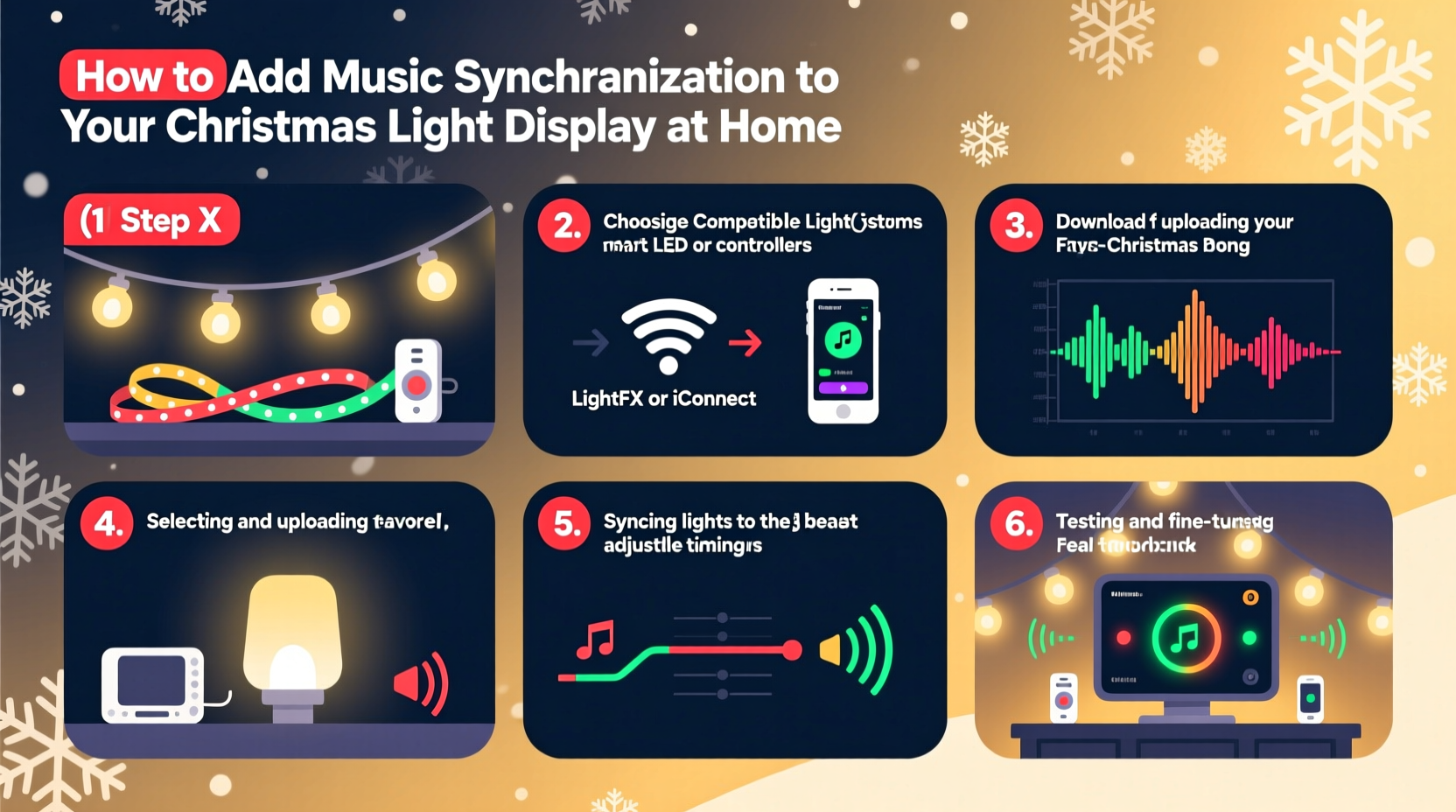
Music-synchronized lighting relies on three interdependent layers: audio input, control logic, and physical output. First, your audio file must be clean, properly formatted, and precisely timed. Second, sequencing software converts that audio into a timeline of channel-level instructions (e.g., “Channel 7: ON at 0:12.43, OFF at 0:12.87”). Third, controllers receive those instructions via USB, Ethernet, or wireless protocols and switch connected lights accordingly. Unlike simple timers or remote-controlled sets, synchronized systems require deterministic timing—where a 10-millisecond delay between audio playback and light activation is perceptible and disruptive.
Most residential setups use 12V DC LED strings controlled by solid-state relays or DMX-compatible controllers. Higher-end displays may incorporate pixel strips (WS2811/WS2812B) for color-mapped effects. Regardless of scale, every system shares the same foundational architecture: computer → sequencer → controller → lights.
Choosing Your Hardware Stack
Selecting compatible, reliable hardware prevents frustration later. Controllers must match your sequencing software’s communication protocol and support your desired channel count. Below is a comparison of common options for residential use:
| Controller Type | Ideal For | Max Channels | Key Considerations |
|---|---|---|---|
| LOR (Light-O-Rama) 16-Channel AC Controller | Traditional incandescent or LED plug-in strings | 16 | Requires LOR-compatible software; robust for outdoor use; built-in surge protection |
| Falcon F16v3 | Pixel-based displays (RGBW strips) | 512 (via universes) | Ethernet-based; supports E1.31 (sACN); requires power injection every 5m on long pixel runs |
| Sandevices E68x | Budget-conscious RGBW builds | 256–1024 | Open-source friendly; supports WiFi and Ethernet; lower cost but requires more DIY assembly |
| ESP32-based DIY Controllers | Advanced hobbyists building custom nodes | Variable (per node) | Requires soldering and firmware flashing; lowest cost per channel; steepest learning curve |
Power supply selection is equally critical. Undersized transformers cause flicker, voltage drop, and premature LED failure—especially when multiple channels activate simultaneously on bass-heavy tracks. Always calculate total wattage (volts × amps × channels active at peak) and add a 25% safety margin. For example, 300 WS2812B pixels drawing 0.2A each at full white = 60A. A 60A PSU is insufficient; use at least a 75A unit with proper heat dissipation.
Sequencing Your First Song: A Step-by-Step Guide
Sequencing is where art meets engineering. It’s not about matching every beat—it’s about shaping emotional response through deliberate light movement, color shifts, and intensity variation. Follow this proven workflow:
- Prepare your audio: Export as WAV (44.1kHz, 16-bit). Remove silence at start/end. Normalize peak amplitude to -1dB to avoid clipping during playback.
- Create a channel map: Assign physical light groups to software channels (e.g., “Front Porch Roofline = Ch 1–4”, “Garage Columns = Ch 5–8”). Label clearly—this saves hours during troubleshooting.
- Set your BPM baseline: Use Audacity or your sequencer’s built-in analyzer to detect tempo. Manually verify by tapping along—you’ll often find sections drift. Mark tempo changes (e.g., “Bridge slows to 72 BPM at 1:48”).
- Build the timeline: Start with macro events—on/off cues for major sections (intro, verse, chorus). Then layer micro-timing: strobes on snare hits, fades on sustained notes, color sweeps on rising synth lines.
- Test incrementally: Play back one 15-second segment while watching lights. Adjust cue timing in 10ms increments until visual/audio alignment feels natural—not mechanical.
- Export and deploy: Compile sequence into your controller’s native format (e.g., .lms for LOR, .fseq for Falcon). Verify file integrity before uploading to hardware.
This process typically takes 6–10 hours per 3-minute song for beginners. Seasoned sequencers average 2–3 hours—but only after mastering rhythm interpretation and software shortcuts.
Real-World Example: The Henderson Family Display
In suburban Austin, the Hendersons transformed their modest 2019 display—a string of 12 plug-in C9 lights and two net lights—into a neighborhood landmark by adding sync in 2022. With a $199 Light-O-Rama starter kit (two 8-channel controllers, USB485 adapter, and ShowTime software), they sequenced “O Holy Night” over six weekends. Their breakthrough came not from technical upgrades, but discipline: they recorded each light group’s actual response latency (measured with high-speed video), then applied global offset corrections in software. That single adjustment eliminated the “laggy” look that had plagued their first test run. By December, their 90-second show drew over 200 viewers nightly—and sparked four neighboring households to begin their own sync projects. Their secret? “We didn’t chase perfection—we chased consistency. One clean, tight 30-second intro was worth ten sloppy minutes.”
Timing, Latency, and the Human Perception Threshold
Human auditory processing operates on millisecond timescales. Research shows listeners detect audio–visual desynchronization beyond 40ms—meaning if your light turns on 50ms after the drum hit, it feels “off,” even if technically functional. This threshold governs every layer of your setup:
- Audio playback latency: Windows default drivers often add 100–200ms. Use ASIO4ALL or dedicated audio interfaces with buffer settings ≤128 samples.
- Software rendering delay: Sequencers like xLights apply anti-aliasing and interpolation that can shift cue timing. Always enable “real-time preview mode” and disable post-processing during timing calibration.
- Controller firmware lag: Older LOR controllers introduce 15–25ms overhead per command batch. Newer Falcon units reduce this to <5ms via hardware-accelerated E1.31 parsing.
- Physical wiring delay: Negligible for short runs (<50m), but CAT6 cable length adds ~5ns/m—irrelevant unless you’re running 10km of network (you’re not).
“The difference between amateur and pro-grade sync isn’t gear—it’s measurement discipline. If you haven’t measured your end-to-end latency with a calibrated microphone and oscilloscope, you’re guessing.” — Dr. Lena Torres, Lighting Systems Engineer, University of Central Florida Institute for Simulation & Training
To measure your system: play a sharp audio click (e.g., clapper tone) while recording both the speaker output and a photodiode sensor taped to a test light. Compare timestamps in Audacity. Repeat across all channels. Document offsets—then program them into your sequencer’s channel-specific delay settings.
Essential Troubleshooting Checklist
Even well-planned displays encounter issues. Use this field-tested checklist before show night:
- ✅ Verify all controllers are powered *before* launching sequencing software
- ✅ Confirm USB/ethernet cables are rated for industrial use (not printer cables)
- ✅ Check that audio playback device is set as default in OS sound settings
- ✅ Ensure no background apps are consuming CPU (especially antivirus scans or cloud backups)
- ✅ Test one channel at a time with a known-good bulb/string to isolate faulty hardware
- ✅ Reboot controllers after firmware updates—many retain cached settings that conflict with new protocols
- ✅ Validate SD card formatting (FAT32, not exFAT) if using standalone mode
When lights behave erratically mid-show, the culprit is almost always power instability or radio-frequency interference (RFI) from nearby Wi-Fi routers or LED drivers. Solution: install ferrite cores on all data and power cables within 6 inches of controller inputs, and use separate 20A circuits for controllers versus house lighting.
FAQ
Can I sync lights to Spotify or Apple Music streams?
No—streaming services prevent low-level audio access required for real-time analysis. You must use local, DRM-free audio files (WAV, MP3, FLAC). Convert streaming audio legally by recording system audio with OBS Studio or Audacity (with loopback enabled), then clean and normalize the result.
Do I need a powerful computer to run the show?
For playback only: a $200 Intel NUC or Raspberry Pi 4 (4GB RAM) handles most residential displays flawlessly. Sequencing *creation*, however, benefits from 16GB RAM and SSD storage—especially when working with pixel animations and multi-track audio waveforms.
How do I protect my equipment from rain and freezing temperatures?
Controllers must be housed in NEMA 3R-rated enclosures with desiccant packs and drip loops on all cable entries. Never mount electronics directly on metal gutters (condensation risk). Use UV-stabilized CAT6 cable for outdoor Ethernet runs, and seal all connectors with coax seal tape—not duct tape.
Conclusion
Music synchronization isn’t magic—it’s methodical craftsmanship applied to light and sound. It rewards patience, embraces iteration, and deepens connection: between neighbors pausing on sidewalks, families gathering on frosty lawns, and you—the creator—standing back, hearing the swell of “Hark! The Herald Angels Sing” rise as your roofline blooms gold and crimson in perfect time. You don’t need a warehouse of gear or a degree in electrical engineering. You need clarity on timing, respect for power requirements, and the willingness to measure, adjust, and refine. Start with one song. Master its rhythm. Let your lights breathe with the music—not against it. Then share what you learn. Post your sequence files in open forums. Help the neighbor struggling with latency. Because the most beautiful light shows aren’t measured in channels or watts—they’re measured in shared wonder, captured in the pause of a breath held in time with a perfectly timed flash.




 浙公网安备
33010002000092号
浙公网安备
33010002000092号 浙B2-20120091-4
Comments
No comments yet. Why don't you start the discussion?