
Thousands of homeowners already invest time and care into their holiday light displays—stringing icicles along gutters, wrapping trees with warm white LEDs, and arranging animated figures on the lawn. But when the first notes of “Carol of the Bells” begin playing from a speaker—and your lights stay stubbornly static—the disconnect is jarring. Music synchronization transforms a decorative display into an immersive experience: lights pulse with basslines, strobes accent high-hats, and color shifts mirror melodic phrasing. The good news? You don’t need to replace every bulb or rewire your entire yard. With strategic integration, most existing displays—whether simple plug-in strands or mid-tier smart-light setups—can be upgraded to dance in time with music. This guide walks through exactly how to do it: what’s compatible, what’s not worth salvaging, where to spend (and save), and how to avoid the three most common pitfalls that derail DIY sync projects before December 1st.
Assess Your Current Setup: What Can Be Repurposed?
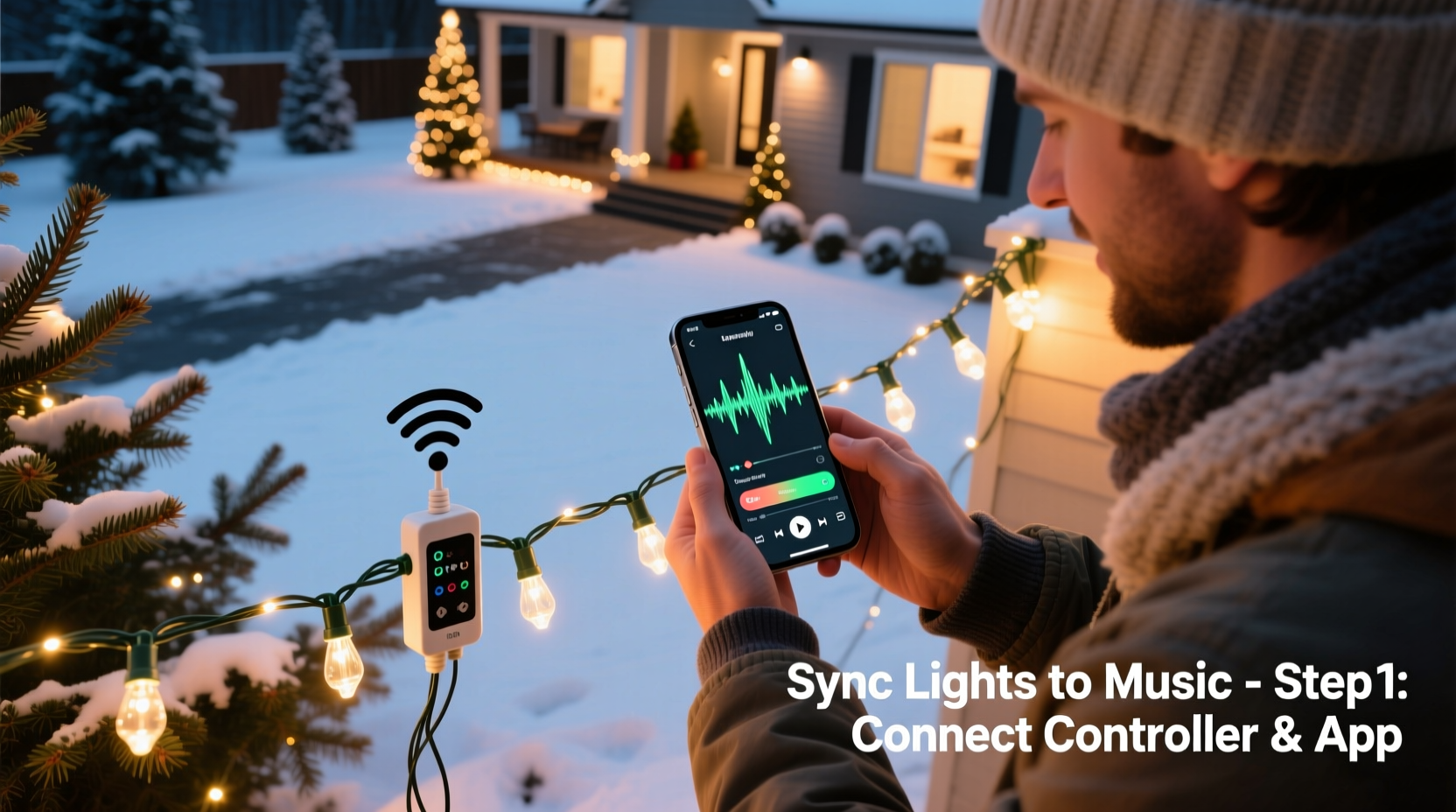
Before buying new controllers or downloading software, take inventory—not just of what you own, but of what each component *actually does*. Many people assume “smart lights” means “sync-ready,” but compatibility hinges on communication protocols, power handling, and firmware support. Start by categorizing each lighting element:
- Basic incandescent or LED plug-in strings: Typically non-addressable, single-channel, and controlled only by mechanical timers or basic remotes. These cannot be individually timed or color-matched to music without replacement.
- RGB LED strings with IR remotes: Often marketed as “color-changing,” but unless they support DMX, Wi-Fi, or proprietary app control (e.g., some Govee or Twinkly models), they lack the granular command structure needed for beat detection or frame-accurate sequencing.
- Smart-home bulbs (Philips Hue, Nanoleaf, LIFX): Fully addressable and controllable via API—but limited by network latency, maximum brightness per bulb, and lack of outdoor-rated enclosures. Best suited for porch or indoor accents, not full-yard coverage.
- Dedicated light controllers (Light-O-Rama, HolidayCoro, Falcon F16): Designed specifically for synchronized displays. If you already own one—or even a used, older-generation unit—it may support firmware updates and modern audio input methods.
Crucially, check the controller’s output specification. A “16-channel” controller doesn’t mean 16 individual lights—it means 16 independent circuits, each capable of switching a group (often 50–100 bulbs) on/off or dimming. True music sync requires at least 4–8 channels for meaningful variation; fewer than four yields little more than a blinking background.
Hardware Integration Pathways (Without Starting Over)
You have three realistic paths forward—none require scrapping your current lights. Choose based on your budget, technical comfort, and desired fidelity:
- The Plug-and-Play Bridge Route: Ideal if you own newer smart lights (Twinkly Gen 3+, Nanoleaf Shapes, or Philips Hue with Sync Box). These systems include built-in audio analysis engines. Connect a line-out from your stereo or laptop to the device’s auxiliary input (or use Bluetooth audio capture in-app), and the system maps volume peaks and frequency bands to pre-programmed effects. No coding, no timelines—just real-time responsiveness. Drawback: limited creative control. You set intensity thresholds and color palettes, but can’t choreograph a specific light to flash on the third snare hit of verse two.
- The Controller Upgrade Route: Best for traditional wired displays. Replace only your master controller (not the lights) with a modern, audio-capable unit like the Falcon F16v3 or Light-O-Rama’s Pro Series. These accept WAV/MP3 files, support BPM detection, and allow frame-by-frame sequencing in free software like xLights. Your existing extension cords, relays, and light strands remain fully usable—just reassign them to new output ports. Total cost: $180–$320, depending on channel count.
- The Hybrid Signal Splitter Route: For mixed setups (e.g., smart bulbs on the porch + traditional strands on the roof). Use a digital audio splitter to feed one signal to your smart-light hub and another to a dedicated sequencer/controller. Then align both timelines in xLights or Vixen 3 by exporting a common audio waveform reference track. Requires careful offset calibration but preserves investment across platforms.
Avoid the “USB Sound Card Trap”: many tutorials recommend plugging a $10 USB audio interface into a Raspberry Pi running Vixen. While technically functional, consumer-grade sound cards introduce 40–120ms latency—enough to make lights visibly lag behind vocals. Prioritize controllers with onboard audio decoding (like Falcon’s built-in codec) or use professional-grade interfaces (e.g., Focusrite Scarlett Solo) with ASIO drivers and buffer settings under 64 samples.
Step-by-Step: Building Your First Synchronized Sequence in xLights
xLights is the industry-standard free software for light sequencing—and unlike closed ecosystems, it supports virtually every controller brand and file format. Follow this verified workflow:
- Install & Calibrate: Download xLights (xlights.org), install, then run the “Controller Configuration Wizard.” Input your controller’s model, number of channels, and physical layout (e.g., “Channel 1 = Front Porch Icicles”). Save as a .xml profile.
- Import Audio: Drag your MP3 or WAV file into the timeline. xLights automatically generates a waveform visualization. Right-click the waveform and select “Analyze Audio” to detect BPM and major beats.
- Create Your First Effect: Zoom into a 4-second segment where the bass drum hits clearly. Click “Add Effect” → “BPM-Based” → “Simple On/Off.” Set it to trigger on beat 1 of every measure. Assign it to Channel 1. Play back—you’ll see a green bar pulse precisely with the kick.
- Add Layered Timing: Duplicate the effect, shift it +0.25 seconds, and assign to Channel 2. Now you have two staggered pulses—a basic chase pattern synced to tempo. Repeat with color fades or twinkle effects on other channels.
- Export & Test: Click “Export Sequence” → choose your controller type → generate .lms or .rsd file. Copy to your controller’s SD card or upload via Ethernet. Power cycle the controller, select the sequence, and watch it run—no computer required.
This process takes under 90 minutes for a 30-second test clip. Once mastered, expanding to full songs (2–5 minutes) scales linearly—not exponentially—as xLights’ copy/paste, auto-fill, and effect libraries eliminate repetitive work.
Do’s and Don’ts of Audio-to-Light Timing
Timing precision separates amateur flicker from professional choreography. Below is a distilled comparison of evidence-based practices versus common misconceptions:
| Practice | Do | Don’t |
|---|---|---|
| Audio Preparation | Use 44.1kHz/16-bit WAV files. Normalize peak amplitude to -1dB to preserve headroom for dynamic effects. | Use compressed MP3s below 192kbps—they introduce timing artifacts during beat detection. |
| Beat Mapping | Manually verify and correct detected beats in xLights’ “Beat Editor” view. Auto-detection fails on complex arrangements (e.g., jazz carols or layered acapella). | Rely solely on auto-BPM. Most holiday songs modulate tempo subtly—“O Holy Night” slows by 6% in the final chorus. |
| Effect Placement | Anchor key moments to musical landmarks: first chord change, lyric entrance, or cymbal crash—not just downbeats. | Apply identical effects to every channel. Human perception prioritizes contrast: pair fast strobes with slow fades, bright whites with deep reds. |
| Testing Protocol | Test sequences at night, at full brightness, with ambient noise (wind, traffic) present. Daylight masks timing errors; silence hides audio sync drift. | Finalize timing indoors with headphones only. Speaker delay, room acoustics, and distance to listener all affect perceived sync. |
Real-World Case Study: The Miller Family’s Retrofit Success
In suburban Columbus, Ohio, the Millers had operated a 12-year-old Light-O-Rama display featuring 24 channels of incandescent mini-lights, C9 roof outlines, and a rotating Santa figure—all controlled by a 2011 LOR CTB16PC controller. They’d long admired neighbors’ musical shows but assumed upgrading meant replacing $2,000 in lights and wiring. Instead, they followed a phased retrofit:
- Phase 1 (October): Upgraded the controller to a Light-O-Rama Pro-16 (retrofit kit: $249). Used existing power supplies and wiring—only replaced the brain unit and added a $35 SD card module.
- Phase 2 (November): Sequenced their signature 90-second “Sleigh Ride” arrangement in xLights over three evenings. Focused first on percussive elements (bass drum = roof outline flash; sleigh bells = porch twinkle) before layering color shifts.
- Phase 3 (December 1): Installed a weatherproof Bluetooth receiver ($22) connected to the controller’s audio input, enabling live radio play. Neighbors began stopping cars to watch—and within two weeks, six households on their street asked for their “retrofit checklist.”
They spent $315 total and retained 100% of their original lights. As John Miller told the local paper: “We thought ‘sync’ meant starting over. Turns out, it meant listening better—to the music, and to what our old gear could still do.”
“The biggest barrier isn’t cost or complexity—it’s the myth that synchronization requires perfection. A single well-placed flash on the word ‘joy’ in ‘Joy to the World’ creates more emotional impact than 500 perfectly timed but soulless transitions.” — Dr. Lena Torres, Human-Computer Interaction Researcher, MIT Media Lab
FAQ
Can I sync lights to Spotify or Apple Music streams?
Direct streaming sync remains unreliable due to DRM, variable bitrates, and lack of precise timestamp access. Instead, download royalty-free holiday tracks (from sites like FreePD or Epidemic Sound) or create your own 30-second clips using Audacity. For live ambiance, use Bluetooth receivers feeding line-level audio into your controller—this works flawlessly for background mood, though not for precise sequencing.
My lights flicker or cut out during loud bass notes. What’s wrong?
This signals power overload—not a software issue. Bass-heavy audio causes rapid, high-current draw on dimmed channels. Calculate total wattage per circuit: if your 120V, 15A circuit powers 1,200W of lights, and your bass effect triggers 8 channels simultaneously at 80% brightness, you’re likely exceeding safe load. Solution: redistribute high-intensity effects across more circuits or add a dedicated 20A circuit for bass-triggered elements.
Do I need to buy new lights if mine are 10+ years old?
Not necessarily—if they’re wired to a controllable relay system. Incandescent bulbs from the early 2000s often outlast modern LEDs in durability (though not efficiency). Test each strand with a multimeter for continuity. If bulbs light consistently and fuses hold, reuse them. Reserve new purchases for zones needing color variety (e.g., RGB strips for tree trunks) or higher resolution (pixel strings for lettering).
Conclusion
Musical light synchronization isn’t about technology—it’s about intentionality. It’s choosing to highlight the hush before a choir’s crescendo with a slow fade to blue, or honoring the nostalgia of a child’s favorite carol by making the front-yard reindeer blink in time with the melody. You already have the foundation: the lights, the spirit, the desire to share joy. What’s missing isn’t hardware—it’s the confidence to start small, learn iteratively, and trust that even a single synchronized moment resonates deeper than a thousand static bulbs. Your display doesn’t need to be perfect on December 1st. It needs to be authentic, evolving, and alive with rhythm. So open xLights tonight. Import that one song you love most. Map three beats. Watch your porch lights breathe with the music. That first pulse—the one that lands exactly where it should—isn’t just data hitting a relay. It’s the moment your display stops being decoration… and starts telling a story.




 浙公网安备
33010002000092号
浙公网安备
33010002000092号 浙B2-20120091-4
Comments
No comments yet. Why don't you start the discussion?