
Christmas lights bring warmth and cheer, but most traditional string lights simply glow or blink on a fixed cycle. If you’ve ever wished your basic holiday lights could pulse or flash in time with music—without buying expensive smart bulbs—you’re not alone. The good news: with a few clever DIY techniques, it’s entirely possible to retrofit standard, non-smart Christmas lights to respond to sound and music. This guide walks through practical, low-cost methods to sync your existing lights to audio, turning any strand into a dynamic, rhythm-reactive display.
Why Sync Lights to Music Without Smart Tech?
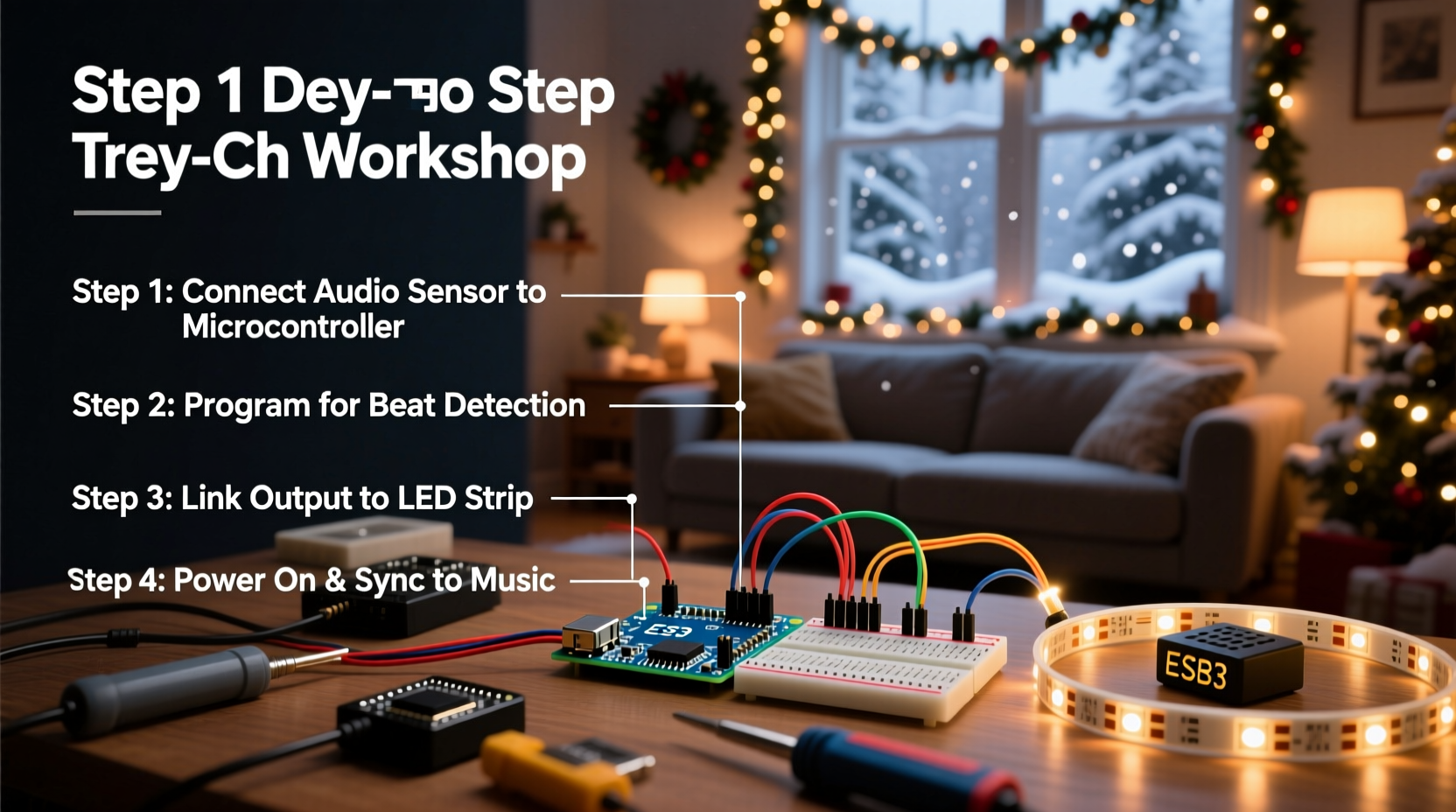
Smart lighting systems like Philips Hue or WiZ offer built-in music sync features, but they come at a premium. For those who already own multiple strands of conventional incandescent or LED Christmas lights, upgrading isn’t always economical or necessary. Moreover, many classic light strings have a nostalgic charm that modern smart versions can’t replicate.
DIY music synchronization allows you to preserve the look and feel of your favorite lights while adding modern flair. Whether you're setting up for a backyard holiday party, creating a front-yard light show, or just enhancing your living room ambiance, syncing lights to music adds an immersive layer to your decor.
“With a little electronics know-how, even the simplest string of lights can become part of a responsive audiovisual experience.” — Daniel Park, Electrical Hobbyist & Holiday Lighting Enthusiast
Core Principle: Sound-to-Light Conversion
The foundation of music-synced lighting lies in converting audio signals into electrical pulses that control the brightness or blinking frequency of lights. This is achieved using a sound-activated switch or audio-responsive circuit. These devices detect volume levels (amplitude) from music and convert them into on/off signals or variable voltage outputs that drive the lights.
No coding or advanced engineering is required for most beginner-friendly setups. The key components are:
- A microphone or audio input source
- An amplifier or signal processor (often integrated)
- A relay or solid-state switch to control power to the lights
- Power supply compatible with your lights
These elements can be combined using off-the-shelf modules or built from discrete parts, depending on your comfort level with electronics.
Step-by-Step Guide: Adding Music Sync to Standard Lights
Follow this timeline to transform ordinary Christmas lights into music-reactive fixtures using accessible tools and minimal technical skill.
- Gather Materials: Collect your non-smart Christmas lights, a sound-activated switch module (like the LM393-based sound sensor), extension cord or outlet splitter, and a small enclosure (optional).
- Choose Your Audio Source: Decide whether you’ll use ambient sound (e.g., speakers playing music nearby) or a direct line-in from a phone or stereo. Ambient detection works well for indoor setups; direct input offers more precision.
- Install the Sound Sensor Module: Connect the sensor between the wall outlet and your light strand. Most modules plug inline—power goes into the module, then out to the lights. Ensure voltage and wattage ratings match your light string.
- Adjust Sensitivity Settings: Use the potentiometer (knob) on the module to set how loud the sound must be to trigger the lights. Test with different music genres—bass-heavy tracks typically produce stronger reactions.
- Position the Microphone: Place the sensor where it can clearly pick up music but isn’t overwhelmed by background noise. Avoid placing it too close to speakers to prevent false triggers.
- Test and Refine: Play various songs and observe how the lights respond. Fine-tune sensitivity and reposition if needed. Some trial and error ensures optimal rhythm matching.
This entire process can take under an hour and costs between $10 and $25, depending on component quality and availability.
Alternative Methods for Advanced Customization
For tinkerers seeking greater control, here are two alternative approaches that go beyond basic on/off pulsing.
Using a Relay with an Audio Amplifier Circuit
If you want lights to flicker in intensity rather than just blink, build a simple circuit using an LM386 audio amplifier and a transistor-driven relay. The amplified audio signal modulates the relay’s switching speed, causing lights to strobe faster during loud passages.
This method requires basic soldering and understanding of circuit diagrams but allows for smoother, more musical responses compared to digital sensors.
Dimming via PWM and Sound Input
Pulse Width Modulation (PWM) lets you vary brightness dynamically. By feeding an audio signal into a microcontroller like an Arduino, you can generate a PWM output that dims and brightens the lights in real time with the music.
Example setup:
- Arduino Nano ($5)
- Microphone sensor module (KY-038 or similar)
- MOSFET transistor (IRFZ44N)
- Diode and resistor for protection
- Code snippet to map analog input to PWM output
This approach produces a more nuanced effect—lights swell gently with soft melodies and flash rapidly during drum hits—but requires programming knowledge.
Do’s and Don’ts: Safety and Performance Tips
| Do | Don’t |
|---|---|
| Use UL-listed components and proper insulation | Overload circuits beyond rated wattage |
| Enclose exposed wiring in plastic boxes | Leave live connections exposed outdoors |
| Test with low-power music before full volume | Place sensors near high-heat sources |
| Ground all metal enclosures | Submerge electronic modules in water |
| Unplug when not in use or during storms | Modify AC-powered devices without turning off power |
Real Example: A Neighborhood Light Show Upgrade
Mark T., a hobbyist in Portland, OR, wanted to elevate his annual driveway light display without replacing hundreds of feet of trusted mini-lights. He purchased three sound-activated switch modules online for $8 each and installed one per circuit—roof line, tree wrap, and railing strands.
By connecting each to a central outdoor speaker playing holiday playlists, the entire setup pulsed cohesively. Neighbors began stopping by during peak evening hours, and local news even featured his home in a “Best Decorated Street” segment. Mark estimates he spent less than $30 total and now updates his music playlist weekly for variety.
“It looked way more complex than it was,” he said. “People think I’m using smart lights or a computer, but it’s just a little box that listens to the music and turns the lights on and off.”
Checklist: DIY Music Sync Setup
Use this checklist to ensure a successful installation:
- ☐ Identify the total wattage and voltage of your light string
- ☐ Purchase a sound-activated switch rated for your load (AC 120V, 60Hz in North America)
- ☐ Choose between ambient sound detection or line-in audio feed
- ☐ Plug the sensor module between the outlet and light strand
- ☐ Adjust sensitivity dial while playing test music
- ☐ Position the unit away from wind, rain, and direct heat
- ☐ Enclose wiring if used outdoors
- ☐ Label controls for easy access during events
- ☐ Create a playlist with strong rhythmic patterns for best results
- ☐ Schedule regular checks for loose connections or wear
Frequently Asked Questions
Can I sync multiple light strands to the same music?
Yes. You can either use one powerful sound-activated switch capable of handling the combined load, or connect multiple switches to the same audio source. For synchronized behavior, ensure all sensors receive similar sound input—placing them near a shared speaker helps.
Will this work with battery-powered lights?
Most sound-activated switches are designed for AC power (plugged into a wall). Battery-powered DC lights require different circuitry, such as a small transistor-based sound trigger powered by the same batteries. These are less common but available as DIY kits or custom builds.
Do the lights need to react perfectly to every beat?
Not necessarily. Perfect synchronization requires professional-grade DMX controllers and calibrated software. For festive home use, rhythmic pulsing that loosely follows the music’s tempo is often enough to create an engaging effect. Focus on visual impact over precision.
Final Thoughts and Creative Possibilities
Adding music synchronization to non-smart Christmas lights isn’t magic—it’s accessible engineering wrapped in seasonal joy. With inexpensive modules and careful setup, you can breathe new life into old decorations and impress guests with a responsive light show that dances to your favorite carols.
Beyond holidays, these techniques apply to parties, weddings, or themed rooms where mood lighting enhances atmosphere. Imagine fairy lights in a bedroom softly glowing to jazz, or patio LEDs pulsing during a summer barbecue playlist—all without investing in proprietary ecosystems.
The beauty of DIY is customization. Once you master the basics, you can experiment with color filters, layered rhythms, or even motion sensors combined with audio triggers. The only limit is imagination.




 浙公网安备
33010002000092号
浙公网安备
33010002000092号 浙B2-20120091-4
Comments
No comments yet. Why don't you start the discussion?