
Most holiday light displays remain static—bright, cheerful, but fundamentally unresponsive. Sound-reactive lighting transforms your setup from decorative to dynamic: lights pulse with bass, shimmer on vocals, and cascade in time with music. The good news? You don’t need to replace your current string lights. With the right interface hardware, basic wiring knowledge, and attention to electrical safety, you can retrofit even budget-friendly incandescent or LED mini lights to respond intelligently to audio. This guide walks through proven, accessible methods—prioritizing compatibility, reliability, and plug-and-play simplicity—so you can bring rhythm and resonance to your display this season.
Understanding Your Existing Lights: Compatibility First
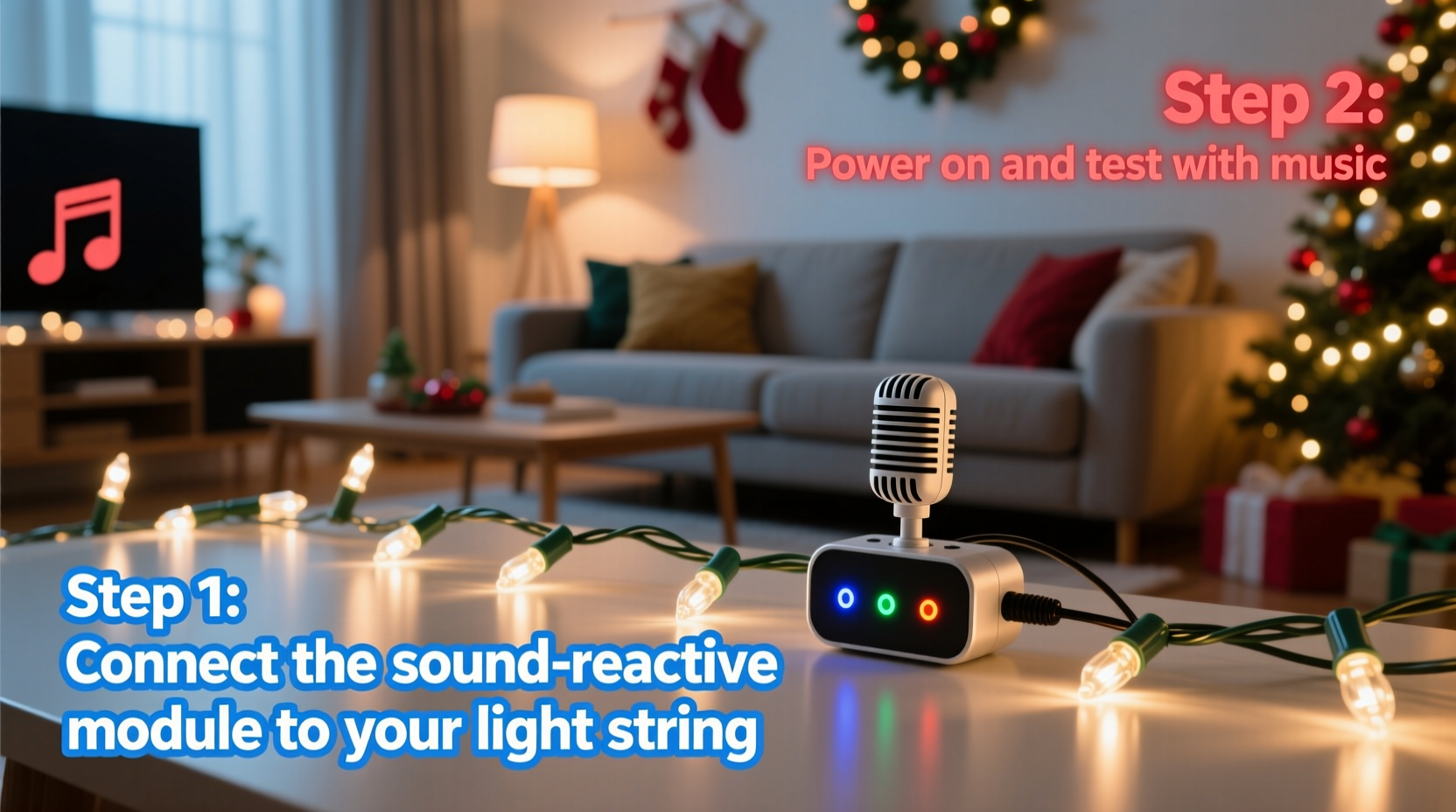
Before purchasing any controller or adapter, verify what you’re working with. Not all lights behave the same way under modulation—and mismatched hardware is the leading cause of flickering, inconsistent response, or premature failure.
Start by identifying three key attributes:
- Power type: Is it AC (plugged into a wall outlet) or battery-powered? Battery-operated strings rarely support reactive control due to voltage instability and lack of ground reference.
- Bulb technology: Incandescent strings use simple resistive loads and respond well to basic dimming. Most modern LED strings are either “dumb” (non-addressable, single-color, common-anode/cathode) or “smart” (individually addressable via data protocols like WS2811/WS2812B). Only dumb LEDs and incandescents can be controlled via analog dimming; smart LEDs require digital signal generation.
- Wiring configuration: Check whether your string uses a single continuous circuit (common for incandescents and basic LED sets) or segmented wiring (often seen in multi-circuit C7/C9 cords or commercial-grade LED runs).
If your lights are USB-powered, solar-charged, or labeled “non-dimmable,” they’re unsuitable for sound-reactive conversion without significant modification—and likely not worth the effort. Focus instead on standard 120V AC strings rated for outdoor use (if applicable) and labeled “dimmable” or “compatible with standard dimmers.”
Hardware Options Compared: What Works (and What Doesn’t)
Three main categories of sound-reactive hardware exist for retrofitting. Each serves different skill levels, budgets, and scalability needs. The table below compares them across critical criteria:
| Hardware Type | Best For | Setup Complexity | Max Light Load | Audio Input | Key Limitation |
|---|---|---|---|---|---|
| Analog Audio Dimmers (e.g., LOR E680, Twinkly SoundBox Pro, Govee Sound Sync) |
Beginners; small-to-medium displays (1–3 strings) | Low — plug lights into unit, connect audio source | 500–1500W (varies by model) | 3.5mm line-in or Bluetooth | Limited to global intensity modulation — no color shifts or pattern sequencing |
| DMX-Based Controllers (e.g., Falcon F16v3 + Audio Analyser, xLights + Enttec DMX USB Pro) |
Hobbyists & advanced users; multi-string, multi-zone setups | Medium — requires DMX cabling, channel mapping, software config | Depends on connected dimmer racks (up to 20+ amps) | Microphone input or line-in with FFT analysis | Steeper learning curve; requires PC running lighting software during operation |
| Smart Plug Adapters (e.g., Nanoleaf Audio Visualizer + smart plugs, Philips Hue Sync + compatible bulbs) |
Users with smart bulbs only — not applicable to standard string lights | Low — app-based setup | Per smart plug rating (typically 15A / 1800W) | Bluetooth or system audio capture | Only works with proprietary smart bulbs—not retrofit-friendly for traditional strings |
For most homeowners upgrading existing lights, analog audio dimmers represent the optimal balance of accessibility and performance. They interpret amplitude (volume) and frequency bands (bass/mid/treble) to drive triac-based dimming circuits, which smoothly vary the RMS voltage delivered to your lights. Unlike PWM-based smart controllers, analog dimmers avoid high-frequency flicker that can trigger headaches or interfere with camera recordings.
A Real-World Retrofit: Sarah’s Front-Porch Transformation
Sarah installed 12 strands of 100-light warm-white LED mini lights along her roofline and porch railing five years ago. She loved their brightness and energy efficiency—but found them “too quiet” next to her neighbor’s animated display. She tried a $25 Bluetooth speaker-connected light strip, but it only controlled its own built-in LEDs—not her existing strings.
After researching, she chose the Twinkly SoundBox Pro—a compact, weather-resistant analog dimmer rated for 1200W. She verified compatibility using the dimmer-switch test (her lights dimmed evenly), then followed these steps:
- Unplugged all light strings and grouped them onto a single heavy-duty outdoor power strip rated for 15A.
- Plugged the power strip into the SoundBox Pro’s output socket.
- Connected her smartphone’s headphone jack (via 3.5mm cable) to the SoundBox’s audio input—using Spotify’s “Christmas Party” playlist as the source.
- Mounted the unit inside her covered porch ceiling box, routing cables through a rubber grommet to prevent moisture ingress.
- Calibrated sensitivity using the device’s physical dial: set low for subtle breathing effects, medium for clear bass pulses, high for aggressive strobing on drum hits.
The result? Her static white lights now swell gently on sustained piano notes, snap sharply on snare hits, and ripple across the roofline in cascading waves when layered percussion enters. Neighbors began asking how she achieved “that living-light effect”—and she’s since added two more units to independently control her tree and yard stakes.
“Analog audio dimming remains the most reliable path for retrofitting legacy lighting. It bypasses protocol mismatches, avoids firmware conflicts, and delivers tactile, musically intuitive response—even with 15-year-old incandescent sets.” — Mark Delaney, Lighting Systems Engineer, HolidayLighting Labs
Step-by-Step: Installing an Analog Audio Dimmer (No Soldering Required)
This sequence assumes use of a UL-listed, outdoor-rated analog dimmer (e.g., LOR E680 or Twinkly SoundBox Pro) and standard 120V AC light strings.
- Power Down & Inspect: Turn off the circuit breaker supplying your outdoor outlets. Visually inspect all light strings for cracked sockets, exposed wires, or corroded connectors. Discard damaged sections.
- Calculate Total Load: Add wattage ratings (found on packaging or base tags). Example: 8 × 100-light LED strings @ 4.8W each = 38.4W total. Keep load under 80% of dimmer’s rated capacity (e.g., ≤960W on a 1200W unit).
- Consolidate Power: Use a single, grounded, outdoor-rated power strip with surge protection. Plug all light strings into it. Do not daisy-chain multiple power strips.
- Connect Dimmer: Plug the power strip into the dimmer’s output socket. Connect the dimmer’s input to a separate, dedicated outlet (avoid sharing with audio gear to prevent ground loops).
- Audio Source Setup: Use a clean line-level signal. Avoid microphone inputs unless the dimmer explicitly supports them. For smartphones, enable “audio passthrough” in settings and disable Bluetooth audio enhancements that compress dynamics.
- Mount & Seal: Install the dimmer in a dry, shaded location (e.g., garage eave, covered porch junction box). Seal cable entries with silicone caulk or weatherproof conduit fittings.
- Test & Tune: Play consistent test audio (e.g., “Bass Test Tone 60Hz” YouTube video). Adjust sensitivity and frequency bias dials until lights respond cleanly—no jittering at low volume, no clipping at peaks.
What to Avoid: Critical Safety & Performance Pitfalls
Retrofitting introduces electrical interfaces where none existed before. These missteps compromise safety, longevity, and musical fidelity:
- Overloading circuits: Exceeding the dimmer’s wattage rating causes thermal shutdown or component failure. Never exceed 80% continuous load.
- Ignoring grounding: Outdoor installations require GFCI-protected outlets and properly grounded dimmers. Ungrounded setups risk shock hazard and erratic dimming behavior.
- Mixing bulb types: Combining incandescent and LED strings on one dimmer causes uneven response—LEDs may flicker while incandescents glow steadily. Group by technology.
- Using non-dimmable LEDs: These contain internal drivers that misinterpret dimmer signals, leading to buzzing, premature capacitor failure, or complete burnout.
- Running audio over long unshielded cables: >10 feet of standard 3.5mm cable acts as an antenna, picking up hum and radio interference. Use shielded audio cable or move the audio source closer.
FAQ
Can I use my existing smart speaker (e.g., Amazon Echo) as the audio source?
Yes—but only if it has a 3.5mm audio output or supports Bluetooth A2DP streaming to the dimmer. Built-in speakers won’t work: the dimmer needs a line-level signal, not acoustic pickup. Enable “developer mode” on Echo devices to access audio output options, and disable “Alexa guard” noise suppression features that distort transients.
Why do my lights flicker randomly, even with no audio playing?
This indicates electrical noise or grounding issues. First, ensure the dimmer and lights share the same circuit branch (avoid separate breakers). Second, check for nearby sources of electromagnetic interference: HVAC systems, refrigerators, or LED driver transformers. Adding a ferrite core to the dimmer’s power cord often resolves this. If flickering persists, the dimmer may be incompatible with your specific LED driver design—try a different brand.
Will sound-reactive control shorten my lights’ lifespan?
Properly implemented analog dimming extends LED life by reducing thermal stress during low-intensity periods. However, rapid, full-on/full-off strobing (especially at high sensitivity) accelerates wear on incandescent filaments and LED electrolytic capacitors. Set sensitivity conservatively: aim for 30–70% brightness range rather than 0–100%. This preserves longevity while retaining expressive impact.
Conclusion
Sound-reactive lighting isn’t reserved for professional installers or six-figure displays. With careful compatibility checks, a purpose-built analog dimmer, and methodical installation, your existing Christmas lights can evolve from festive backdrop to rhythmic centerpiece—breathing, pulsing, and dancing in time with the season’s soundtrack. The magic lies not in complexity, but in intentionality: choosing hardware that respects your lights’ design, prioritizing electrical safety over flashy features, and tuning response to serve the music—not overwhelm it. This year, don’t just illuminate your home. Make it resonate.




 浙公网安备
33010002000092号
浙公网安备
33010002000092号 浙B2-20120091-4
Comments
No comments yet. Why don't you start the discussion?