
Modern homes are becoming smarter—not because they're larger or more luxurious, but because everyday devices are being used more intelligently. One of the most accessible and cost-effective ways to bring automation into your home is through smart plugs and plug-in timers. These small devices sit between an appliance and the wall outlet, allowing you to control when and how that device operates—without rewiring or replacing existing equipment.
From turning on a coffee maker before you wake up to ensuring outdoor lights switch off at dawn, automating simple tasks can lead to noticeable improvements in convenience, energy efficiency, and peace of mind. Unlike full-scale smart home systems, smart plugs and timers require minimal technical knowledge and offer immediate results.
This guide explores how to effectively use these tools to streamline routine household activities, reduce wasted electricity, and enhance safety—all while maintaining full control over your environment.
Understanding Smart Plugs vs. Timers
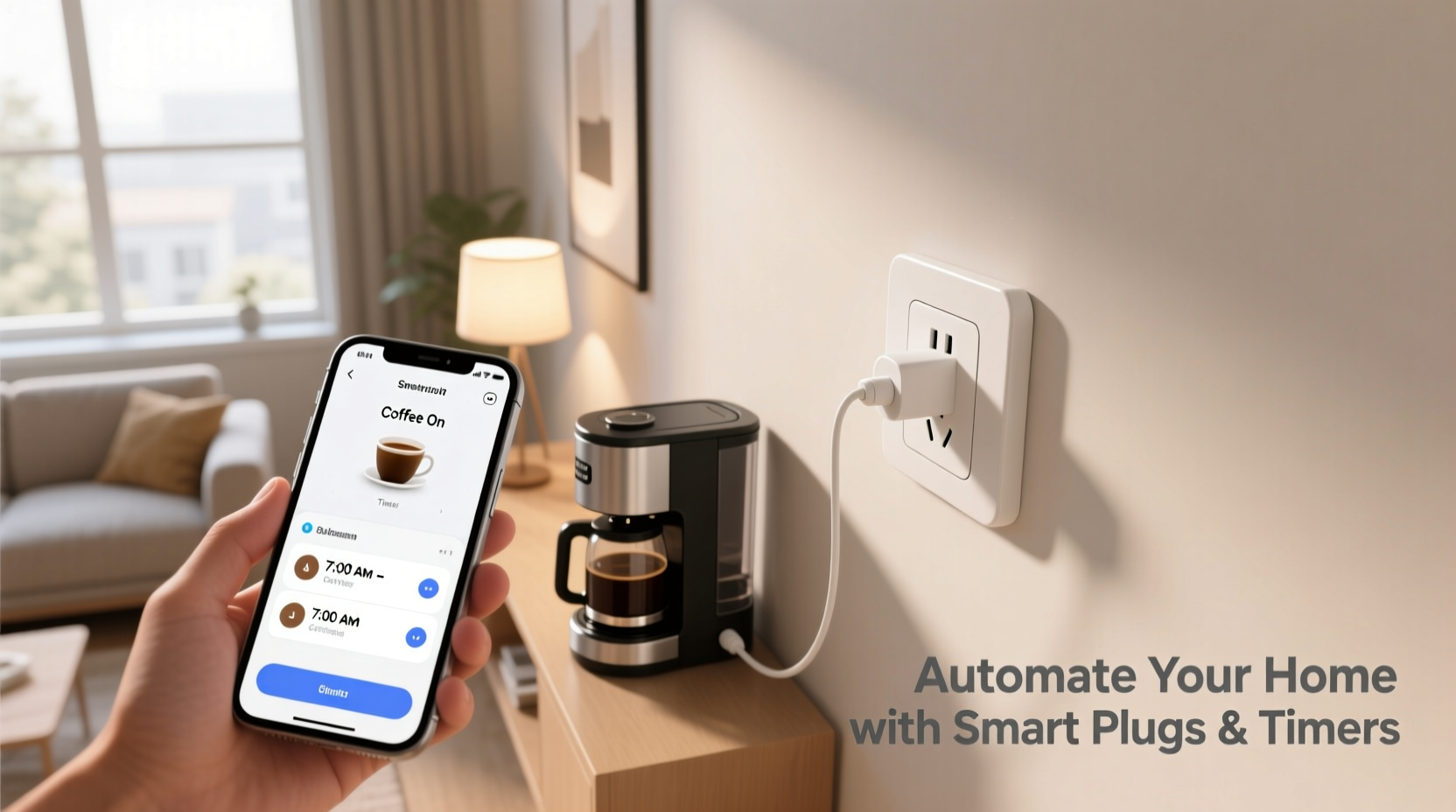
While both smart plugs and mechanical/electronic timers allow scheduled control of plugged-in devices, they differ significantly in functionality, flexibility, and connectivity.
| Feature | Smart Plug | Plug-In Timer |
|---|---|---|
| Wi-Fi/Bluetooth Connectivity | Yes – connects to home network and apps | No (mechanical) / Limited (digital) |
| Remote Control | Yes – via smartphone from anywhere | No |
| Voice Assistant Support | Yes – works with Alexa, Google Assistant, Siri | No |
| Scheduling Flexibility | High – precise times, recurring events, geofencing | Moderate – fixed daily or weekly cycles |
| Energy Monitoring | Available on many models | Rare |
| Cost | $15–$35 per unit | $8–$20 per unit |
| Best For | Dynamic automation, remote access, integration | Simple, predictable schedules |
Smart plugs rely on Wi-Fi and mobile apps for setup and management. They often support voice commands and can be integrated into broader smart home ecosystems like Apple HomeKit or Google Home. In contrast, plug-in timers—especially mechanical ones—are standalone devices that operate based on pre-set dials or digital programming. While less flexible, they’re reliable, inexpensive, and immune to network outages.
Practical Applications Around the Home
The real value of smart plugs and timers lies in their versatility. With just a few units, you can automate dozens of low-power devices commonly found in homes. Below are some high-impact applications organized by room.
Kitchen & Dining
- Coffee Maker: Program a smart plug to turn on your drip coffee maker 20 minutes before your alarm. Wake up to freshly brewed coffee without lifting a finger.
- Toaster Oven or Electric Kettle: Schedule preheating during weekday mornings so meals start faster.
- Fridge Ventilation Fan: If storing food in a garage fridge, use a timer to run a small fan during cooler nighttime hours to prevent condensation.
Living Room & Entertainment
- Entertainment Center Power Saver: Connect your TV, soundbar, and game console to a single smart plug. Set it to cut power after inactivity to eliminate phantom load.
- Lamp Automation: Simulate presence when traveling by scheduling lamps to turn on and off at random intervals.
Bedroom
- White Noise Machine: Automate shut-off 90 minutes after bedtime to avoid overnight noise exposure.
- Heated Blanket: Turn on 30 minutes before bed and off after falling asleep—saving energy and reducing fire risk.
Bathroom
- Exhaust Fan: Run for 20 minutes post-shower to reduce humidity and prevent mold growth.
- Electric Toothbrush Charger: Only supply power once every 24 hours to extend battery lifespan.
Outdoor & Garage
- Christmas Lights: Set seasonal decorations to illuminate at dusk and turn off at midnight.
- Pond Pump or Fountain: Cycle on during daylight hours only to save energy and protect wildlife.
- Workshop Tools: Automatically power down saws or sanders after project hours for safety.
“Even modest automation—like turning off unused electronics—can reduce household standby power consumption by up to 10% annually.” — Dr. Lena Torres, Energy Efficiency Researcher at the National Institute of Sustainable Living
Step-by-Step Guide to Setting Up Your First Smart Plug
Getting started with a smart plug takes under 15 minutes. Follow this sequence to ensure smooth installation and optimal performance.
- Choose a Compatible Device: Ensure your smartphone supports the app (iOS or Android) required by the smart plug brand (e.g., TP-Link Kasa, Wemo, Gosund).
- Plug In the Smart Plug: Insert it into a grounded wall outlet near the device you want to automate. Avoid power strips unless explicitly supported.
- Download the App: Install the manufacturer’s app from the App Store or Google Play.
- Power On and Pair: Press the reset button if needed, then follow in-app instructions to connect the plug to your Wi-Fi network. This usually involves entering your password and waiting for a confirmation light.
- Name the Device: Assign a descriptive label such as “Living Room Lamp” or “Coffee Maker” for easy identification.
- Create a Schedule: Navigate to the scheduling feature and set start and end times. For example: “Turn on at 7:00 AM, off at 7:30 AM” for a morning brew cycle.
- Test the Automation: Manually trigger the schedule or wait until the next cycle to confirm operation.
- Add Voice Control (Optional): Link the smart plug to Alexa or Google Assistant and test voice commands like “Turn on the coffee maker.”
Building Smarter Routines with Automation Rules
Once individual devices are automated, the next level is creating interdependent routines that respond to time, location, or behavior.
For instance, instead of simply turning on a lamp at 7 PM, you can create a “Good Evening” scene where multiple smart plugs activate simultaneously—lamps, a space heater, and a diffuser—only if you’re home. This is achieved using conditional logic available in platforms like IFTTT (If This Then That) or Apple Shortcuts.
Here’s how to build a geofenced morning routine:
- Use a smart plug connected to your electric kettle.
- Set up a rule: “When my phone enters the geofence around my home in the morning, turn on the kettle for five minutes.”
- The system detects your return from a run or commute and heats water automatically upon arrival.
Digital timers also support layered logic. Advanced electronic models allow different on/off periods per day. For example:
- Monday–Friday: Pool filter runs from 6–8 AM and 6–8 PM
- Saturday–Sunday: Runs only from 8–10 AM
Mini Case Study: The Busy Parent’s Morning Flow
Sarah, a nurse and mother of two, struggled with chaotic weekday mornings. Getting kids ready, packing lunches, and preparing breakfast left little time for self-care. She installed three smart plugs: one for her coffee maker, another for the toaster oven, and a third controlling a hallway lamp.
She programmed all three to activate at 6:45 AM, 15 minutes before she wakes up. By the time she reaches the kitchen, coffee is brewing, the toaster is warming, and the house is well-lit. The small change saved her nearly 20 minutes each morning and reduced stress significantly.
Later, she added a voice command: “Alexa, start school day,” which turns on all kitchen devices instantly if she oversleeps. What began as a simple fix evolved into a resilient morning system.
Essential Checklist Before You Automate
Before deploying smart plugs or timers across your home, review this checklist to avoid common pitfalls.
- ✅ Confirm compatibility with your home Wi-Fi frequency (2.4 GHz only for most smart plugs)
- ✅ Check the power rating of each appliance against the plug’s limit
- ✅ Avoid using smart plugs with high-draw appliances like air conditioners or microwaves unless specifically rated
- ✅ Label each smart plug physically or in the app to avoid confusion
- ✅ Test manual override functions (physical button on the plug)
- ✅ Secure your home network with strong passwords to prevent unauthorized access
- ✅ Update firmware regularly to patch security vulnerabilities
Frequently Asked Questions
Can smart plugs work without Wi-Fi?
No, most smart plugs require a constant Wi-Fi connection to function remotely. However, local control via Bluetooth may still work within short range even if the internet is down. Mechanical timers do not require any network connection.
Are smart plugs safe to leave unattended?
Yes, when used correctly. Choose UL-certified models, avoid overloading circuits, and never use them with appliances that generate excessive heat. Regular inspection for discoloration or warmth is recommended.
Do timers wear out over time?
Mechanical timers with rotating dials can degrade after years of continuous use due to motor fatigue. Digital timers tend to last longer but may fail if exposed to power surges. Using surge protectors extends lifespan.
Conclusion: Start Small, Think Big
Automating small home tasks isn’t about chasing futuristic luxury—it’s about reclaiming time, reducing waste, and designing a living environment that works for you. Smart plugs and timers offer a frictionless entry point into home automation, delivering tangible benefits without complexity.
Begin with one task that annoys you daily—a cold coffee pot, forgotten lights, or a noisy fan left running overnight. Solve it with a $20 plug and 10 minutes of setup. Then expand. Layer routines. Integrate voice control. Share access with family members.
The goal isn’t a fully automated house, but a slightly smoother life. Every minute saved, every watt conserved, adds up. The future of smart living isn’t in grand gestures—it’s in thoughtful, incremental improvements anyone can make today.




 浙公网安备
33010002000092号
浙公网安备
33010002000092号 浙B2-20120091-4
Comments
No comments yet. Why don't you start the discussion?