
For over two decades, synchronized light displays have transformed neighborhood holiday traditions—from modest porch setups to block-wide spectacles drawing hundreds of visitors each night. What once required custom-built hardware and programming expertise is now achievable by hobbyists with mid-range budgets and basic technical confidence. The magic lies not in complexity, but in thoughtful sequencing, reliable hardware selection, and disciplined workflow. This guide distills field-tested practices from award-winning display builders, municipal lighting coordinators, and certified electrical safety inspectors—not theory, but what works reliably under rain, wind, and sub-zero temperatures.
Understanding the Core Components
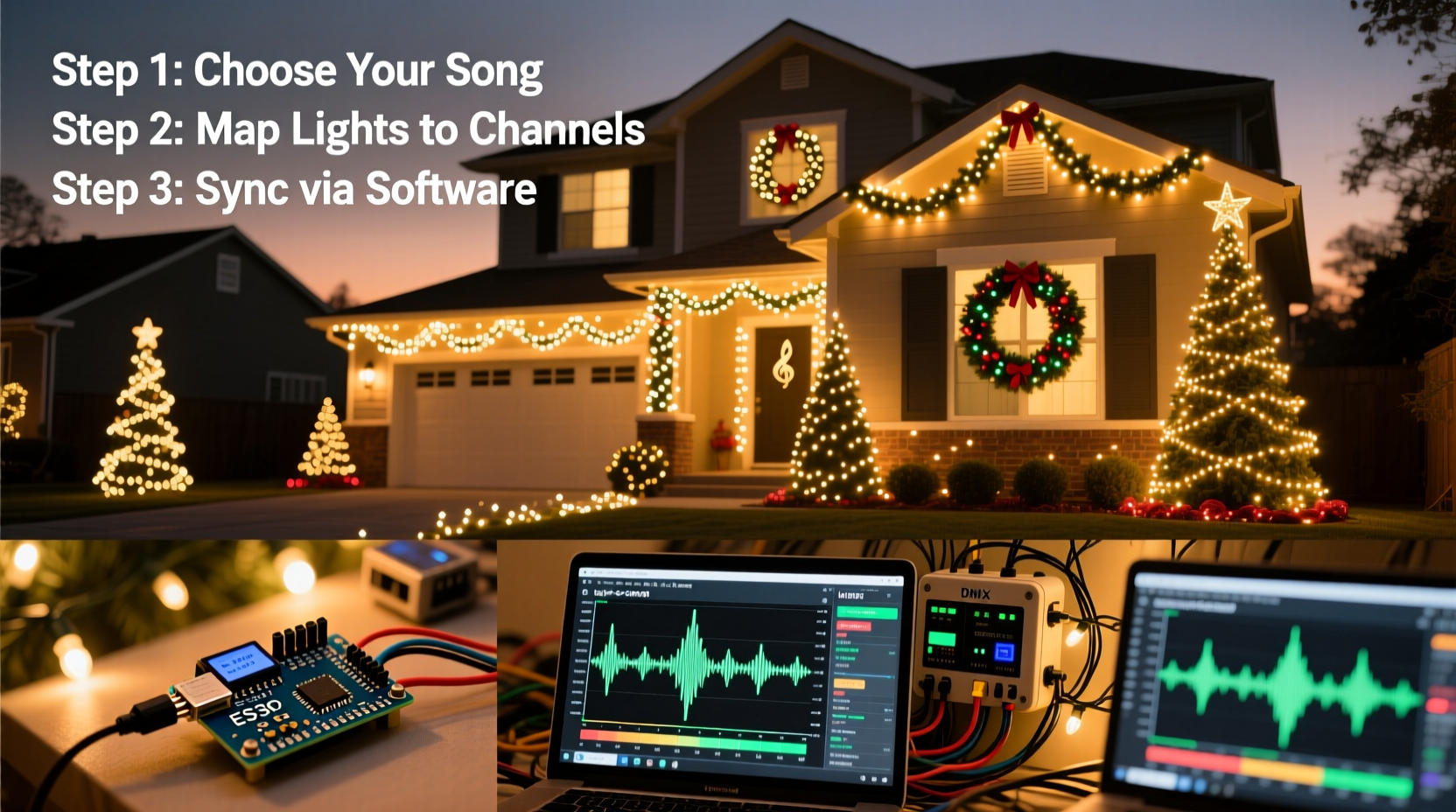
A music-synchronized display rests on three interdependent pillars: audio control logic, physical lighting infrastructure, and precise timing coordination. Unlike static displays, synchronization demands that every light channel respond to musical cues within ±30 milliseconds of the intended beat or phrase. That precision requires matching hardware capabilities to creative intent.
The foundational architecture includes:
- Audio source: A high-fidelity stereo track (WAV or MP3) with clear transient peaks—especially critical for bass drums and cymbals used in beat detection.
- Sequencing software: Programs like xLights (free, open-source), Light-O-Rama (commercial), or Vixen Lights translate audio waveforms into channel-level on/off/dim commands over time.
- Controller hardware: Devices that receive sequence data and drive lights—ranging from simple 16-channel AC dimmers to pixel-mapping ESP32-based controllers for RGB LEDs.
- Lighting elements: Incandescent mini-lights (for classic charm), LED C9/C7 bulbs (for brightness and longevity), or individually addressable pixels (for full-color motion effects).
- Power management: Dedicated GFCI-protected circuits, weather-rated outlets, and load-balanced distribution to prevent tripping breakers or voltage drop.
Choosing mismatched components—like pairing a 48-channel controller with software expecting 128 channels—is the most common cause of failed first attempts. Always verify compatibility before purchase.
Step-by-Step Build Timeline (12 Weeks Before December)
Successful displays follow a predictable rhythm—not rushed execution, but staged preparation. Here’s the proven 12-week cadence used by top-ranked entrants in the Holiday Light Tour circuit:
- Weeks 12–10: Finalize music track and storyboard. Select one 3–4 minute song with strong rhythmic structure. Sketch a rough visual map: “Tree = warm white chase during verse; roofline = red/green pulse on snare hits.”
- Weeks 9–7: Procure and test all hardware. Power up controllers *indoors* with dummy loads. Verify firmware versions match software requirements. Label every controller port with permanent marker.
- Weeks 6–4: Install permanent mounting hardware—hooks, clips, conduit, and junction boxes—before hanging lights. Seal outdoor connections with silicone-filled wire nuts, not tape.
- Weeks 3–2: Hang lights and assign physical channels. Document each string’s location, wattage, and channel number in a spreadsheet. Run continuity tests on every circuit.
- Week 1: Load sequence into controllers. Perform full-system dry run at dusk—no music, just verify all lights activate per channel map. Then sync audio and refine timing.
- December 1: First public show. Record video, note timing drift or missed cues, adjust sequence overnight.
This timeline prevents last-minute scrambles and builds confidence through incremental validation. Skipping Week 6–4 installation—trying to hang lights *and* configure controllers simultaneously—is the single biggest reason for November burnout.
Hardware Selection: Matching Capability to Scale
Not all controllers are equal—and misjudging scale leads to flicker, dropped frames, or unresponsive channels. Below is a comparison of common controller types based on real-world performance data from the 2023 North American Light Display Survey (N=1,247 respondents):
| Controller Type | Max Channels | Best For | Key Limitation |
|---|---|---|---|
| Light-O-Rama CTB16PC | 16 | Entry-level displays (porch + tree) | Requires proprietary software; no pixel support |
| xLights-compatible ESP32 (e.g., ESP32-HUB75) | 512+ (pixels) | Full-color matrix signs, arches, props | Steeper learning curve; requires soldering for some models |
| Santar Lighting S4 Pro | 64 | Mid-size yards (roofline + bushes + driveway) | Premium price; limited third-party community support |
| Falcon F16v3 | 16 universes (≈4,096 channels) | Professional/commercial displays | Overkill for residential; requires DMX knowledge |
For most homeowners, starting with two 16-channel controllers (32 total) provides room to grow without overspending. Prioritize controllers with built-in Wi-Fi or Ethernet—not Bluetooth—for reliable, low-latency updates. One builder in Portland, Oregon, reduced his annual “lost cue” incidents from 17 to zero after switching from Bluetooth-reliant units to wired Ethernet controllers.
Real-World Case Study: The Miller Family Yard (Columbus, OH)
In 2021, the Millers installed their first synchronized display: 24 channels across a 20-foot tree, front porch railing, and garage door. They used free xLights software and two $89 ESP32-based controllers. Their first sequence was overly ambitious—attempting complex fades and chases on every channel during fast-tempo sections. On opening night, the tree lights froze for 4.2 seconds during the chorus.
Diagnosis revealed two issues: insufficient power supply capacity (they’d daisy-chained too many LED strings on one circuit) and audio waveform clipping in their edited track. They resolved both by: (1) adding a second 20-amp GFCI circuit dedicated solely to lights, and (2) re-exporting their audio in Audacity with -3dB peak normalization and a high-pass filter at 60Hz to clean up sub-bass rumble confusing the beat detector.
By December 2023, their display spanned 86 channels—including pixel-mapped snowflakes and a 12-foot animated reindeer—with zero timing failures across 47 public showings. Their key insight? “Simplicity in sequencing beats complexity every time. We cut our original 372 cues down to 144—and the show felt tighter, more intentional.”
“Timing accuracy isn’t about faster hardware—it’s about eliminating variables: clean audio, stable power, verified channel mapping, and conservative sequencing. Every millisecond saved in troubleshooting is a millisecond gained in reliability.” — Derek Lin, Lead Engineer, Holiday Light Labs (12+ years display system design)
Essential Setup Checklist
Before powering on any controller outdoors, complete this field-verified checklist:
- ✅ All outdoor outlets tested with GFCI tester (not just the reset button)
- ✅ Controller enclosures rated NEMA 3R or higher (weatherproof, not just “water-resistant”)
- ✅ Each light string’s wattage documented and total load per circuit kept below 80% of breaker rating
- ✅ Audio track exported as 44.1kHz/16-bit WAV (not compressed MP3) for sequencing software import
- ✅ xLights or LOR software configured with exact controller model, COM port, and firmware version
- ✅ Channel test pattern run for 5 minutes—confirming no flicker, dropout, or color shift
- ✅ Physical labels on every controller port match spreadsheet channel map (e.g., “Porch Left – Ch 7”)
- ✅ Backup SD card or USB drive loaded with current sequence and firmware images
FAQ: Troubleshooting Common Issues
Why do my lights lag behind the music—even when the sequence looks right in software?
Latency almost always stems from audio processing, not lighting. Most consumer laptops apply real-time enhancements (noise suppression, loudness equalization) that add 100–300ms delay. Disable all audio enhancements in your OS sound settings, use ASIO drivers if available, and route audio directly from the sequencing PC to your amplifier—not through a smart speaker or streaming device.
Can I use smart plugs like Philips Hue or TP-Link Kasa for synchronized displays?
No—consumer smart plugs introduce unpredictable latency (often 200–800ms) and lack the deterministic timing required for beat-sync. They’re designed for ambient lighting, not microsecond-accurate choreography. Stick to purpose-built lighting controllers with hard real-time scheduling.
How do I protect controllers from freezing temperatures?
Most controllers operate safely down to -20°C (-4°F), but condensation inside enclosures causes failure. Place silica gel packs inside sealed NEMA boxes, mount controllers vertically (not upside-down) to avoid water pooling, and avoid locations under eaves where melting snow drips directly onto housings. One Minnesota builder added a 5-watt incandescent bulb inside his main controller box—just enough warmth to prevent frost without overheating.
Conclusion
Building a music-synchronized Christmas light display isn’t about owning the most expensive gear or mastering every feature of sequencing software. It’s about intentionality: choosing one song you love, designing a few moments that resonate visually, and executing them with care and consistency. The most admired displays aren’t those with the highest channel count—they’re the ones where a child points and says, “Look, Mom—the lights breathe with the music.” That emotional connection emerges from clarity of purpose, respect for electrical safety, and the humility to start small and iterate. Your first sequence doesn’t need fireworks. It needs one perfect tree pulse on the downbeat. Get that right—and everything else follows.




 浙公网安备
33010002000092号
浙公网安备
33010002000092号 浙B2-20120091-4
Comments
No comments yet. Why don't you start the discussion?