
Transforming your home into a holiday spectacle is more than just stringing up lights—it’s about creating rhythm, emotion, and surprise. A synchronized Christmas light show, where strands pulse, fade, and flash in time with music, captivates neighbors and passersby alike. When you expand that concept across multiple zones—roofline, trees, driveway, porch—you’re not just decorating; you’re orchestrating.
With the right planning and accessible technology, building a multi-zone synchronized display is within reach of any dedicated hobbyist. This guide walks through the essential components, design considerations, and execution steps to deliver a professional-quality light show from your front yard.
Understanding Multi-Zone Synchronization
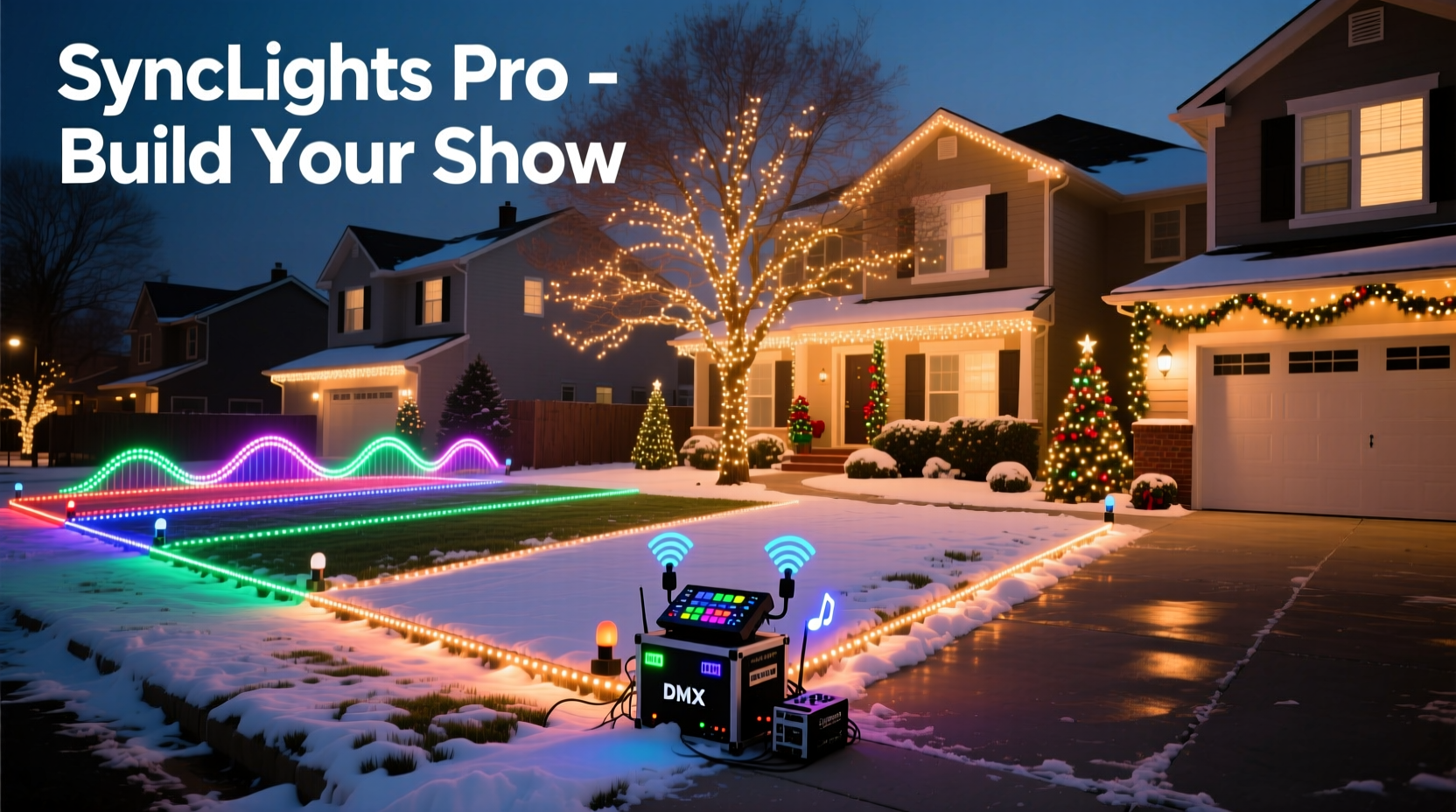
A “zone” in a Christmas light setup refers to a distinct physical area controlled independently. For example, one zone might be the roofline, another the front bushes, and a third the garage door. Each zone can have its own lighting effects—twinkling, chasing, or fading—and all are timed precisely to match a musical score.
The magic happens through controllers that receive signals from software and activate relays or solid-state switches. These signals turn circuits on or off at millisecond precision, ensuring lights dance exactly when the music hits a crescendo or softens during a quiet verse.
To achieve this, three core systems must work together: hardware (lights and controllers), software (sequencing and playback), and network infrastructure (communication between devices).
Essential Equipment and Setup
Before sequencing begins, gather and install the necessary equipment. The foundation of any synchronized display rests on reliable, compatible components.
Lights and Power Supplies
Use LED strings designed for outdoor use and low power draw. Addressable LEDs like WS2811 or WS2812B offer per-bulb control but require more advanced controllers. For simpler setups, consider standard AC-powered mini lights connected to relay modules.
- Voltage: Most residential displays use 120V AC, but some controllers operate on 12V or 5V DC.
- Power consumption: Calculate total wattage per circuit to avoid overloading outlets or controllers.
- Weatherproofing: All outdoor connections should be sealed with waterproof connectors or junction boxes.
Controllers and Communication
Each zone requires a controller capable of receiving data and switching power accordingly. Popular options include:
- Renard controllers: Reliable for AC dimming and on/off control via serial communication.
- ESP8266/ESP32-based boards: Wi-Fi-enabled microcontrollers ideal for modern DIY projects.
- Falcon F16v3 or PixLite: Commercial-grade units supporting hundreds of channels with Ethernet or E1.31 protocol.
These controllers typically communicate using protocols such as E1.31 (sACN), Art-Net, or DMX. E1.31 is preferred for most home installations because it runs over standard Ethernet and supports multicast transmission across multiple devices.
Network Infrastructure
For stable performance, use a wired Ethernet backbone. While Wi-Fi may seem convenient, signal interference and latency make it unreliable for real-time synchronization.
“Timing accuracy below 10 milliseconds is critical for audience perception of sync. Wired networks eliminate jitter.” — Daniel Reeves, Lighting Systems Engineer, Holiday Displays Inc.
| Component | Recommended | Avoid |
|---|---|---|
| Networking | Wired Ethernet with managed switch | Wi-Fi-only mesh networks |
| Cabling | Cat6 shielded cable for long runs | Unshielded or damaged cables |
| Power | Dedicated GFCI outlets per zone | Daisy-chained extension cords beyond 100ft |
| Controllers | E1.31-compatible with RDM support | Proprietary systems without community support |
Designing Your Zones and Layout
Effective zoning balances visual impact with technical feasibility. Begin by sketching your property and identifying natural focal points: eaves, trees, walkways, and architectural features.
Assign one zone per major feature. For instance:
- Zone 1: Roofline perimeter (warm white, chasing effect)
- Zone 2: Front porch columns (color-changing strips)
- Zone 3: Driveway path markers (synchronized strobes)
- Zone 4: Tree wraps (slow fade sequences)
- Zone 5: Marquee sign (animated text scrolling)
Each zone should serve a purpose in the choreography. Avoid clutter—sometimes fewer zones with strong timing outperform chaotic complexity.
When mounting lights, maintain consistent spacing and alignment. Use clips, zip ties, or gutter hooks suited to each surface. Conceal wires along rooflines and downspouts where possible.
Mini Case Study: The Miller Family Display
The Millers live in a suburban neighborhood with moderate HOA restrictions. Their goal was a high-impact show without overwhelming noise or brightness.
They started with two zones: roofline and tree ring. Using an ESP32-based E1.31 receiver and two 8-channel relay boards, they controlled 16 independent circuits. They sequenced a 90-second version of \"Jingle Bell Rock\" using free software (xLights) and tested timing with a portable speaker.
In year two, they added a third zone—a wooden reindeer figure with addressable LEDs—and integrated a wireless backup audio stream. By focusing on tight synchronization rather than sheer volume of lights, their display won a local “Best Animated Lights” award.
Their success came not from expensive gear but from thoughtful design and incremental improvement.
Step-by-Step Guide to Building the Show
Follow this timeline to launch your synchronized display in time for the holidays.
Week 1–2: Planning & Procurement
- Sketch your layout and define zones.
- Calculate total number of channels needed (e.g., 8 channels per zone × 5 zones = 40).
- Purchase lights, controllers, power supplies, and networking gear.
Week 3–4: Installation
- Mount lights securely and label each run by zone and channel.
- Run Ethernet cables from a central location (garage or basement) to each controller.
- Install GFCI-protected outlets or power strips near each zone.
Week 5: Network Configuration
- Assign static IP addresses to each controller.
- Test connectivity using ping or a network scanner.
- Verify E1.31 universe mapping matches your planned channel layout.
Week 6–7: Sequencing
- Choose a song (60–120 seconds ideal for beginners).
- Import audio into xLights or Light-O-Rama S4.
- Create effects: fades, chases, blinks aligned to beats and lyrics.
- Preview in virtual model before deploying to hardware.
Week 8: Testing & Calibration
- Play sequence while standing at curb-level viewing point.
- Adjust brightness, timing offsets, and effect duration.
- Check for flicker, lag, or dropped packets.
- Record video to review sync accuracy frame-by-frame.
Week 9: Final Deployment
- Mount speakers with clear outward projection.
- Set up media player (Raspberry Pi or old laptop) to loop show every 3–5 minutes.
- Add signage: “Tune to 88.1 FM” if using low-power FM transmitter.
Troubleshooting Common Issues
Even well-planned shows encounter problems. Prepare for these frequent challenges:
- Lag between audio and lights: Check network latency. Use wired connections and reduce Wi-Fi interference.
- Random flickering: Could indicate voltage drop—shorten cable runs or increase wire gauge.
- Controller not responding: Verify IP settings, subnet mask, and E1.31 universe assignment.
- Audio distortion: Use shielded audio cables and keep them separated from power lines.
Keep a logbook of channel assignments, IP addresses, and test results. This becomes invaluable when expanding next season.
FAQ
Can I use Wi-Fi instead of Ethernet?
You can, but it's not recommended for full synchronization. Wi-Fi introduces variable latency and packet loss, especially during peak neighborhood usage. If you must use Wi-Fi, limit it to non-critical functions like remote monitoring—not live show control.
How many lights can one controller handle?
It depends on the controller type. An 8-channel relay board can typically manage up to 1,200 incandescent mini lights (120V, 0.3A each). For LED strings drawing less power, you may control 2,000+ bulbs—but always check amperage ratings and use external contactors for heavy loads.
Do I need a license to broadcast music?
For personal, non-commercial displays viewed from public spaces, most countries fall under “fair use” or incidental play exceptions. However, streaming online or charging admission may require licensing. When in doubt, consult local copyright guidelines or use royalty-free holiday tracks.
Expert Tips for Long-Term Success
Building a lasting tradition means designing for durability and scalability.
- Label everything: Use colored tape and tags on wires, controllers, and channels.
- Modularize: Design each zone as a self-contained unit so it can be reused or relocated easily.
- Backup configs: Store firmware settings, IP tables, and sequence files in cloud storage.
- Seasonal maintenance: Inspect all components after storage; replace cracked housings or corroded connectors.
“The best displays evolve over time. Plan for expansion by leaving spare ports and extra conduit space.” — Lena Torres, Smart Home Integration Specialist
Conclusion
Creating a synchronized Christmas light show with multiple zones blends artistry and engineering. It demands patience, precision, and a willingness to learn from trial and error. But when the first note plays and dozens of lights respond in perfect harmony, the effort becomes joy.
Start with a clear vision, invest in reliable infrastructure, and embrace incremental progress. Whether your audience is family, neighbors, or social media followers, your display will become a beacon of holiday spirit.




 浙公网安备
33010002000092号
浙公网安备
33010002000092号 浙B2-20120091-4
Comments
No comments yet. Why don't you start the discussion?