
As holiday lighting becomes increasingly sophisticated, smart Christmas lights offer unparalleled control over brightness, color, and ambiance. However, a common frustration arises when bulbs from the same brand—sometimes even the same batch—display inconsistent whites or mismatched hues. The culprit? Poorly calibrated color temperature. Without proper calibration, your festive display can look patchy, unbalanced, or unintentionally garish. Achieving visual harmony requires more than just turning on the lights; it demands precision in adjusting their color temperature settings so every strand blends seamlessly into a cohesive glow.
This guide walks you through the technical and practical aspects of calibrating color temperature across your smart lighting setup. Whether you're using Philips Hue, LIFX, Nanoleaf, or another Wi-Fi-enabled system, these methods will help eliminate hotspots, cold spots, and awkward transitions between warm and cool whites.
Understanding Color Temperature in Smart Lights
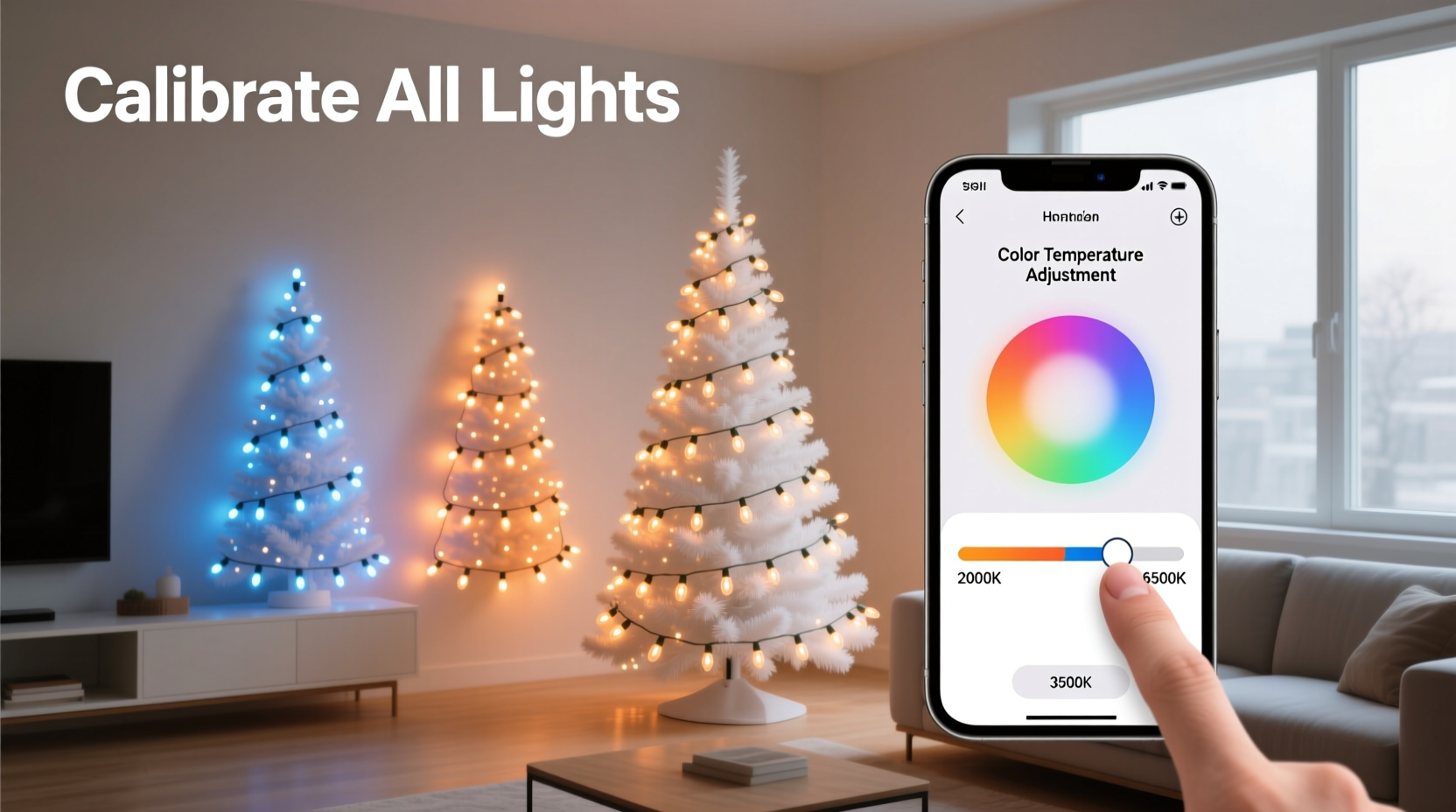
Color temperature refers to the warmth or coolness of white light, measured in Kelvin (K). Lower values (2700K–3000K) produce a soft, amber-like glow similar to incandescent bulbs, often described as \"warm white.\" Higher values (5000K–6500K) mimic daylight and are labeled \"cool white\" or \"daylight white.\" Between these extremes lies neutral white (3500K–4500K), commonly used in offices and kitchens.
Smart Christmas lights typically allow users to adjust color temperature dynamically via an app. But without standardization across devices—or if factory defaults vary slightly—your string of lights may not match exactly. For example, one strip might default to 2900K while another reads 3100K, creating a visible difference when both are set to “warm white.” This inconsistency is especially noticeable during dusk or dawn when ambient light levels highlight subtle contrasts.
“Even a 200K variance in color temperature can disrupt the visual flow of a lighting display. Consistency isn’t just about aesthetics—it’s about emotional impact.” — Marcus Lin, Lighting Design Consultant at Illuminary Studios
Step-by-Step Guide to Calibrate Your Smart Christmas Lights
Follow this structured process to ensure uniformity across all your smart lighting fixtures. This method works best when performed after installation but before final decoration placement.
- Gather all components: Ensure every light strand, bulb, or panel is powered on and connected to your home network. Check that they appear in your lighting app (e.g., Hue Bridge, LIFX app, Google Home).
- Reset to factory defaults (optional): If some units have been previously customized, reset them to erase old settings. Refer to manufacturer instructions—this usually involves power cycling or holding a button for 10 seconds.
- Group similar devices: In your app, create a temporary group containing only the lights intended for the same area (e.g., front porch, tree, railing). Avoid mixing different models unless confirmed compatible.
- Set all lights to 100% brightness and 4000K: Choose a neutral midpoint in the white spectrum. This minimizes bias toward warm or cool tones during comparison.
- Observe under real conditions: View the lights at night, preferably in low ambient light. Walk around the space to assess differences from multiple angles. Note any bulbs or segments that appear visibly warmer or cooler.
- Adjust incrementally: Select individual lights that deviate and fine-tune their color temperature by ±100K increments until they visually align with the rest. Use small adjustments—avoid jumping by 500K at once.
- Recheck at various brightness levels: Dim the entire group to 50%, then 25%. Some LEDs shift color when dimmed. Recalibrate if discrepancies reappear.
- Save the preset: Once satisfied, save the configuration as a scene or preset (e.g., “Front Yard Warm Match”). This ensures consistent recall each season.
Tools and Techniques for Precision Matching
While visual inspection works for casual setups, serious decorators benefit from tools that provide objective data.
- Colorimeter or spectrometer apps: Devices like the Datacolor ColorReader or smartphone apps such as Luxi or SpectralWorkbench can measure emitted light and report actual Kelvin values. Though less accurate than lab equipment, they offer better insight than human eyes alone.
- Reference light source: Use a known-standard lamp (e.g., a professionally calibrated desk light at 3000K) placed nearby as a side-by-side comparison point.
- Diffusion materials: Test lights behind frosted glass or fabric panels to simulate diffused glow, which reveals mismatches more clearly than bare bulbs.
Another technique involves using a single master controller. Systems like the Nanoleaf Desktop App or third-party platforms such as Home Assistant allow centralized control where one device acts as a reference. You can clone its output across other nodes, reducing variation caused by manual input errors.
Common Pitfalls and How to Avoid Them
Mistakes during calibration often stem from overlooking compatibility issues or environmental factors. Below is a summary of what to avoid—and what to do instead.
| Don't | Do |
|---|---|
| Mix LED models from different generations (e.g., Hue White A19 v1 with v3) | Use identical model numbers and firmware versions for critical installations |
| Calibrate during midday sunlight | Test at night or in controlled indoor lighting |
| Rely solely on phone screen previews | Verify changes in person, not just in-app |
| Ignore firmware updates | Update all devices before calibration—updates often improve color accuracy |
| Assume “Warm White” means the same thing across brands | Always verify actual Kelvin value; “warm” varies widely between manufacturers |
Real-World Example: Fixing a Mismatched Porch Display
Consider Sarah, a homeowner in Portland who installed two sets of smart rope lights along her porch railing. One set was purchased two years earlier (Model X1), the other was a newer version (Model X2). Both were labeled “Soft White,” yet when lit simultaneously, the older strand appeared noticeably yellower.
After initial troubleshooting, she discovered the original lights defaulted to 2800K, while the new ones shipped at 3100K. Despite being within the “warm white” range, the 300K gap created a jarring contrast. Using her LIFX app, she manually adjusted the newer lights down to 2850K. She then reduced brightness to 80% and observed the blend. Still slightly off, she lowered further to 2800K and added a slight red saturation boost (+5%) to counteract a faint blue tint in the new LEDs.
The result? Seamless continuity. Neighbors later commented on the “professional-grade” look of her display. Her secret wasn’t expensive gear—it was attention to detail in calibration.
Checklist: Pre-Calibration Preparation
Before beginning the calibration process, use this checklist to ensure optimal conditions:
- ✅ All lights are powered and responsive in the control app
- ✅ Firmware is up to date across all devices
- ✅ Lights are clean and free of dirt or snow cover (which alters perceived color)
- ✅ Testing environment has minimal competing light sources
- ✅ You have at least 30 minutes of uninterrupted time
- ✅ A notebook or digital note open to record successful settings
- ✅ Calibration will be done at typical viewing times (evening/night)
Frequently Asked Questions
Why do my smart lights still look different even after setting them to the same temperature?
Differences can arise due to manufacturing variances, aging of LEDs, or outdated firmware. Additionally, some apps round color temperatures (e.g., showing 3000K when actual output is 3150K). Physical measurement tools help uncover hidden discrepancies.
Can I automate color temperature calibration across multiple brands?
Yes, but only with advanced systems like Home Assistant, Hubitat, or Apple Home with precise scene programming. These platforms let you define exact Kelvin values per device, enabling cross-brand synchronization. However, results depend on each brand’s API accuracy.
How often should I recalibrate my smart Christmas lights?
At minimum, recalibrate once per season before decorating. Over time, LED phosphors degrade, shifting color output slightly. Older strands (3+ years) may require annual adjustment to maintain match with newer additions.
Expert Insight: Why Consistency Matters Beyond Aesthetics
Uniform lighting does more than enhance curb appeal—it influences mood and perception. According to Dr. Elena Torres, an environmental psychologist specializing in residential design, “Consistent lighting signals order and care. It makes spaces feel intentional and welcoming. In contrast, erratic or mismatched lighting can evoke discomfort, even subconsciously.”
“When every bulb sings in harmony, the whole display feels elevated—not just bright, but meaningful.” — David Kim, Professional Holiday Lighting Designer
For homeowners aiming to create a memorable holiday atmosphere, investing time in calibration pays emotional dividends. Guests don’t notice individual bulbs—they experience the collective glow. And that experience should be unified, soothing, and joyful.
Conclusion: Illuminate with Intention
Calibrating color temperature on smart Christmas lights is not merely a technical chore—it’s an act of craftsmanship. With thoughtful adjustment, your holiday lighting transforms from a collection of glowing wires into a curated visual story. By understanding Kelvin scales, leveraging tools, avoiding common mistakes, and applying systematic calibration, you ensure every light contributes to a harmonious whole.
This season, go beyond plug-and-play. Take control of your ambiance. Match those whites, smooth those transitions, and craft a display that doesn’t just shine—but resonates.




 浙公网安备
33010002000092号
浙公网安备
33010002000092号 浙B2-20120091-4
Comments
No comments yet. Why don't you start the discussion?