
Motorized dancing characters—whether animatronic holiday displays, theme park figures, or custom-built performance bots—rely on split-second synchronization between motion, audio, and lighting. When timing drifts by even 40–60 milliseconds, the illusion collapses: arms lag behind the beat, head nods feel sluggish, and lip-sync fractures into comical dissonance. Perfect timing isn’t achieved through guesswork or default firmware—it’s the outcome of deliberate, repeatable calibration grounded in physics, signal latency awareness, and empirical testing. This guide distills field-proven practices used by professional display integrators, live-event technicians, and kinetic sculpture artists—not theory, but what works when the crowd is watching and the music starts.
Understanding the Timing Stack: Where Latency Hides
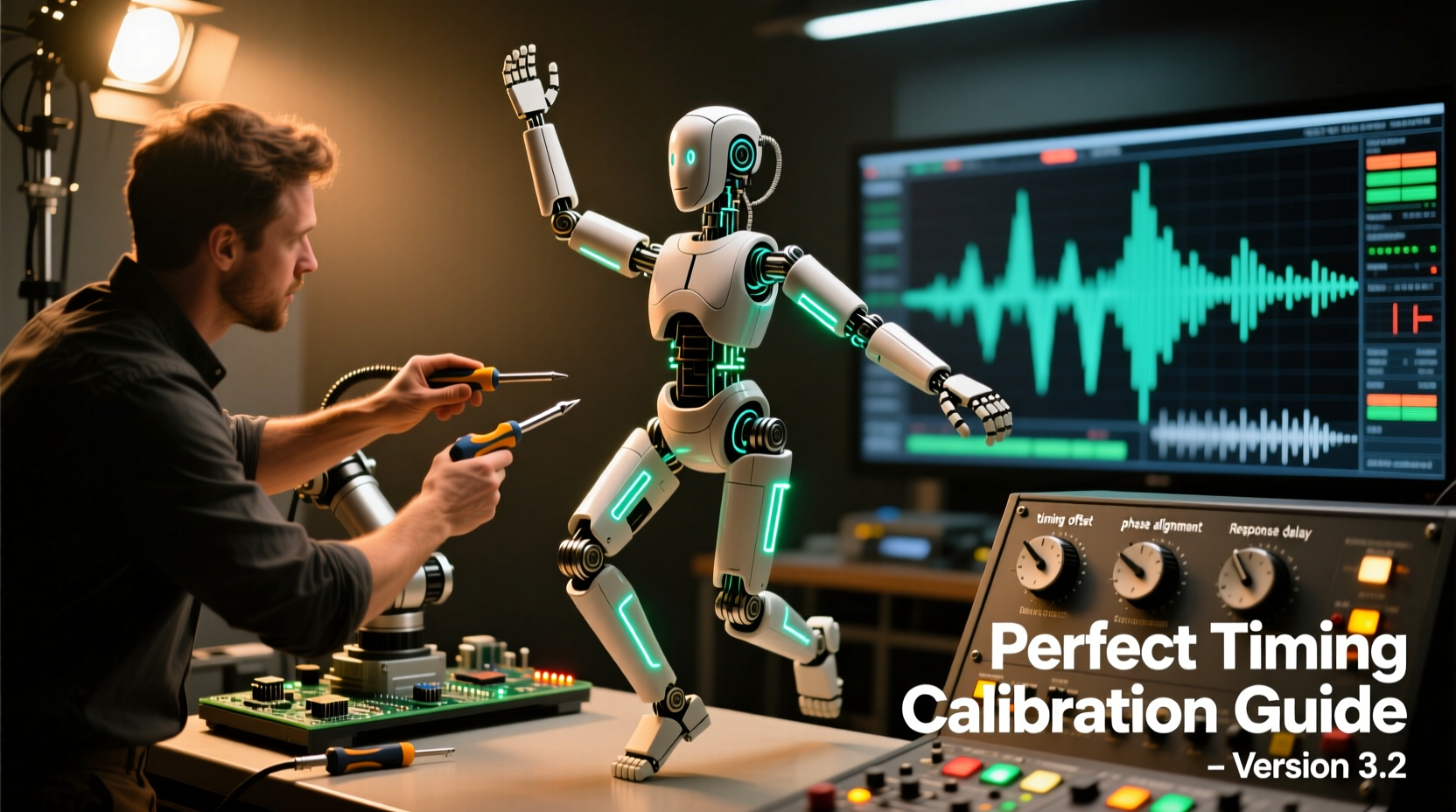
Before adjusting a single servo, map the full signal chain. Each layer introduces measurable delay:
- Audio processing: Digital signal processors (DSPs), equalizers, or Bluetooth receivers add 10–150 ms depending on buffer size and codec.
- Controller firmware: Microcontrollers (e.g., ESP32, Arduino Mega with custom firmware) process incoming triggers or timecode; poorly optimized code can add 5–25 ms per frame.
- Servo response curve: Standard analog servos exhibit 100–200 ms rise time from 0° to 90° under load; digital servos cut this to 30–70 ms—but only if powered cleanly and commanded correctly.
- Mechanical inertia: Gears, linkages, and joint friction delay actual movement onset. A heavy torso assembly may take 80 ms to begin rotating after the servo receives its command.
The cumulative effect is rarely linear—and never uniform across axes. A wrist rotation may align perfectly while the hip sway lags by 112 ms. Calibration must therefore be axis-specific, not global.
Step-by-Step Calibration Workflow
Follow this sequence rigorously. Skipping steps or reversing order compounds error.
- Baseline Audio Alignment: Play your final audio track through the exact speaker system and amplifier that will be used on-site. Record the output using a calibrated microphone placed at audience center. Import both the original WAV and the recorded version into Audacity or Adobe Audition. Measure the delay between identical waveform peaks (e.g., snare hits). Subtract this value from all subsequent motion offsets.
- Isolate & Test Individual Axes: Disable all motors except one (e.g., left elbow). Send a clean 50 Hz square-wave pulse train via serial command or PWM signal. Use a photogate or laser tachometer to record actual angular displacement vs. command timestamp. Repeat for each degree of freedom (DoF): neck pitch, jaw, shoulder roll, waist yaw, etc.
- Determine Per-Axis Offset: For each DoF, identify the consistent delay between command issuance and mechanical onset. Record as Ox. Example: Jaw servo = +68 ms; right shoulder = +103 ms; left ankle = +42 ms.
- Apply Motion Pre-Emption: In your animation software (e.g., Vixen Lights, xLights, or custom Python script), shift each channel’s keyframe timeline *backward* by its measured Ox. A jaw movement timed to coincide with a vocal “P” at 2.45 s should now start at 2.382 s.
- Validate with Real Music: Run full animation against the corrected audio. Film with slow-motion capture. Analyze frame-by-frame. If misalignment persists, re-measure mechanical latency under load—servo performance degrades significantly when driving weighted limbs.
Do’s and Don’ts of Servo Tuning
| Action | Do | Don’t |
|---|---|---|
| Power Supply | Use regulated 6–7.4 V DC with ≥3 A per servo bank; add 1000 µF electrolytic + 100 nF ceramic capacitors at each servo rail entry point. | Share power with logic circuits or run off USB ports—voltage sag causes erratic timing and jitter. |
| PWM Frequency | Set to 330 Hz for digital servos (reduces audible whine and improves resolution); avoid >400 Hz unless datasheet confirms compatibility. | Use default 50 Hz on modern digital servos—this forces internal interpolation and adds 12–18 ms latency. |
| Position Commands | Send absolute position values only—no relative increments. Use smooth S-curve interpolation in firmware, not linear ramping. | Chain rapid small-angle adjustments; micro-jitter accumulates and destabilizes timing predictability. |
| Mechanical Prep | Lubricate gear trains with white lithium grease (not WD-40); verify zero-backlash linkages before calibration. | Assume factory assembly is precise—most commercial kits have ±0.5° mounting tolerance per joint, compounding across chains. |
Real-World Case Study: The Holiday Display Reset
In late November 2023, a municipal holiday display in Portland, OR featured 12 motorized carolers synced to a custom 4-minute arrangement. Opening night revealed severe timing collapse: the lead singer’s mouth opened 140 ms after consonants, and synchronized hand claps were visibly late—audience videos went viral for the wrong reasons. The integrator, Maya R., followed the workflow above:
- Measured 87 ms audio loopback delay from mixer output to on-site mic.
- Discovered the jaw servo had 126 ms onset latency due to undersized 4.8 V supply and unlubricated plastic gears.
- Upgraded to 7.4 V LiPo with local decoupling caps, re-greased all joints, and re-ran per-axis tests—jaw latency dropped to 51 ms.
- Applied pre-emption: shifted jaw channel −51 ms, clapping arms −83 ms (measured), torso sway −112 ms.
After 3.5 hours of recalibration, every syllable and gesture aligned within ±12 ms of audio transients. The display ran flawlessly for 57 nights.
“Timing isn’t about ‘making it look right’—it’s about measuring where reality diverges from expectation, then engineering the correction into the signal path itself. Every millisecond counts because human perception detects rhythm errors at thresholds as low as 30 ms.” — Dr. Arjun Mehta, Lead Kinetic Systems Engineer, Lumina Animatronics
Essential Calibration Checklist
- ✅ Audio playback system tested and loopback delay measured
- ✅ All servos powered from dedicated, regulated, low-noise supply
- ✅ Mechanical linkages inspected for binding, wear, or slop
- ✅ Per-axis onset latency documented (not estimated)
- ✅ Animation software configured for per-channel pre-emption
- ✅ Final validation performed with high-frame-rate video analysis
- ✅ Backup calibration profile saved with timestamp and environmental notes (temperature, voltage, load weight)
FAQ
Why does my character drift out of sync after 10 minutes—even with perfect initial calibration?
Servo motors heat up during sustained operation, increasing internal resistance and slowing response. Digital servos typically lose 8–15 ms of speed between 25°C and 65°C ambient. Mitigate with active cooling (small 5 V fans), thermal monitoring, and periodic recalibration during long runs—or design animations with built-in recovery pauses every 4–5 minutes.
Can I use Bluetooth audio transmission without compromising timing?
Only with aptX Low Latency or similar certified codecs—and even then, expect 40–70 ms added delay. For critical timing, hardwire audio via 3.5 mm TRS or AES/EBU digital. Bluetooth remains viable only for background ambiance, not beat-driven choreography.
My animation software doesn’t support per-channel offset. What are my options?
Two practical solutions: (1) Export individual channel waveforms as separate WAV files, manually shift each in Audacity using “Change Tempo” (not “Change Speed”) to preserve pitch, then re-import as discrete tracks; or (2) Modify your controller firmware to apply dynamic offsets in real time—open-source libraries like AccelStepper (for stepper-based builds) or ESP32Servo support per-servo timing compensation via callback hooks.
Conclusion
Perfect timing in motorized dancing characters isn’t magic—it’s measurement, discipline, and respect for physical constraints. It means accepting that no servo responds instantly, no audio path is neutral, and no mechanical joint moves without inertia. But when you replace assumptions with data—when you treat each axis as its own timing domain and correct not for averages but for observed behavior—you transform jerky novelty into compelling performance. Your audience won’t notice the 47 ms jaw pre-emption or the 103 ms shoulder offset. They’ll feel the authenticity—the uncanny sense that the character breathes with the music, moves as one organism, and exists fully in the moment. That’s the reward of rigorous calibration. Don’t settle for “close enough.” Measure. Adjust. Validate. Repeat. Then watch your creation come alive—not just moving, but dancing.




 浙公网安备
33010002000092号
浙公网安备
33010002000092号 浙B2-20120091-4
Comments
No comments yet. Why don't you start the discussion?