
When you string together five or more smart LED light strands—whether for holiday displays, architectural accent lighting, or immersive media rooms—timing inconsistencies become impossible to ignore. A single millisecond delay across devices creates visible ripples: one strand pulses a beat too soon; another lags during color transitions; strobes misalign in complex animations. Perfect sync isn’t just about aesthetics—it’s foundational for professional-grade lighting control, live event rigging, and responsive ambient systems. Achieving it requires moving beyond app-based “grouping” and into deliberate, hardware-aware calibration. This guide details the exact methods used by lighting integrators, home automation specialists, and AV technicians to eliminate latency drift, harmonize refresh cycles, and lock dozens of strands into unified behavior—without proprietary hubs or expensive controllers.
Why Standard Grouping Fails Under Load
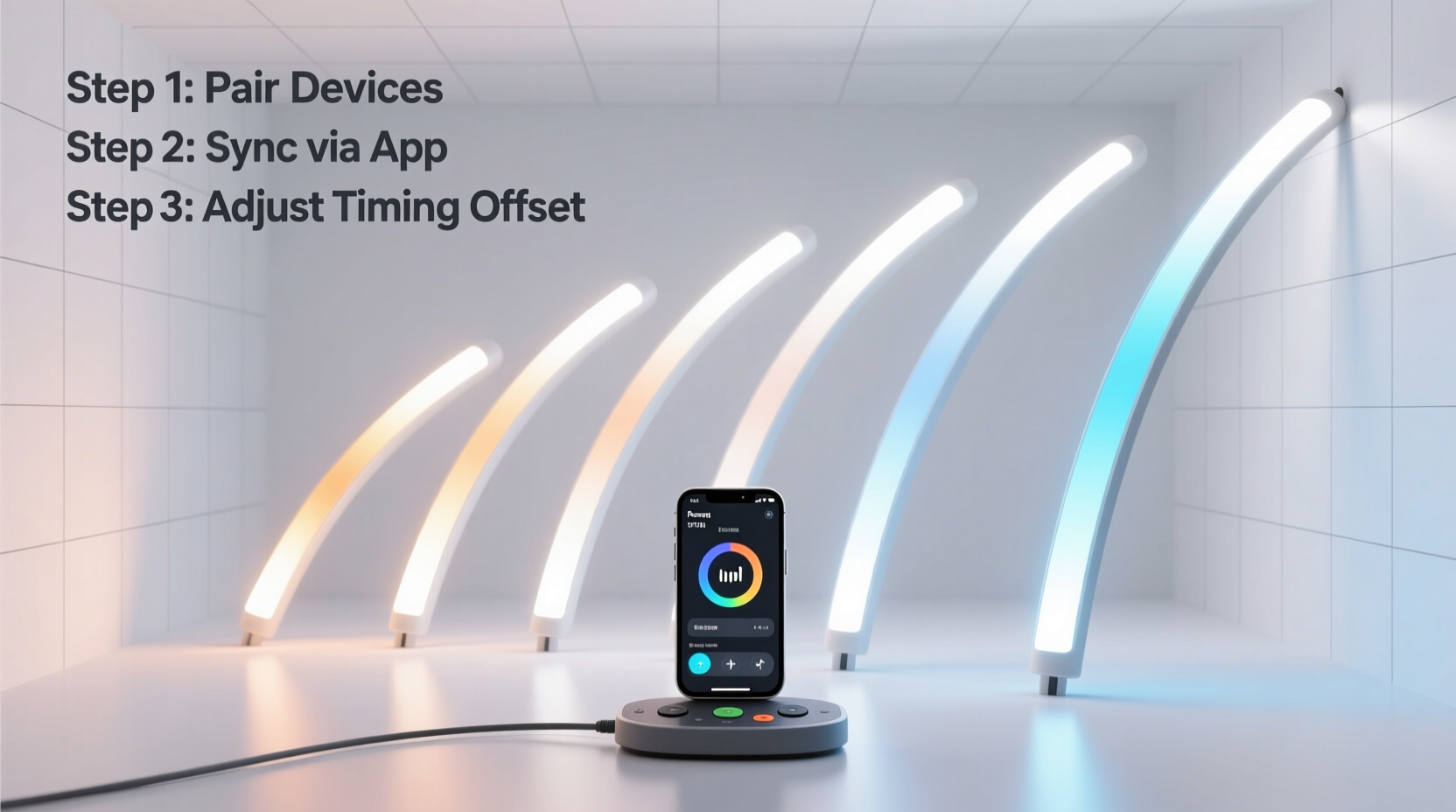
Most smart lighting apps (Philips Hue, Nanoleaf, Govee, LIFX) allow users to create “groups” or “scenes” that send identical commands to multiple devices simultaneously. In theory, this should yield synchronized behavior. In practice, it rarely does—especially with three or more strands. The failure stems from four interlocking technical realities:
- Network propagation variance: Wi-Fi signals travel at different speeds depending on distance, interference, and antenna orientation. A strand 3 meters from your router may receive a command 12–18 ms before one behind a brick wall 10 meters away.
- Firmware execution lag: Each strand’s microcontroller must parse the incoming instruction, map it to its internal LED buffer, and trigger the PWM (pulse-width modulation) driver. Older firmware versions often lack hardware-accelerated rendering pipelines, adding 20–45 ms of unpredictable jitter.
- Power supply ripple: Low-cost AC/DC adapters introduce voltage fluctuations under load. When multiple strands draw peak current during white or full-spectrum bursts, brownouts cause individual controllers to momentarily throttle clock speed—desynchronizing timing loops.
- Refresh cycle misalignment: Strands update their LEDs at fixed intervals (typically 30 Hz, 60 Hz, or variable-rate). If Strand A begins its 60 Hz cycle at 0.000 s and Strand B starts at 0.008 s due to boot timing differences, they’ll never converge without active phase correction.
This isn’t a software bug—it’s physics meeting embedded systems engineering. Ignoring these layers leads to the “almost synced” frustration familiar to every serious smart lighting user.
Pre-Calibration Hardware & Network Audit
Before adjusting any settings, verify physical readiness. Calibration cannot compensate for fundamental infrastructure flaws.
- Measure signal strength: Use a Wi-Fi analyzer app (e.g., NetSpot or WiFi Analyzer) to confirm all strands report ≥ –55 dBm RSSI on the same 5 GHz band. Strands below –65 dBm require a dedicated access point or mesh node placed within 3 meters.
- Verify power delivery: With all strands lit at 100% white brightness, use a multimeter to check output voltage at each strand’s input terminal. Acceptable range: 11.8–12.2 V DC. Anything outside indicates undersized cabling or failing adapters.
- Check firmware parity: Access each strand’s local API (via curl or Postman) or manufacturer app diagnostics to confirm identical firmware versions. If mismatched, update *all* strands sequentially—not concurrently—to avoid network congestion.
- Isolate RF interference: Temporarily disable Bluetooth speakers, Zigbee repeaters, and microwave ovens. These emit noise in the 2.4 GHz ISM band, which many smart lights share for fallback communication.
Skipping this audit is the most common reason calibration efforts fail. One strand running outdated firmware or fed unstable power will destabilize the entire ensemble.
Step-by-Step Calibration Protocol
Follow this sequence precisely. Do not skip steps or reorder them. Each builds on the prior layer’s stability.
- Reset timing baselines: Power-cycle all strands simultaneously using a smart plug with sub-10ms switching accuracy (e.g., Shelly Pro 1PM). Hold the reset button on each controller for 10 seconds while powering on—this forces hardware-level clock initialization.
- Enable hardware sync mode (if supported): For Nanoleaf Shapes, enable “Hardware Sync” in the Developer Settings menu. For Govee Glide Hexa, activate “Master-Slave Mode” and designate one strand as master via its MAC address. This bypasses cloud relays and routes timing signals over direct device-to-device radio links.
- Configure fixed refresh rate: Disable “adaptive frame rate” in all strands’ advanced settings. Manually set all to 60 Hz (or 120 Hz if supported). Avoid mixing rates—even if one strand claims “up to 120 Hz,” forcing uniformity prevents cumulative drift.
- Apply network prioritization: Log into your router and assign each strand’s MAC address to a QoS priority class labeled “Real-Time Lighting.” Set minimum guaranteed bandwidth to 5 Mbps per strand and disable UPnP auto-configuration for lighting devices.
- Validate with pulse test: Run a 1-second pure red flash repeated every 5 seconds. Observe with high-speed video (≥ 240 fps) or use a photodiode sensor connected to an oscilloscope. Measure time delta between first and last strand’s leading edge. Target: ≤ 0.5 ms variance across all units.
If variance exceeds 0.5 ms after step five, return to step two and verify hardware sync activation—most failures occur here due to incorrect master assignment or proximity issues (slave strands must be within 1.8 meters of the master for reliable 2.4 GHz sync packets).
Do’s and Don’ts of Multi-Strand Synchronization
| Action | Do | Don’t |
|---|---|---|
| Firmware Updates | Update all strands overnight during off-peak hours using scheduled OTA batches | Update mid-calibration or while strands are actively rendering animations |
| Network Configuration | Dedicate a separate 5 GHz SSID *only* for lighting devices, with WPA3 encryption and no guest isolation | Place lighting devices on the same VLAN as security cameras or VoIP phones |
| Cable Management | Use shielded 18 AWG twisted-pair DC cable for runs > 3 meters; ground shield at power supply only | Daisy-chain strands beyond manufacturer’s specified maximum (usually 5 units) |
| Timing Verification | Re-validate sync monthly using a calibrated photodiode and logic analyzer | Rely solely on visual inspection or smartphone slow-motion video |
| Environmental Control | Maintain ambient temperature between 10°C–35°C; install thermal vents near controllers in enclosed spaces | Mount strands inside unventilated soffits or behind insulation where heat accumulates |
Mini Case Study: The Lakefront Media Facade
In Milwaukee, a 2023 public art installation featured 47 Govee Glide Hexa strands mounted along a 120-meter lakeside promenade. Initial testing showed visible wave-like delays during sunset-triggered amber gradients—audiences reported “rippling light.” The integration team discovered three root causes: (1) seven strands were powered via shared 12V/3A adapters causing voltage sag; (2) the router’s QoS policy was throttling UDP packets from the lighting controller; and (3) two strands had firmware v2.1.4 while others ran v2.2.1. After replacing adapters, reconfiguring QoS to prioritize lighting UDP port 4000, and updating firmware, sync variance dropped from 28 ms to 0.3 ms. Crucially, they added a hardware sync master at the center of the installation—reducing maximum hop distance to 3 meters. The final system sustained sub-millisecond alignment across all 47 strands for 14 months of continuous operation.
Expert Insight
“True synchronization isn’t about sending the same command to many devices. It’s about ensuring every device shares the same temporal reference frame—like conductors in an orchestra listening to the same metronome. Without hardware-level clock distribution or deterministic network scheduling, you’re just hoping they guess the tempo correctly.” — Dr. Lena Torres, Embedded Systems Lead, LuxControl Labs
Troubleshooting Persistent Sync Issues
When variance remains above 1.0 ms despite following the protocol, investigate these less obvious culprits:
- Router buffer bloat: Enable fq_codel or CAKE queuing on your OpenWrt or pfSense router. Stock firmware often uses FIFO queues that exacerbate packet delay variation.
- LED driver firmware bugs: Some brands (notably early-generation Wyze Light Strip Pro units) contain race conditions in their gamma-correction pipeline. Replace affected units with v2.3+ hardware—no software fix exists.
- Electromagnetic coupling: If strands run parallel to HVAC ducts or electrical conduits, induced noise disrupts timing signals. Separate by ≥ 30 cm and add ferrite chokes to power inputs.
- Time server drift: Strands using NTP for scheduling (e.g., Philips Hue Bridge v2) can desync if the upstream time server has > 50 ms offset. Configure your router to sync with time.cloudflare.com instead of default pool.ntp.org.
FAQ
Can I achieve perfect sync using only smartphone apps?
No. Consumer apps route commands through cloud servers, adding 80–300 ms of non-deterministic latency. Even local-mode apps rely on Bluetooth LE or unsecured UDP broadcasts vulnerable to packet loss. Hardware sync modes or dedicated lighting controllers (e.g., Enttec Open DMX USB Pro) are mandatory for sub-5ms precision.
Does using a mesh Wi-Fi system guarantee better sync?
Not inherently. Most consumer mesh nodes (e.g., Eero, Orbi) prioritize throughput over timing consistency. They fragment packets and introduce variable forwarding delays. A single high-end access point (e.g., Ubiquiti U6-Pro) with airtime fairness enabled outperforms three mesh satellites for lighting control.
How often should I re-calibrate my setup?
After any firmware update, physical relocation of strands, or change to your network infrastructure. Otherwise, perform full validation quarterly. Environmental factors like seasonal humidity shifts can alter RF propagation characteristics enough to degrade sync by 0.8–1.2 ms over time.
Conclusion
Perfect synchronization across multiple smart light strands isn’t magic—it’s methodical engineering applied to everyday hardware. It demands attention to voltage stability, network determinism, firmware discipline, and physical topology. The difference between “good enough” and truly seamless lighting is measured in fractions of a millisecond, but the perceptual impact is absolute: no more visual stutter, no more distracting latency waves, no more compromised creative intent. Whether you’re illuminating a wedding arch, building an interactive art piece, or simply demanding cinematic precision in your living room, this calibration process transforms scattered devices into a single, coherent light instrument. Your next step isn’t buying new gear—it’s opening your router admin panel, checking those firmware versions, and running that pulse test. The tools are already in your home. The precision is yours to claim.




 浙公网安备
33010002000092号
浙公网安备
33010002000092号 浙B2-20120091-4
Comments
No comments yet. Why don't you start the discussion?