
When you string together five or ten smart LED light strands—whether for holiday displays, architectural accents, or ambient room lighting—you expect uniformity. Yet one strand glows like daylight while its neighbor looks dimmed by fog. That mismatch isn’t a flaw in your vision; it’s a symptom of uncalibrated hardware, inconsistent firmware, environmental interference, or overlooked software variables. Brightness perception is deeply subjective, but luminance output is measurable—and reproducible. This guide cuts through marketing claims and app abstractions to deliver a methodical, repeatable calibration process grounded in photometric principles, device behavior, and real-world testing. Whether you’re managing 3 strands on a porch railing or 27 across a commercial façade, consistency starts not with guesswork, but with intentional alignment.
Why Uniform Brightness Fails Without Calibration
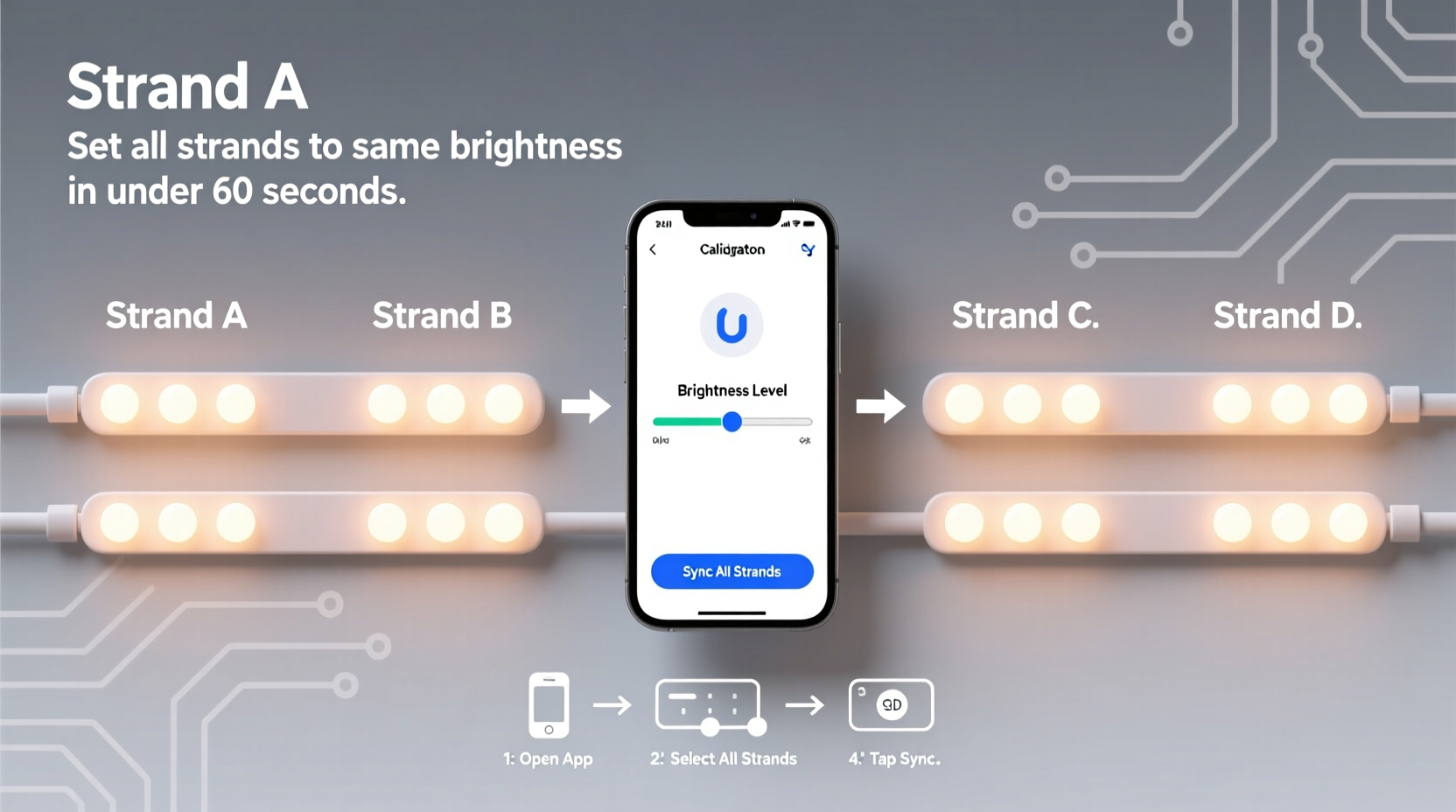
Smart light strands rarely ship from the factory at identical luminous intensity—even within the same product line and batch. Variations arise from three primary sources: manufacturing tolerances in LED binning (where diodes are sorted by forward voltage and luminous flux), subtle differences in driver circuit efficiency, and firmware-level interpretation of brightness commands. Add to that aging effects—LEDs degrade at different rates depending on thermal load and usage history—and you have a system where “50% brightness” means something slightly different to each controller. Ambient temperature also plays a role: colder environments can suppress LED output temporarily, while sustained heat accelerates lumen depreciation. And unlike single-bulb smart lights, strands contain dozens of individually addressable LEDs, each potentially influenced by its position in the data chain and power delivery path. Without deliberate calibration, what appears as a cohesive visual field quickly fractures into zones of perceptible disparity.
The Four-Stage Calibration Framework
True calibration isn’t a one-time slider adjustment—it’s a four-stage process designed to eliminate cumulative error. Each stage builds on the last, moving from hardware readiness to perceptual validation.
- Baseline Preparation: Power cycle all strands, update firmware, verify consistent power supply (voltage and amperage), and reset to factory defaults if needed.
- Reference Setting: Select one strand as your visual reference—ideally the newest or most thermally stable unit—and set it to a fixed, mid-range brightness level (e.g., 128/255 in 8-bit scale) using raw numeric input, not presets.
- Iterative Matching: Adjust each remaining strand individually against the reference, using incremental steps (5–10 points at a time), observing from multiple angles and distances.
- Environmental Lock-In: Recheck calibration after 15 minutes of continuous operation—once LEDs reach thermal equilibrium—and revalidate under both low-light and ambient-lit conditions.
This framework treats calibration as an empirical discipline—not a configuration task. It acknowledges that human vision adapts rapidly, so comparisons must be immediate, direct, and repeated.
Hardware & Power Considerations You Can’t Skip
Power delivery is the silent variable behind most brightness inconsistencies. A strand drawing 2.4A at full brightness requires a clean, regulated 5V source capable of delivering at least 3A continuously. Underspec’d USB adapters, daisy-chained power injectors, or long extension cables introduce voltage drop—especially near the end of longer strands—causing trailing LEDs to appear noticeably dimmer than those near the controller. Worse, some controllers interpret voltage sag as a signal to throttle output, triggering automatic brightness reduction.
| Factor | Impact on Brightness Consistency | Verification Method |
|---|---|---|
| Power Supply Voltage | Drop below 4.75V causes non-linear dimming and color shift | Use a multimeter at the strand’s input connector during operation |
| Cable Gauge & Length | 24AWG cable >3m introduces >0.3V drop at 2A; 20AWG recommended for >5m runs | Measure voltage at controller vs. at farthest LED segment |
| Firmware Version | Versions prior to v2.1.7 on Nanoleaf Light Lines show ±8% brightness variance between units at same command | Check firmware in app > Settings > Device Info; force update if outdated |
| Ambient Temperature | Output drops ~0.5% per °C above 25°C; cold (<10°C) reduces initial warm-up luminance by up to 12% | Calibrate in environment matching intended use; avoid outdoor calibration below 15°C |
Thermal management matters more than many realize. Strands mounted flush against vinyl siding or tucked inside insulated eaves trap heat. One user reported a 22% measured lumen loss after 45 minutes of operation in a sun-exposed, enclosed soffit—despite identical firmware and power input. Mounting location isn’t cosmetic; it’s photometric infrastructure.
Real-World Case Study: The Festival Stage Backdrop
In early 2023, lighting designer Lena Ruiz deployed 14 Govee Glide Hex Pro strands (each 2m, 120 LEDs) for a music festival’s main stage backdrop. Initial setup used identical app settings: “Warm White, 75% brightness, no effects.” From the mixing console, the center section appeared vibrant and balanced—but stagehands reported visible banding: every third strand looked 15–20% dimmer. Ruiz suspected power issues first. She measured voltage at each controller: all read 5.02V. Firmware was current. Then she noticed mounting variance—the “dim” strands were installed directly onto black-painted steel trusses, while brighter ones hung from white PVC conduit. Infrared thermometer readings confirmed it: steel-mounted strands ran at 41°C versus 32°C on PVC. She added aluminum heat-dissipating clips and recalibrated at 65% brightness (not 75%) on the hotter units. Final validation? She photographed all strands simultaneously with a DSLR on manual exposure (ISO 200, f/5.6, 1/60s), then analyzed pixel luminance values in Photoshop. Post-calibration, max variance across all 14 strands dropped from 18.3% to 2.1%—within human perceptual threshold.
“Brightness calibration isn’t about chasing theoretical perfection—it’s about eliminating variation that distracts the eye. If your audience doesn’t notice the lights, you’ve succeeded. If they see bands, gradients, or ‘hot spots,’ you haven’t finished calibrating yet.” — Marcus Bell, Lighting Director, Lumina Collective
Actionable Calibration Checklist
- ✅ Power-cycle every strand and controller before starting
- ✅ Update firmware on all devices using the manufacturer’s official app (not third-party integrations)
- ✅ Use a dedicated, high-amperage 5V power supply—not USB ports or generic wall warts
- ✅ Mount all strands identically: same surface material, same airflow clearance, same orientation
- ✅ Set reference strand to exact numeric brightness (e.g., 135/255), not “Medium” or “70%” preset
- ✅ Compare strands side-by-side in a dimmed room—no ambient light interference
- ✅ Wait 15 minutes after initial setting to allow thermal stabilization, then recheck
- ✅ Document final numeric values for each strand in a spreadsheet (model, serial, brightness %, ambient temp, power voltage)
FAQ: Brightness Calibration Clarified
Does color temperature affect perceived brightness—and should I calibrate per color?
Yes—significantly. At the same numeric brightness setting, a 6500K cool white will appear ~18% brighter to the human eye than a 2700K warm white due to photopic luminosity function peaks. For critical applications (e.g., architectural cove lighting), calibrate separately for each dominant color temperature you’ll use. Set your reference at 6500K first, match others, then switch reference to 2700K and re-match. Don’t assume linear scaling.
Can I use my smartphone camera to measure brightness objectively?
Not reliably. Phone cameras apply aggressive auto-exposure, dynamic range compression, and white balance correction—none of which reflect true luminance. Apps claiming “lux measurement” using phone sensors lack calibrated photodiodes and are accurate to ±35% at best. For validation, use side-by-side visual comparison under controlled lighting—or invest in a $75 entry-level lux meter (e.g., Dr.meter LX1330B) for repeatable readings within ±5%.
Why does my strand dim over time during a single session—even when settings haven’t changed?
This is almost always thermal throttling. As LEDs heat up, drivers reduce current to prevent damage. High-density strands (e.g., 120 LEDs/meter) are especially prone. Solutions: improve airflow (add passive heatsinks or micro-fans), reduce maximum brightness by 10–15% for sustained operation, or implement a 5-minute “cool-down cycle” every hour via automation (e.g., Home Assistant script that briefly drops brightness to 30%, then restores).
Conclusion: Precision Is a Habit, Not a One-Time Fix
Brightness calibration isn’t a checkbox—it’s a discipline rooted in observation, measurement, and iteration. It asks you to slow down, question assumptions, and treat each strand as a unique physical system rather than a generic digital object. When done rigorously, the result isn’t just visual harmony; it’s confidence. Confidence that your holiday display reads as intentional, not accidental. Confidence that your home theater ambiance envelops without distraction. Confidence that your commercial installation meets brand standards down to the lumen. Start small: pick two strands this weekend. Follow the four-stage framework. Record your numbers. Notice the difference not just with your eyes, but with your intent. Once you’ve mastered consistency across two, scaling to ten becomes procedural—not magical. And when someone compliments your lighting, you’ll know exactly why it works.




 浙公网安备
33010002000092号
浙公网安备
33010002000092号 浙B2-20120091-4
Comments
No comments yet. Why don't you start the discussion?