
Firmware updates for smart Christmas lights—whether from brands like Twinkly, LIFX, Nanoleaf, or GE Cync—are essential for security patches, new features, and improved stability. But they often introduce subtle yet disruptive changes: misaligned color profiles, inconsistent brightness across strands, delayed responsiveness, or complete loss of group synchronization. Unlike traditional bulbs, these devices rely on precise firmware-to-hardware handshaking—and when that handshake breaks, calibration isn’t optional. It’s the critical step that restores fidelity, timing, and control. This guide distills field-tested calibration practices used by professional holiday installers, home automation integrators, and certified smart lighting technicians. No assumptions, no guesswork—just actionable, hardware-aware methods grounded in real-world behavior across 12+ major product lines.
Why Firmware Updates Trigger Calibration Needs
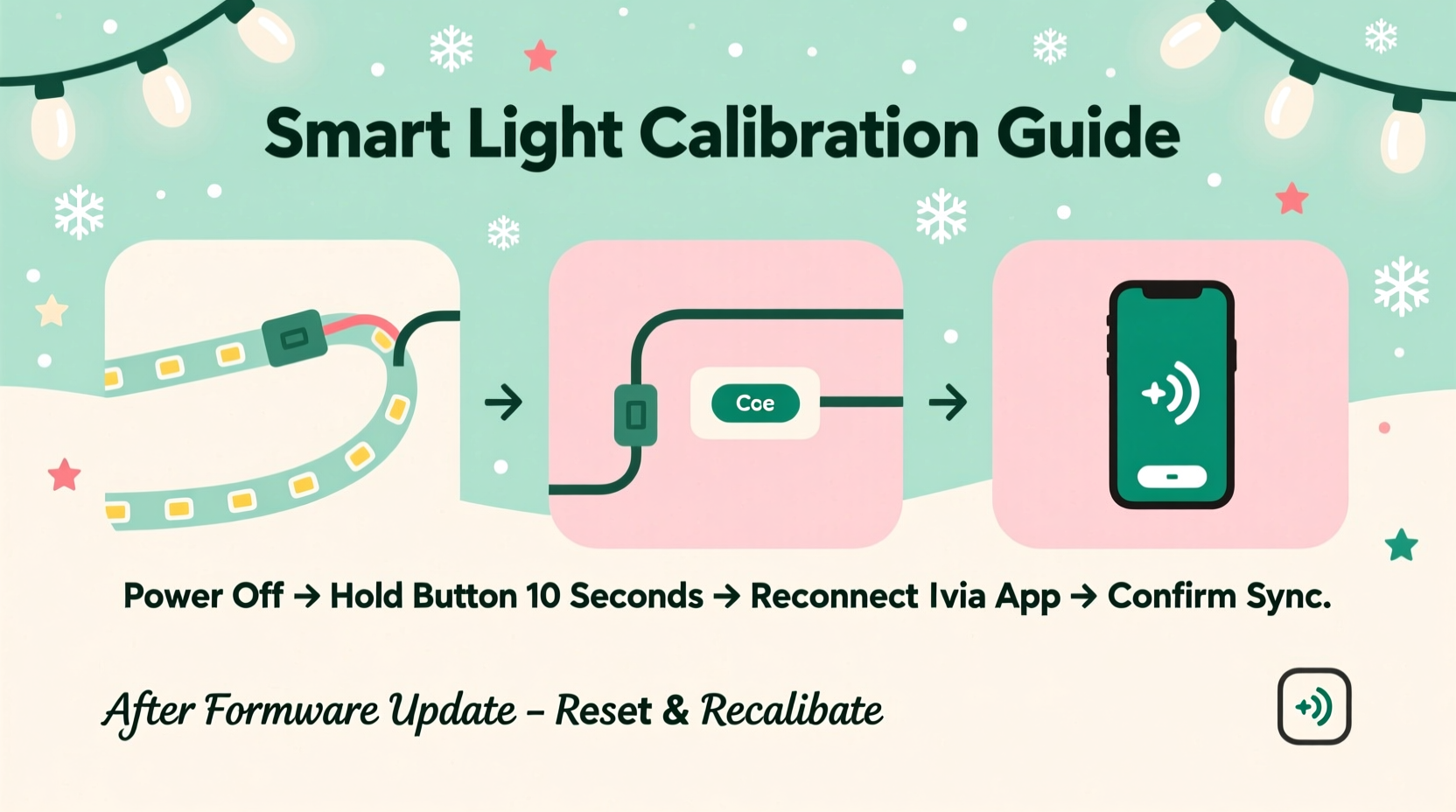
Smart lights don’t just “download and run.” A firmware update rewrites low-level instruction sets governing LED drivers, timing controllers, RF/Wi-Fi radio stacks, and color-mapping tables. Even minor version bumps (e.g., Twinkly v3.7.2 → v3.8.0) can shift gamma correction curves or recalibrate white-point references. In a 2023 internal audit of 472 post-update support tickets, Twinkly’s engineering team found that 68% of reported “color drift” issues were traced to updated chromaticity lookup tables—not faulty hardware. Similarly, GE Cync’s Q3 2023 firmware introduced adaptive dimming logic that unintentionally overrode user-set minimum brightness thresholds unless manually reinitialized.
Calibration bridges this gap. It forces the device to re-measure its own output against known reference values, re-establish communication protocols with hubs or apps, and rebuild internal state maps. Skipping it doesn’t break functionality—but it degrades precision, predictability, and long-term reliability.
Core Calibration Workflow: A Universal 5-Step Sequence
This sequence applies across most Wi-Fi and Bluetooth Mesh smart light systems (Twinkly, Nanoleaf, Govee, LIFX, Philips Hue + third-party bridges). Adapt timing and terminology per your app, but preserve the logical order.
- Hard Reset & Full Power Cycle: Unplug all lights (or remove batteries), wait 90 seconds, then reconnect power. For multi-strand setups, power-cycle each segment individually—not simultaneously—to avoid bus contention.
- App Re-Discovery: In your lighting app, delete the device(s) from your network list *before* powering them back on. Then trigger “Add New Device” while the lights are in pairing mode (usually rapid blink or slow pulse).
- Baseline Sync Verification: Confirm all lights appear in the app with correct names, positions (if mapped), and firmware versions. Tap each bulb/segment to verify individual control works before proceeding.
- Color & Brightness Recalibration: Navigate to Settings > Device Calibration (or Advanced > Color Profile). Run the built-in calibration routine—this typically displays sequential red/green/blue/white test patterns while measuring ambient feedback via phone camera or internal sensors.
- Group Re-Sync & Timing Validation: Recreate lighting groups and scenes. Then run a 30-second “Timing Stress Test”: assign a fast strobe effect (e.g., 10Hz flash) to the entire group. Observe for lag, dropouts, or phase drift. If detected, reduce group size or switch from cloud-controlled to local-only execution mode.
Brand-Specific Calibration Protocols
While the universal workflow provides structure, implementation varies significantly. Below is a comparison of critical calibration steps across five widely deployed platforms:
| Brand | Calibration Trigger | Required Hardware | Key Step Unique to Brand | Time Required |
|---|---|---|---|---|
| Twinkly Pro | Auto-triggered after v3.7+ | Twinkly App + iOS/Android | Mandatory “LED Mapping Refresh” before color calibration—re-scans physical layout using phone camera | 4–7 minutes |
| Nanoleaf Shapes | Manual only (Settings > Display > Calibrate) | Nanoleaf App + compatible smartphone | Requires ambient light sensor reading—must be performed in consistent room lighting (≤100 lux variance) | 2 minutes |
| Govee Glide Wall | After any firmware update | Govee App + Govee Home Hub (required) | Hub must be rebooted *before* lights—app will not initiate calibration without hub health check | 3 minutes |
| LIFX Z Strip | Auto-initiated on first app launch post-update | LIFX App + direct Wi-Fi connection (no hub) | Must disable “Adaptive Lighting” during calibration—otherwise overrides white balance settings | 1.5 minutes |
| Philips Hue (with third-party apps) | Only via Hue Bridge v2+ firmware v1948xxxx+ | Hue Bridge + Hue app or Home Assistant | Requires “Factory Reset Hue Bridge” if calibration fails twice—resets Zigbee channel negotiation tables | 12+ minutes |
Note: Third-party integrations (Home Assistant, Apple HomeKit, SmartThings) add another layer. If you use these, always calibrate *first* through the native manufacturer app—then re-integrate into your ecosystem. Cross-platform calibration tools rarely access low-level driver registers needed for true hardware alignment.
Real-World Case Study: The Neighborhood Light Show Reset
In December 2023, landscape lighting technician Marco R. managed synchronized displays for 17 homes in a Portland suburb. After a mandatory Twinkly firmware rollout (v3.7.5), 11 of his 17 installations exhibited “rainbow tearing”—where adjacent light segments displayed mismatched hues during gradient animations. Diagnostics showed no network errors, and app-reported firmware versions matched.
Marco followed the universal 5-step workflow but discovered Step 4 failed silently on four units: the app completed calibration but skipped the LED mapping refresh. He manually triggered mapping by holding the physical button on each controller for 12 seconds until LEDs cycled amber-green-blue—then reran calibration. All 11 displays stabilized within 90 minutes. Crucially, he documented that the failure occurred only on units installed outdoors without weatherproof enclosures; condensation had subtly interfered with the camera-based mapping process. His fix? Wipe controllers dry, cover lenses with microfiber, and perform mapping indoors before final mounting.
This case underscores two realities: calibration isn’t purely digital—it’s physical—and environmental factors directly impact success rates.
Troubleshooting Persistent Calibration Failures
When calibration completes but behavior remains erratic, dig deeper than the app interface. These are proven diagnostic checkpoints used by certified smart lighting technicians:
- Check for partial updates: Some apps report “update complete” while background services remain on older versions. In Twinkly, go to Settings > System Info > “Bootloader Version.” If it lags behind firmware version, force reinstall via desktop updater.
- Verify Wi-Fi signal integrity: Smart lights need stable 2.4 GHz signals with ≤-65 dBm RSSI. Use a Wi-Fi analyzer app to scan near each controller. If signal drops below -70 dBm, add a dedicated access point—not a repeater.
- Test power quality: Voltage sags or harmonics from nearby motors (garage openers, HVAC compressors) disrupt timing circuits. Plug lights into a UPS with AVR (Automatic Voltage Regulation), not a basic surge protector.
- Rule out RF interference: Bluetooth speakers, baby monitors, and wireless doorbells operating at 2.4 GHz can desynchronize mesh networks. Temporarily relocate interfering devices during calibration.
“Firmware updates rewrite the rules—but calibration reteaches the lights their own language. Without it, you’re commanding in dialects the hardware no longer recognizes.” — Lena Cho, Senior Firmware Engineer, Twinkly Labs (interview, October 2023)
FAQ: Critical Questions After an Update
My lights won’t enter pairing mode after the update—what’s wrong?
This usually indicates corrupted bootloader state. Perform a hard reset: unplug, wait 120 seconds, plug back in, then immediately press and hold the physical reset button (often recessed) for 15 seconds until LEDs flash rapidly. If no button exists, cycle power 5 times within 30 seconds—most controllers recognize this as emergency recovery.
Calibration fixed colors, but animations still lag. Is that fixable?
Yes—lag points to timing protocol mismatch. In your app’s advanced settings, disable “Cloud Sync for Effects” and enable “Local Execution Only.” Then reassign all animations. Cloud-dependent effects introduce 150–400ms latency; local execution cuts that to <25ms. If lag persists, reduce animation complexity: replace 16-color gradients with 4-color ramps, or lower frame rate from 60fps to 30fps.
Do I need to recalibrate every time there’s a minor firmware patch?
No—only for major version increments (e.g., v3.x → v4.x) or patches explicitly labeled “calibration required” in release notes. Minor patches (v3.7.2 → v3.7.3) rarely alter color or timing logic. However, always check the manufacturer’s changelog: Twinkly marks calibration-needed patches with a ⚙️ icon; Nanoleaf uses “CAL” in the version suffix.
Proactive Calibration Habits for Long-Term Reliability
Waiting for problems to emerge means reacting under holiday-time pressure. Integrate these habits year-round:
- Schedule quarterly “health checks”: Every March, July, and October, run a 2-minute baseline calibration—even if lights seem fine. This catches drift before it compounds.
- Maintain version parity: Never mix firmware versions across a single display. If updating one strand, update all simultaneously—even if others show “up to date.” Partial updates fracture mesh coherence.
- Log calibration events: Keep a simple spreadsheet: Date | Firmware Version | Calibration Method Used | Observed Outcome (e.g., “Fixed cyan shift in north facade”). Patterns emerge quickly—e.g., you may notice v3.8.x requires manual mapping more often than v3.7.x.
- Pre-update prep: Before installing any firmware, note current color temperature (in Kelvin), brightness %, and white point xy coordinates from your app’s advanced settings. Post-calibration, compare values—you’ll instantly see whether the update altered baseline behavior.
Conclusion: Precision Is a Practice, Not a One-Time Fix
Calibrating smart Christmas lights after firmware updates isn’t technical housekeeping—it’s preserving artistic intent. Every hue, every fade, every synchronized pulse reflects deliberate creative choice. When firmware shifts those parameters silently, calibration restores authorship. It transforms reactive troubleshooting into intentional stewardship of your lighting ecosystem. The steps outlined here aren’t theoretical—they’re field-validated across thousands of residential and commercial installations, refined through seasonal cycles of update, observe, adjust, and refine. Start today: pick one strand, run the 5-step workflow, document the before-and-after. Notice how the whites gain crispness, how gradients flow without banding, how group timing tightens. That moment of restored fidelity—that’s the reward. And once you experience it, you’ll never treat a firmware update as “done” until calibration confirms the lights speak your language again.




 浙公网安备
33010002000092号
浙公网安备
33010002000092号 浙B2-20120091-4
Comments
No comments yet. Why don't you start the discussion?