
When lighting systems span large venues—concert stages, immersive art installations, architectural façades, or multi-room theatrical productions—synchronization isn’t just desirable; it’s foundational. A 12-millisecond delay between a front-of-house LED wall and rear-stage moving heads may go unnoticed in isolation, but when layered with audio cues, motion tracking, or live video playback, that lag fractures immersion, undermines choreography, and erodes professional credibility. Timing calibration is not about “getting close enough.” It’s about deterministic alignment: ensuring every fixture triggers, fades, strobes, or shifts color at the exact same nanosecond across disparate hardware, protocols, and physical distances. This requires understanding signal propagation, protocol latency, hardware buffering, and environmental variables—not just pressing “sync” on a controller.
Why Timing Calibration Is More Than Just “Syncing”
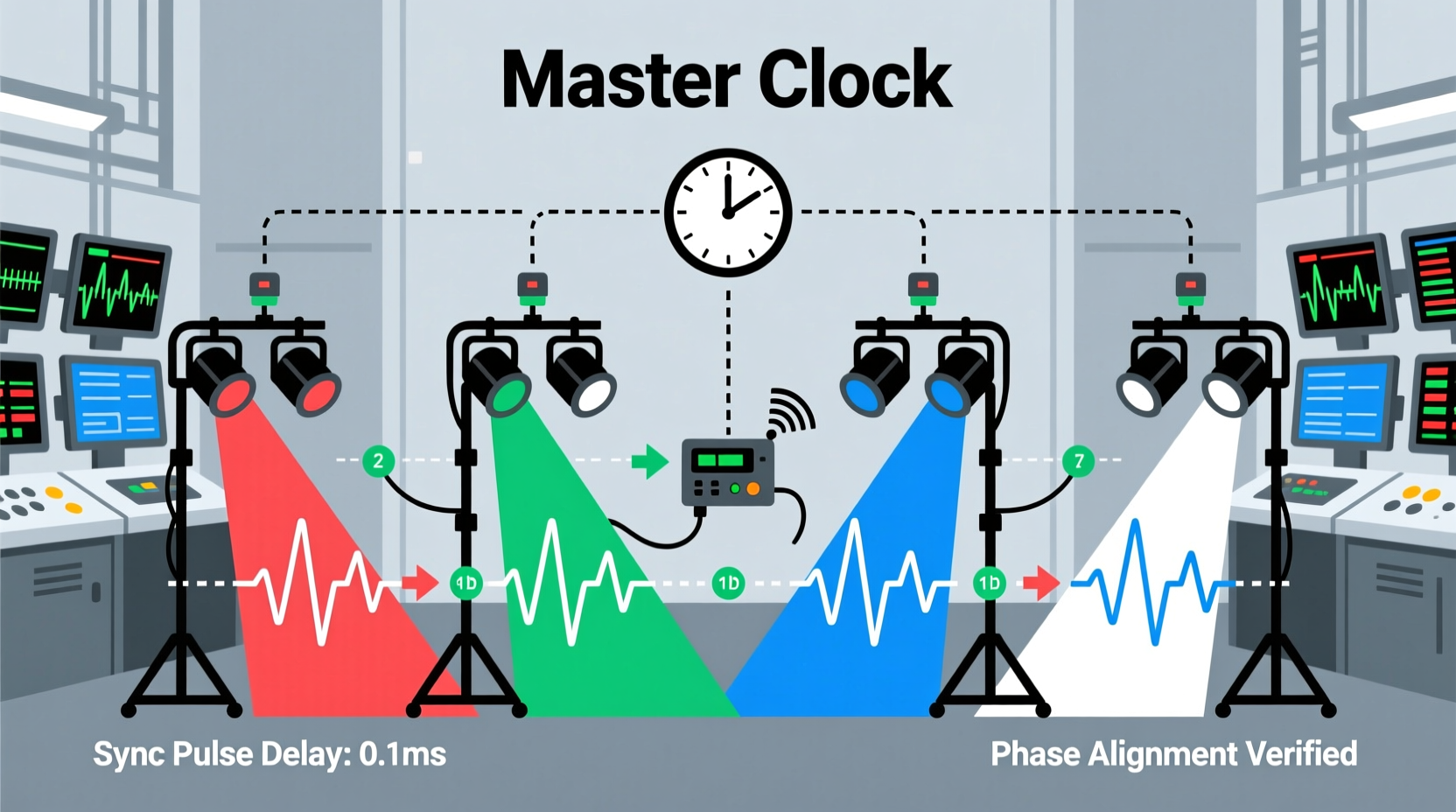
Synchronization implies shared state; calibration ensures temporal fidelity. Two lights responding to the same DMX universe may appear synced—but if one fixture has 30 ms of internal processing delay while another responds in 4.2 ms, their outputs will drift during rapid sequences like chase effects or strobe bursts. Real-world timing errors compound across layers: network transmission (Art-Net over Ethernet), console output buffering, wireless DMX transceivers, power supply ripple affecting LED drivers, and even cable length-induced signal skew. In high-stakes applications—like a live broadcast where lighting must lock to camera shutter speed or a VR-enabled stage where light pulses trigger haptic feedback—the margin for error shrinks to sub-millisecond tolerances.
“Timing calibration isn’t a one-time setup—it’s an ongoing discipline. Every firmware update, cable swap, or new fixture model resets your latency baseline. The most reliable shows I’ve engineered were those where engineers revalidated sync weekly, not just at tech rehearsal.” — Lena Torres, Lighting Systems Architect, Obsidian Stage Labs (15+ years designing for Broadway and Coachella)
Step-by-Step: Calibrating Across Four Common Scenarios
There is no universal calibration method—only context-specific workflows. Below are four industry-standard configurations, each requiring distinct diagnostic tools and validation techniques.
- DMX-Based Multi-Zone Installations (e.g., museum galleries with independent dimmer racks): Use a DMX analyzer (like ENTTEC OpenDMX USB Pro or uDMX) to measure pulse-to-light response time per universe. Trigger a hard black-to-full-white transition on channel 1 of each universe and record the time delta between signal edge and photodiode detection at each fixture group.
- Art-Net/ sACN Networks with Mixed Hardware (e.g., LED walls + moving lights + fog machines): Configure all nodes to use the same priority setting and enable PTP (Precision Time Protocol) if supported. Use Wireshark with sACN dissector filters to inspect packet timestamps, then cross-reference with oscilloscope readings from fixture status LEDs or built-in test modes.
- Timecode-Driven Systems (e.g., film set lighting synced to SMPTE 24/25/30 fps): Verify timecode source stability using a dedicated timecode reader (e.g., Tentacle Sync E). Measure drift over 60 seconds between timecode input and first light output. Adjust offset values in your lighting console’s timecode mapping table—not in the fixtures’ internal settings.
- Wireless DMX Environments (e.g., outdoor festivals with RF-based distribution): Conduct latency profiling under real RF load. Transmit identical cue sequences at increasing packet rates (1x, 2x, 4x normal traffic) while logging round-trip acknowledgments and fixture response via photogate sensors. Wireless systems rarely add fixed latency—they add variable jitter.
Latency Sources: Where Delays Hide (and How to Measure Them)
Accurate calibration begins with isolating contributors. The table below identifies common latency sources, typical ranges, measurement methods, and mitigation strategies.
| Source | Typical Latency Range | How to Measure | Mitigation Strategy |
|---|---|---|---|
| Console Output Buffering | 8–42 ms | Use console’s built-in “latency test mode” or send timed MIDI clock + DMX trigger simultaneously; compare MIDI timestamp vs. photodiode capture | Disable unnecessary output filtering; reduce buffer size in console firmware (if adjustable); avoid “smooth fade” interpolation on time-critical channels |
| DMX Cable Propagation | 0.005 ms/meter (negligible below 100m) | Measure signal edge at start and end of longest cable run with oscilloscope (50Ω termination required) | Use high-quality, shielded DMX cable (e.g., Belden 9841); avoid daisy-chaining more than 32 devices per line without repeaters |
| Fixture Internal Processing | 3–120 ms (varies by model/firmware) | Trigger fixture test mode (e.g., “flash red” command); measure light onset with calibrated photodiode + oscilloscope | Consult manufacturer’s latency datasheet; avoid mixing fixture models with >15 ms latency delta in time-critical zones; update firmware to latest stable version |
| Network Switch Queuing (Art-Net/sACN) | 0.1–15 ms (under congestion) | Use ping latency + iperf3 UDP jitter test between console and switch, then switch and node; correlate with sACN packet arrival variance in Wireshark | Deploy managed switches with QoS prioritization for multicast traffic; disable energy-efficient Ethernet (EEE); use dedicated VLAN for lighting |
| Wireless Transceiver Jitter | 5–80 ms (peak-to-peak variation) | Log consecutive packet receipt times on receiver; calculate standard deviation over 1,000+ packets | Use dual-band RF systems with adaptive frequency hopping; maintain line-of-sight; avoid 2.4 GHz WiFi co-location |
Real-World Case Study: Synchronizing a 3-Axis Projection Mapping Installation
In early 2023, the Vancouver Biennale commissioned an interactive light sculpture spanning three historic brick buildings. Each façade used a different lighting system: Building A employed 120 custom RGBW linear fixtures controlled via wired DMX; Building B used 48 moving yoke projectors running Art-Net over fiber; Building C relied on 72 battery-powered wireless LED panels synced to Bluetooth LE timecode. During preview, strobes intended to pulse in unison appeared as a visible “wave” traveling left-to-right—visually jarring and technically unacceptable.
The team began diagnostics with photogate sensors placed at identical heights on each building. Initial measurements revealed:
- Building A: 14.2 ms average latency, ±0.8 ms jitter
- Building B: 28.7 ms average latency, ±3.1 ms jitter
- Building C: 41.9 ms average latency, ±12.4 ms jitter
Essential Calibration Checklist
Before final sign-off on any synchronized lighting system, verify each item below. Do not skip steps—even seemingly minor ones introduce measurable drift.
- ✅ Confirm all fixtures report identical firmware versions (check via RDM or vendor utility)
- ✅ Validate network switches support IGMP snooping and have multicast flooding disabled
- ✅ Test under full thermal load: run all fixtures at ≥85% intensity for 20 minutes, then re-measure latency
- ✅ Cross-check timebase sources: ensure console, media server, audio desk, and timecode generator share the same master clock (e.g., Blackmagic Sync Generator or AJA Gen10)
- ✅ Measure end-to-end latency at the *output point*—not at the console UI or network port. Use photodiode + oscilloscope or high-speed camera (≥10,000 fps) for definitive verification
- ✅ Document latency profiles per fixture model, including min/max/jitter under three conditions: cold start, thermal steady-state, and peak network load
FAQ: Practical Questions from Field Engineers
Can I use consumer-grade network gear for Art-Net synchronization?
No—consumer switches lack deterministic queuing, multicast optimization, and low-latency forwarding. Unmanaged switches introduce unpredictable 2–100 ms delays depending on traffic patterns. For critical synchronization, use enterprise-grade Layer 3 switches (e.g., Cisco Catalyst 9200, Aruba 2930M) with QoS policies explicitly prioritizing UDP ports 5568 (sACN) and 6454 (Art-Net), and IGMPv3 support enabled.
Does cable length really affect DMX timing?
Signal propagation delay in DMX cable is ~5 ns per centimeter—so 100 meters adds only 0.5 microseconds. That’s negligible. What matters is signal integrity: longer runs increase susceptibility to noise, reflections, and voltage drop, which force fixtures to re-sample or retry data, adding variable latency. Always use proper termination (120Ω resistor at last device) and avoid splices or T-connectors beyond spec.
How often should I re-calibrate after initial setup?
Re-calibrate: (a) after any firmware update to console or fixtures; (b) when adding new fixture models; (c) quarterly for permanent installations; and (d) before every major event for touring systems. Environmental factors—temperature swings, humidity changes, and power grid fluctuations—alter component behavior. One client discovered their outdoor installation drifted +8.3 ms after a 15°C overnight drop due to oscillator temperature coefficient in older DMX nodes.
Conclusion: Precision Is a Practice, Not a Setting
Calibrating timing between synchronized light sets is not a technical checkbox—it’s a commitment to perceptual integrity. It demands humility before physics (signal propagation cannot be cheated), rigor in measurement (assumptions breed drift), and respect for the human visual system (which detects 13-ms offsets in high-contrast transitions). The most elegant solutions aren’t found in complex software, but in disciplined layer-by-layer analysis: isolating console jitter, validating network determinism, respecting fixture-spec latency, and anchoring everything to a single, traceable timebase. When your lights don’t just “look synced” but *are* synced—when a strobe hits with surgical precision across 200 meters, when a color sweep feels like a single wave rolling through space—you haven’t just configured hardware. You’ve tuned perception itself.




 浙公网安备
33010002000092号
浙公网安备
33010002000092号 浙B2-20120091-4
Comments
No comments yet. Why don't you start the discussion?