
When messages stop being delivered or replies suddenly dry up, it's natural to wonder whether the person has simply gone silent—or taken the step of blocking you. On an iPhone, Apple doesn’t send notifications when someone blocks your number, making it difficult to know for sure. Unlike social media platforms that often display clear indicators, iMessage operates more discreetly. However, there are subtle but reliable clues in message behavior, call patterns, and app functionality that can help you determine if you've been blocked.
This guide walks through the technical and behavioral signals that suggest a block, explains how iMessage and SMS function differently in these scenarios, and offers practical steps to confirm your suspicions—without overstepping boundaries or escalating tension.
Understanding iMessage vs. SMS on iPhone
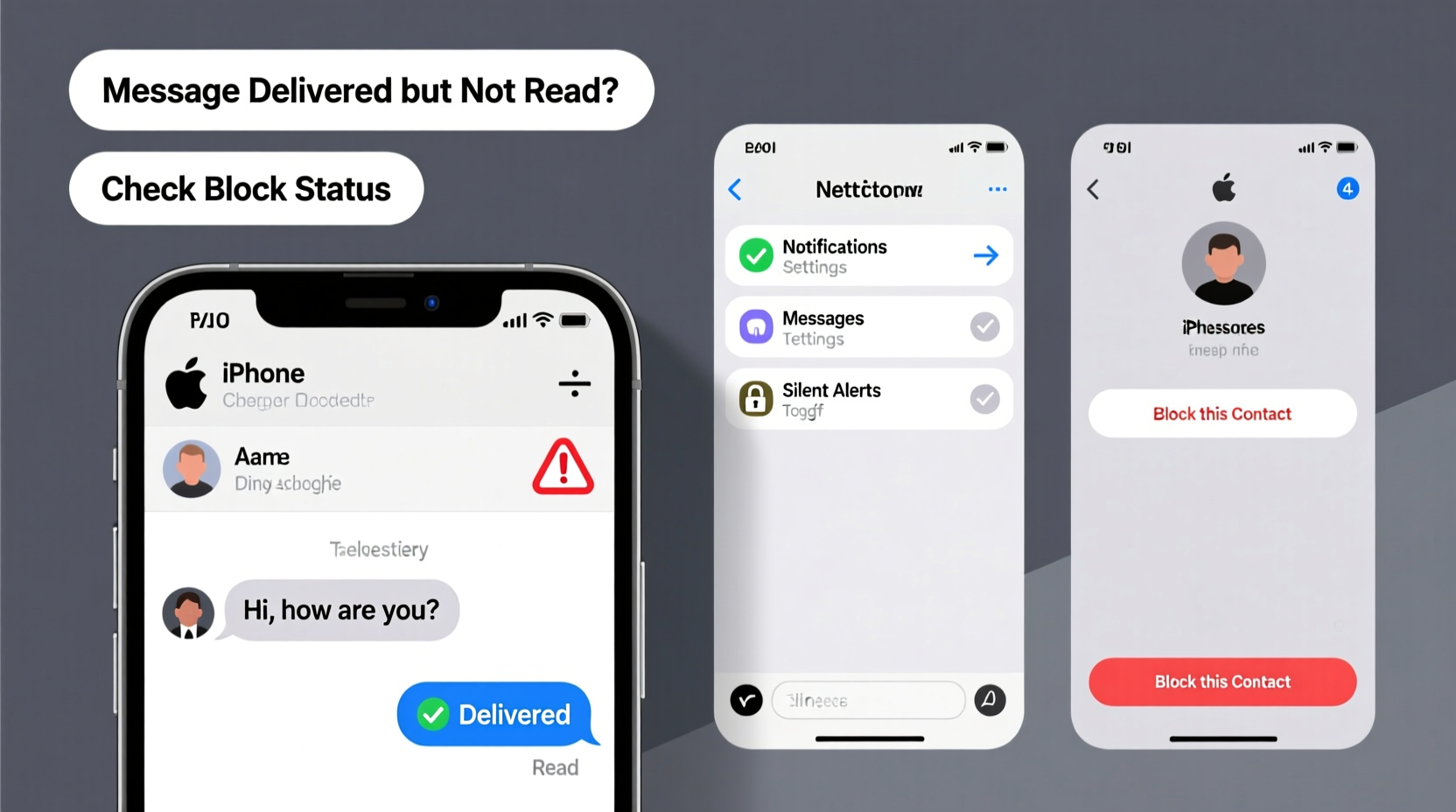
Before diving into signs of a block, it’s essential to understand how iPhone messaging works. iPhones use two primary systems: iMessage (Apple’s proprietary messaging service) and SMS (standard text messaging via cellular networks).
iMessage appears in blue bubbles and requires an internet connection. It syncs across Apple devices and supports features like read receipts, typing indicators, and high-quality media sharing. SMS, shown in green bubbles, relies on your carrier and functions like traditional texting—even without Wi-Fi.
The distinction matters because being blocked affects iMessage and SMS differently. If someone blocks your number, your iMessages will fail to deliver, and SMS may behave unusually—but not always consistently. This duality is why confusion arises and why multiple factors must be evaluated together.
Key Signs Someone Has Blocked Your Texts
No single indicator confirms a block with 100% certainty, but a combination of the following behaviors strongly suggests it:
- Messages remain blue with no \"Delivered\" or \"Read\" status: When iMessage doesn’t show delivery confirmation and stays blue indefinitely, it could mean the recipient’s device isn’t receiving your message—possibly due to a block.
- You never see \"Delivered\" or \"Read\" after previously having those enabled: If you used to see delivery and read receipts from this contact and now they’ve disappeared entirely, especially across multiple messages, it may indicate a block.
- Calls go straight to voicemail without ringing: While this can happen if the phone is off or in Do Not Disturb mode, repeated calls going directly to voicemail—especially when the person was previously reachable—is a red flag.
- You can't add them to group messages: A lesser-known effect of being blocked is that iOS prevents you from adding the person to new group conversations. If you try and the name won’t autocomplete or the message fails to send to them, it could signal a block.
- No profile photo or name updates visible: If you used to see their iMessage profile picture, nickname, or status (like “Typing…”) and now see nothing—even after reopening Messages—it may mean you’re blocked.
It’s important to note that some of these symptoms can also result from technical issues: poor internet, disabled iMessage, or the recipient deleting their account. That’s why context and consistency matter.
“While Apple intentionally keeps blocking discreet, consistent failure across iMessage, calls, and group adds is one of the strongest real-world indicators.” — Jordan Lee, Mobile Security Analyst
Step-by-Step Guide to Confirm a Block
Follow this sequence to assess whether you’ve likely been blocked. Each step rules out common alternatives before concluding a block is probable.
- Send a mix of iMessage and SMS: Try sending a message while connected to Wi-Fi (iMessage) and then disable Wi-Fi to force SMS (green bubble). If only SMS goes through, it may suggest iMessage is blocked.
- Check delivery status: Wait several hours. If iMessages stay blue without any status update (“Delivered,” “Read”), and SMS shows as sent (but no reply), consider it suspicious.
- Call the person: Make a voice call. If it rings once and cuts to voicemail, or goes straight to voicemail every time—even at different times of day—it increases the likelihood of a block.
- Attempt a FaceTime call: Open the Messages thread and tap the video icon. If FaceTime fails immediately with no ring, this is another sign. Blocked users cannot initiate FaceTime with the blocker.
- Add them to a group message: Create a new group chat and try including the contact. If their name doesn’t appear or the message fails to send to them, it’s a strong technical indicator of a block.
- Ask a mutual contact: Discreetly ask someone else if they can reach the person normally. If others have no issues sending messages or calling, your inability points toward being blocked.
If five or more of these tests fail consistently while others succeed, the odds are high you’ve been blocked.
Do’s and Don’ts When You Suspect a Block
Discovering you may have been blocked can be emotionally charged. How you respond matters—for your peace of mind and any potential future relationship.
| Do | Don’t |
|---|---|
| Respect the silence. A block is a boundary. | Spam the number with calls or texts from alternate accounts. |
| Reflect on recent interactions for possible reasons. | Confront the person aggressively or publicly. |
| Use alternative communication only if necessary and professional. | Try to trick or manipulate the system (e.g., using email-to-SMS gateways). |
| Focus on self-care and emotional processing. | Take it as a reflection of your worth. |
| Consider reaching out through a third party—if appropriate and respectful. | Blame yourself entirely; relationships are complex and mutual. |
Real Example: When Messaging Behavior Changed Overnight
Sophie had been texting her coworker Mark daily during a project. Their tone was friendly, and messages were consistently delivered with read receipts. After a minor disagreement during a meeting, Sophie noticed her next few iMessages stayed blue with no “Delivered” status. She called—straight to voicemail. She tried again later that evening: same result.
She waited two days and sent a neutral follow-up via SMS (green bubble), which showed as sent. Still no reply. Curious, she created a group chat with two other team members and tried adding Mark. His name wouldn’t populate. One colleague confirmed Mark had been active on company Slack and responded to their texts normally.
Based on the pattern—failed iMessage delivery, no call response, inability to add to group, and third-party verification—Sophie concluded she’d likely been blocked. Instead of escalating, she documented the completed work and moved on professionally. Months later, they reconnected neutrally at an event, suggesting the block was situational, not personal.
This case illustrates how combining technical checks with emotional maturity leads to better outcomes than assumptions or confrontation.
Frequently Asked Questions
Can I still receive messages from someone who blocked me?
No. Once someone blocks your number on their iPhone, you cannot send them iMessages or SMS, and they won’t receive any past or future messages from you. If they unblock you later, previous threads won’t reappear automatically unless they saved the conversation elsewhere.
Does “Sent as Text Message” mean I’m blocked?
Not necessarily. “Sent as Text Message” (green bubble) simply means iMessage wasn’t available—either due to no internet on their end, iMessage being turned off, or their Apple ID being deactivated. Being blocked may cause this, but so can many other technical conditions. Look for additional signs like lack of delivery status and failed calls.
Will my message say “Blocked” if I’m blocked?
No. Apple does not notify you when you’ve been blocked. There is no pop-up, warning, or label. The absence of delivery confirmation, combined with other behavioral changes, is the only way to infer a block.
What to Do If You’ve Been Blocked
First, accept that the decision reflects the other person’s need for space—not necessarily rejection of you as a person. People block others for various reasons: emotional overload, conflict avoidance, digital detox, or even mistaken settings.
If the relationship was personal, give it time. Emotions cool, and perspectives shift. Avoid retaliatory blocking or public commentary. If the connection is professional or familial, consider indirect communication through email, shared calendars, or mutual contacts—always prioritizing respect and clarity.
For your own well-being, focus on what you can control: your reactions, your boundaries, and your communication habits moving forward. Use the experience to reflect on how you engage digitally. Were messages too frequent? Did tone come across differently than intended? These insights can improve future interactions.
“Digital boundaries are valid. Just as we close doors in life, people close channels online. Respecting that is part of emotional intelligence in the modern world.” — Dr. Lena Torres, Digital Wellness Psychologist
Final Checklist: Has Someone Blocked My Texts?
Use this checklist to evaluate the situation objectively:
- ☑ iMessages remain blue with no “Delivered” or “Read” status
- ☑ SMS sends but receives no reply despite normal activity from others
- ☑ Calls go straight to voicemail repeatedly
- ☑ FaceTime attempts fail instantly
- ☑ Cannot add the person to a new group message
- ☑ Their profile info (photo, name) no longer appears in Messages
- ☑ A mutual contact confirms they can reach the person normally
- ☑ You’ve ruled out network issues, airplane mode, or device problems
If most of these apply, it’s highly likely you’ve been blocked. But remember: certainty isn’t always necessary. What matters is how you choose to move forward.
Conclusion
Figuring out whether someone has blocked your texts on iPhone requires observation, patience, and emotional balance. While Apple keeps blocking silent by design, the digital footprints left behind—failed deliveries, missing statuses, unreachable calls—can form a clear picture when viewed together.
More importantly, knowing how to respond with grace defines your character more than the block itself. Whether it’s a friend, partner, or colleague, respecting boundaries fosters healthier relationships in the long run. Use this moment not just to diagnose a technical issue, but to reflect on your communication style and digital empathy.




 浙公网安备
33010002000092号
浙公网安备
33010002000092号 浙B2-20120091-4
Comments
No comments yet. Why don't you start the discussion?