
Smart home technology has evolved rapidly, making voice-controlled devices essential in modern households. Two of the most popular options are smart displays and voice assistant speakers. While both respond to voice commands and integrate with smart home ecosystems, they serve different purposes and suit distinct user needs. Choosing between them isn’t always straightforward—especially when budget, room layout, and daily routines come into play.
Understanding the strengths and limitations of each device can help you make a decision that enhances convenience without cluttering your space or overspending. Whether you're setting up a kitchen command center or want a simple way to control lights and music from the bedroom, the right choice depends on more than just features—it’s about how you live.
Understanding the Core Differences
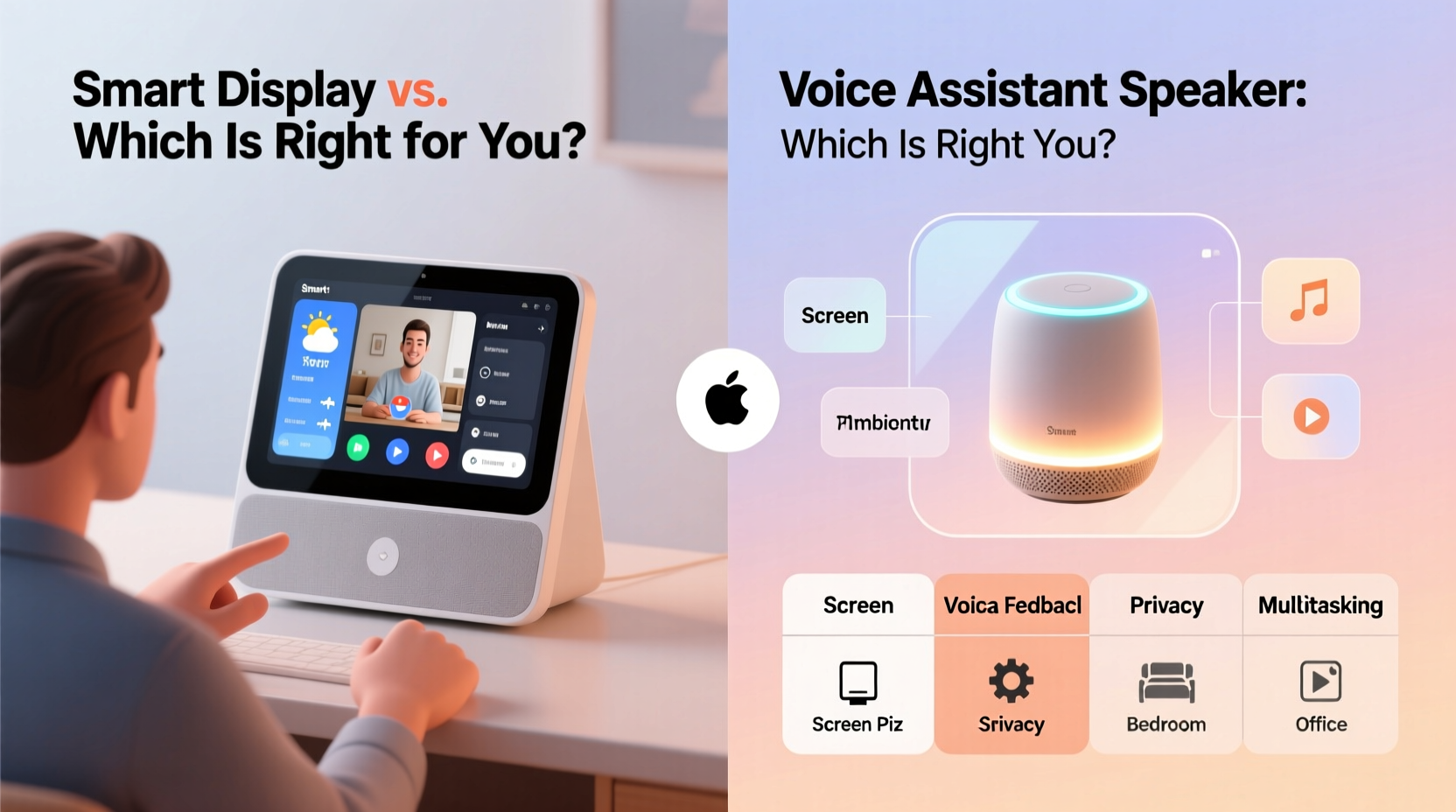
A voice assistant speaker is an audio-only device designed primarily for hands-free interaction. It listens for wake words (like “Hey Google” or “Alexa”) and responds with voice feedback. These speakers excel at playing music, setting timers, checking the weather, and controlling smart home devices—all through sound.
In contrast, a smart display includes a built-in screen alongside the same voice assistant capabilities. This visual component transforms the experience: you can watch video tutorials, see recipe steps, view security camera feeds, or take video calls. The screen adds functionality but also increases cost, power consumption, and physical footprint.
The key distinction lies in input and output. Speakers rely entirely on auditory communication; displays combine audio with visual information. This difference may seem minor, but it significantly impacts usability depending on context.
When a Voice Assistant Speaker Is the Better Choice
Voice assistant speakers remain the go-to option for many users due to their simplicity, affordability, and compact design. They’re ideal in situations where audio interaction is sufficient and visual feedback offers little added value.
For example, in a bedroom or hallway, you likely only need to ask for the time, set alarms, or dim the lights before sleep. A speaker handles these tasks efficiently without requiring you to look at a screen. Similarly, in a bathroom or small office, space constraints make a screen impractical.
Another advantage is privacy. Without a camera or screen, voice-only devices feel less intrusive, especially in private areas. Most speakers don’t record continuously—they activate only after hearing a wake word—and lack video capture capabilities altogether.
Budget-conscious buyers also benefit. Entry-level voice assistants start as low as $25–$50, whereas even basic smart displays typically begin around $80–$100. Over time, deploying multiple speakers across a home becomes far more economical than installing displays in every room.
“Voice-first interactions are still the fastest way to get information without breaking focus.” — Dr. Lena Torres, Human-Computer Interaction Researcher at MIT Media Lab
Advantages of Smart Displays for Visual Tasks
Smart displays shine when tasks require seeing information rather than just hearing it. Consider meal preparation: following a spoken recipe step-by-step can be confusing, especially if measurements or techniques are involved. A smart display lets you view the full recipe, pause video instructions, or zoom in on ingredient lists—all without touching the device.
Families with children often find displays more engaging. Kids can watch educational videos, follow along with storytime readings, or participate in interactive games. Parents appreciate being able to monitor content directly on the screen instead of relying solely on audio cues.
Video calling is another major benefit. Devices like the Amazon Echo Show or Google Nest Hub support services such as Zoom, Facebook Messenger, or Duo. Grandparents can see grandchildren during calls, caregivers can check in remotely, and remote workers can join meetings hands-free.
Additionally, smart displays provide richer smart home management. Instead of asking, “Is the front door locked?” and waiting for a verbal confirmation, you can pull up a live feed from your doorbell camera. You can glance at thermostat settings, review recent activity logs, or drag-and-drop routines on-screen.
Real-Life Example: The Busy Kitchen
Sarah, a working mother of two, installed a Google Nest Hub in her kitchen. Before this, she used a voice-only speaker but found herself repeating requests like “Show me the next step” during recipes. With the display, she now watches short instructional clips, sets multiple timers with visible countdowns, and checks her calendar while prepping dinner. She says the screen reduced her stress and saved time—especially during weekday rushes.
She later added a voice-only Echo Dot to her bedroom for simpler tasks like turning off lights and playing white noise. This hybrid setup allowed her to optimize functionality per room without overspending.
Key Factors to Consider Before Buying
Selecting the right device involves evaluating several practical factors. Here's what to assess before making a purchase:
- Daily Use Cases: Will you mainly listen to music and set reminders (speaker), or do you need visuals like recipes, calendars, or video calls (display)?
- Available Space: Compact rooms may not accommodate a display comfortably. Measure counter or shelf space before deciding.
- Privacy Concerns: Displays with cameras raise privacy questions. Look for models with physical camera shutters and clear data policies.
- Budget: Determine how much you’re willing to spend per device and whether you plan to deploy multiple units.
- Existing Ecosystem: Match the assistant (Google Assistant, Alexa, Siri via HomePod) with your current smart home devices for seamless integration.
- Accessibility Needs: Users with hearing impairments benefit greatly from text and video on displays, while visually impaired individuals may prefer high-quality audio feedback.
Comparison Table: Smart Display vs. Voice Assistant Speaker
| Feature | Voice Assistant Speaker | Smart Display |
|---|---|---|
| Screen | No | Yes (typically 5–10 inches) |
| Video Calling | No | Yes (with camera) |
| Recipe Viewing | Audio-only steps | Full visual instructions + video |
| Smart Home Control | Voice feedback only | Voice + visual interface (cameras, thermostats) |
| Price Range | $25–$100 | $80–$250 |
| Camera/Microphone Privacy | Microphone only (easier to disable) | Camera + mic (requires shutter management) |
| Ideal For | Music, quick queries, ambient control | Cooking, family coordination, video calls |
Step-by-Step Guide to Making Your Decision
Follow this structured approach to determine which device suits your household best:
- Map Your Rooms: Walk through your home and note where you’d place a smart device. List each location and its primary use (e.g., kitchen = cooking, bedroom = relaxation).
- Identify Top 3 Daily Tasks: For each room, write down the most common activities. Examples: playing morning news, controlling lights, following workouts.
- Determine Visual Need: Ask: Would a screen improve this task? If yes, consider a display. If no, a speaker suffices.
- Assess Budget & Scalability: Decide how many devices you need. If more than two, speakers offer better cost efficiency.
- Check Compatibility: Ensure the chosen assistant works with your existing smart lights, locks, thermostats, or appliances.
- Test in Person (if possible): Visit a retail store to interact with both types. Pay attention to screen brightness, speaker quality, and voice response speed.
- Start Small: Purchase one device first—preferably for the highest-traffic area—and expand based on real-world usage.
Hybrid Approach: Using Both Devices Together
You don’t have to choose one type exclusively. Many households use a combination strategy: a smart display in central, high-activity areas like the kitchen or living room, and voice-only speakers in bedrooms, bathrooms, or hallways.
This approach maximizes utility while minimizing redundancy. For instance, you might use the display to start a workout video, then switch to a bedroom speaker to continue listening to guided stretches without needing to look at the screen.
Modern ecosystems allow seamless handoff between devices. You can begin a podcast on a display and transfer playback to a speaker elsewhere using voice commands like “Move this to the bedroom speaker.” Inter-device communication enhances flexibility and ensures consistent coverage throughout the home.
Frequently Asked Questions
Can I disable the camera on a smart display?
Yes, most smart displays include a physical switch or software toggle to disable the camera. Some models even have a mechanical shutter that physically covers the lens when not in use. Always review the manufacturer’s privacy settings to ensure your preferences are enforced.
Do voice assistant speakers work without Wi-Fi?
No. Both smart displays and voice assistant speakers require a stable Wi-Fi connection to process voice commands through cloud-based servers. Without internet access, they cannot perform most functions, though some may retain limited local controls (e.g., Bluetooth audio playback).
Which is better for elderly users?
It depends on individual needs. Older adults who struggle with vision may prefer voice-only speakers for simplicity. However, those interested in staying connected with family via video calls or viewing large-text reminders may benefit significantly from a smart display. Touchscreen interfaces with clear icons can enhance usability when properly configured.
Final Recommendation Checklist
- ✅ I know my primary use case (audio vs. visual)
- ✅ I’ve evaluated space and placement options
- ✅ I understand the privacy implications of cameras
- ✅ My budget allows for single or multiple units
- ✅ The device integrates with my existing smart home setup
- ✅ I’ve considered accessibility needs for all household members
- ✅ I’m open to starting with one device and expanding later
Conclusion: Make the Choice That Fits Your Life
The decision between a smart display and a voice assistant speaker shouldn’t be driven by trends or marketing hype. It should reflect how you actually live, work, and interact with technology every day. A smart display brings powerful visual tools to tasks that demand more than sound, while a voice assistant speaker delivers fast, unobtrusive control with minimal investment.
There’s no universal “best” option—only the best fit for your lifestyle. By assessing your real needs, testing scenarios, and planning strategically, you can build a smart home system that feels intuitive, useful, and sustainable over time. Start with one device, learn from your experience, and grow your setup thoughtfully.




 浙公网安备
33010002000092号
浙公网安备
33010002000092号 浙B2-20120091-4
Comments
No comments yet. Why don't you start the discussion?