
Selecting the right keyboard is more than a matter of preference—it can influence your productivity, typing speed, and even long-term hand health. Among the most critical decisions is whether to go with mechanical or gel (also known as membrane or rubber dome) switches. While both have loyal followings, they deliver vastly different experiences in terms of tactile feedback, noise, durability, and comfort. Understanding their core differences helps you make an informed choice based on your typing habits, environment, and physical needs.
Understanding Mechanical vs. Gel Switches
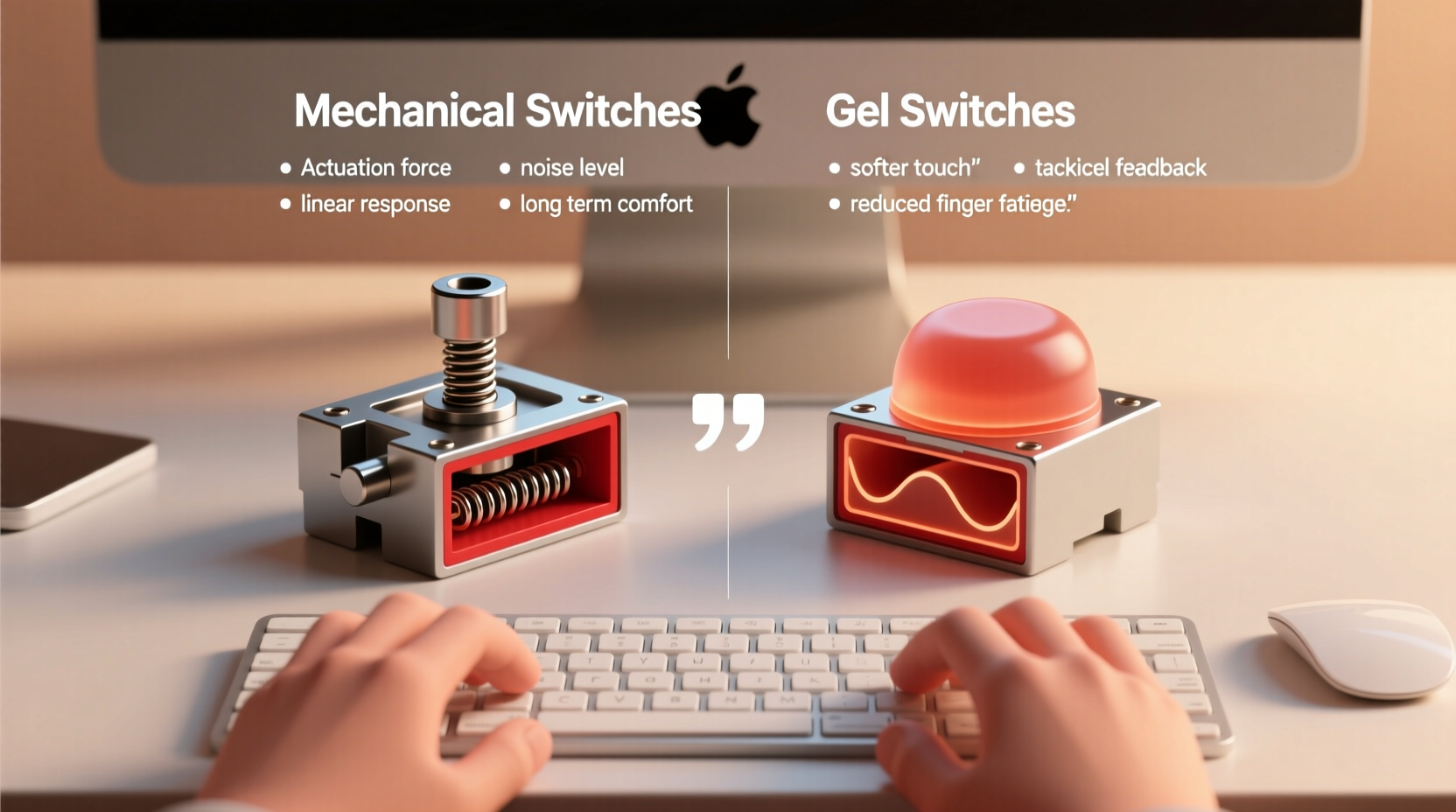
Mechanical keyboards use individual mechanical switches under each keycap. Each switch contains a spring and metal contacts that register a keystroke when pressed. These switches come in various types—linear, tactile, and clicky—offering distinct feel and sound profiles. Because they’re built with discrete components, mechanical switches are generally more durable, lasting up to 50–100 million keystrokes per key.
Gel or membrane keyboards, on the other hand, rely on a single rubber dome layer beneath the keys. When you press a key, the dome collapses, making contact with a circuit board underneath. This design produces a softer, mushier feel and tends to be quieter. However, the lack of precision and shorter lifespan (typically 5–10 million keystrokes) makes them less favored by typists who value responsiveness.
The fundamental distinction lies in actuation: mechanical switches provide consistent, predictable actuation points, while gel switches often require full depression to register input, leading to finger fatigue over time.
Typing Comfort: What Really Matters?
Comfort isn’t just about softness—it’s a combination of actuation force, travel distance, feedback, and noise. A keyboard that feels comfortable during short bursts may become fatiguing over extended sessions if it demands excessive pressure or lacks tactile cues.
- Actuation Force: Measured in centinewtons (cN), this refers to how much pressure is needed to register a keystroke. Mechanical switches typically range from 45cN to 70cN; gel switches often require more force due to inconsistent feedback.
- Travel Distance: The distance a key moves before bottoming out. Shorter travel (like 3.4mm) suits rapid typists; longer travel (4mm+) allows more control but increases finger movement.
- Tactile Feedback: The bump or resistance felt mid-press. Tactile switches help prevent over-pressing, reducing fatigue.
- Noise Level: Important in shared spaces. Clicky mechanicals can be loud; linear or gel switches are quieter.
For prolonged typing, tactile feedback and moderate actuation force are key. Without them, fingers work harder to confirm keystrokes, increasing strain on tendons and joints.
“Typists who develop discomfort often overlook switch characteristics. A well-chosen mechanical switch can reduce finger effort by nearly 30% compared to standard membrane designs.” — Dr. Lena Torres, Ergonomics Researcher at Human Factors Lab
Comparing Performance: Mechanical vs. Gel
| Feature | Mechanical Switches | Gel (Membrane) Switches |
|---|---|---|
| Lifespan | 50–100 million keystrokes | 5–10 million keystrokes |
| Actuation Consistency | High – precise point every time | Low – varies with wear |
| Tactile Feedback | Available (tactile/clicky options) | Minimal – mushy feel |
| Noise Level | Varies (clicky = loud, linear = quiet) | Generally quiet |
| Typing Speed Accuracy | Higher due to feedback and precision | Lower – prone to missed keystrokes |
| Customization | Full – swappable switches, keycaps | Limited – fixed design |
| Price Range | $70–$200+ | $20–$60 |
The data shows mechanical switches excel in durability, accuracy, and customization. However, gel keyboards remain popular due to lower cost and quiet operation. For users prioritizing typing comfort over time, mechanical switches offer superior ergonomics despite the higher initial investment.
Real-World Typing Scenarios
Consider Sarah, a freelance writer working from home. She types 4–6 hours daily across multiple devices. Initially using a budget gel keyboard, she began experiencing finger fatigue and wrist soreness after a few months. After switching to a mechanical keyboard with Cherry MX Brown switches—a tactile, medium-force option—she reported immediate improvement. Her typing became smoother, and she made fewer errors. More importantly, her hand discomfort diminished within two weeks.
In contrast, James, an office worker in an open-plan environment, needed a quiet solution. His colleagues complained about his previous clicky mechanical keyboard. He switched to a low-profile mechanical model with silent red switches, which offered the comfort of mechanical precision without disturbing others. This balance allowed him to maintain fast, accurate typing while respecting workplace acoustics.
These examples illustrate that comfort is contextual. It depends not only on physical design but also on usage patterns, environment, and individual physiology.
Step-by-Step Guide to Choosing Your Ideal Switch
Follow this process to determine whether mechanical or gel switches suit your typing comfort needs:
- Assess Your Daily Typing Volume
Do you type less than an hour a day? A gel keyboard may suffice. Over two hours? Prioritize mechanical switches for long-term comfort. - Evaluate Your Environment
Quiet offices or shared spaces favor quieter switches like linear (e.g., Cherry MX Red) or gel models. Home offices allow more flexibility. - Determine Sensitivity to Noise
If you're sensitive to sound, avoid clicky switches. If silence is crucial, consider gel or silent mechanical variants. - Test Actuation Preferences
Try keyboards with different switch types. Linear switches offer smooth presses; tactile ones provide subtle feedback; clicky types add audible confirmation. Your ideal switch should feel effortless, not fatiguing. - Check Build Quality and Ergonomics
Even the best switch won't compensate for poor ergonomics. Look for adjustable feet, wrist rests, and keycap shapes that support natural hand positioning. - Set a Realistic Budget
While mechanical keyboards cost more upfront, their longevity often makes them more cost-effective over time. Entry-level mechanicals start around $70 and are worth the investment for serious typists.
Common Misconceptions About Keyboard Switches
Several myths persist about mechanical and gel switches, often influencing poor choices:
- Myth: Mechanical keyboards are always loud.
Reality: Only clicky variants (like Blue switches) are noisy. Linear and silent mechanicals are comparable to gel in volume. - Myth: Gel keyboards are more comfortable because they’re softer.
Reality: Softness doesn’t equal comfort. Mushy feedback leads to over-pressing, increasing strain. - Myth: All mechanical switches feel the same.
Reality: There’s wide variation. Browns offer tactile bumps; Reds are smooth; Blacks are stiff. Sampling is essential. - Myth: You need mechanical switches only for gaming.
Reality: Their precision benefits any high-volume typing task—coding, writing, data entry.
Dispelling these myths helps users focus on actual performance rather than assumptions.
Expert Recommendations for Long-Term Comfort
According to ergonomic specialists, the best typing experience combines proper posture, desk setup, and input device selection. But among peripherals, the keyboard plays the most direct role in hand health.
“The difference between a good and bad keyboard can be the difference between occasional stiffness and chronic tendonitis. I recommend tactile mechanical switches for writers and programmers—they promote efficient keystrokes without excessive force.” — Dr. Rajiv Mehta, Occupational Therapist
Experts also emphasize the importance of switch maintenance. Dust and debris can alter switch behavior over time. Mechanical keyboards, with removable keycaps, allow easy cleaning. Gel keyboards trap dirt under the membrane, degrading performance irreversibly.
Frequently Asked Questions
Are mechanical keyboards better for preventing carpal tunnel?
While no keyboard eliminates risk entirely, mechanical switches—especially tactile ones—reduce finger strain by providing clear actuation feedback. This minimizes over-pressing and encourages lighter typing, which can lower the risk of repetitive strain injuries when combined with proper ergonomics.
Can I replace gel switches with mechanical ones?
No. Gel keyboards use a fundamentally different internal structure. Retrofitting mechanical switches isn’t feasible. To upgrade, purchase a dedicated mechanical keyboard. Some hybrid models exist, but they don’t offer true mechanical performance.
What’s the quietest mechanical switch that still feels comfortable?
Silent Red or Silent Brown switches (from Cherry or equivalent clones like Gateron) offer tactile feedback or smooth action with dampened springs to reduce noise. They’re ideal for shared environments where comfort and discretion are both priorities.
Final Checklist Before You Buy
- ✅ Assess your daily typing duration
- If over 2 hours, lean toward mechanical.
- ✅ Determine acceptable noise level
- Clicky switches are loud; opt for linear or silent variants in quiet spaces.
- ✅ Test tactile preference
- Do you like feedback? Choose tactile. Prefer smooth? Go linear.
- ✅ Consider build quality and layout
- Look for sturdy construction, PBT keycaps, and ergonomic design.
- ✅ Set a budget with long-term value in mind
- A $90 mechanical keyboard used for 5+ years costs less per year than replacing three $40 gel models.
Conclusion
Choosing between mechanical and gel keyboard switches isn’t about trendiness—it’s about aligning technology with your body’s needs. Mechanical switches offer precision, durability, and superior typing comfort, especially for those who spend significant time at a keyboard. Gel switches serve casual users well, particularly when budget and noise are primary concerns. But for anyone serious about comfort, accuracy, and long-term hand health, mechanical switches represent a smart, sustainable investment.
Your fingers deserve more than guesswork. Take the time to understand your typing rhythm, test different switches, and select a keyboard that supports—not hinders—your daily flow. The right choice today can enhance your productivity and well-being for years to come.




 浙公网安备
33010002000092号
浙公网安备
33010002000092号 浙B2-20120091-4
Comments
No comments yet. Why don't you start the discussion?