
In recent years, gaming setups have evolved beyond mere functionality into personalized environments that blend performance with aesthetics. One of the most impactful ways to elevate your space is by integrating synchronized Christmas lights that respond dynamically to on-screen action. When done right, these ambient lighting systems can extend the visual field of your game, reduce eye strain, and create a cinematic atmosphere. But not all string lights are built for this purpose. Choosing the right ones requires understanding compatibility, synchronization technology, color accuracy, and control options.
Understand the Technology Behind Synchronization
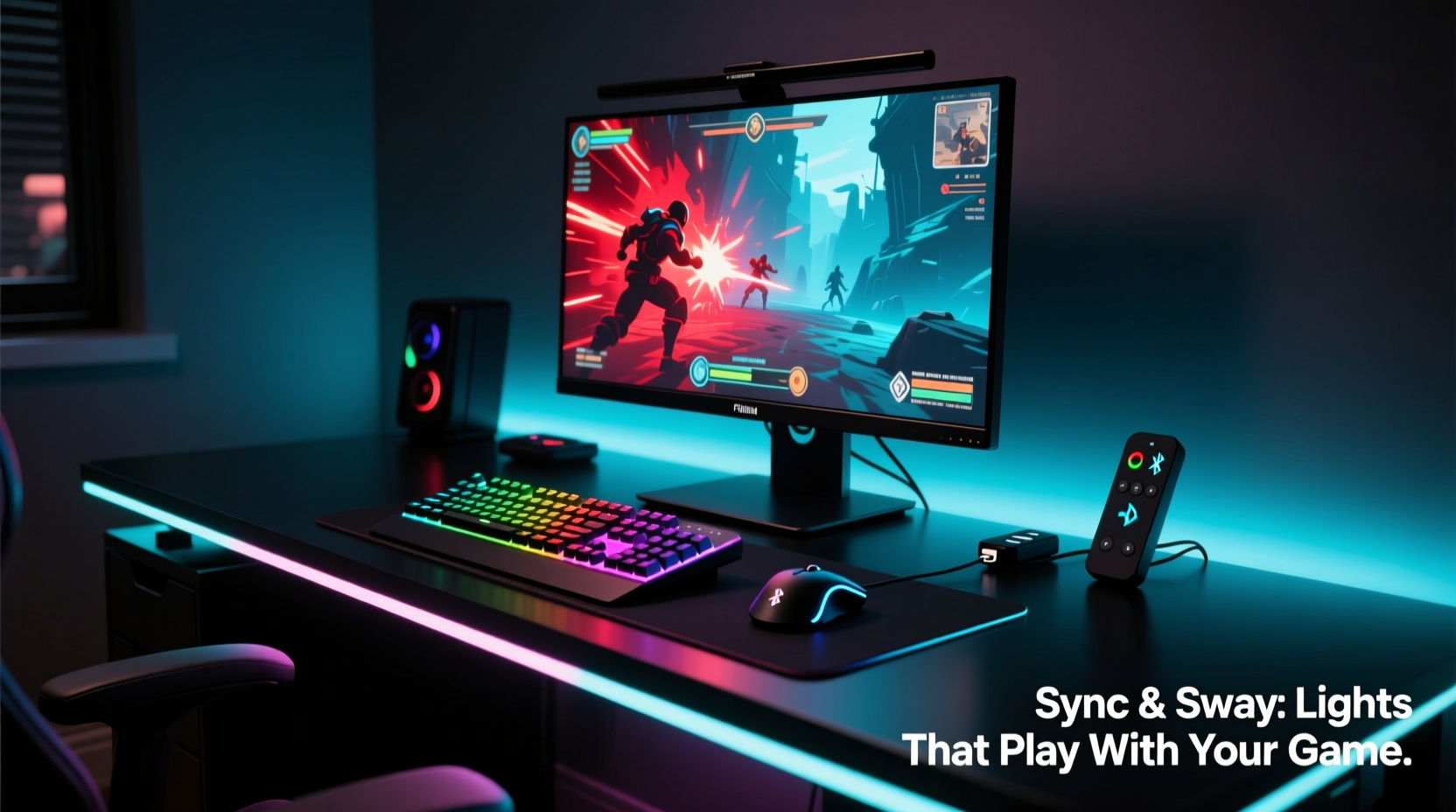
The foundation of any synced lighting system lies in its ability to communicate with your gaming PC or display. Most modern solutions rely on either software-driven protocols or hardware-based signal extraction. The goal is to mirror the colors and intensity at the edges of your screen onto the surrounding environment—typically behind your monitor—using LED strips or programmable Christmas lights.
The most common technologies include:
- RGB Software Integration: Programs like Razer Chroma, Corsair iCUE, or OpenRGB detect screen colors and push corresponding commands to connected lights.
- HDMI/USB Capture: Devices such as the AmbiLight Pi or Hyperion use a small capture card to analyze video output in real time and translate it into lighting signals.
- Wi-Fi & Bluetooth Sync: Smart lights from brands like Nanoleaf or Govee can receive color data over a network when paired with compatible apps.
For Christmas lights specifically, you need models that support dynamic RGB changes and are controllable via one of these methods. Standard plug-and-play holiday lights without addressable LEDs won’t offer the responsiveness required for smooth ambient syncing.
Key Features to Look for in Sync-Compatible Christmas Lights
Not every festive-looking light string works well with ambient sync systems. To ensure seamless integration with your gaming rig, focus on these technical and design elements:
- Addressable LEDs (e.g., WS2812B or SK6812 chips): These enable each bulb or segment to change color independently, essential for accurate edge-matching with screen content.
- Compatibility with Ambient Software: Confirm whether the lights work with platforms like Hyperion, LIFX, or WLED. Open-source support greatly increases flexibility.
- Length and Layout Flexibility: Measure the perimeter of your monitor or wall area. Lights should be long enough to wrap around without gaps but not so excessive that they require bundling.
- Power Source and Voltage: USB-powered strings are convenient, but longer runs may require external power supplies to avoid dimming or flickering.
- Durability and Mounting Options: Since these will likely stay up year-round, opt for weather-resistant builds (even indoors) and clips or adhesive mounts for clean installation.
Many users mistakenly assume that any colorful smart lights will suffice. However, latency, refresh rate, and color fidelity vary widely—even among products marketed as “gamer-friendly.”
Comparison Table: Christmas Light Types for Gaming Ambient Sync
| Type | Sync Capable? | Color Accuracy | Control Method | Best Use Case |
|---|---|---|---|---|
| Standard Incandescent Mini Lights | No | Poor | On/Off Only | Decorative, non-synced use |
| Non-Addressable RGB LED Strings | Limited | Fair | IR Remote / App (whole string only) | Basic mood lighting |
| Addressable Smart LED Strings (WS2812B) | Yes | Excellent | App, Wi-Fi, USB + Software | Gaming ambient sync |
| Nanoleaf Shapes or Lines | Yes | Excellent | App, Rhythm Module, HDMI Sync | High-end aesthetic setups |
| Govee Wi-Fi Addressable Strips | Yes (with add-ons) | Good | App, Alexa, limited screen sync | Budget-conscious gamers |
Step-by-Step Guide to Setting Up Synced Christmas Lights
Once you’ve selected the right lights, proper setup ensures optimal performance. Follow this sequence to integrate them seamlessly with your gaming environment:
- Measure Your Space: Use a tape measure to determine the total length needed to frame your monitor—typically the top and sides. Add 10% extra for routing and connections.
- Install the Lights: Attach adhesive-backed strips or use plastic clips to mount the lights flush against the wall or monitor bezel. Avoid sagging or sharp bends.
- Connect to Power and Controller: Plug the lights into a stable power source. If using a microcontroller (like an ESP32), connect it via USB to your PC.
- Install Control Software: Set up WLED, Hyperion, or another ambient lighting platform. For beginners, WLED offers a user-friendly web interface.
- Configure Screen Capture: In the software, enable desktop capture or HDMI input (if using a capture card). Adjust sampling resolution and edge detection zones.
- Calibrate Colors and Brightness: Run a test with a vibrant game or video. Fine-tune gamma, brightness limits, and smoothing to prevent strobing or oversaturation.
- Test Across Scenarios: Try dark scenes, fast-paced gameplay, and static menus to ensure consistent behavior.
This process typically takes under an hour once components are gathered. The result? A responsive halo of light that mirrors explosions, stealth shadows, or serene landscapes from your game—enhancing immersion without distracting from gameplay.
“Synchronized ambient lighting isn’t just about looks—it affects perception. By extending the visual field, we reduce contrast fatigue and create a more natural viewing experience.” — Dr. Lena Torres, Human-Computer Interaction Researcher, MIT Media Lab
Real-World Example: Transforming a Dorm Room Setup
Consider Alex, a college student with a modest gaming PC and a single monitor mounted on a desk against a blank wall. After seeing YouTube videos of immersive battlestations, he wanted similar effects but didn’t want to invest in expensive branded gear.
He purchased a 5-meter reel of WS2812B addressable LED string lights online for $28, along with a $7 ESP8266 microcontroller. Using free WLED firmware flashed via USB, he connected the setup to his PC through a spare port. With Hyperion.ng installed, the system began analyzing his screen output in real time.
Within two evenings, Alex had a fully functional ambient backlight that pulsed red during combat in Cyberpunk 2077, faded to deep blue during quiet exploration in Stardew Valley, and even mimicked explosions in Fortnite. Friends visiting his dorm consistently remarked on the “cinema-like” feel of his setup—proof that high-impact results don’t require premium budgets.
His only regret? Not doing it sooner.
Common Pitfalls and How to Avoid Them
Even experienced builders encounter issues when syncing lights. Awareness of frequent problems can save time and frustration.
- Latency Lag: Delay between screen action and light response breaks immersion. Solution: Use wired USB connections instead of Bluetooth, and lower software processing resolution.
- Overly Bright Output: Intense backlighting causes glare on walls or monitors. Fix: Reduce maximum brightness in software settings or diffuse light with a fabric backing.
- Inconsistent Color Matching: Lights appear warmer or cooler than the screen. Calibration: Use a known color test pattern and adjust white balance in the lighting app.
- Power Drop in Long Runs: End bulbs dim due to voltage loss. Prevent by injecting power at multiple points or splitting long strings into shorter segments.
Checklist: Preparing Your Christmas Lights for Gaming Sync
Before powering up your new ambient system, run through this checklist:
- ✅ Confirmed lights are addressable (look for WS2812B/SK6812 labels)
- ✅ Measured wall/monitor dimensions and cut or arranged lights accordingly
- ✅ Acquired necessary controller (ESP32, Arduino, or brand-specific hub)
- ✅ Installed compatible software (WLED, Hyperion, OpenRGB)
- ✅ Connected lights securely and powered appropriately
- ✅ Configured screen capture zone to match monitor edges
- ✅ Calibrated brightness and color smoothing for comfort
- ✅ Tested with multiple games and video types
Frequently Asked Questions
Can I use regular Christmas tree lights with my gaming setup?
No, traditional incandescent or non-addressable LED Christmas lights cannot sync with screen content. They lack individual pixel control and software integration. Only addressable smart LEDs designed for digital control will work effectively.
Do I need special hardware for screen synchronization?
It depends. If your lights support apps like Govee Home or LIFX, some basic screen mirroring is possible via camera-based detection. For true real-time sync, especially with PC gaming, you’ll benefit from a dedicated solution like a WLED-enabled microcontroller or Hyperion with HDMI capture.
Will synchronized lights affect my gaming performance?
When properly configured, the impact on system resources is negligible. Most ambient lighting software uses less than 1% CPU and runs in the background. Performance drops usually stem from poorly optimized drivers or outdated firmware—keep everything updated.
Final Thoughts: Lighting as an Extension of Gameplay
Choosing Christmas lights that sync with your gaming setup isn’t about seasonal decoration—it’s about creating a cohesive sensory experience. The right lights blur the line between screen and reality, pulling you deeper into virtual worlds while enhancing the physical space where you play.
Today’s technology makes it easier than ever to achieve professional-grade ambient effects without breaking the bank. Whether you're building a compact battlestation or upgrading a home office, integrating responsive lighting adds both function and flair. It’s one of the few upgrades that improves both usability and enjoyment.




 浙公网安备
33010002000092号
浙公网安备
33010002000092号 浙B2-20120091-4
Comments
No comments yet. Why don't you start the discussion?