
Selecting a new band for your Apple Watch isn’t just about aesthetics—it’s about fit, function, and long-term comfort. With multiple Apple Watch models released over the years, from the original Series 1 to the latest Ultra 2 and Series 9, band compatibility can vary significantly. Choosing the wrong band means wasted money, poor fit, or even damage to your device. Understanding your watch’s exact specifications ensures you get a band that enhances both style and usability.
Apple has maintained a relatively consistent lug system across most models, but subtle differences in case size, curvature, and release timelines affect which bands work best. Whether you’re upgrading after a new purchase or simply refreshing your daily look, getting the right band starts with knowing your model inside and out.
Know Your Apple Watch Model and Size
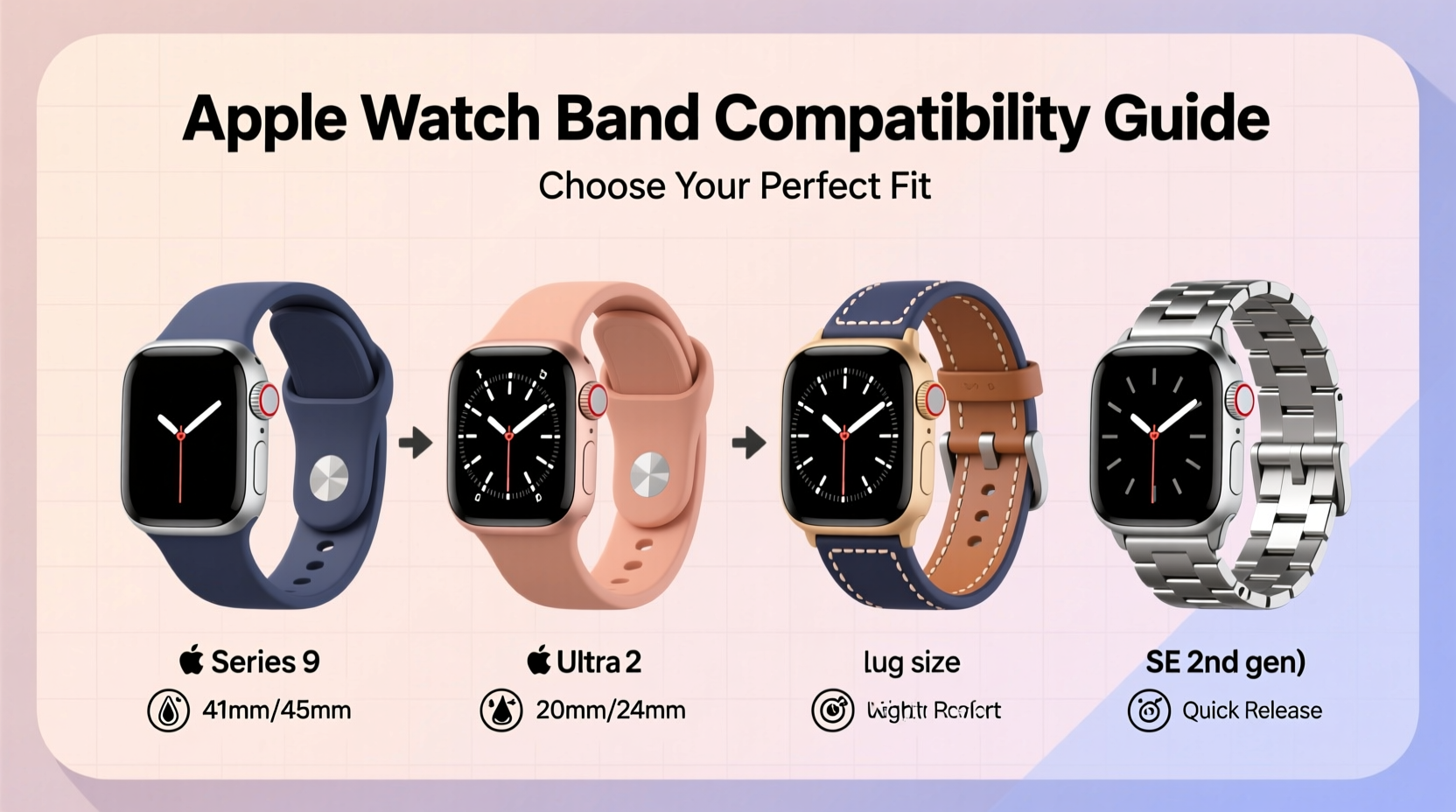
The first step in selecting a compatible band is identifying your Apple Watch model and its case size. Apple currently produces watches in three primary case diameters: 41mm (and previously 40mm), 45mm (and earlier 44mm), and 49mm for the Apple Watch Ultra line. These dimensions directly determine which bands will attach securely.
To find your model, open the Apple Watch app on your iPhone, tap the “My Watch” tab, then go to General > About. Look for “Model Name” or check the back of your watch for engraved text like “A2637” or “MWM33.” Match this number to Apple’s official support database to confirm your exact version.
Compatibility Across Generations
One advantage of Apple’s design philosophy is backward compatibility. Bands designed for older models generally fit newer ones as long as the case size matches. For example, a 42mm band fits all 40mm and 41mm watches, while 44mm/45mm bands are interchangeable. The Ultra series uses a unique 49mm case but maintains standard lug spacing (26mm), allowing some third-party bands to fit—though Apple’s own Alpine Loop and Trail Loop are optimized for its shape.
However, avoid using bands made for smaller watches on larger cases. A 38mm band forced onto a 42mm watch may stretch, gap at the edges, or detach unexpectedly during movement.
Band Attachment Mechanism: What You Need to Know
All Apple Watch bands connect via spring-loaded pins that slide into lugs on either side of the watch case. The distance between these lugs—the “lug width”—determines compatibility. Here's a breakdown of standard widths by case size:
| Apple Watch Case Size | Lug Width (Band Size) | Compatible Band Types |
|---|---|---|
| 38mm / 40mm / 41mm | 20mm | Nylon, Leather, Stainless Steel, Solo Loop |
| 42mm / 44mm / 45mm | 22mm | All styles including Milanese, Braided, Sport Loop |
| 49mm (Ultra & Ultra 2) | 26mm | Ultra-specific bands; limited third-party options |
This standardized system makes mixing and matching possible, but always verify the band specifies compatibility with your exact size. Some manufacturers list only “fits Series 6–9,” which may not clarify whether it supports 41mm or 45mm variants.
Selecting the Right Material for Your Lifestyle
Beyond compatibility, material choice affects durability, comfort, and maintenance. Consider your daily routine when choosing:
- Sport Band: Lightweight fluoroelastomer ideal for workouts and hot climates. Resistant to sweat and UV exposure.
- Solo Loop & Braided Solo Loop: Seamless knit silicone or recycled polyester. No buckles mean minimal snagging, perfect for active users or those with sensitive skin.
- Leather & Classic Buckle: Best for formal settings. Ages beautifully but should be kept dry and conditioned monthly.
- Stainless Steel & Milanese Loop: Premium metal finishes add sophistication. Heavier than fabric options; Milanese adjusts magnetically for precise fit.
- Trail & Alpine Loop: Designed for Ultra models. Made from rugged woven material with modular adjustment for swelling during hikes or flights.
“Choosing the right band isn’t just about fashion—it’s ergonomic engineering. The wrong material can cause irritation, slippage, or sensor interference.” — Dr. Lena Torres, Wearable Technology Biomechanist
Real-World Example: Sarah’s Running Routine
Sarah, a marathon trainer, initially used a leather band with her Apple Watch Series 8 during early morning runs. After two weeks, she noticed redness around her wrist and inconsistent heart rate readings. She switched to a breathable Solo Loop, which eliminated chafing and improved sensor contact due to snug, consistent fit. Her recovery metrics became more accurate, and comfort increased dramatically.
This scenario highlights how lifestyle demands should guide material selection—not just personal taste.
Step-by-Step Guide to Buying the Right Band
Follow this sequence to ensure you make a confident, informed decision:
- Confirm your Apple Watch model and case size using the Watch app or physical engraving.
- Determine your use case: gym, office, sleep tracking, swimming?
- Select 2–3 suitable materials based on environment and activity level.
- Check manufacturer specs for explicit compatibility with your size (e.g., “Fits 45mm only”).
- Measure your wrist if buying a Solo Loop or braided band requiring custom sizing.
- Purchase from authorized retailers or Apple-certified sellers to avoid counterfeit products with weak connectors.
- Test the band immediately: attach firmly, wear for an hour, check for pinching or looseness.
Frequently Asked Questions
Can I use an Apple Watch Ultra band on a regular Series 9?
No. The Ultra’s 49mm case requires a 26mm-wide band, while Series 9 uses 20mm (41mm) or 22mm (45mm). Ultra bands won’t fit smaller models, and vice versa.
Are third-party bands safe to use?
Many are, especially those with MFi (Made for iPhone/iWatch) certification. However, poorly made bands may have loose pins that dislodge the watch. Stick to reputable brands like Nomad, Belkin, or STM, and read user reviews focusing on attachment security.
How tight should my band be?
Tight enough to maintain skin contact for heart rate monitoring, but loose enough to slide one finger underneath. Over-tightening can impair circulation and lead to dermatological issues over time.
Final Checklist Before Purchase
- ✅ Verified Apple Watch model and case size
- ✅ Confirmed band lug width (20mm, 22mm, or 26mm)
- ✅ Matched material to intended use (sports, formal, daily wear)
- ✅ Checked return policy in case of sizing issues
- ✅ Ensured secure clasp or seamless design based on activity needs
- ✅ Purchased from trusted seller with positive customer feedback
Conclusion: Make Every Band Work for You
Your Apple Watch is more than a timepiece—it’s a companion through workouts, meetings, travels, and quiet moments. Choosing the perfect band transforms it from functional to personal. By understanding compatibility, respecting design nuances, and aligning choices with real-life demands, you extend not only the life of your device but also your enjoyment of it.




 浙公网安备
33010002000092号
浙公网安备
33010002000092号 浙B2-20120091-4
Comments
No comments yet. Why don't you start the discussion?