
Selecting a laptop sleeve isn’t just about aesthetics or brand loyalty—it’s a functional decision that impacts both protection and portability. A poorly sized sleeve can lead to excess movement, internal damage, or unnecessary bulk when carried daily. The ideal sleeve should feel like a second skin: secure enough to cushion against drops and scratches, yet slim enough to slide effortlessly into backpacks, briefcases, or under your arm. Achieving this balance requires understanding dimensions, materials, padding levels, and compatibility with your lifestyle. With countless options flooding the market—from minimalist neoprene wraps to premium leather cases—it's easy to overlook subtle but critical details that make all the difference.
This guide walks through the essential factors for choosing a laptop sleeve that fits perfectly without adding weight or volume. Whether you're commuting across town or traveling internationally, these insights will help you invest wisely in a sleeve that enhances, rather than hinders, your mobile workflow.
Measure Your Laptop Accurately—Then Add Margin
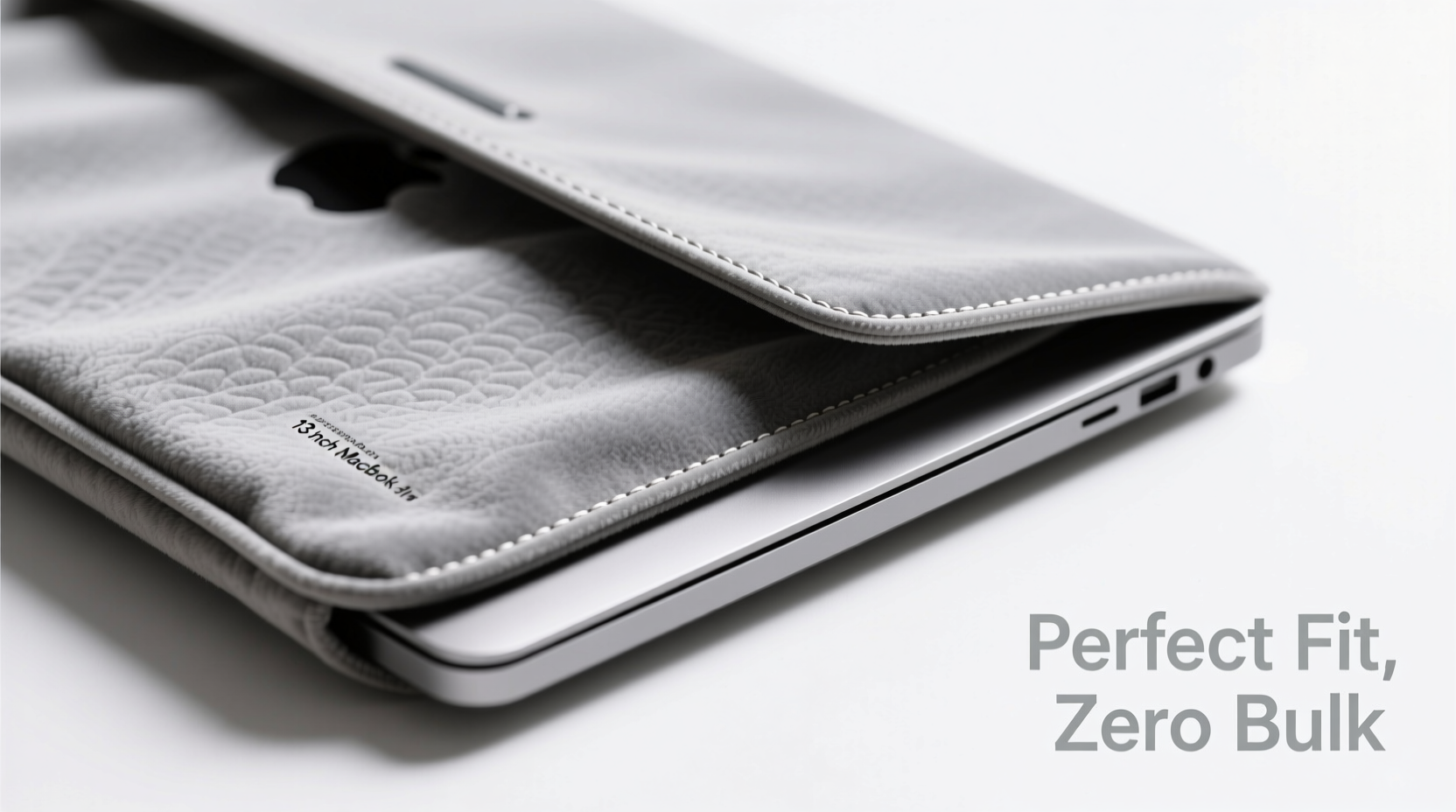
The foundation of a snug fit starts with precise measurement. Most manufacturers list dimensions based on screen size alone (e.g., 13-inch MacBook Air), but actual body dimensions vary significantly between models. For example, a 13.3-inch Dell XPS may be slightly wider and thicker than an Apple MacBook Pro of the same screen size due to bezel design and hinge structure.
To get accurate measurements:
- Use a soft measuring tape or ruler to measure the length, width, and thickness of your laptop—including any raised edges or ports.
- Record each dimension in inches or centimeters.
- Add approximately 0.25 to 0.5 inches (6–12 mm) to each side to allow for ease of insertion while avoiding excessive looseness.
Some sleeves are designed with stretchable materials like neoprene or spandex blends, which can accommodate slight variations. However, rigid materials such as waxed canvas or hard-shell polycarbonate require exact alignment. Always check whether the product listing specifies internal dimensions rather than “fits up to” claims, which can be misleading.
Material Matters: Balancing Protection and Profile
The material of your laptop sleeve directly affects its weight, durability, shock absorption, and overall sleekness. Each option brings trade-offs; knowing what you prioritize helps narrow down choices effectively.
| Material | Pros | Cons | Best For |
|---|---|---|---|
| Neoprene | Lightweight, flexible, water-resistant, excellent shock absorption | Can wear out over time, less structured shape retention | Daily commuters, students, frequent travelers |
| Felt or Wool Blend | Natural look, breathable, moderate cushioning | Limited water resistance, prone to staining | Office professionals, eco-conscious buyers |
| Waxed Canvas | Durable, stylish, develops patina, good abrasion resistance | Heavier than other fabrics, not highly impact-absorbent | Urban professionals, minimalists |
| Genuine Leather | Premium appearance, ages beautifully, long-lasting | Expensive, requires maintenance, heavier | Business executives, gift buyers |
| Synthetic Fabrics (Polyester/Nylon) | Affordable, lightweight, often water-repellent | Less breathable, lower environmental sustainability | Budget-conscious shoppers, casual users |
For those aiming to minimize bulk, neoprene remains one of the top recommendations due to its high density-to-weight ratio. It offers reliable drop protection without adding significant thickness. High-end synthetic textiles like ballistic nylon also provide excellent durability with a slim profile, especially when combined with foam lining.
“Many people assume thicker means safer, but modern materials can offer superior impact dispersion at half the thickness of older foams.” — Dr. Lena Torres, Materials Engineer at Urban Gear Labs
Padding Depth vs. Internal Space: Finding the Sweet Spot
Padding is crucial—but too much creates unnecessary volume. A well-designed sleeve uses targeted cushioning where it matters most: along the corners and edges, which absorb the brunt of impacts during falls. Look for sleeves with at least 3–5mm of closed-cell foam or memory foam lining. This provides adequate shock absorption without forcing the sleeve to expand beyond necessity.
Avoid sleeves with uniform thick padding throughout unless you frequently transport your laptop in rough conditions (e.g., hiking, cycling, or air travel with checked luggage). In everyday scenarios, extra padding adds weight and makes the device harder to insert and remove.
Zippers also play a role in maintaining a low-profile fit. Full-wrap zippers that go around three sides compress the sleeve more evenly than front-only closures. Magnetic flaps or snap buttons offer quick access but may not hold securely in crowded bags. Choose a closure type that aligns with your usage pattern—security versus convenience.
Step-by-Step Guide to Testing Fit Before Purchase
If buying online, follow this verification process to avoid returns:
- Check specs: Confirm the manufacturer lists internal dimensions, not just “fits 13-inch laptops.”
- Cross-reference reviews: Search user comments for phrases like “snug fit,” “tight on insertion,” or “too loose.” Real-world feedback often reveals inconsistencies in sizing.
- Simulate fit: Cut a piece of cardboard to your laptop’s dimensions and test it against the listed internal size. Account for padding compression by subtracting 2–3mm from the listed interior space.
- Evaluate closure tension: A properly fitted sleeve should require mild pressure to zip shut but shouldn’t strain the fabric or distort the shape.
- Test bag compatibility: After receiving the sleeve, place it inside your most-used bag to ensure it doesn’t push against seams or block compartments.
Real-World Example: Choosing the Right Sleeve for a Hybrid Workweek
Sophie, a UX designer based in Portland, works remotely two days a week and commutes to the office three times. Her primary device is a 14-inch Lenovo ThinkPad T14, which she carries alongside a notebook, charger, and headphones. Initially, she bought a bulky padded sleeve marketed as “ultra-protective,” only to find it didn’t fit comfortably in her favorite tote bag. The zipper strained every time she inserted it, and removing the laptop felt awkward.
After researching alternatives, Sophie switched to a slim neoprene sleeve with 4mm foam lining and a Y-zipper design. Though lighter and thinner, it still protected her laptop during a fall from waist height onto concrete pavement—thanks to reinforced corner stitching and dense foam placement. More importantly, it slid easily into her bag and added no visible bulge. She now considers fit and integration with her carry system just as important as protection level.
Her experience underscores a key principle: optimal protection isn’t measured in inches of padding, but in intelligent design that balances safety, accessibility, and ergonomics.
Avoid These Common Sizing Mistakes
Even experienced buyers fall into traps when selecting sleeves. Here are frequent errors and how to avoid them:
- Mistake: Assuming screen size equals sleeve size.
Solution: Always verify physical dimensions—especially depth and thickness—with your specific model. - Mistake: Ignoring lid clearance.
Solution: Ensure the sleeve allows full opening of the laptop lid without resistance. Some tight sleeves restrict angles past 90 degrees. - Mistake: Overlooking ventilation.
Solution: Avoid fully sealed sleeves if storing a warm laptop post-use. Trapped heat can degrade battery life over time. - Mistake: Prioritizing style over function.
Solution: Elegant leather looks great but may lack internal padding. Pair it with a thin inner sleeve if needed.
Essential Checklist Before Buying
Before finalizing your purchase, run through this checklist to ensure the sleeve meets all practical needs:
- ✅ Measured my laptop’s exact length, width, and thickness (including any existing case)
- ✅ Verified the sleeve’s internal dimensions match my measurements plus 0.25–0.5” margin
- ✅ Confirmed padding thickness (ideally 3–5mm) and location (corners prioritized)
- ✅ Checked closure type: full-wrap zipper preferred for consistent compression
- ✅ Researched material care requirements (e.g., spot clean only, avoid moisture)
- ✅ Read customer reviews focusing on fit, durability, and real-world protection
- ✅ Tested compatibility with my primary carry bag or backpack
Frequently Asked Questions
Can I use a 15-inch sleeve for my 14-inch laptop?
It’s possible, but not recommended unless the sleeve has adjustable straps or internal elastic bands to prevent sliding. Without secure anchoring, your laptop can shift inside, increasing the chance of edge damage during drops.
Do laptop sleeves protect against heavy impacts?
Most sleeves are designed for light to moderate protection—scuffs, bumps, and short drops. They are not substitutes for rugged cases or shock-rated backpacks. For extreme environments, consider a hard-shell case or padded laptop compartment within a dedicated bag.
Should I choose a sleeve with a handle or grip?
A small pull tab is useful for easy removal, but full handles add bulk and snag inside bags. Minimalist designs with discreet fabric loops strike the best balance between usability and slimness.
Final Thoughts: Prioritize Precision Over Padding
The perfect laptop sleeve disappears into your routine—protecting your device without drawing attention to itself. Bulkiness defeats the purpose of portability, while looseness compromises safety. By measuring accurately, understanding materials, and evaluating real-world performance, you can select a sleeve that supports your workflow seamlessly.
Remember, the goal isn’t maximum protection at any cost, but intelligent protection tailored to how you move through your day. Whether you’re dashing between meetings, working from a café, or boarding a flight, a well-chosen sleeve becomes an invisible ally—one that preserves both your investment and your peace of mind.




 浙公网安备
33010002000092号
浙公网安备
33010002000092号 浙B2-20120091-4
Comments
No comments yet. Why don't you start the discussion?