
Selecting the right phone case is more than just about aesthetics—it's about safeguarding one of your most-used daily devices. With Apple releasing new iPhone models regularly and third-party manufacturers offering thousands of case options, finding the perfect match can feel overwhelming. A poorly fitting case may block ports, interfere with wireless charging, or fail to protect during a drop. This guide breaks down everything you need to know to make an informed decision based on your iPhone model, lifestyle, and usage patterns.
Know Your iPhone Model First
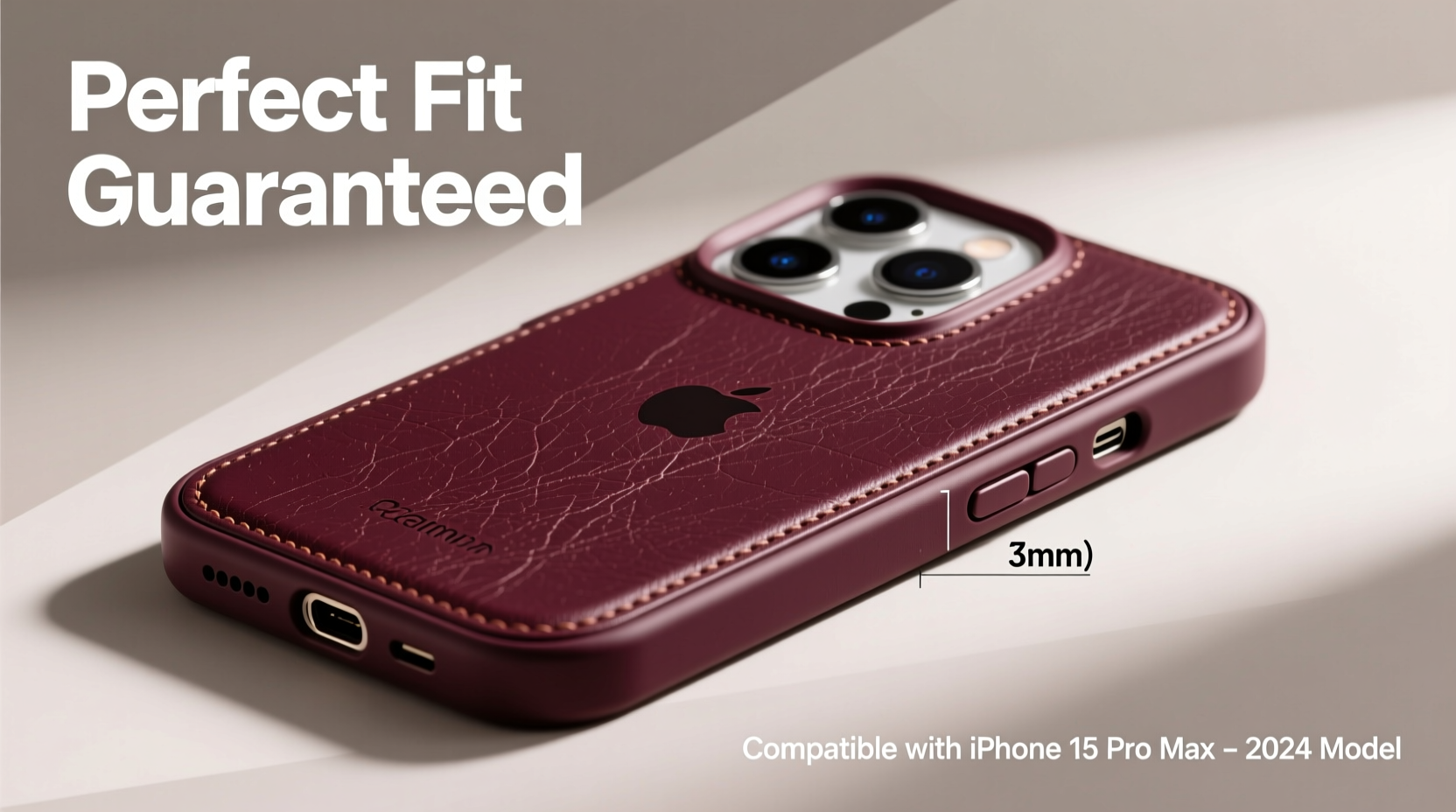
The foundation of choosing the right case starts with identifying your exact iPhone model. Apple designs each generation with subtle dimensional differences—even between Pro and non-Pro variants—so a case made for an iPhone 14 won’t necessarily fit an iPhone 15, even if they look similar.
To locate your model number:
- Go to Settings > General > About.
- Look for “Model Name” or tap “Model Number” to reveal the full identifier (e.g., iPhone16,2).
- Cross-reference it on Apple’s support site or use tools like EveryiPhone.com for precise details.
Common iPhone series include:
- iPhone 15 series: iPhone 15, 15 Plus, 15 Pro, 15 Pro Max
- iPhone 14 series: iPhone 14, 14 Plus, 14 Pro, 14 Pro Max
- Older models: iPhone 13, iPhone SE (3rd gen), etc.
Fit and Precision: Why Millimeters Matter
A well-designed case aligns perfectly with your iPhone’s buttons, camera cutouts, and ports. Misalignment leads to muffled speakers, obstructed charging, or accidental presses. High-quality cases are molded using precise CAD data from Apple, ensuring every feature remains accessible.
Pay attention to these critical areas:
- Camera cutout: Should be flush with the lens module without covering any sensors.
- Button placement: Volume and power buttons should require minimal force and mimic the original tactile feedback.
- Loudspeaker and microphone openings: Must remain unobstructed to maintain call clarity and audio quality.
- Port clearance: Lightning port (or USB-C on newer models) should allow cable insertion without resistance.
“Even a 0.5mm variance in cutout alignment can degrade user experience over time.” — Daniel Reyes, Mobile Accessory Engineer at TechShield Labs
Material Choices and Their Impact on Fit
The material affects not only protection but also fit. Some materials expand or contract slightly with temperature changes, which can impact snugness and long-term durability.
| Material | Fits Best For | Potential Fit Issues |
|---|---|---|
| Polycarbonate (Hard Plastic) | Precision fit, slim profile | Rigid; difficult to install/remove without cracking |
| TPU (Thermoplastic Polyurethane) | Drops and daily wear | May yellow over time; slight stretch after months of use |
| Hybrid (Plastic + Rubber) | Balanced protection and structure | Slightly bulkier; verify MagSafe compatibility |
| Leather (Synthetic or Genuine) | Style and aging appeal | Natural materials may warp; avoid tight tolerances |
If you live in extreme climates, TPU may soften in heat or stiffen in cold, affecting button responsiveness. Polycarbonate holds its shape better but offers less shock absorption.
Step-by-Step: Choosing the Right Case for Your Needs
Follow this sequence to ensure you select a case that fits both your device and lifestyle:
- Identify your iPhone model using Settings or the SIM tray engraving.
- Determine your primary use: Everyday carry? Outdoor adventures? Professional settings?
- Select a protection level: Slim (minimal), moderate (daily use), rugged (heavy-duty).
- Check for essential features: MagSafe compatibility, raised edges for screen protection, antimicrobial coating.
- Verify compatibility with accessories: Does it work with your car mount, wallet attachment, or battery pack?
- Read verified buyer reviews focusing on fit complaints (e.g., “buttons too stiff,” “doesn’t charge wirelessly”)
- Purchase from reputable brands known for consistency: OtterBox, Spigen, Native Union, Apple’s own cases.
Real Example: Sarah’s iPhone 15 Pro Misstep
Sarah bought a budget-friendly “universal-fit” case online for her iPhone 15 Pro. At first glance, it snapped on easily and looked sleek. But within days, she noticed two problems: the volume button required excessive pressure, and her MagSafe charger wouldn’t stay aligned. After returning it, she invested in a Spigen Ultra Hybrid designed specifically for the iPhone 15 Pro. The difference was immediate—responsive buttons, secure MagSafe attachment, and no interference with Face ID or speakers.
This scenario highlights why generic cases often compromise functionality despite appearing compatible.
MagSafe and Wireless Charging Compatibility
If you own an iPhone 12 or newer, MagSafe opens up accessory possibilities—but only if your case supports it. True MagSafe-compatible cases embed a ring magnet aligned with Apple’s specifications, enabling:
- Faster, centered wireless charging
- Secure attachment of wallets, stands, and car mounts
- Optimal performance with Find My network accessories
Non-MagSafe cases, especially thick or metal-reinforced ones, can disrupt magnetic alignment or reduce charging efficiency. Look for official “Made for MagSafe” certification or test claims like “supports 15W wireless charging.”
“Using a non-MagSafe case with a magnetic car mount may cause misalignment and slow charging—sometimes leading to overheating.” — Lisa Tran, Senior Product Tester at MobileGear Review
Checklist: Before You Buy Any iPhone Case
- ✅ Confirmed my exact iPhone model (e.g., iPhone 15 Pro, not just “iPhone 15”)
- ✅ Verified case dimensions match Apple’s official specs
- ✅ Ensured open access to all ports, buttons, and sensors
- ✅ Checked MagSafe compatibility if I use wireless charging or accessories
- ✅ Reviewed return policy in case of fit issues
- ✅ Read recent customer reviews mentioning fit and durability
- ✅ Considered my daily environment (e.g., outdoor work needs rugged case)
FAQ
Can I use an iPhone 14 case on an iPhone 15?
No. Despite similar designs, the iPhone 15 series has a slightly different camera layout and overall dimensions. Cases are not interchangeable between generations, even within the same size class (e.g., Plus models).
Do all clear cases yellow over time?
Most TPU-based clear cases will gradually yellow due to UV exposure and skin oils. Higher-end versions use anti-yellowing coatings, but prolonged sun exposure accelerates discoloration. Regular cleaning with a microfiber cloth helps delay the process.
How tight should a phone case feel?
A good case should require firm pressure to install but not crack or strain. Once on, it should feel secure without gaps around the edges. If it feels loose or wobbly, it likely won’t protect against drops or moisture effectively.
Conclusion
Choosing the perfect iPhone case isn’t about picking the flashiest design or the cheapest option—it’s about precision, compatibility, and long-term usability. From verifying your exact model to understanding how materials affect fit and function, every detail contributes to a seamless experience. Whether you prioritize protection, style, or smart accessory integration, taking the time to research ensures your iPhone stays safe, functional, and looking great for years to come.




 浙公网安备
33010002000092号
浙公网安备
33010002000092号 浙B2-20120091-4
Comments
No comments yet. Why don't you start the discussion?