
For millions of urban professionals, students, and remote workers, the daily commute is a non-negotiable part of life. Whether it’s a 45-minute subway ride or a walk across town, carrying your essentials—especially a laptop—requires more than just convenience. It demands thoughtful gear that supports your body, protects your tech, and withstands the rigors of frequent use. The wrong backpack can lead to back pain, shoulder strain, and even damaged electronics. The right one enhances mobility, comfort, and peace of mind.
Selecting a backpack isn’t about style alone. It’s about function, ergonomics, and long-term reliability. With so many options flooding the market—from minimalist sling bags to feature-packed travel packs—it’s easy to overlook critical details that make a real difference over time. This guide breaks down what truly matters when choosing a backpack for extended commutes and safeguarding expensive devices.
1. Prioritize Ergonomic Design for Long-Term Comfort
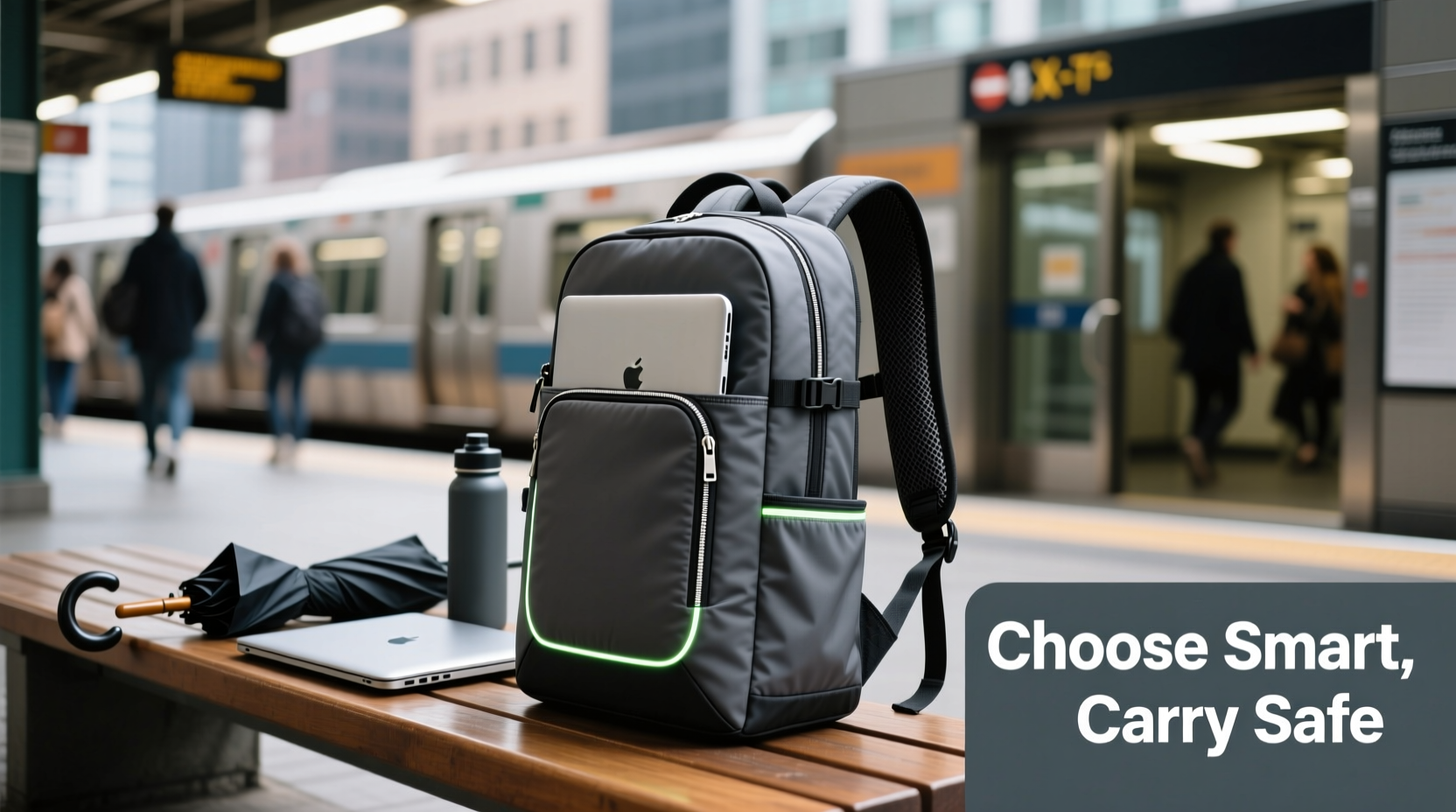
When you're walking or standing for an hour or more each day, the way weight is distributed across your body becomes crucial. A poorly designed backpack shifts pressure unevenly, leading to fatigue, posture issues, and chronic discomfort. Look for models engineered with ergonomics in mind—not just marketing buzzwords.
The foundation of comfort lies in three key areas: shoulder straps, back panel, and load distribution.
- Padded, contoured shoulder straps: Should be wide (at least 2 inches) and shaped to fit naturally over the shoulders without digging in.
- Ventilated back panel: Mesh padding or air channels prevent sweat buildup and reduce heat during warm weather or strenuous walking.
- Chest and sternum straps: These stabilize the pack, preventing it from swaying side to side and reducing strain on the shoulders.
- Hip belt (for larger packs): Transfers up to 80% of the weight to the hips, which are better suited to carry loads than shoulders.
Ergonomic design isn't optional for long commutes—it's essential. According to Dr. Lena Torres, a physical therapist specializing in workplace injuries, “Carrying more than 10–15% of your body weight in a poorly balanced bag increases the risk of musculoskeletal strain, especially in the neck and lower back.” For someone weighing 150 lbs, that means keeping the loaded backpack under 15–22 pounds.
“Backpack fit is as important as shoe fit. You wouldn’t run a marathon in ill-fitting sneakers—don’t subject your spine to a poorly supported load.” — Dr. Lena Torres, DPT, Physical Therapist
2. Protect Your Laptop with Smart Compartment Design
Your laptop is likely one of your most valuable—and fragile—possessions. Dropping it, exposing it to moisture, or letting it bounce around inside a loosely packed bag can result in costly damage. Not all “laptop compartments” are created equal.
A high-quality laptop sleeve within a backpack should meet these criteria:
- Fully padded walls: At least 6mm of foam lining on all sides to absorb shocks from drops or impacts.
- Suspended design: The laptop should rest above the base of the bag, not directly on the floor where bumps transfer upward.
- Dedicated, zippered enclosure: Prevents accidental sliding out when opening the main compartment.
- Water-resistant lining: Adds protection against spills or rain if the outer shell gets wet.
- Correct size fit: Choose a backpack labeled for your exact laptop size (e.g., 13\", 15\", 17\"). Too much space allows movement; too little creates pressure.
Avoid backpacks that only offer a thin, unstructured sleeve. These provide minimal protection and often degrade quickly with daily use.
Laptop Protection Checklist
- ✅ Padded, suspended laptop compartment
- ✅ Fits your device snugly (no wiggle room)
- ✅ Zipper closure on the laptop section
- ✅ Water-resistant inner lining
- ✅ Accessible from the outside (for airport security)
3. Evaluate Materials and Weather Resistance
Durability starts with fabric. Commuters face unpredictable conditions: sudden rain, crowded trains, rough pavement, and constant wear against seats and railings. A flimsy polyester shell may tear after a few months; a well-built pack lasts years.
Look for these material standards:
- Nylon variants (e.g., Cordura, Ballistic Nylon): Highly abrasion-resistant and strong for their weight.
- Ripstop fabric: Woven with reinforced threads that prevent small tears from spreading.
- Water-resistant or waterproof coating: Polyurethane (PU) or TPU coatings repel moisture. Fully waterproof zippers add extra defense.
- Reinforced stitching: Double or triple stitching at stress points like straps and corners extends lifespan.
Some brands advertise “water-resistant” but fail under sustained exposure. True protection comes from sealed seams and coated zippers, not just surface treatment.
Material Comparison Table
| Material | Durability | Water Resistance | Weight | Best For |
|---|---|---|---|---|
| Polyester | Moderate | Low (unless coated) | Light | Budget casual use |
| Nylon (Standard) | Good | Moderate | Medium-light | Everyday commuting |
| Cordura Nylon | Excellent | High (with coating) | Medium | Heavy-duty commuters |
| Ballistic Nylon | Exceptional | Very High | Heavier | Tactical/urban environments |
| Ripstop Polyester/Nylon | Very Good | High (when treated) | Light-medium | All-weather reliability |
If you frequently commute in rainy climates or rely on public transit, prioritize full weather protection. Some premium backpacks include roll-top closures or built-in rain covers—features worth considering for year-round resilience.
4. Organize for Efficiency and Accessibility
A cluttered bag leads to frustration. Digging through layers to find keys, headphones, or your wallet wastes time and strains zippers. Thoughtful organization separates functional backpacks from mere sacks.
Key organizational features include:
- Front quick-access pocket: Ideal for phones, transit cards, pens, or earbuds.
- Internal dividers and slip pockets: Keep notebooks, chargers, and cables separated.
- Separate document sleeve: Flat pocket for papers, tablet, or passport.
- Side mesh pockets: Fit water bottles or umbrellas.
- Hidden anti-theft pockets: Located against the back panel for wallets or IDs in crowded areas.
Consider your daily load. If you carry a change of clothes, lunch container, gym shoes, or multiple devices, opt for a larger capacity (25–30 liters). Light packers may prefer 18–22 liters for streamlined mobility.
Step-by-Step: Packing Your Commute Backpack Efficiently
- Start with heaviest items: Place your laptop and books low and close to your back for balance.
- Add mid-weight essentials: Charger, notebook, and accessories go in designated pockets.
- Use external access points: Keep phone, wallet, and keys in front or top pockets.
- Fill remaining space strategically: Avoid overstuffing—leave room for expansion (like a jacket).
- Double-check closures: Ensure all zippers are secure before heading out.
5. Real-World Test: A Week with the Commuter Pro Pack
Jamie, a UX designer in Chicago, spends two hours daily commuting via train and foot between her apartment and downtown office. Her old backpack—a basic nylon model with minimal padding—left her with persistent shoulder soreness and once failed to protect her laptop during a fall on icy steps.
She switched to a 28-liter ergonomic commuter pack featuring a suspended laptop compartment, breathable mesh back panel, chest strap, and weather-resistant fabric. Over seven days, she evaluated performance:
- Day 1: Immediate relief from shoulder pressure due to adjustable harness system.
- Day 3: Rainstorm tested water resistance—inner contents stayed dry despite soaked exterior.
- Day 5: Accidentally dropped bag down three stairs—laptop emerged unscathed thanks to reinforced compartment.
- Day 7: Felt noticeably less fatigued after full workdays with heavy load (laptop, monitor, documents).
“I didn’t realize how much discomfort I’d accepted until I tried a properly designed bag,” Jamie said. “It’s not just about carrying stuff—it’s about feeling good while doing it.”
This case illustrates how intentional design choices translate into real-world benefits. Small upgrades compound into major improvements in comfort, safety, and longevity.
Frequently Asked Questions
How big should my commuter backpack be?
Most commuters need between 18 and 30 liters. If you only carry a laptop, charger, and personal items, 18–22L is sufficient. Add 5–10L if you bring clothes, food, or fitness gear regularly. Larger isn’t always better—oversized bags encourage overpacking and imbalance.
Can I use any backpack for laptop protection?
No. Only backpacks with dedicated, padded, and suspended laptop compartments offer reliable protection. Generic bags may have a sleeve, but without proper cushioning and structure, they offer little defense against impact or compression.
Are expensive backpacks worth it?
They often are—if you value durability, comfort, and functionality. Premium packs from reputable brands typically use superior materials, undergo rigorous testing, and come with warranties (some up to lifetime coverage). While a $100+ backpack may seem steep, consider cost per use: over three years of daily commuting, it averages less than $0.10 per day.
Final Recommendations and Key Takeaways
Choosing the right backpack for long commutes goes beyond aesthetics. It’s an investment in your health, productivity, and equipment safety. To summarize:
- Choose ergonomic support: padded straps, ventilated back, and load-balancing features.
- Ensure true laptop protection: suspended, fully padded, and correctly sized compartment.
- Select durable, weather-resistant materials like ripstop nylon or Cordura.
- Optimize organization: accessible pockets, smart layout, and anti-theft details.
- Test fit and adjust: a perfect backpack feels secure and balanced when loaded.
Don’t settle for discomfort disguised as convenience. The best backpacks blend engineering precision with practical usability, making every journey smoother and safer.




 浙公网安备
33010002000092号
浙公网安备
33010002000092号 浙B2-20120091-4
Comments
No comments yet. Why don't you start the discussion?