
Selecting a new smartphone is more than just picking the latest model or the one with the flashiest camera. With hundreds of options on the market, each tailored to different lifestyles, budgets, and priorities, making the right choice requires careful consideration. Whether you're upgrading from an older device or switching platforms for the first time, this guide walks you through every essential factor—so you can confidently choose a phone that fits your life like a glove.
Step 1: Define Your Primary Use Case
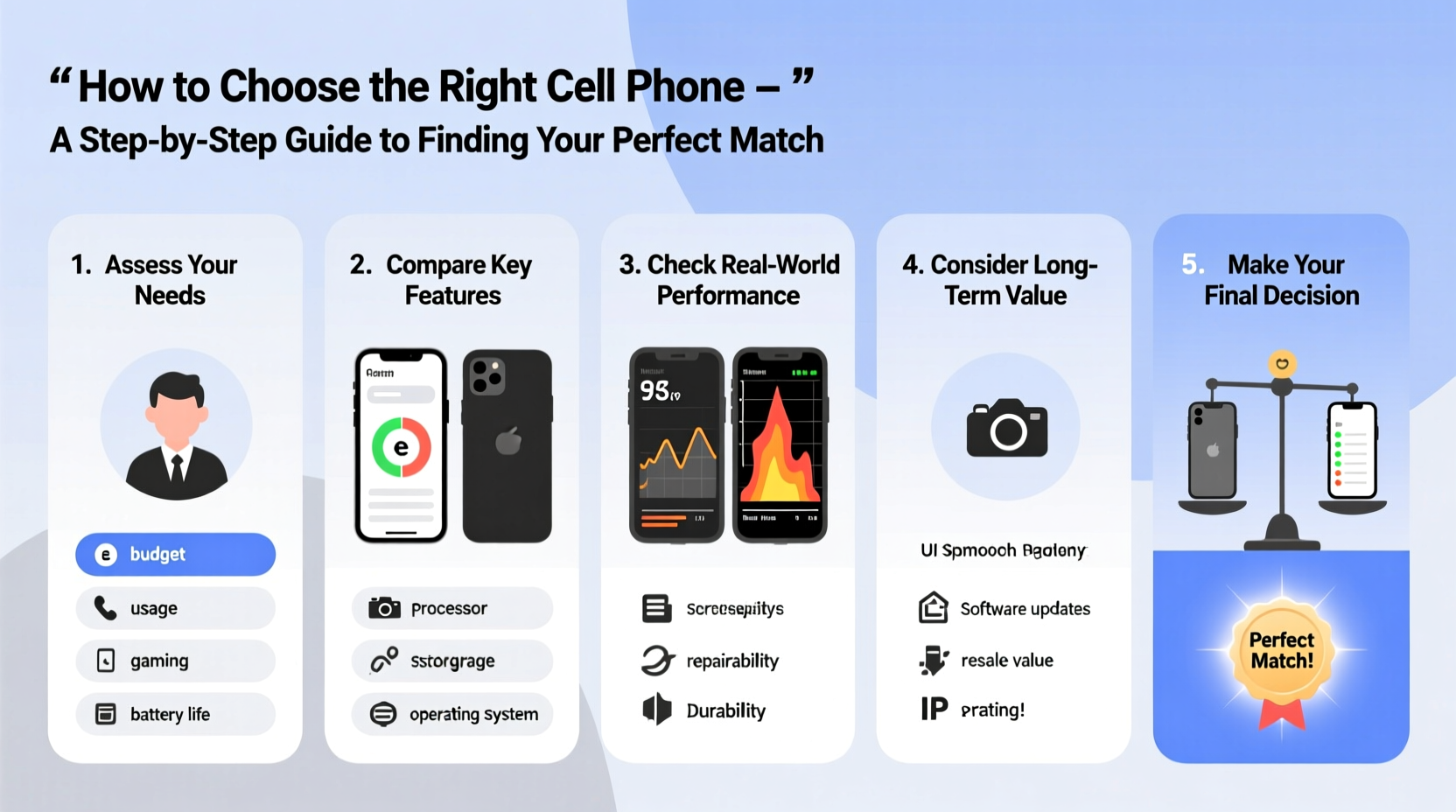
Before comparing specs or prices, start by identifying how you'll use your phone most often. Your usage patterns should shape your decision far more than marketing hype. Consider these common user profiles:
- The Professional: Needs long battery life, strong multitasking performance, and secure communication tools.
- The Photographer/Videographer: Prioritizes camera quality, image stabilization, and editing capabilities.
- The Casual User: Uses the phone mainly for calls, messaging, social media, and occasional streaming.
- The Gamer: Requires high refresh rate screens, powerful processors, and efficient cooling systems.
- The Traveler: Values durability, GPS accuracy, offline functionality, and international compatibility.
Step 2: Set a Realistic Budget (and Stick to It)
Smartphones range from under $100 to over $1,500. While premium models offer advanced features, many mid-range phones now deliver excellent performance at a fraction of the cost. Determine not only what you’re willing to spend upfront but also consider long-term costs such as carrier plans, accessories, and potential repair fees.
Here’s a general pricing breakdown:
| Price Range | Typical Features | Best For |
|---|---|---|
| $0–$200 | Basic cameras, modest storage, entry-level processors | Secondary devices, seniors, light users |
| $200–$500 | Solid performance, decent cameras, modern design | Most everyday users seeking value |
| $500–$1,000 | Premium materials, flagship-grade cameras, fast charging | Power users, creatives, tech enthusiasts |
| $1,000+ | Innovative displays, AI integration, luxury builds | Early adopters, status seekers, professionals |
“Many consumers overspend on features they’ll never use. Match your budget to actual needs, not brand prestige.” — David Lin, Mobile Industry Analyst at TechTrend Insights
Step 3: Compare Key Specifications That Matter
It's easy to get lost in technical jargon, but focus on the specs that directly impact your experience:
Battery Life
Look beyond milliampere-hours (mAh). Real-world battery performance depends on software optimization and screen efficiency. Aim for at least 4,500 mAh and check independent reviews for screen-on time.
Camera System
More lenses don’t always mean better photos. A high-quality main sensor with optical image stabilization (OIS) matters most. Also consider low-light performance, video resolution (4K at 60fps is ideal), and front-facing camera quality if you take selfies or video call frequently.
Processor & RAM
A flagship chip (like Snapdragon 8 Gen 3 or Apple A17 Pro) ensures smooth performance for years. For moderate use, mid-tier chips like Snapdragon 7 series or Dimensity 8000 are sufficient. At least 6GB of RAM is recommended; 8GB or more if you multitask heavily.
Storage Options
128GB is the sweet spot for most users. If you shoot lots of video or download games, go for 256GB or higher. Note: iPhones don’t support expandable storage, while some Androids do via microSD.
Display Quality
OLED screens offer deeper blacks and better contrast than LCD. Refresh rates of 90Hz or 120Hz make scrolling smoother. For outdoor visibility, check peak brightness (1,000 nits or more is excellent).
Step 4: Choose Between iOS and Android
This decision shapes your entire mobile experience. Each platform has strengths depending on your habits and ecosystem preferences.
- iOS (iPhone): Known for seamless integration with Macs, iPads, and Apple Watches. Offers consistent updates for 5+ years, intuitive interface, and strong privacy controls. Best for users already invested in Apple products.
- Android: More customizable, supports a wider variety of hardware, and integrates well with Google services. Offers diverse price points and features like expandable storage and dual SIMs. Samsung, Google Pixel, and OnePlus are top-tier brands.
If you rely on specific apps or services—like iMessage, FaceTime, or Samsung DeX—your choice may be influenced by compatibility.
Mini Case Study: Sarah’s Switch from iPhone to Android
Sarah had used iPhones for a decade but needed longer battery life and a headphone jack for her commute. She switched to a mid-range Android phone with 5,000 mAh battery and built-in FM radio. Though she missed iMessage initially, using WhatsApp and Google Messages eased the transition. After six months, she saved $300 compared to the latest iPhone and gained features she actually used.
Step 5: Evaluate Long-Term Value and Support
Your phone should last at least three years. Consider:
- Software Updates: iPhones receive updates for 5–6 years. Among Androids, Google Pixel leads with 7 years of security patches. Samsung now offers 7 OS upgrades for select models.
- Repairability: Some phones are easier and cheaper to fix. Check iFixit ratings for teardown difficulty and part availability.
- Resale Value: iPhones generally retain value better than Androids. High-end Samsung models also hold up reasonably well.
“The best phone isn’t the one with the most features—it’s the one you’ll still enjoy using after 24 months.” — Lena Patel, Consumer Tech Reviewer
Checklist: Before You Buy
- ✅ Identify your top 3 usage needs (e.g., camera, battery, speed)
- ✅ Set a firm budget including carrier costs
- ✅ Decide between iOS and Android based on ecosystem
- ✅ Verify network compatibility (5G bands, carrier lock)
- ✅ Test the phone in-store for size, weight, and screen clarity
- ✅ Research warranty, return policy, and repair options
- ✅ Read at least three professional reviews from trusted sources
Frequently Asked Questions
Is a flagship phone worth the extra cost?
Only if you need cutting-edge performance, the best cameras, or plan to keep the phone for 4+ years. For most users, a well-reviewed mid-range phone offers 90% of the experience at half the price.
How important is water resistance?
IP67 or IP68 ratings provide peace of mind against spills, rain, or accidental drops in water. It won’t survive prolonged submersion, but it adds real-world durability. Highly recommended for active users or parents.
Should I buy unlocked or carrier-locked?
An unlocked phone gives you freedom to switch carriers, use local SIMs when traveling, and avoid bloatware. While slightly more expensive upfront, it increases flexibility and resale value.
Final Thoughts: Make It Personal
Choosing the right cell phone isn’t about following trends or succumbing to upgrade pressure. It’s about aligning technology with your lifestyle. Take your time. Use this guide to filter out noise and focus on what truly enhances your daily routine. The perfect phone doesn’t have to be the most expensive—it just needs to work seamlessly for you.




 浙公网安备
33010002000092号
浙公网安备
33010002000092号 浙B2-20120091-4
Comments
No comments yet. Why don't you start the discussion?