
For millions of professionals, students, and remote workers, the daily commute is a non-negotiable part of life. Whether you're navigating subway platforms, biking through city streets, or walking between offices, your laptop backpack isn't just a carrier—it's a critical piece of gear. A poorly chosen bag can lead to discomfort, damaged electronics, or premature wear. On the other hand, the right backpack protects your investment, supports your posture, and stands up to months—or even years—of use. The key lies in understanding what truly matters when selecting a commuter-ready laptop backpack.
Determine Your Commute Type and Usage Needs
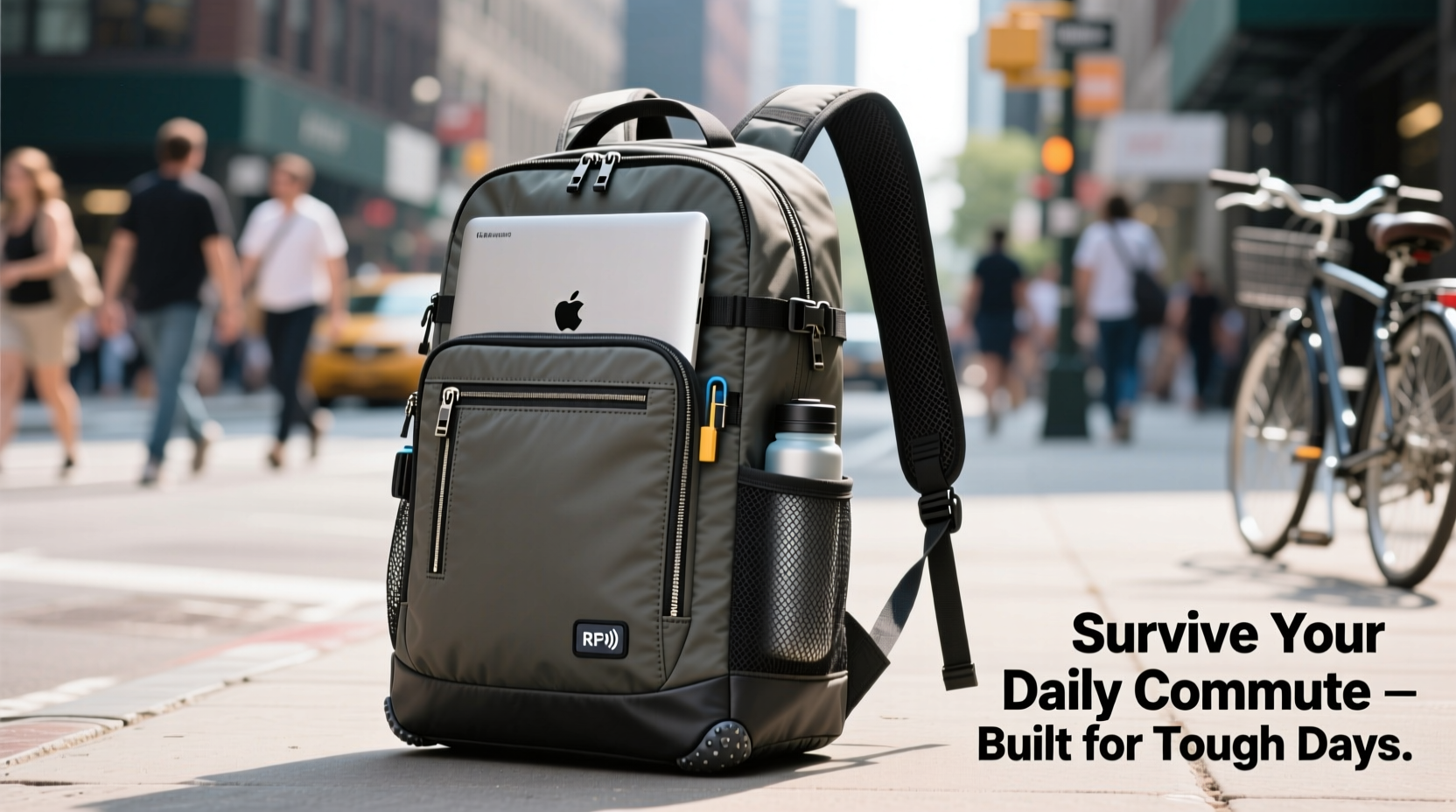
The first step in choosing a durable, functional backpack is assessing your daily routine. Not all commutes are the same, and your bag should reflect the realities of your journey. Ask yourself: How long is your commute? Do you walk, bike, drive, or take public transit? Are weather conditions often unpredictable? Do you carry additional items like notebooks, chargers, gym clothes, or lunch?
A student walking across campus may need quick access to books and a 13-inch laptop, while a consultant traveling between client sites might require space for a 16-inch laptop, power bank, documents, and business attire. Urban cyclists face different challenges than office workers who park nearby but still walk several blocks each day. Understanding these nuances ensures your backpack meets real-world demands.
Essential Features for Durability and Protection
Surviving daily commutes requires more than just zippers and straps. Look for construction elements that ensure longevity and safeguard your devices.
- Water-resistant or waterproof materials: Nylon (especially ripstop), polyester, and TPU-coated fabrics resist moisture from rain, snow, or accidental spills.
- Padded laptop compartment: Should be foam-lined, suspended off the back panel, and sized precisely for your device. Ideally, it opens like a briefcase for easy access.
- Reinforced stitching: Double or triple stitching at stress points (straps, handles, base) prevents seam failure over time.
- YKK zippers or equivalent: High-quality zippers resist jamming and breaking. Look for reverse coil or locking designs for added security.
- Breathable back panel: Mesh padding with air channels reduces sweat buildup during longer walks or rides.
Backpacks made with ballistic nylon or Cordura fabric offer exceptional abrasion resistance—ideal for those brushing against train doors or carrying their bag on rough surfaces.
“Durability starts at the material level. A backpack that looks sleek but uses thin fabric will degrade fast under daily strain.” — Marcus Lin, Product Engineer at Urban Gear Labs
Ergonomics and Comfort for Long-Term Use
No matter how tough a backpack is, if it causes shoulder pain or back strain, it’s not sustainable. Ergonomic design is crucial for daily wear.
Look for adjustable, padded shoulder straps with S-curves that follow natural shoulder contours. A chest strap helps distribute weight evenly and stabilizes the load during movement. For heavier loads, a hip belt transfers up to 80% of the weight from shoulders to hips, reducing fatigue—especially beneficial for those carrying laptops, tablets, and accessories.
The back panel should provide structured support without being rigid. Some high-end models include molded EVA foam or flexible framesheets that maintain shape while allowing slight flex for movement.
| Feature | Why It Matters | Recommended For |
|---|---|---|
| Padded shoulder straps | Reduces pressure on shoulders and neck | All users |
| Chest strap | Prevents slippage and improves balance | Commuters walking >15 mins |
| Hip belt | Transfers weight to pelvis, reduces back strain | Carrying 10+ lbs regularly |
| Ventilated back panel | Improves airflow, reduces sweating | Warm climates or active commutes |
| Top handle | Allows quick grab-and-go or overhead bin access | Public transit users |
Security and Smart Organization
A surviving backpack must also protect against theft and disorganization. Daily commutes often involve crowded spaces where pickpocketing is a risk. Anti-theft features aren’t paranoia—they’re practicality.
Consider backpacks with lockable zippers, hidden compartments (e.g., RFID-blocking pockets for cards), and slash-resistant materials in the back panel to deter cut-and-run thefts. Some models integrate USB charging ports with internal cable routing, though this feature should be secondary to core durability.
Organization is equally important. A chaotic bag leads to frustration and wasted time. Prioritize:
- Dedicated laptop sleeve with clamshell opening
- Separate tablet or document pocket
- Pen slots, key fobs, and small-item organizers
- Front-access pockets for phone, wallet, transit card
- Side mesh pockets for water bottles or umbrella
Mini Case Study: From Shoulder Pain to Seamless Commuting
Jamal, a software developer in Chicago, used a basic canvas backpack for his 45-minute walk and L-train commute. Within six months, he developed chronic shoulder pain and noticed fraying at the strap joints. His laptop also showed signs of impact damage after a fall on icy pavement.
He upgraded to a backpack with a rigid spine, ventilated back panel, hip belt, and drop-tested laptop compartment. After three weeks of adjustment, his pain diminished. Two years later, the bag shows minimal wear despite daily use, including winter snow and summer humidity. “I didn’t realize how much a good bag could affect my health,” he says. “It’s not just about looks—it’s about function that lasts.”
Step-by-Step Guide to Choosing Your Ideal Backpack
Selecting the right backpack doesn’t have to be overwhelming. Follow this sequence to make an informed decision:
- Inventory your gear: List all items you carry daily, including laptop dimensions and weight.
- Assess your commute: Note distance, terrain, weather patterns, and transportation modes.
- Set a budget: Quality commuter backpacks range from $80–$200. Avoid ultra-cheap options (<$50) with flimsy materials.
- Research materials: Prioritize ripstop nylon, Cordura, or recycled PET with PU coating for water resistance.
- Test ergonomics: If buying in-store, load the bag with weight and wear it for 10 minutes. Check for pressure points.
- Evaluate closure systems: Zippers should glide smoothly. Magnetic or buckle closures can offer speed but may lack security.
- Check warranty: Reputable brands offer 2–5 year warranties covering manufacturing defects and material failure.
- Read real user reviews: Focus on feedback about long-term durability, not just initial impressions.
“The best backpack is the one you forget you’re wearing—until you need it.” — Lena Park, Industrial Designer & Commuter Advocate
Common Pitfalls to Avoid
Even well-intentioned buyers make mistakes when selecting a laptop backpack. Steer clear of these common errors:
- Choosing style over substance: A sleek look means little if the seams split after three months.
- Ignoring fit: One-size-fits-all rarely fits anyone well. Adjustability is key.
- Overpacking: Consistently exceeding recommended weight (usually 10–15% of body weight) accelerates wear and harms posture.
- Skipping trial runs: Wear the loaded bag for a full day before committing. Real-world testing reveals flaws specs can’t.
- Neglecting maintenance: Dirt, moisture, and friction degrade materials faster. Wipe down zippers and clean straps periodically.
Checklist: Before You Buy
Use this checklist to evaluate any potential purchase:
- ✅ Laptop compartment fits your device exactly (no sliding)
- ✅ Fabric is water-resistant or treated for weather protection
- ✅ Zippers are YKK or equivalent quality
- ✅ Shoulder straps are padded and adjustable
- ✅ Includes chest strap or hip belt for stability
- ✅ Back panel is breathable and supportive
- ✅ Offers anti-theft features (hidden pockets, lockable zips)
- ✅ Has external access to essentials (phone, wallet)
- ✅ Side pockets accommodate a water bottle or umbrella
- ✅ Brand offers a multi-year warranty
- ✅ Real user reviews confirm long-term durability
FAQ
How do I know if a backpack is truly water-resistant?
Look for specific ratings like IPX4 or terms such as “PU-coated” or “TPU-laminated.” Avoid bags that only claim “water-repellent,” which may resist light splashes but not sustained exposure. True water resistance means the fabric won’t absorb moisture and seams are taped or sealed.
Can I wash my laptop backpack?
Most shouldn’t go in the washing machine. Instead, spot-clean with a damp cloth and mild soap. Remove the laptop first. For deep cleaning, use a soft brush and let it air dry completely away from direct heat. Never submerge the bag.
Is a laptop sleeve better than a built-in compartment?
A built-in, padded compartment is generally safer because it’s integrated into the bag’s structure and suspended to absorb shocks. Sleeves can shift and offer less protection unless securely anchored. However, a removable sleeve adds flexibility if you switch devices.
Conclusion: Invest in Performance, Not Just Appearance
Your laptop backpack is more than an accessory—it’s a daily tool that impacts your comfort, productivity, and peace of mind. Choosing one that survives daily commutes isn’t about finding the toughest-looking bag on the shelf. It’s about matching thoughtful design, durable materials, and ergonomic support to your actual lifestyle. When you prioritize function, protection, and fit, you don’t just buy a backpack—you invest in a reliable companion for your professional journey.




 浙公网安备
33010002000092号
浙公网安备
33010002000092号 浙B2-20120091-4
Comments
No comments yet. Why don't you start the discussion?