
Gaming controllers are among the most frequently used—and touched—devices in modern households. Over time, they accumulate sweat, oils, dust, and bacteria, especially around buttons, analog sticks, and grips. While cleaning seems like a simple fix, many gamers hesitate, fearing that opening or improperly treating their controller could void the warranty. The good news: you can maintain a pristine, hygienic controller using safe, manufacturer-compliant methods. This guide outlines proven techniques to clean your controller effectively while preserving warranty protection.
Why Cleaning Matters—And Why Warranties Are a Concern
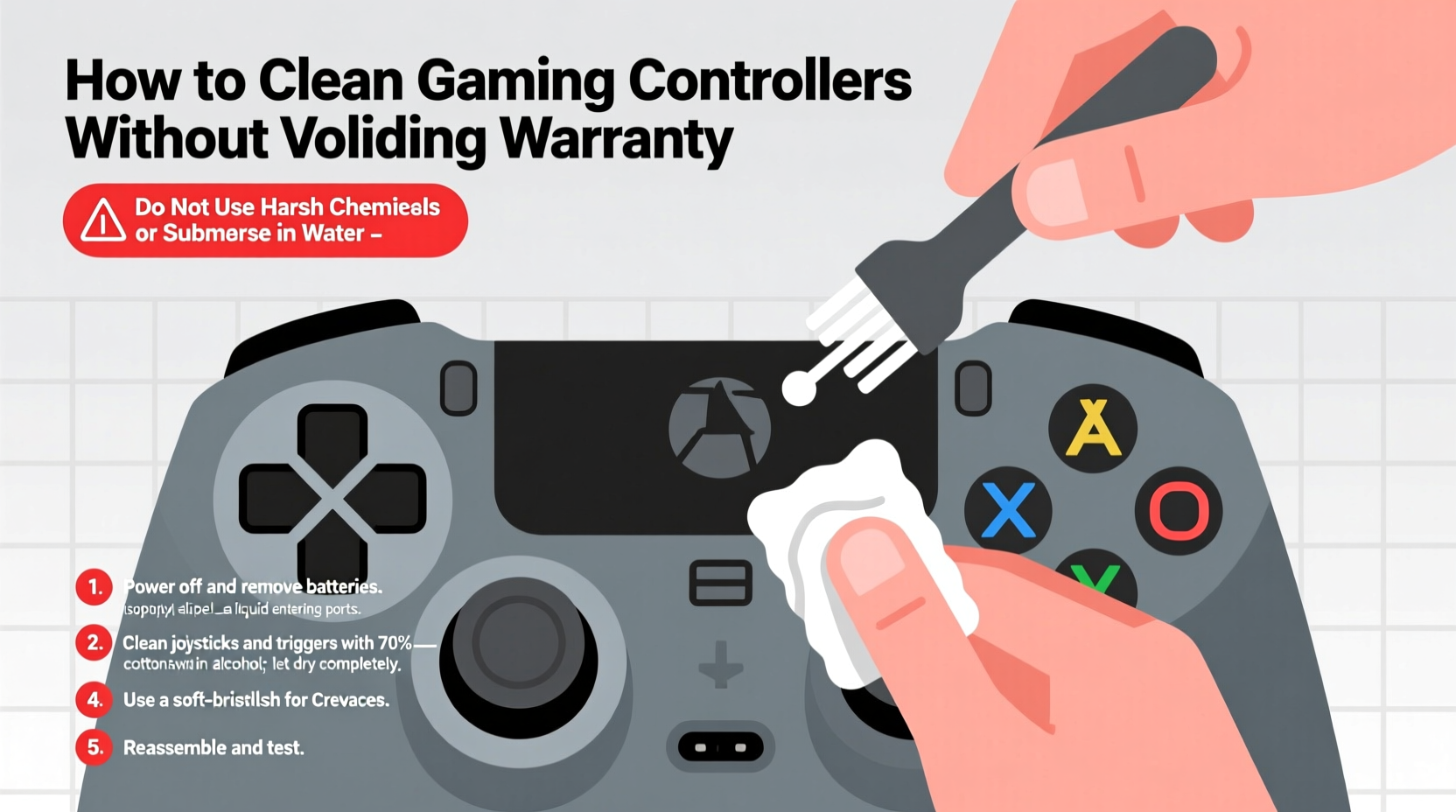
Controllers endure intense use. A study by the University of Arizona found that the average gamepad harbors more bacteria than a toilet seat. Regular cleaning isn’t just about appearance—it impacts performance, hygiene, and longevity. Sticky buttons, unresponsive triggers, or drifting analog sticks often stem from grime buildup, not hardware failure.
However, most warranties explicitly exclude damage caused by liquids, disassembly, or unauthorized modifications. Opening the controller with improper tools or using harsh cleaners can trigger this exclusion. Manufacturers like Sony, Microsoft, and Nintendo design their products with sealed enclosures and water-resistant coatings precisely to prevent user tampering. Understanding these boundaries is key to cleaning safely.
“Cleaning doesn’t have to mean disassembling. Most surface-level contaminants can be removed without ever removing a single screw.” — Jordan Lee, Senior Technician at GameFix Repair Labs
Step-by-Step Guide: Safe, Non-Invasive Cleaning Process
The safest cleaning method avoids internal exposure entirely. Follow this timeline-based approach to deep-clean your controller in under 30 minutes, no tools required.
- Power down and disconnect (2 minutes): Turn off the controller and unplug it from any device. If wireless, ensure it’s powered off completely.
- Dry wipe exterior (5 minutes): Use a dry microfiber cloth to remove loose dust and debris from the surface, crevices, and ports.
- Prepare cleaning solution (3 minutes): Mix 70% isopropyl alcohol with distilled water in a 1:1 ratio. Never use household cleaners like Windex, bleach, or hand sanitizer.
- Dampen cloth (not the controller) (2 minutes): Lightly moisten a corner of a lint-free cloth with the solution. Squeeze out excess liquid—damp, never wet.
- Clean surfaces systematically (10 minutes): Wipe buttons, analog sticks, D-pad, triggers, and grips using gentle circular motions. Focus on high-contact areas without pressing hard.
- Address crevices (5 minutes): Use a cotton swab lightly dampened with the same solution to clean between buttons and around joysticks. Replace swabs as they darken.
- Dry thoroughly (3–5 minutes): Let the controller air-dry on a clean towel. Do not use heat sources like hairdryers.
Do’s and Don’ts: What You Can and Cannot Do Safely
To avoid accidental warranty violations, follow this clear comparison of acceptable versus risky practices.
| Do | Don't |
|---|---|
| Use 70% isopropyl alcohol diluted with distilled water | Use undiluted alcohol, bleach, or ammonia-based cleaners |
| Clean with a slightly damp microfiber cloth | Soak or submerge any part of the controller |
| Use compressed air to blow out dust (from a distance) | Insert sharp objects like toothpicks or paperclips into ports |
| Wipe down after heavy gaming sessions | Disassemble the controller unless under authorized repair |
| Store in a dry, cool place away from direct sunlight | Leave in hot cars or humid environments |
Real Example: How One Gamer Avoided Costly Repairs
Mark, a competitive PlayStation player from Austin, noticed his DualSense controller’s right analog stick began drifting during matches. Before assuming hardware failure, he recalled reading about cleaning as a first-line fix. Instead of sending it in for warranty service—which could take weeks—he followed the non-invasive cleaning method using isopropyl alcohol and cotton swabs. After carefully cleaning around the stick base and letting it dry overnight, the drift resolved completely. Mark saved over $80 in potential repair costs and avoided downtime during tournament season. His experience underscores how proper maintenance can extend device life without triggering warranty issues.
When Disassembly Might Be Necessary—And How to Proceed Safely
In rare cases, such as visible grime under buttons or persistent stick drift, internal cleaning may seem unavoidable. However, opening the controller typically voids the warranty unless done under an authorized program. Some manufacturers offer self-repair portals—Apple and iFixit have pioneered this—but console makers remain cautious.
If internal access is truly needed, consider these options:
- Check for official repair programs: Nintendo occasionally offers low-cost joystick replacements for Switch Pro Controllers with drift issues, even outside warranty.
- Contact customer support first: Describe symptoms before acting. Many companies will guide users through safe troubleshooting steps.
- Use manufacturer-approved parts and tools: If proceeding independently, use precision screwdrivers and ESD-safe mats. Document each step with photos.
Note: Opening a sealed unit almost always voids warranty coverage for future claims unless explicitly permitted. Weigh risks carefully.
Checklist: Monthly Controller Maintenance Routine
Stay ahead of buildup with this quick monthly checklist:
- ✅ Power down and disconnect controller
- ✅ Dry wipe entire surface with microfiber cloth
- ✅ Clean buttons and analog sticks with alcohol-dampened cloth
- ✅ Use cotton swabs for tight spaces (replace as needed)
- ✅ Blow out debris with compressed air (hold can upright, 6+ inches away)
- ✅ Inspect for wear, cracks, or button responsiveness
- ✅ Store in a ventilated, dry location
Frequently Asked Questions
Can I use disinfectant wipes on my controller?
No, most commercial disinfectant wipes (like Clorox or Lysol) contain chemicals too harsh for plastic and rubber components. They can degrade anti-slip coatings and discolor surfaces. Stick to 70% isopropyl alcohol solutions applied via cloth only.
Will cleaning prevent analog stick drift?
Regular cleaning can delay or reduce drift caused by debris interfering with potentiometer movement. However, true hardware drift due to worn-out internal components cannot be fixed with cleaning alone. Prevention through cleanliness extends lifespan but doesn’t eliminate mechanical wear.
How often should I clean my controller?
For daily users, a light wipe-down weekly and a thorough clean monthly is ideal. Heavy gamers or households with multiple users should clean every two weeks. After illness, sanitize immediately using safe methods.
Expert Insight: Manufacturer Guidelines Compared
Each major brand provides limited but important guidance on care:
- Sony (DualShock, DualSense): Recommends turning off the controller and wiping with a soft, dry cloth. Does not advise liquid use but acknowledges alcohol-based cleaning in community forums.
- Microsoft (Xbox Wireless Controller): Officially states to use a “cleaning product suitable for electronic devices,” avoiding aerosols and liquids near openings.
- Nintendo (Joy-Cons, Pro Controller): Warns against submersion and advises using a “slightly damp” cloth with mild detergent—though alcohol is not mentioned.
Despite slight differences, all emphasize avoiding moisture ingress and physical damage. Staying within these broad guidelines ensures compliance.
“Most warranty claims related to cleaning come from oversaturation or disassembly. A damp cloth and common sense go a long way.” — Rachel Kim, Customer Support Lead at Xbox Hardware Services
Conclusion: Clean Smarter, Play Longer
Your gaming controller is an investment in performance, comfort, and immersive play. Keeping it clean shouldn’t come at the cost of protection. By following non-invasive, manufacturer-aligned methods, you preserve both hygiene and warranty eligibility. Simple habits—like regular wiping, using proper solutions, and avoiding disassembly—can extend your controller’s functional life by years. Whether you’re a casual player or a competitive gamer, proactive care ensures peak performance without risking coverage.




 浙公网安备
33010002000092号
浙公网安备
33010002000092号 浙B2-20120091-4
Comments
No comments yet. Why don't you start the discussion?